
1. הקדמה
Thank you for choosing the Audiocrazy Portable AM FM Shortwave Radio with Bluetooth, Model AC-1705R. This radio is designed to provide versatile audio entertainment with its multi-band radio reception (AM, FM, Shortwave), Bluetooth connectivity, and media playback options via SD card and USB. It features a classic retro design, clear sound, and multiple power options for convenience at home or on the go.
2. זיכערקייַט אינפֿאָרמאַציע
- מאַכט מקור: ניצט נאָר דעם ספּעציפֿירטן מאַכט אַדאַפּטער אָדער באַטעריעס. זיכערט זיך אַז דער וואָלומען איזtage שוועבעלעך די מיטל רעקווירעמענץ.
- באַטערי זיכערקייַט: When using D cell batteries, ensure correct polarity. Remove batteries if the radio will not be used for an extended period to prevent leakage. Do not mix old and new batteries or different types of batteries.
- וואַסער קעגנשטעל: דעם פּראָדוקט איז נישט וואַסער-קעגנשטעליק. Avoid exposure to water, rain, or high humidity to prevent damage.
- ווענטילאַטיאָן: בלאָקירט נישט די ווענטילאַציע עפענונגען. זאָרגט פֿאַר גענוג לופט־פֿלוס אַרום דעם אַפּאַראַט.
- רייניקונג: טרענט אפ פון עלעקטריציטעט איידער רייניגן. ניצט א ווייכע, טרוקענע שטאָף. ניצט נישט פליסיקע רייניגער אדער אייראזאל שפריי.
- טעמפּעראַטור: Avoid extreme temperatures. Do not place near heat sources or in direct sunlight for prolonged periods.
- סערוויס: דו זאלסט נישט פּרווון צו דינען דעם פּראָדוקט זיך. קאָנטאַקט אַלע קוואַלאַפייד סערוויס פּערסאַנעל.
3. פּראָדוקט איבערview
Familiarize yourself with the main components and controls of your Audiocrazy radio.
פראָנט פּאַנעל קאָנטראָלס

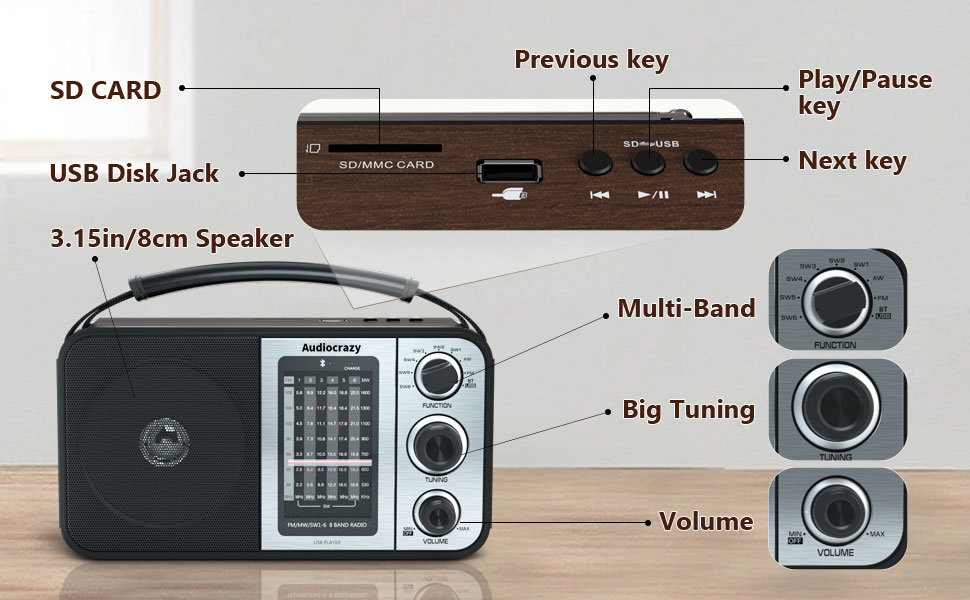
- פונקציע באַשטימען: Selects between AM, FM, SW1-6, Bluetooth (BT), and other modes.
- טונינג קנעפּל: Used to precisely tune into radio stations across all bands.
- באַנד קנעפּל: Controls the audio output level and also serves as the power ON/OFF switch.
- רעדנער: Front-facing speaker for audio output.
Top Panel Controls and Ports
- SD Card Slot: Insert an SD card for playing stored audio files.
- USB Disk Jack: Insert a USB flash drive for playing stored audio files.
- פֿריִערדיקע שליסל: Skips to the previous track during media playback.
- שפּיל / פּויזע שליסל: Starts or pauses playback of media files.
- ווייַטער שליסל: Skips to the next track during media playback.
Side and Rear Panel

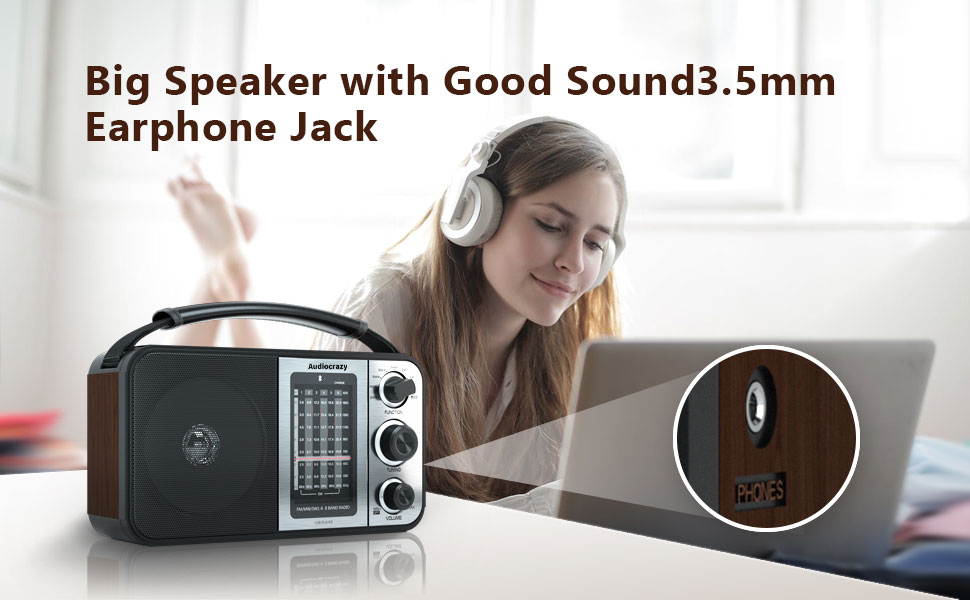
- 3.5 מם כעדפאָון דזשאַק: פֿאַר פּריוואַט צוהערן מיט כעדפאָונז.
- אַק מאַכט אַרייַנשרייַב: Connect the supplied power adapter for wall power.
- באַטערי אָפּטייל: Located on the rear, for D cell batteries.
- טעלאַסקאָפּיק אַנטענע: Extend for improved radio reception.
4. סעטאַפּ
4.1 אנשטעלן דעם ראַדיאָ
Your Audiocrazy radio offers three power options:
- AC Power (Wall Outlet): Insert the supplied power adapter cable into the AC power input on the radio and plug the other end into a standard wall outlet.
- DC Power (D Cell Batteries): Open the battery compartment cover on the rear of the radio. Insert two (2) D cell batteries, ensuring correct polarity (+/-) as indicated inside the compartment. Close the cover securely.
- ינערלעך ריטשאַרדזשאַבאַל באַטערי: The radio has a built-in rechargeable lithium battery. It charges automatically when the radio is connected to AC power.
4.2 אַנטענע אַדזשאַסטמענט
For optimal radio reception, extend the telescopic antenna fully. For AM and Shortwave bands, you may need to adjust the radio's position or direction for clearer reception.

5. אַפּערייטינג ינסטרוקטיאָנס
5.1 אײַנשטעלן/אויסלעשן און וואָליום קאָנטראָל
דרייען די באַנד קנעפּל clockwise to turn the radio ON and increase the volume. Rotate it counter-clockwise to decrease the volume and turn the radio OFF.
5.2 Selecting Radio Bands
ניצן די פונקטיאָן סוויטש to select your desired radio band:
- AM: Amplitude Modulation band (520-1710 KHz).
- עפעם: Frequency Modulation band (87.5-108 MHz).
- SW1-6: Shortwave bands (3.5-23 MHz).
5.3 זיך איינשטעלן אויף א סטאנציע
אַמאָל אַ באַנד איז אויסגעקליבן, דרייט לאַנגזאַם די טונינג קנופּ to scan for stations. The frequency display will show the current frequency. Stop rotating when you find a clear signal.
5.4 בלועטאָאָטה מאָדע
צו פאַרבינדן אַ בלועטאָאָטה מיטל:
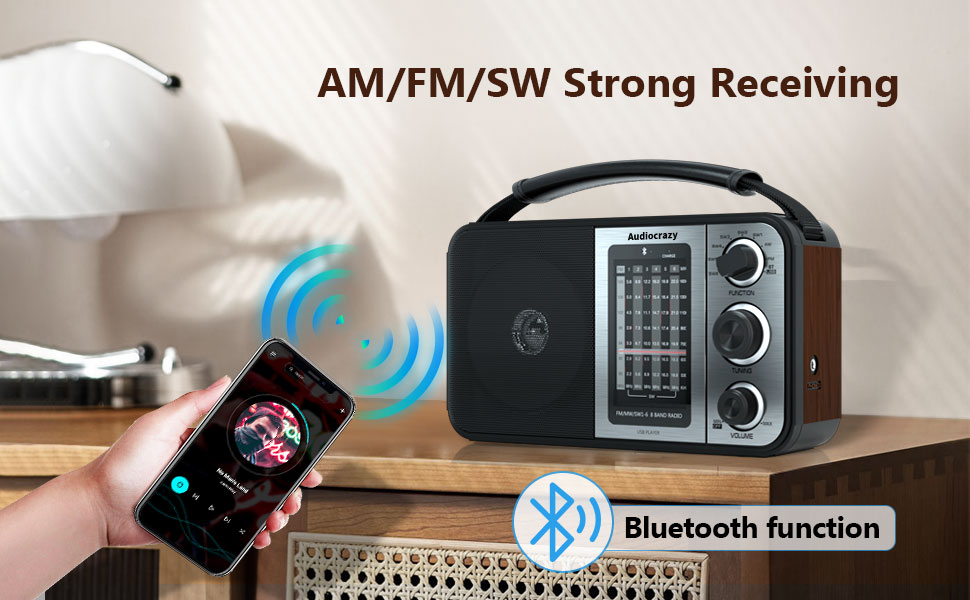
- באַשטימען די פונקטיאָן סוויטש to the 'BT' position. The radio will enter Bluetooth pairing mode.
- אויף אייער סמאַרטפאָון אָדער אַנדער בלוטוט מיטל, אַקטיוויזירט בלוטוט און זוכט פֿאַר פֿאַראַן דעוויסעס.
- Select 'Audiocrazy' (or similar name) from the list of devices to pair.
- Once paired, you can play audio from your device through the radio's speaker.
5.5 SD Card / USB Playback
To play audio from an SD card or USB drive:
- Insert a formatted SD card into the סד קאָרט שפּעלטל or a USB flash drive into the USB Disk Jack.
- באַשטימען די פונקטיאָן סוויטש to the appropriate media playback mode (usually indicated by 'USB' or 'SD' or automatically detected).
- ניצן די פֿריִערדיקע שליסל, שפּיל/פּאָז קיי, און ווייַטער שליסל צו קאָנטראָלירן ווידערשפּיל.
5.6 נוצן פון כעדפאָונז
For private listening, plug any standard 3.5mm headphones into the 3.5 מם כעדפאָון דזשאַק on the side of the radio. The main speaker will automatically mute.

6. וישאַלט
- רייניקונג: Wipe the radio's exterior with a soft, dry, lint-free cloth. Do not use abrasive cleaners, waxes, or solvents.
- סטאָרידזש: If storing the radio for an extended period, especially if using D cell batteries, remove the batteries to prevent potential leakage and damage. Store in a cool, dry place.
- אַנטענע זאָרגן: האַנדלט מיט דער טעלעסקאָפּישער אַנטענע מיט לײַכטקייט כּדי זי זאָל זיך נישט בייגן אָדער צעברעכן.
7. טראָובלעשאָאָטינג
| פּראָבלעם | מעגלעך סיבה | לייזונג |
|---|---|---|
| ראַדיאָ טוט זיך נישט אָן. | No power, batteries drained or incorrectly inserted, AC adapter not connected. | Check AC power connection. If using batteries, ensure they are fresh and inserted with correct polarity. Recharge internal battery if using AC power. |
| נעבעך ראַדיאָ אָפּטראָג. | Antenna not extended, weak signal, interference. | Extend the telescopic antenna fully. Try repositioning the radio. For AM/SW, rotate the radio for better signal. |
| קיין קלאַנג פֿון רעדנער. | Volume too low, headphones connected, incorrect mode. | Increase volume. Disconnect headphones. Ensure correct function mode (AM/FM/SW/BT/USB/SD) is selected. |
| בלוטוט דעווייס נישט פארבינדן. | Radio not in BT mode, device too far, Bluetooth off on device. | Ensure radio is in 'BT' mode. Keep devices within range. Enable Bluetooth on your device and re-scan. |
| SD/USB media not playing. | Incorrect mode, unsupported file format, corrupted media. | Ensure radio is in the correct media playback mode. Check if audio files are in a supported format. Try a different SD card or USB drive. |
8. ספּעסאַפאַקיישאַנז
| שטריך | באַשרייַבונג |
|---|---|
| סאָרט | אַודיאָקרייזי |
| מאָדעל נומער | AC-1705R |
| פּראָדוקט דימענשאַנז (L x W x H) | 9.7" x 4.7" x 5.7" |
| טונער טעכנאָלאָגיע | AM, עפעם |
| ראַדיאָ באַנדס געשטיצט | AM (520-1710 KHz), FM (87.5-108 MHz), SW (3.5-23 MHz) |
| קאַנעקטיוויטי טעכנאָלאָגיע | בלועטאָאָטה, וסב |
| ספּעציעלע פֿעיִקייטן | Portable, Rechargeable, SD/USB Playback, Headphone Jack |
| מאַכט מקור | Battery Powered (Internal Rechargeable, 2x D Cell), AC Plug-in |
| אַרייַנגערעכנט קאַמפּאָונאַנץ | מאַכט אַדאַפּטער |
| ווייַז טיפּ | לקד אָדער געפירט |
| ייַזנוואַרג צובינד | 3.5 מ״מ אַודיאָ, USB |
| Voltage | 3 וואלטס (דק) |
| מאַטעריאַל | Wood (Enclosure) |
| וואַסער קעגנשטעל מדרגה | ניט וואַסער קעגנשטעליק |
9. וואָראַנטי און שטיצן
9.1 וואָראַנטי אינפֿאָרמאַציע
Specific warranty details for your Audiocrazy product may vary. Please refer to the documentation included with your purchase or contact Audiocrazy customer support for detailed warranty terms and conditions.
9.2 קונה שטיצן
For technical assistance, troubleshooting not covered in this manual, or general inquiries, please contact Audiocrazy customer support. Contact information can typically be found on the product packaging, the official Audiocrazy webוועבזייטל, אדער דורך אייער הענדלער.