
Amazon Fire TV Stick 4K Max, Luna Controller
Fire TV Stick 4K Max + Luna Controller User Manual
Cloud Gaming and Streaming Bundle
הקדמה
Welcome to your Fire TV Stick 4K Max and Luna Controller bundle. This manual provides essential information for setting up, operating, and maintaining your devices to ensure a seamless streaming and cloud gaming experience. This bundle combines the powerful 4K streaming capabilities of the Fire TV Stick 4K Max with the low-latency cloud gaming performance of the Luna Controller.

Image: The Fire TV Stick 4K Max, its accompanying Alexa Voice Remote, and the Luna Controller, showcasinג דאָס גאַנצע פּעקל.
וואָס איז אַרייַנגערעכנט
- Fire TV Stick 4K Max
- אַלעקסאַ ווויס רימאָוט
- לונאַ קאָנטראָללער
- Power Adapter for Fire TV Stick
- USB Cable for Fire TV Stick
- HDMI Extender (optional use)
- 2 AAA Batteries for Alexa Voice Remote
- 2 AA Batteries for Luna Controller
סעטאַפּ
1. Fire TV Stick 4K Max Setup
- פֿאַרבינדן פֿײַער טעלעוויזיע שטעקן: Plug the Fire TV Stick 4K Max directly into an available HDMI port on your TV. For optimal Wi-Fi performance, use the included HDMI extender if the stick is too close to other cables or devices.
- מאַכט אויף: פֿאַרבינדט דעם USB קאַבל צום Fire TV Stick און דעם מאַכט אַדאַפּטער, און דערנאָך שטעק דעם אַדאַפּטער אין אַ וואַנט אַוטלעט.
- אַרײַנשטעלן באַטעריעס פֿון דער ווײַט־ראַם: עפֿנט די הינטערשטע זײַט פֿון דער אַלעקסאַ שטימע ווײַטקאָנטראָל און אַרײַנשטעלט די צוויי AAA באַטעריעס.
- אויסקלייַבן אַרייַנשרייַב: צינדט אן אייער טעלעוויזיע און סעלעקטירט דעם HDMI אריינגאנג וואו אייער פייער טעלעוויזיע סטיק איז פארבונדן.
- גיי די אינסטרוקציעס אויף דער סקרין: The Fire TV Stick will guide you through language selection, Wi-Fi network connection, and Amazon account registration.

Image: The Fire TV Stick 4K Max and its remote, highlighting features like Wi-Fi 6E support, Fire TV Ambient Experience, Dolby Vision/Atmos, and 16GB storage.
2. Luna Controller Setup
- אַרייַנלייגן באַטעריז: Open the battery compartment on the back of the Luna Controller and insert the two AA batteries.
- מאַכט אויף: Press and hold the Luna button (circle with a purple ring) for 3 seconds until the light ring around the Luna button turns blue.
- Pairing with Fire TV Stick:
- Ensure your Fire TV Stick is set up and connected to the internet.
- On your Fire TV, navigate to Settings > Controllers & Bluetooth Devices > Amazon Luna Controllers > Add New Luna Controller.
- Follow the on-screen prompts to complete the pairing process. The Luna button light ring will turn solid blue when connected.
- Cloud Direct Connection: For optimal low-latency gaming, the Luna Controller connects directly to Amazon's custom game servers via Wi-Fi. Ensure your Fire TV Stick and Luna Controller are on the same Wi-Fi network.
- בלועטאָאָטה קאַנעקשאַן (אַפּשאַנאַל): The Luna Controller can also connect via Bluetooth to compatible devices (e.g., PCs, Macs, Android phones, iPhones). To switch to Bluetooth mode, press and hold the Luna button and the 'B' button simultaneously for 3 seconds until the light ring flashes white. Then, pair it like any other Bluetooth device.

בילד: א נאָענטע בילד view of the Luna Controller's buttons, highlighting its precise and responsive controls.
אַפּערייטינג
1. Using Fire TV Stick 4K Max for Streaming
- נאַוויגאַציע: Use the Alexa Voice Remote's directional pad to navigate menus, select content, and control playback.
- קול קאַמאַנדז: Press and hold the microphone button on the Alexa Voice Remote and speak your commands (e.g., "Open Netflix," "Find action movies," "Play Fortnite").
- אַפּ ינסטאַלירונג: Download and install your favorite streaming apps from the Appstore on your Fire TV.
- Ambient Experience: The Fire TV Stick 4K Max features an Ambient Experience, transforming your TV into a smart display when not in use, showing art, photos, or useful information.

Image: A visual representation of various streaming service logos, indicating the wide range of content available on Fire TV devices.
2. Using Luna Controller for Cloud Gaming
- Luna App: Download the Luna app on your Fire TV Stick 4K Max. This app is your gateway to the Luna cloud gaming service.
- שפּיל סעלעקציע: Browse and select games directly from the Luna app.
- Cloud Direct Advantage: The Luna Controller's Cloud Direct technology connects directly to Amazon's cloud gaming servers, reducing input lag compared to traditional Bluetooth connections.
- Subscription Requirements: Access to Luna games typically requires a Prime membership or a Luna+ subscription. Specific game libraries (e.g., Ubisoft+, Jackbox Games) may require additional subscriptions.

Image: A person playing the game Fortnite on a large screen TV using the Luna Controller, demonstrating the cloud gaming experience.
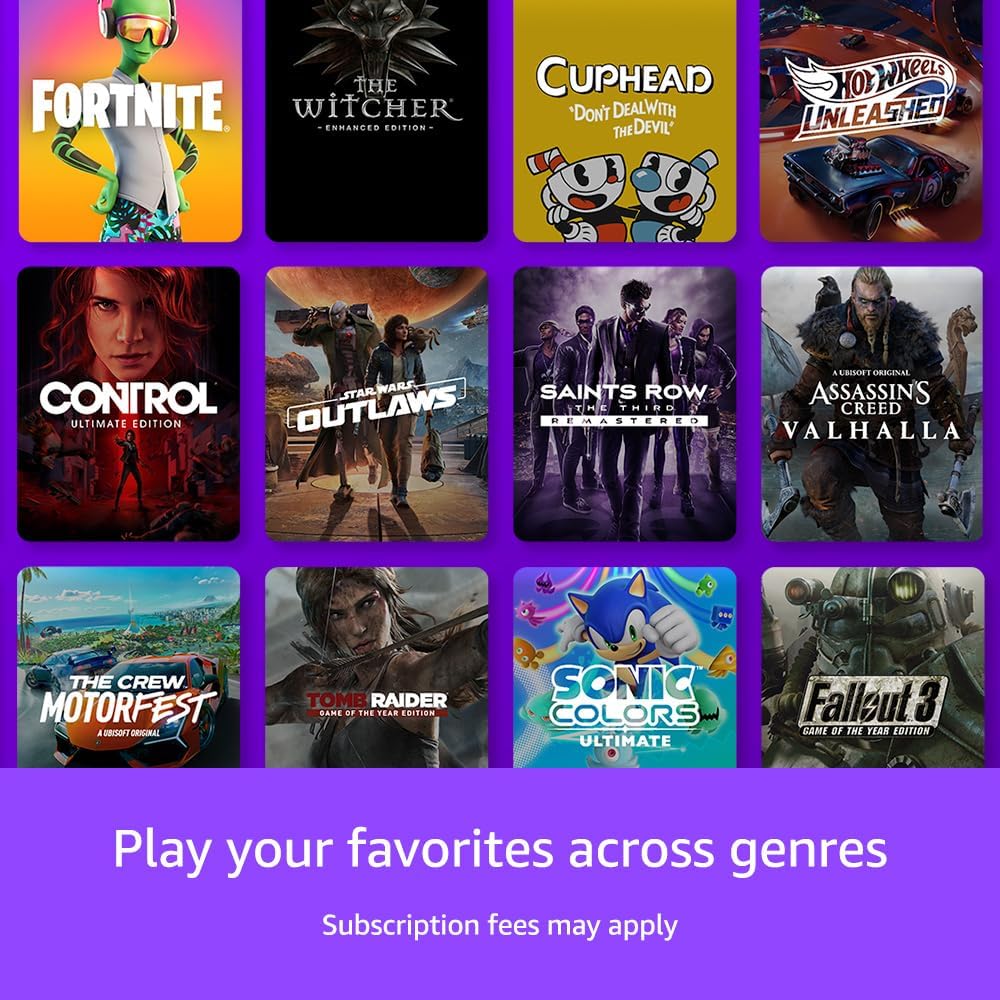
Image: A collage of popular game titles, illustrating the diverse selection of games available across different genres on the Luna platform.
וישאַלט
- רייניקונג: Use a soft, dry, lint-free cloth to clean the Fire TV Stick, remote, and Luna Controller. Do not use abrasive cleaners or solvents.
- ווייכווארג דערהייַנטיקונגען: Your Fire TV Stick 4K Max will automatically download and install software updates when connected to the internet. Ensure it remains connected to receive critical updates.
- Luna Controller Batteries: Replace the AA batteries in your Luna Controller when the light ring around the Luna button flashes red, indicating low battery.
- סטאָרידזש: When not in use for extended periods, store devices in a cool, dry place away from direct sunlight and extreme temperatures.
טראָובלעשאָאָטינג
Fire TV Stick Issues
- קיין מאַכט/קיין סיגנאַל:
- Ensure the Fire TV Stick is properly plugged into the HDMI port and the power adapter is connected to a working outlet.
- איבערצייגט אז אייער טעלעוויזיע איז איינגעשטעלט צום ריכטיגן HDMI אינפוט.
- פּרוּווט אַן אַנדער HDMI פּאָרט אָדער עלעקטרישן אַוטלעט.
- ווייַט ניט ריספּאַנדינג:
- פאַרבייַטן די אַאַאַ באַטעריז.
- Pair the remote again by holding the Home button for 10 seconds near the Fire TV Stick.
- Wi-Fi קאַנעקשאַן פּראָבלעמס:
- ריסטאַרט דיין Wi-Fi ראַוטער און מאָדעם.
- Go to Fire TV Settings > Network and try reconnecting or forgetting and re-adding your network.
- Ensure the Fire TV Stick is within range of your Wi-Fi router.
Luna Controller Issues
- קאָנטראָללער פֿאַרבינדט זיך נישט:
- Ensure the Luna Controller has fresh AA batteries.
- Verify the controller is powered on (blue light ring).
- Re-pair the controller through the Fire TV Settings > Controllers & Bluetooth Devices menu.
- Ensure your Fire TV Stick and Luna Controller are on the same Wi-Fi network for Cloud Direct.
- Input Lag/Performance Issues in Games:
- Check your internet connection speed. Luna requires a stable, high-speed connection (at least 10 Mbps for 1080p).
- Reduce Wi-Fi interference by moving your router or Fire TV Stick.
- זיכער מאַכן אַז קיין אַנדערע דעוויסעס נוצן נישט שווער אייער נעץ באַנדווידט.
- Confirm the Luna Controller is connected via Cloud Direct (solid blue light) for optimal performance.
ספּעסאַפאַקיישאַנז
Fire TV Stick 4K Max
- רעזאלוציע: Up to 4K Ultra HD (2160p) at 60 fps
- HDR שטיצן: Dolby Vision, HDR10, HDR10+, HLG
- אַודיאָ שטיצן: Dolby Atmos, 7.1 surround sound, 2-channel stereo, HDMI audio pass-through up to 5.1
- פּראַסעסער: קוואַד-האַרץ 1.8 גהז
- גפּו: 750 מהז
- סטאָרידזש: 16 גיגאבייט אינטערנער
- ווי-פי: Wi-Fi 6E (802.11ax) tri-band, dual-band (2.4 GHz, 5 GHz)
- בלועטאָאָטה: בלועטאָאָטה 5.0 + לע
- פּאָרץ: HDMI output, Micro-USB for power only
לונאַ קאָנטראָללער
- קאַנעקטיוויטי: Cloud Direct (Wi-Fi), Bluetooth, USB-C (wired)
- מאַכט: 2 אַאַ באַטעריז
- קנעפּלעך: Standard gamepad layout (A, B, X, Y, D-pad, joysticks, shoulder buttons, triggers, Luna button, menu buttons)
- Haptics: Dual rumble motors
וואָראַנטי און שטיצן
פֿאַר וואָראַנטי אינפֿאָרמאַציע און קונה שטיצע, ביטע זען די באַאַמטער אַמאַזאָן שטיצע website or contact Amazon Customer Service directly. You can find detailed warranty terms and conditions, as well as troubleshooting guides and FAQs, by visiting amazon.com/devicesupport.
Ask a question about this manual
Ask about setup, troubleshooting, compatibility, parts, safety, or missing instructions. Manuals+ will review the question and use this page’s manual context to help answer it.