
1. הקדמה
This manual provides detailed instructions for the setup, operation, and maintenance of your edaiser Swivel Keyboard Case. Please read this manual thoroughly before using the product to ensure proper function and longevity. This keyboard case is designed to enhance your iPad mini experience by providing a physical keyboard and trackpad, along with robust protection and versatile viewינג אַנגלעס.
2. פּעקל אינהאַלט
- edaiser Swivel Keyboard Case
- וסב-C טשאַרדזשינג קאַבלע
- באַניצער מאַנואַל
3. קאַמפּאַטאַבילאַטי
די קלאַוויאַטור קעסטל איז ספּעציעל דיזיינד פֿאַר די פאלגענדע iPad מאָדעלס:
- 2021 iPad mini 6th Generation (8.3-inch)מאָדעל נומערן A2567, A2568, A2569
- 2024 iPad mini 7th Generation (8.3-inch)מאָדעל נומערן A2993, A2995, A2996
To verify your iPad model number, check the back of your iPad or go to Settings > General > About > Model Number.

Image: Compatible iPad models and their model numbers.
4. פּראָדוקט פֿעיִקייטן
4.1 Swivel and Rotation
The keyboard case features a 360-degree rotatable hinge and 180-degree fold, allowing for multiple viewing and typing modes:
- לאַפּטאַפּ מאָדע: Standard laptop-like setup for typing.
- שטיין מאָדע: Ideal for watching videos or presentations.
- Tent Mode: Suitable for touch-based interactions or drawing.
- טאַבלעט מאָדע: Fold the keyboard back for a traditional tablet experience.

Image: iPad mini in laptop mode, demonstrating swivel and rotation.

Image: Different usage modes of the keyboard case.
4.2 RGB Backlit Keyboard and Trackpad
The integrated keyboard features RGB backlighting for comfortable typing in low-light conditions. The precision trackpad supports multi-touch gestures for enhanced navigation within iPadOS.
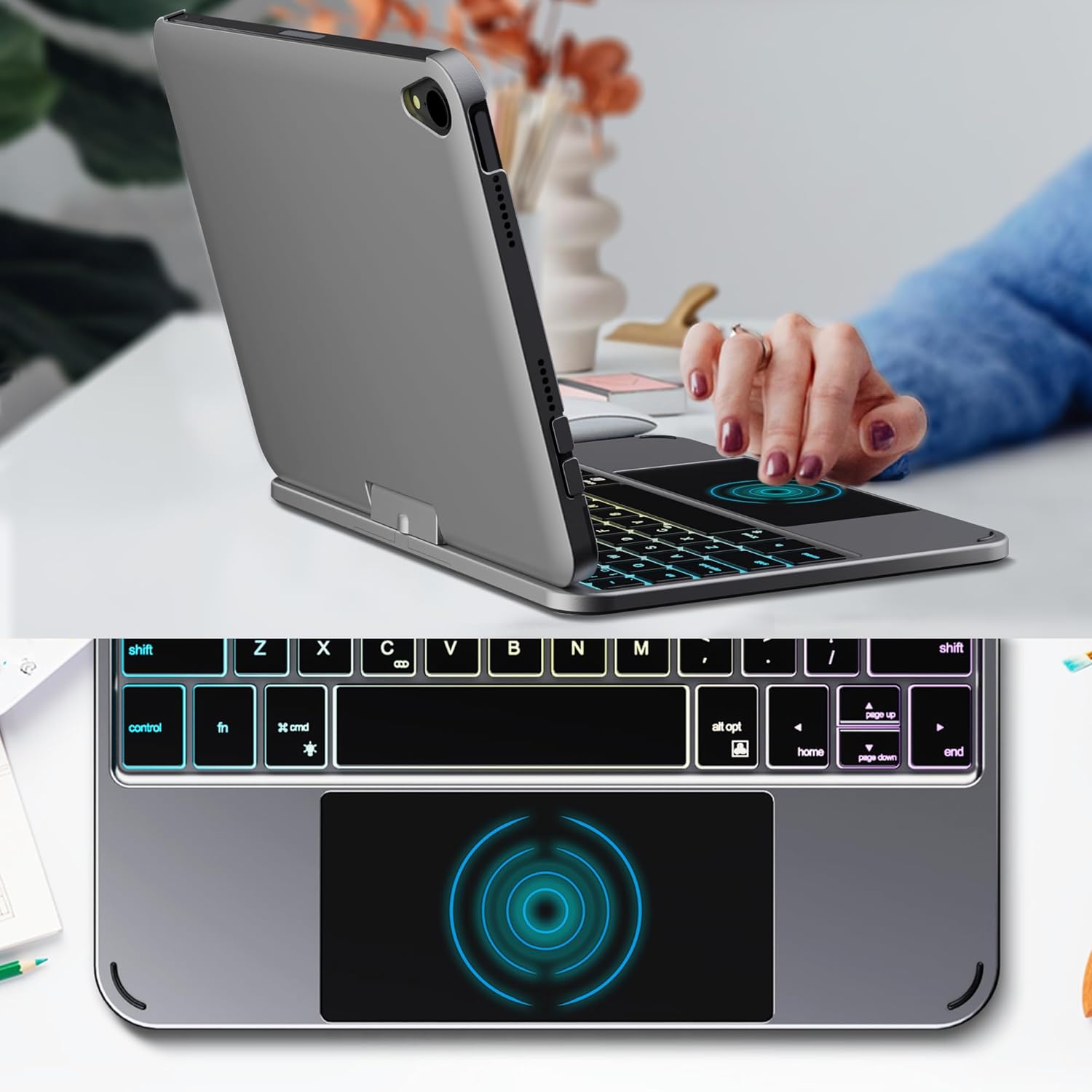
Image: Backlit keyboard and trackpad in use.

Image: Keycap and touchpad dimensions, and available colors.
4.3 Protection and Design
The case provides comprehensive protection for your iPad mini, safeguarding it from scratches and minor impacts. It features precise cutouts for the camera, charging port, and speakers.

Image: Case features and drop protection illustration.
5. סעטאַפּ אינסטרוקציעס
5.1 Installing Your iPad mini
- Gently align your iPad mini with the case.
- Press the iPad firmly into the case until it is securely seated. Ensure all edges are properly covered and ports/buttons are accessible.
Video: Demonstrates the installation of the iPad mini into the keyboard case, followed by usage in laptop mode, trackpad interaction, and backlight activation.
5.2 בלועטאָאָטה פּערינג
- קער אויף די קלאַוויאַטור: Locate the power button on the keyboard and press it to turn on the device.
- Activate Bluetooth on the keyboard: Press the "Fn" key and the "C" key simultaneously to activate Bluetooth pairing mode. The Bluetooth indicator light will flash.
- Open iPad Settings: אויף אייער אייפּאַד, גייט צו סעטטינגס > בלועטאָאָטה.
- פאַרבינדן: In the Bluetooth device list, find "iPad keyboard" and tap to connect. A pairing request may appear; confirm it.
- The Bluetooth indicator light on the keyboard will stop flashing once successfully paired.
Video: Demonstrates the rotation of the iPad within the case, various usage modes, and the Bluetooth pairing process for the keyboard.
6. אַפּערייטינג ינסטרוקטיאָנס
6.1 קלאַוויאַטור פאַנגקשאַנז
The keyboard includes standard keys and function keys specific to iPadOS:
- Fn + C: Activates Bluetooth pairing mode.
- Fn + גלאָביר בילדל: Toggles keyboard backlight on/off and cycles through brightness levels.
- Fn + RGB icon: Changes backlight color (if multiple colors are supported).
- היים שליסל: Returns to the iPad home screen.
- זוכן שליסל: Activates iPad search.
- באַנד שליסלען: Adjusts iPad volume.
- מידיאַ קאָנטראָל שליסלען: Play/Pause, Previous Track, Next Track.
6.2 טרעקפּאַד דזשעסטשערז
The trackpad supports various multi-touch gestures for efficient navigation:
- צאַפּן מיט איין פינגער: Left-click.
- צאַפּן צוויי-פינגער: Right-click (context menu).
- מעגילע מיט צוויי פינגער: Scroll up/down or left/right.
- דריי-פינגער לאַקכענען אַרויף: Go to the home screen.
- Three-finger swipe up and hold: Open the App Switcher.
- Three-finger swipe left/right: Switch between open apps.
- קניפּ צו פארגרעסער: Zoom in/out on content.
7. טשאַרדזשינג און באַטאַרייע
The keyboard case is powered by a built-in rechargeable battery. Use the provided USB-C cable to charge the keyboard.
- באַטאַרייע קאַפּאַציטעט: 500 מאַה
- סטאַנדביי צייט: אַרויף צו 90 טעג
- אַרבעט צייט: Up to 180 hours (without backlight)
- טשאַרדזשינג ינדיקאַטאָר: The LED indicator will show charging status.
Connect the USB-C cable to the charging port on the keyboard and the other end to a USB power adapter (not included).

Image: Battery specifications and charging port location.
8. וישאַלט
- האַלט די קלאַוויאַטור קעסטל אַוועק פון פליסיקייטן און עקסטרעמע טעמפּעראַטורן.
- Clean the case and keyboard with a soft, damp שטאָף. ויסמייַדן האַרב קעמיקאַלז.
- דו זאלסט נישט פּרווון צו דיסאַסעמבאַל די פּראָדוקט.
9. טראָובלעשאָאָטינג
9.1 קלאַוויאַטור פֿאַרבינדט זיך נישט דורך בלועטוט
- זייט זיכער אַז די קלאַוויאַטור איז אנגעצונדן און גאָר אויפגעלאָדן.
- זייט זיכער אז בלועטוט איז ענייבאַלד אויף אייער אייפּאַד.
- Press "Fn" + "C" on the keyboard to enter pairing mode.
- פארגעסט דעם דעווייס אין אייער אייפּאַד'ס בלועטוט סעטטינגס און פרובירט צו ווידער-פארן.
- ריסטאַרט ביידע דיין iPad און די קלאַוויאַטור.
9.2 קנעפּלעך רעאַגירן נישט
- Check the battery level of the keyboard.
- זיכער מאַכן אַז די קלאַוויאַטור איז ריכטיק פארבונדן דורך בלועטוט.
- ריין אַרום די שליסלען צו באַזייַטיקן קיין דעבריס.
9.3 Trackpad Not Working
- Ensure the keyboard is connected via Bluetooth.
- Check iPad settings: סעטטינגס > אַלגעמיינע > Trackpad & Mouse to ensure it's enabled and sensitivity is adjusted.
- ריסטאַרט ביידע דיין iPad און די קלאַוויאַטור.
10. ספּעסאַפאַקיישאַנז
| שטריך | באַשרייַבונג |
|---|---|
| סאָרט | edaiser |
| מאָדעל נומער | edaiser Swivel 83ATS |
| קאַמפּאַטאַבאַל מאָדעלס | Apple iPad mini 6th Gen (8.3-inch), iPad mini 7th Gen (A17 Pro) |
| קאַנעקטיוויטי | בלועטאָאָטה |
| קלאַוויאַטור טיפּ | Compact with RGB Backlight |
| טראַקקפּאַד | Integrated, Multi-touch |
| מאַכט מקור | באַטאַרייע פּאַוערד |
| באַטאַרייע קאַפּאַציטעט | 500 מאַה |
| סטאַנדביי צייט | אַרויף צו 90 טעג |
| אַרבעט צייט | Up to 180 hours (without backlight) |
| טשאַרדזשינג פּאָרט | וסב-C |
| נומער פון קיז | 64 |
| Keycap Size | 11.5 מם X 12.9 מם |
| Touchpad Size | 98.4 מם X 49.7 מם |
11. וואָראַנטי און שטיצן
For warranty information and customer support, please refer to the official edaiser webזייטל אדער קאנטאקט זייער קאסטומער סערוויס גלייך. האלט אייער קויף קוויטל פאר גאראנטיע טענות.