
1. הקדמה
This manual provides essential information for the safe and effective operation of your QUANSHENG K6 UVK5(8) Multi-Band Walkie Talkie. Please read it thoroughly before use and retain it for future reference.
זיכערקייַט אינפֿאָרמאַציע
- טראנסמיטירט נישט אָן אַ פּאַסיקע אַנטענע אַטאַטשט.
- Ensure battery is correctly installed and charged before use.
- פֿאַרמײַדט אויסשטעלן דעם אַפּאַראַט צו עקסטרעמע טעמפּעראַטורן, דירעקטע זונשײַן, אָדער פֿײַכטקייט.
- Do not attempt to disassemble or modify the device. Refer servicing to qualified personnel.
- Adhere to all local regulations and licensing requirements for radio transmission.
2. פּעקל אינהאַלט
באַשטעטיקן אַז אַלע זאכן זענען פאַראַן אין דיין פּעקל:
- Intercom Host (Walkie Talkie Unit)
- Li-Battery (1600mAh)
- אַנטענע
- גאַרטל קליפּ
- Battery Charger (0.74m cable)
- באַניצער מאַנואַל
- Type-C Direct Charging Line (1m cable)
- Intercom Earphones
3. פּראָדוקט איבערview
קאַמפּאָונאַנץ און קאָנטראָלס
The QUANSHENG K6 UVK5(8) features a robust design with intuitive controls. Familiarize yourself with the main components:
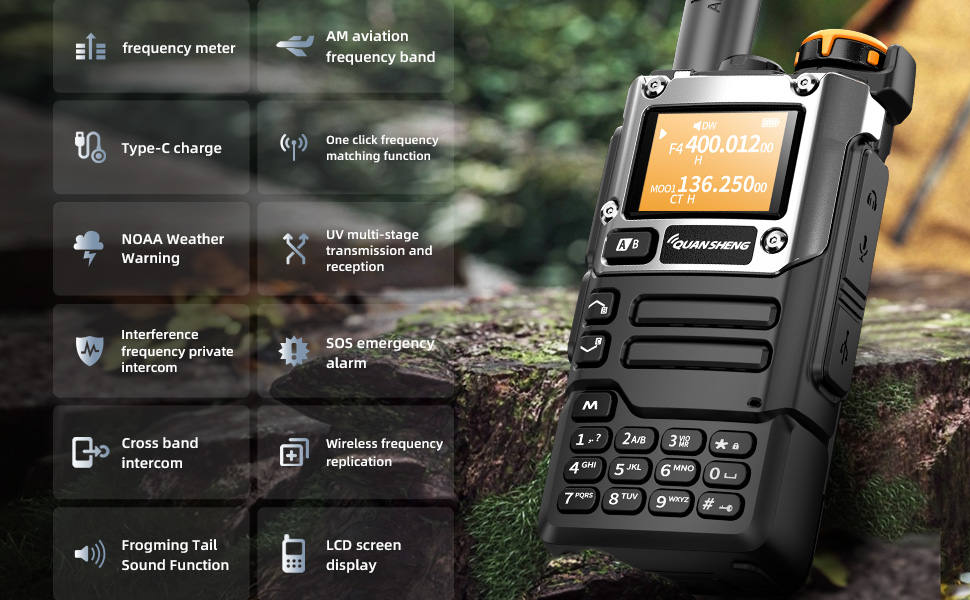
The device includes a frequency meter, AM aviation frequency band reception, Type-C charging port, one-click frequency matching, NOAA weather warning, UV multi-stage transmission and reception, interference frequency private intercom, SOS emergency alarm, cross-band intercom, wireless frequency replication, frog sound tail function, and an LCD screen display.

The side of the radio features the Push-to-Talk (PTT) button, programmable function keys, and covered ports for the earpiece/microphone and Type-C charging.
4. סעטאַפּ
ייַנמאָנטירונג פון באַטאַרייע
To install the battery, align the battery pack with the compartment on the back of the radio and slide it into place until it clicks securely. To remove, press the release latch and slide the battery out.

אַנטענע אַטאַטשמאַנט
שרויפט די צוגעשטעלטע אַנטענע זייגערווייז אויף דעם אַנטענע קאַנעקטאָר אין דער שפּיץ פֿון ראַדיאָ ביז עס איז פֿינגערפֿעסט. נישט צו פֿעסט ציען.
5. אַפּערייטינג ינסטרוקטיאָנס
מאַכט אויף / אַוועק און באַנד
To power on the radio, rotate the top knob clockwise. Continue rotating to adjust the volume. To power off, rotate counter-clockwise until it clicks.
Channel Selection and Frequency Bands
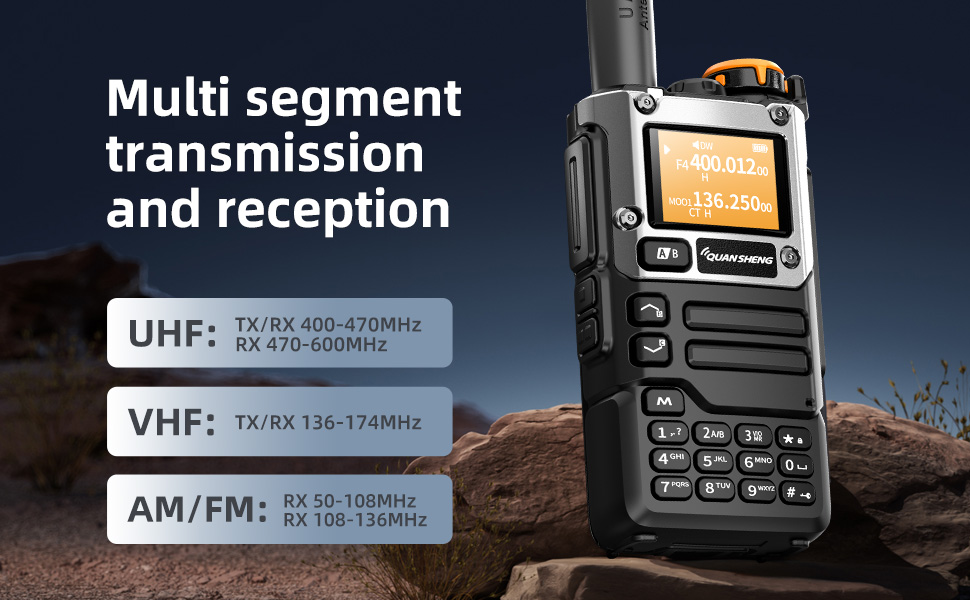
Use the up/down arrow keys to navigate through channels or frequencies. The radio supports multi-segment transmission and reception across various bands including UHF, VHF, AM, and FM.
NOAA וועטער פאָרעקאַסט
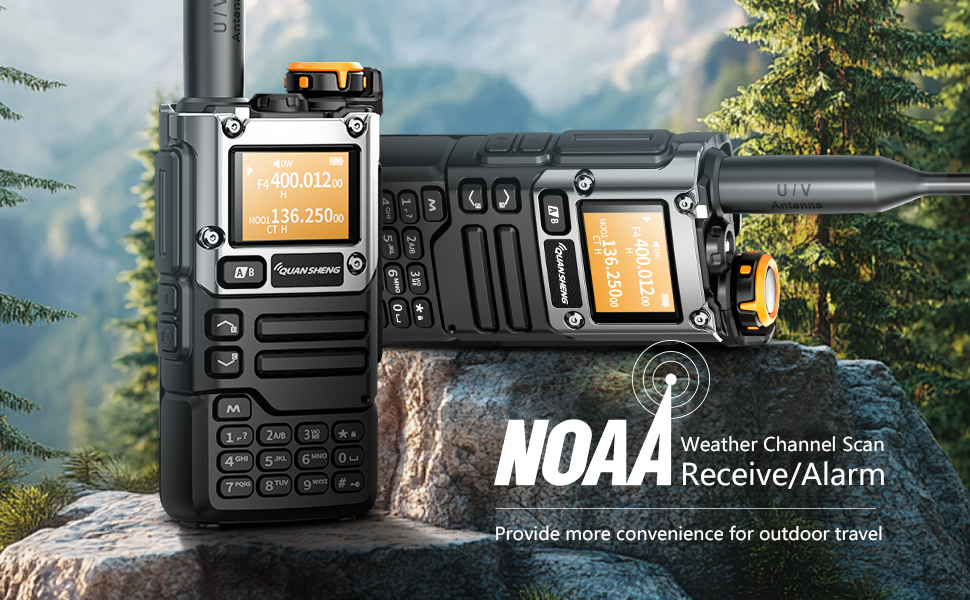
The radio can receive NOAA weather forecasts, providing crucial weather alerts for outdoor activities. Refer to the manual for specific NOAA channel settings.

AM/FM Radio Reception
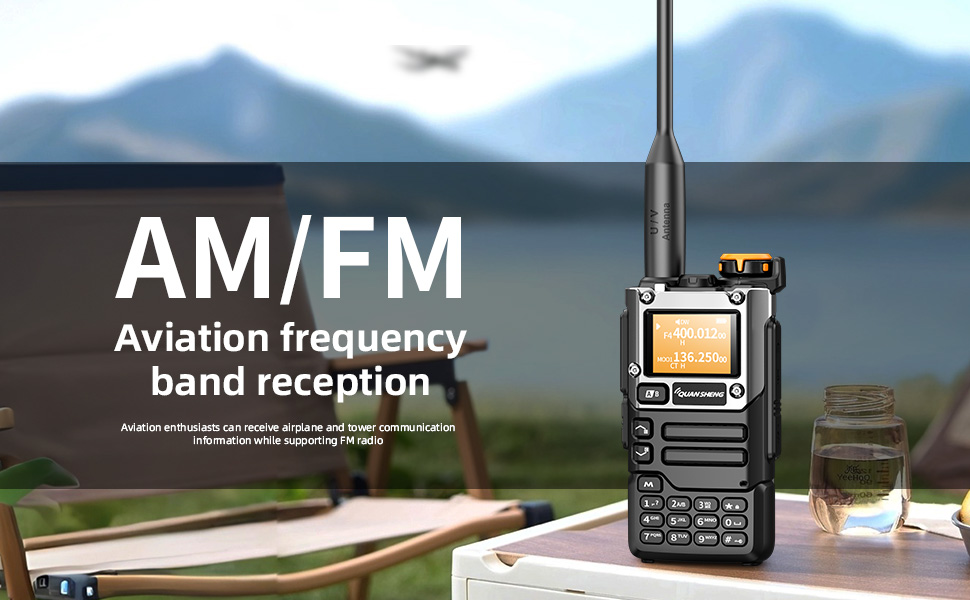
Enjoy AM and FM radio reception. Aviation enthusiasts can also receive airplane and tower communication information.
One-Button Frequency Matching / Wireless Replication
The device supports one-button frequency matching and wireless replication, allowing for quick and easy setup with other compatible radios. It can also act as a frequency meter for some devices.
Voice Encryption and Interference Function
Multiple secure encryption options ensure call privacy and security, minimizing interference.
SOS Emergency Alarm
Activate the SOS emergency alarm function in critical situations to alert others.
6. טשאַרדזשינג
Dual Charging Methods
The QUANSHENG K6 UVK5(8) offers versatile charging options:
- טיפּ C טשאַרדזשינג: Connect the provided Type-C cable directly to the radio's Type-C port for convenient charging.
- דעסקטאָפּ טשאַרדזשער: Place the radio in the included desktop charging cradle. Ensure the contacts align for proper charging.

7. ספּעסאַפאַקיישאַנז
| שטריך | באַשרייַבונג |
|---|---|
| מאָדעל נומער | UV-K5(8) |
| Signal Channels | 200 |
| עפעם ראַדיאָ סטאָרידזש | 20 סטיישאַנז |
| אָפטקייַט סטאַביליטי | ±1ppm |
| דימענשאַנז | 115mm x 60mm x 37.5mm (4.53"W x 1.48"D x 1.48"H) |
| וואָג | 234 ג (7 אונסעס) |
| אַפּערייטינג טעמפּעראַטור | -20 ℃ צו +60 ℃ |
| אַנטענע ימפּידאַנס | 50 אָום |
| מאָדולאַטיאָן מאָדע | FM: 11KOF3E (12.5KHz), 16K0F3E (25KHz) |
| יבערשיקן מאַכט | 5W |
| יבערשיקן קראַנט | ≤1.5 אַ |
| Maximum Frequency Offset | ≤5KHz (25KHz), ≤2.5KHz (12.5KHz) |
| מאָדולאַטיאָן דיסטאָרשאַן | ≤5% |
| NOAA Channel Number | 10 |
| באַטאַרייע קאַפּאַציטעט | 1600 מאַה |
| אַודיאָ מאַכט | ≥0.5W |
| אַודיאָ דיסטאָרשאַן | ≤10% |
| Reference Sensitivity (FM) | F1(50~76) -121dBm, F2(108~135.9975) -121dBm, F3(136~173.9975) -123dBm, F4(174~349.9975) -123dBm, F5(350~399.9975) -123dBm, F6(400~469.9975) -123dBm, F6(470~599.9975) -121dBm |
| Reference Sensitivity (WFM) | WFM(76~108) -110dBm |
| Reference Sensitivity (AM) | F2(108~135.9975) -113dBm |
| וואַסער קעגנשטעל מדרגה | ניט וואַסער קעגנשטעליק |
| ווייַז טיפּ | לקד |
8. וישאַלט
- רייניקונג: ניצן אַ ווייך, דamp א שטאָף צו רייניקן די ראַדיאָ'ס אויסערלעכער זייט. ניצט נישט קיין שטרענגע כעמיקאַלן אדער שרײַבנדיקע רייניגער.
- סטאָרידזש: האַלט די ראַדיאָ אין אַ קיל, טרוקן אָרט ווען נישט אין באַנוץ. אַרויסנעמען די באַטאַרייע אויב איר האַלט עס אויף פֿאַר לענגערע צייטן.
- באַטערי זאָרגן: Fully charge the battery before first use. Avoid overcharging or completely draining the battery to prolong its lifespan.
9. טראָובלעשאָאָטינג
| פּראָבלעם | מעגלעך לייזונג |
|---|---|
| ראַדיאָ גייט נישט אָן | זיכער מאַכן אַז די באַטאַרייע איז גאָר אויפגעלאָדן און ריכטיק אינסטאַלירט. קאָנטראָלירט דעם מאַכט קנעפּל. |
| No reception or poor audio quality | Check antenna connection. Verify frequency/channel settings. Adjust squelch level. Ensure you are within range of other radios or repeaters. |
| קענען ניט יבערשיקן | Confirm you are on a valid transmitting frequency. Check battery level. Ensure PTT button is functioning correctly. |
| די באַטאַרייע איז נישט טשאַרדזשינג | Check Type-C cable or desktop charger connection. Ensure power adapter is working. Verify battery contacts are clean. |
10. וואָראַנטי און שטיצן
For warranty information, please refer to the documentation provided at the time of purchase or contact QUANSHENG customer support. Optional protection plans are available for extended coverage.
For technical assistance or further inquiries, please visit the official QUANSHENG webזייטל אדער קאָנטאַקט זייערע אָטערייזד סערוויס צענטערס.