
EBTOOLS EBTOOLSpxvk7fmb38
EBTOOLS LGA 1155 Motherboard User Manual
Model: EBTOOLSpxvk7fmb38
פּראָדוקט איבערview
The EBTOOLS LGA 1155 Motherboard is designed for desktop PC systems, offering robust performance and extensive connectivity. It features a multiphase power chipset for stable CPU performance and supports 2nd/3rd generation LGA1155 Pin Series Processors. This Mini ITX motherboard provides a high-definition visual experience through its VGA and HD Multimedia Interface outputs.
שליסל פֿעיִקייטן אַרייַננעמען:
- LGA 1155 CPU Slot: Designed for stable performance with compatible processors.
- Multiphase Power: Ensures stable and accurate power delivery to the CPU.
- HD Interfaces: Equipped with VGA and HD Multimedia Interface for digital HD video output.
- Channel DDR3: Features a DDR3 memory slot to enhance motherboard performance.
- ברייט קאַנעקטיוויטי: Includes 6 USB2.0 interfaces and 4 SATA2.0 interfaces for various peripherals and storage devices.
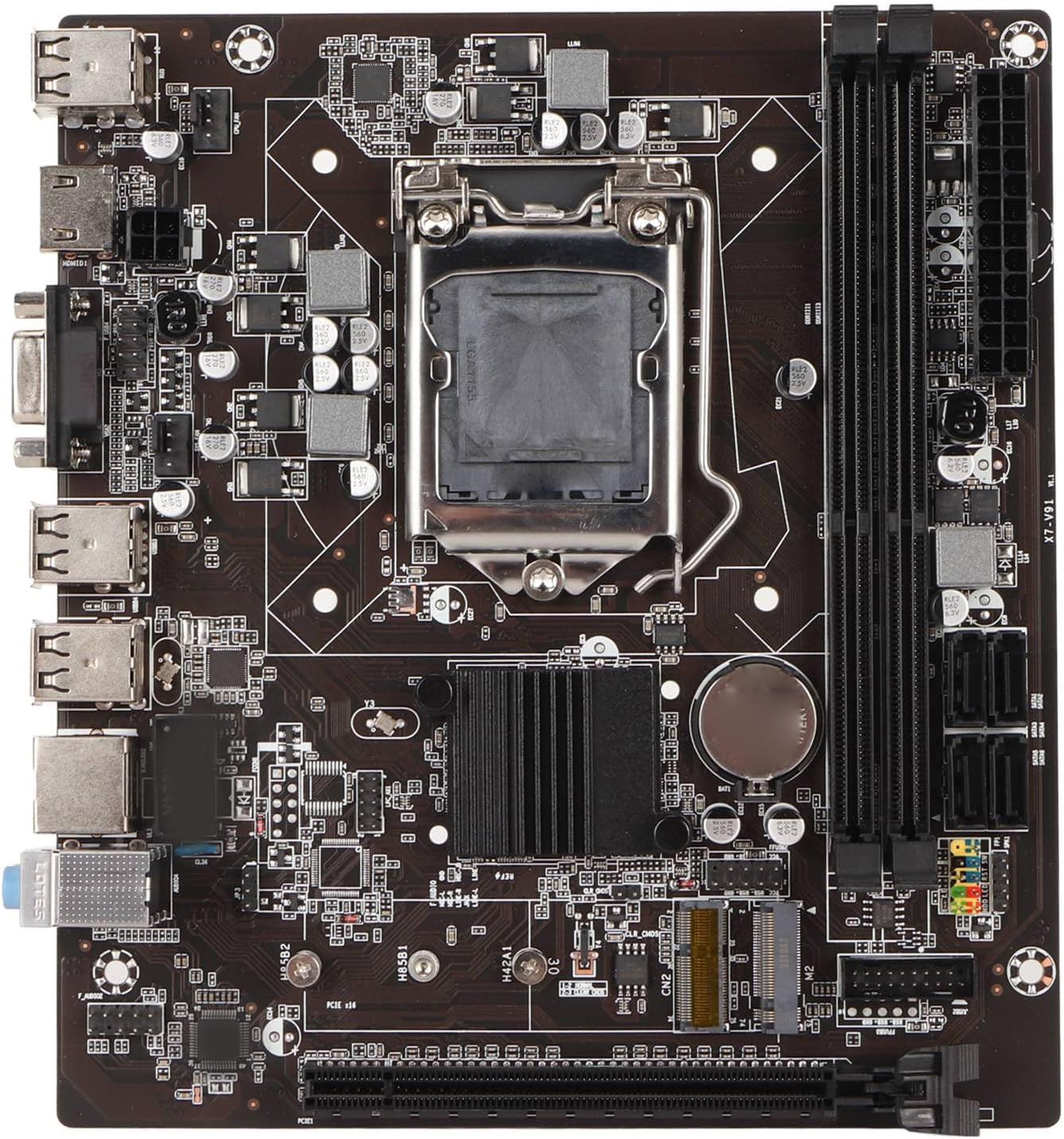
פיגור 1: פון אויבן אַראָפּ view of the EBTOOLS LGA 1155 Motherboard, showing the CPU socket, RAM slots, and various ports.
סעטאַפּ און ינסטאַלירונג
This section provides instructions for installing your EBTOOLS LGA 1155 Motherboard into a compatible PC case and connecting essential components.
פּעקל אינהאַלט
Before beginning installation, ensure all components listed below are present in your package:
- 1 x LGA 1155 Motherboard
- 1 x Metal I/O Plate
- 1 x Connecting Wire (likely SATA data cable)

Figure 2: The motherboard alongside its included metal I/O plate and a connecting wire, typically a SATA data cable.
ינסטאַללאַטיאָן סטעפּס
- צוגרייטן דעם פאַל: Ensure your PC case is compatible with Mini ITX motherboards. Install the metal I/O plate into the designated slot at the rear of the case.
- אינסטאַלירן די סי-פּי-יו: Carefully open the CPU socket retention arm. Align the triangular marker on your LGA 1155 processor with the corresponding marker on the motherboard's socket. Gently place the CPU into the socket, ensuring it sits flush. Close the retention arm to secure the CPU.
- אינסטאַלירן דעם CPU קולער: Apply thermal paste to the CPU (if not pre-applied on the cooler). Mount your compatible LGA 1155 CPU cooler according to its manufacturer's instructions.
- אינסטאַלירן ראַם: Open the clips on the DDR3 memory slots. Align the notch on your DDR3 RAM module with the key in the slot. Press firmly on both ends of the RAM module until the clips snap into place. This motherboard supports 2 x DDR3 slots.
- מאָנטירן די מוטערבאָרד: Carefully place the motherboard into the PC case, aligning the screw holes on the motherboard with the standoffs in the case. Secure the motherboard with screws.
- פאַרבינדן מאַכט: Connect the 24-pin ATX power connector from your power supply to the motherboard. Connect the 4-pin or 8-pin CPU power connector (if applicable) to the motherboard.
- פֿאַרבינדן סטאָרידזש דעוויסעס: Use the provided connecting wire (SATA cable) to connect your SATA storage devices (HDD/SSD) to the SATA2.0 ports on the motherboard. This motherboard has 4 SATA2.0 interfaces.
- פֿאַרבינדן די פראָנט פּאַנעל קייבאַלז: Connect the power button, reset button, USB ports, and audio jacks from your PC case's front panel to the corresponding headers on the motherboard. Refer to your case manual for specific pin layouts.
- אינסטאַלירן עקספּאַנשאַן קאַרדס: If using a dedicated graphics card or other expansion cards, insert them into the PCIE X16 slot or other extended interfaces (1 x , 1 x M.2) as needed.
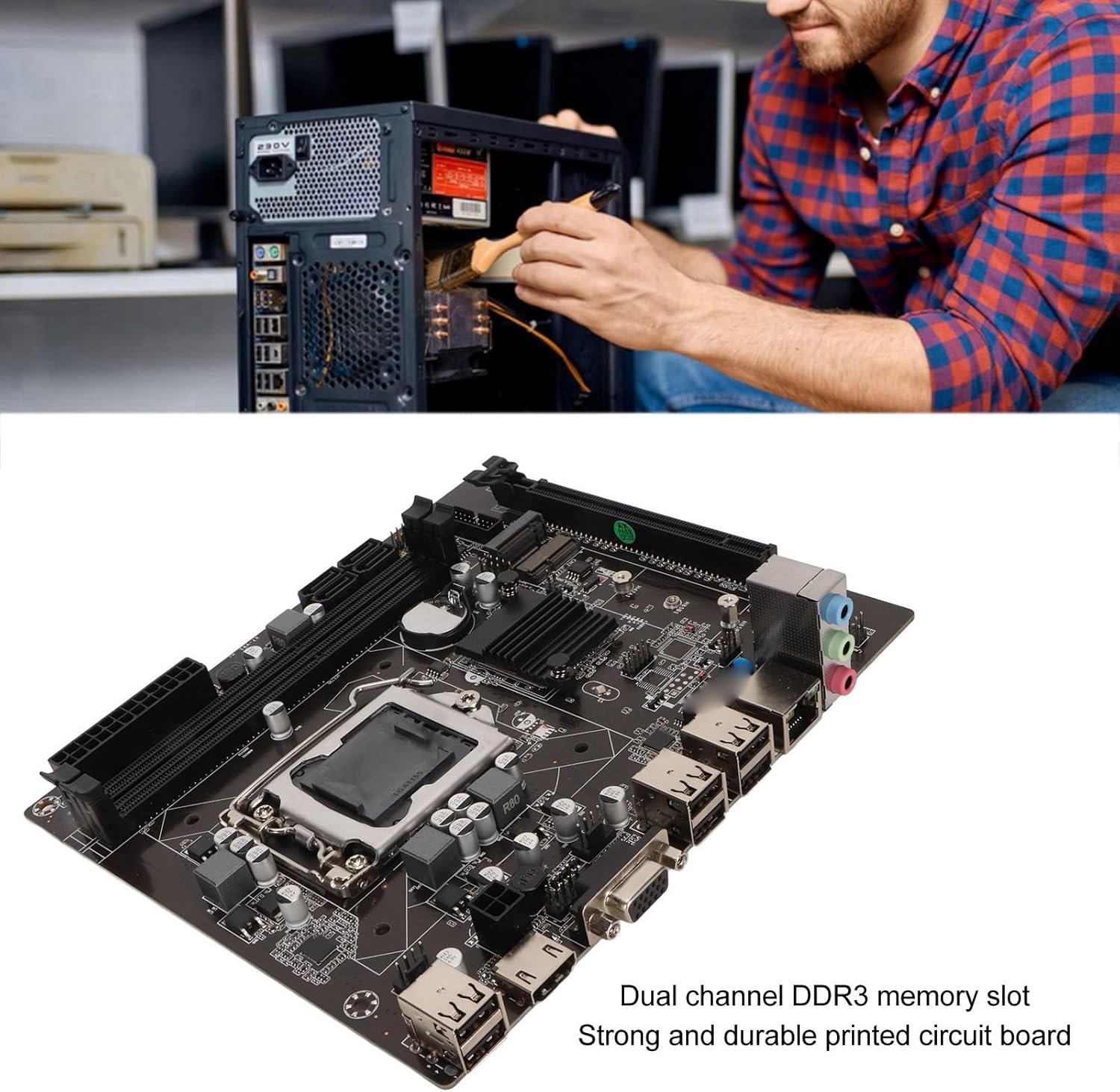
Figure 3: A user performing an installation within a PC case, demonstrating the typical environment for motherboard setup.

פיגורע 4: דעטאַילעד view of the LGA 1155 CPU socket and adjacent DDR3 memory slots, crucial areas for component installation.
אַפּערייטינג גיידליינז
Once the motherboard and other components are installed, the system is ready for operation. This motherboard supports various operating systems compatible with 2nd/3rd Gen LGA1155 processors.
בייאָוס/UEFI קאָנפיגוראַציע
Upon first boot, you may need to enter the BIOS/UEFI setup to configure boot order, system time, and other settings. Typically, you can access the BIOS by pressing DEL or F2 during the initial boot screen.
דרייווער ינסטאַלירונג
After installing your operating system, it is essential to install the necessary drivers for the motherboard's components, including chipset, network card, and integrated graphics (if used). These drivers are usually provided on a CD/DVD with the motherboard or can be downloaded from the manufacturer's webפּלאַץ.
קאַנעקטיוויטי
Utilize the available ports for your peripherals:
- וסב 2.0 פּאָרץ: For connecting keyboards, mice, external drives, and other USB devices.
- VGA/HD Multimedia Interface: פֿאַר פֿאַרבינדן דיספּלייז.
- עטהערנעט פּאָרט: For wired network connectivity (100M Netword Card).
- אַודיאָ דזשעקס: פֿאַר רעדנערס, כעדפאָונז און מיקראָפאָנען.
וישאַלט
Proper maintenance can extend the lifespan of your motherboard and ensure stable system performance.
- האַלטן עס ריין: Regularly clean dust from inside your PC case, especially from the motherboard and CPU cooler fins, using compressed air. Dust accumulation can lead to overheating.
- פאַרזיכערן די געהעריק לופט לויפן: Make sure your PC case has adequate ventilation and that fans are functioning correctly to prevent heat buildup.
- בייאָוס דערהייַנטיקונגען: קאָנטראָלירט פּעריִאָדיש דעם פאַבריקאַנט'ס website for BIOS/UEFI updates. Updates can improve compatibility, stability, and performance. Follow update instructions carefully.
- דרייווער דערהייַנטיקונגען: האַלט אייערע סיסטעם דרייווערס אַפּדייטיד צו ענשור אָפּטימאַל פאָרשטעלונג און קאָמפּאַטאַבילאַטי מיט נייַ ווייכווארג און האַרדווער.
- CMOS באַטאַרייע: The motherboard uses a CR2032 battery for CMOS settings. If your system consistently loses time or BIOS settings, the battery may need replacement.
טראָובלעשאָאָטינג
די סעקציע באהאנדלט אלגעמיינע פראבלעמען וואס איר קענט באגעגענען מיט אייער מאדערבאארד.
- קיין מאַכט / קיין שטיוול:
- Check all power connections (24-pin ATX, CPU power).
- זיכער מאַכן אַז די מאַכט צושטעל איז אַרבעטספֿעיִק און איז אנגעצינדן.
- באַשטעטיקן די פֿאַרבינדונג פֿון דער פֿראָנט־פּאַנעל אויף־קנעפּל צום מאַדערבאָרד.
- קיין ווייַז:
- Ensure the monitor is connected to the correct video output (VGA or HD Multimedia Interface).
- Reseat RAM modules. Try booting with one RAM stick if you have multiple.
- Reseat the CPU and check for bent pins (handle with extreme care).
- If using a dedicated graphics card, ensure it is properly seated and has power.
- סיסטעם אינסטאביליטעט/קראכן:
- קאָנטראָלירט די טעמפּעראַטורן פון די סי-פּי-יו און דזשי-פּי-יו. זאָרגט אַז עס איז גענוג קיל.
- לויפט זכּרון דיאַגנאָסטיק מכשירים צו קאָנטראָלירן פֿאַר דעפעקטיווע ראַם.
- זיכער מאַכן אַז אַלע דרייווערס זענען ריכטיק אינסטאַלירט און אַרויף-צו-דאַטע.
- Check for loose connections or components.
- USB דעוויסעס נישט דערקענט:
- זיכער מאַכן אַז USB דרייווערס זענען אינסטאַלירט.
- פּרוּווט פאַרשידענע וסב פּאָרץ.
- טשעק די בייאָוס סעטטינגס פֿאַר די אַקטיווירונג פון די USB קאָנטראָללער.
ספּעסאַפאַקיישאַנז
Detailed technical specifications for the EBTOOLS LGA 1155 Motherboard:
| שטריך | באַשרייַבונג |
|---|---|
| נומער טיפּ | LGA 1155 מאָטהערבאָאַרד |
| מאַטעריאַל | Printed Circuit Board, Metal |
| געבויט-אין באַטערי | CR2032 x 1 (240mAh) |
| קפּו סופּפּאָרט | 2nd/3rd Gen LGA1155 Pin Series Processors (for Celeron, for , for Core) |
| טשיפּסעט | H61 Chipset Series |
| זכּרון שפּעלטל | 2 x DDR3 |
| מאַקסימום זכּרון קאַפּאַציטעט | 16 גיגאבייט |
| וסב צובינד | 6 x USB2.0, USB Pin x 1 |
| SATA צובינד | 4 רענטגענ סאַטאַ 2.0 |
| נעץ קאַרד | 100M Network Card |
| גראַפיקס קאַרטל סלאָט | 1 x PCIE X16 |
| עקסטענדעד צובינד | 1 x , 1 x M.2 |
| פּעקל דימענשאַנז | 10.2 X 7.83 X 2.05 אינטשעס |
| פּונקט וואָג | 1.16 פונט |
| מאָדעל נומער | EBTOOLSpxvk7fmb38 |
| ASIN | B0CKVL89BD |

Figure 5: An angled perspective of the motherboard, showcasing its compact Mini ITX form factor and port layout.
וואָראַנטי און שטיצן
For warranty information and technical support, please refer to the official EBTOOLS webזייטל אדער קאנטאקט זייער קאסטומער סערוויס. האלט אייער קויף קוויטל אלס באווייז פון קויפן.
While specific warranty details are not provided in this manual, general product warranties typically cover manufacturing defects for a limited period from the date of purchase.
פֿאַר נאָך שוץ, באַטראַכט די פֿאַראַן שוץ־פּלענער:
- 3-יאָר שוץ פּלאַן
- 4-יאָר שוץ פּלאַן
- קאָמפּלעט פּראָטעקט (מאָנטלעך פּלאַן)
These plans are offered separately and provide extended coverage beyond the standard manufacturer's warranty.
פאַבריקאַנט: EBTOOLS
ערשטער דאַטע בנימצא: אקטאבער 11, 2023
אפיציעלע פּראָדוקט ווידיאס
קיין אפיציעלע פּראָדוקט ווידעאָס פֿונעם פֿאַרקויפֿער זענען נישט פֿאַראַן פֿאַר דעם פּראָדוקט אין דעם מאָמענט.
Ask a question about this manual
Ask about setup, troubleshooting, compatibility, parts, safety, or missing instructions. Manuals+ will review the question and use this page’s manual context to help answer it.