
1. פּראָדוקט איבערview
The Creator C420 is a specialized OBD2 diagnostic scanner designed for BMW and Mini vehicles. It provides comprehensive system diagnostics and advanced service reset functions, in addition to standard OBD2 capabilities for all OBD2 compliant vehicles. This manual provides instructions for its proper setup, operation, and maintenance.
2. פּעקל אינהאַלט
באַשטעטיקט אַז אַלע זאכן וואָס זענען אויסגערעכנט אונטן זענען אַרייַנגערעכנט אין אייער פּעקל:
- 1 x Creator C420 BMW Code Reader
- 1 רענטגענ קעריינג קאַסע
- קסנומקס רענטגענ קאַרד רידער
- קסנומקס רענטגענ וסב קאַבלע
- 1 x באַניצער מאַנואַל (דאָס דאָקומענט)
3. סעטאַפּ און קאַנעקשאַן
Follow these steps to connect the C420 scanner to your vehicle:
- געפינט דעם OBD-II פּאָרט: The OBD-II port is typically located under the dashboard on the driver's side of the vehicle. Refer to your vehicle's owner's manual if you cannot locate it.
- פֿאַרבינדן דעם סקאַנער: Plug the C420's OBD-II connector firmly into the vehicle's OBD-II port.
- מאַכט אויף: The scanner will power on automatically once connected to the vehicle's OBD-II port, drawing power directly from the vehicle. Ensure the vehicle's ignition is in the 'ON' position (engine off or running, depending on the diagnostic task).
- Adapter for Older Models: For BMW and Mini vehicles manufactured between 1997-2004, a 20-pin adapter (not included) may be required to connect the C420 scanner.

Image: The Creator C420 scanner with its OBD-II connector, ready for connection to a vehicle.
4. אַפּערייטינג ינסטרוקטיאָנס
The C420 features a 2.4" TFT 240K true color LCD display and a silicone keypad for navigation. The menu layout is designed for ease of use.
4.1. פאָרמיטל קאַווערידזש
The Creator C420 is compatible with most BMW and Mini models from 2001 and newer. Specific series covered include:
- 1 סעריע: E81, E82, E87, E88, F20, F21
- 2 סעריע: פ22, פ23, פ45, פ46, פ87
- 3 סעריע: E46, E90, E91, E92, E93, F30, F31, F34, F35, F80
- 4 סעריע: פ32, פ33, פ36, פ82, פ83
- 5 סעריע: E39, E60, E61, F07(GT), F10, F11, F18
- 6 סעריע: E63, E64, F06, F12, F13
- 7 סעריע: E38, E65, E66, E68, F01, F02, F03, F04, G11, G12
- I Series: I01, I12
- X סעריע: X1: E84/F48/F49, X3: E83/F25, X4: F26, X5: E53/E70/F15/F85, X6: E71/E72/F16/F86
- ז סעריע: Z3: E36, Z4: E85/E86/E89
- מיני: R50, R52, R53, R55, R56, R57, R58, R59, R60, R61, F54, F55, F56, F57

Image: Detailed list of BMW and Mini series and chassis codes supported by the C420 scanner.
4.2. פולע סיסטעם דיאַגנאָסטיק
The C420 supports diagnostic functions for all major vehicle systems, allowing you to read and clear trouble codes. Systems include, but are not limited to:
- Engine (ENG)
- אַנטי-לאַק ברייקינג סיסטעם (ABS)
- Supplemental Restraint System (SRS / Airbag)
- סטירינג ווינקל סענסאָר (SAS)
- עלעקטראָניש פּאַרקינג טאָרמאָז (EPB)
- באַטערי מאַנאַגעמענט סיסטעם (BMS)
- טראַנסמיסיע קאָנטראָל מאָדולע (TCM)
- רייַף דרוק מאָניטאָרינג סיסטעם (TPMS)
- Immobilizer System (IMMO)
- Air Conditioning / HVAC
- גוף קאָנטראָל מאָדולע (BCM)
- ברענוואַרג סיסטעם

Image: Visual representation of the full system diagnostic capabilities of the C420 scanner.
4.3. Advanced Reset Features
The C420 offers several advanced service reset functions specifically for BMW and Mini vehicles:
- CBS Reset: צושטאַנד-באַזירט סערוויס ריסעט.
- באַטעריע רעגיסטראַציע: Registers a new battery to the vehicle's system.
- אָיל באַשטעטיק: ריסעטז די אויל סערוויס ליכט נאך אן אויל טויש.
- ABS ריסעט: Resets the Anti-lock Braking System.
- SRS באַשטעטיק: Resets the Supplemental Restraint System (Airbag).
- SAS איבערשטעלן: ריסעטירט דעם סטירינג ווינקל סענסאָר.
- EPB צוריקשטעלן: Resets the Electronic Parking Brake.
- DPF Service: Diesel Particulate Filter service functions.
- טראָטל גוף אַליינמאַנט: Performs throttle body adaptation.
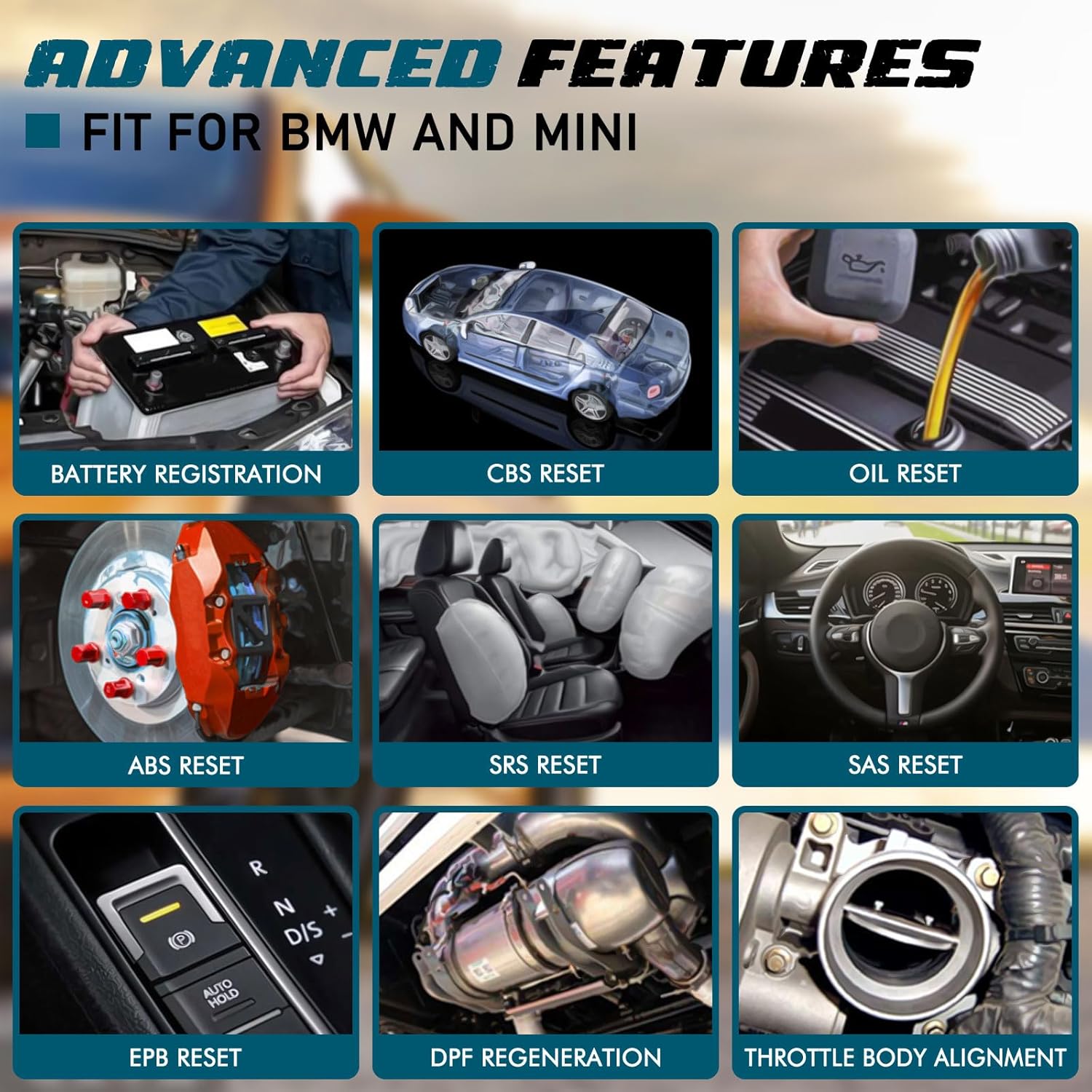
בילד: עקסamples of advanced features available on the C420, including battery registration, CBS reset, and oil reset.
Battery Registration Specifics:
The battery registration function does not support vehicles manufactured before 2004, nor does it support the following E chassis models: 3_Series E46, 5_Series E39, 7_Series E38, X3_E83, X5_E53, Z3_E36, Z4_E85/E86, MINI_R50/R51/R52/R53. For these specific models, direct battery replacement is sufficient as registration is not required. The battery registration function is intended for batteries of the same type and capacity as the original.

Image: Step-by-step screen prompts for performing battery registration using the C420 scanner.
4.4. אוניווערסאַלע OBD2 פונקציעס
In addition to BMW/Mini specific functions, the C420 also serves as a universal OBD2 code reader for all OBD2 compliant vehicles, supporting functions such as:
- Turn-Off Malfunction Indicator Light (MIL)
- I/M גרייטקייט סטאַטוס
- באַטערי טעסט
- Live Data Streams
- אויטאָ אינפֿאָרמאַציע (VIN, CID, CVN)
- אויף-באָרד מאָניטאָר טעסט
- פרירן פריים דאַטאַ
- DTC Lookup
- אָ2 סענסאָר טעסט

Image: The C420 display showing various universal OBD2 functions and icons for supported languages.
5. וישאַלט
5.1. ווייכווארג דערהייַנטיקונגען
The Creator C420 supports lifetime free software upgrades. New parameters, functions, and the latest vehicle data are regularly updated. To update the software:
- Visit the official Creator website to download the update tool and latest software package.
- Connect the C420 scanner to your computer using the provided USB cable.
- Follow the instructions provided with the update tool to install the new software.
5.2. מיטל קער
- האַלטן די מיטל ריין און טרוקן.
- Store the device in its rugged drop-proof carrying case when not in use to prevent damage.
- פֿאַרמײַדן אויסצושטעלן דעם אַפּאַראַט צו עקסטרעמע טעמפּעראַטורן אָדער דירעקטער זון פֿאַר פֿאַרלענגערטע פּעריאָדן.
6. טראָובלעשאָאָטינג
- אַפּאַראַט אַרבעט נישט אָן: Ensure the scanner is securely connected to the vehicle's OBD-II port and the vehicle's ignition is in the 'ON' position. Check the vehicle's fuse for the OBD-II port if the issue persists.
- Limited information displayed: If using on a non-BMW/Mini vehicle, the scanner will only provide universal OBD2 functions. For BMW/Mini, ensure the correct vehicle model is selected if prompted.
- Navigation difficulties: The menu system requires selection of vehicle model and series for specific functions. Use the 'OK' button to confirm selections and the 'ESC' button to go back.
- דערהייַנטיקונג פּראָבלעמען: Ensure a stable internet connection during software updates. If the update fails, try a different USB port or computer.
7. ספּעסאַפאַקיישאַנז
| שטריך | באַשרייַבונג |
|---|---|
| סאָרט | באשעפער |
| מאָדעל נומער | Creator C420 for BMW |
| מאַכט מקור | OBD-II צובינד |
| אָפּערייטינג סיסטעם | SCM |
| פאַרשטעלן גרייס | 2.4 אינטשעס |
| געבוירן האַכלאָטע | 240K |
| נומער פון זאכן | 1 |
8. וואָראַנטי און שטיצן
8.1. וואָראַנטי
The Creator C420 comes with a 12-month manufacturer's warranty from the date of purchase. Please retain your proof of purchase for warranty claims.
8.2. טעכניש שטיצן
Creator offers lifetime free software upgrades and dedicated technical support. For assistance with product operation, troubleshooting, or software updates, please refer to the contact information provided on the official Creator website or in the product packaging. Technical support is available to assist with any inquiries.