
1. פּראָדוקט איבערview
The THINKCAR THINKSCAN 641 is a wireless OBD2 diagnostic tool designed for comprehensive vehicle system analysis. It provides diagnostic functions for Engine, Transmission, ABS, and SRS Airbag systems, along with full OBD2 modes and 10 essential maintenance reset services. The device features a touchscreen interface and connects wirelessly via Bluetooth to the vehicle's OBD-II port.
1.1 פּעקל אינהאַלט
- THINKCAR THINKSCAN 641 OBD2 Scanner (x1)
- Bluetooth Connector (x1)
- Product Manual (x1)
1.2 אַפּאַראַט קאָמפּאָנענטן
Familiarize yourself with the main components of your THINKSCAN 641 device:

Image: THINKCAR THINKSCAN 641 device layout with labeled buttons and ports.
- 4.8-אינטש ריר-עקראַן: Main display for navigation and data viewing.
- מאַכט / פאַרשטעלן לאַק קנעפּל: דריקן און האַלטן פֿאַר 3 סעקונדעס צו קער אויף אָדער אַוועק.
- באַשטעטיקן קנעפּל: Used to select options or confirm actions.
- Up, Down, Left, Right Toggle Key: For navigating menus and options.
- צוריקקומען שליסל: To go back to the previous screen or menu.
- טף קאַרד שפּעלטל: פֿאַר יקספּאַנדאַבאַל סטאָרידזש.
- טשאַרדזשינג פּאָרט: פֿאַר פֿאַרבינדן דעם טשאַרדזשינג קאַבל.
- OBD Interface: Port for the Bluetooth connector.
2. סעטאַפּ
2.1 ערשט קאַנעקשאַן
To begin using your THINKSCAN 641, follow these steps to establish a connection with your vehicle:
- געפינט אייער אויטאָ'ס OBD-II פּאָרט, וואָס געווענליך געפינט זיך אונטערן דאַשבאָרד אויף דער דרייווער'ס זייט.
- Plug the included Bluetooth 5.0 VCI Dongle into the vehicle's OBD-II port.
- Turn on the vehicle's ignition (engine off, key on).
- Power on the THINKSCAN 641 handheld unit by pressing and holding the Power/Screen Lock Button for 3 seconds.
- The device will automatically attempt to connect via Bluetooth. A stable connection should be established within 3 seconds.
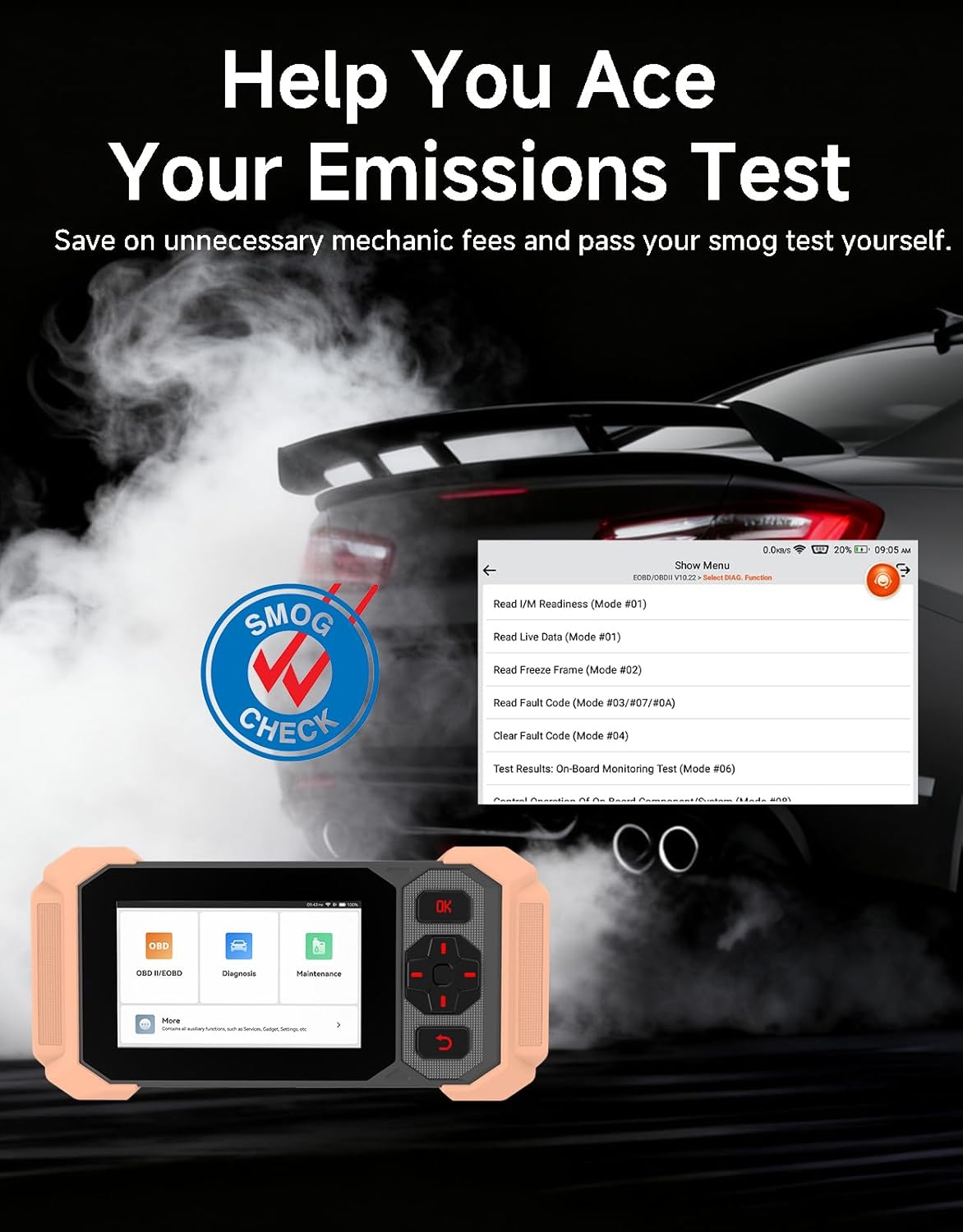
Image: Bluetooth VCI Dongle connected to the vehicle's OBD-II port.
2.2 Automatic Vehicle Identification (AutoVIN)
The THINKSCAN 641 supports AutoVIN functionality, which automatically identifies your vehicle's information upon connection. If AutoVIN fails for your specific vehicle model, you can manually enter the vehicle information to proceed with diagnostics.
2.3 ווייכווארג דערהייַנטיקונגען
The device supports lifetime free software updates via Wi-Fi. Ensure your device is connected to a stable Wi-Fi network to download and install the latest software versions, which include new vehicle models and improved functionalities.

Image: Lifetime Free Update icon.
2.4 Instructional Video: How to Use
Video: This video demonstrates the basic steps for connecting and using the THINKCAR THINKSCAN 641 diagnostic tool, including menu navigation and initiating a scan.
3. אַפּערייטינג ינסטרוקטיאָנס
3.1 4-סיסטעם דיאַגנאָסטיקס
The THINKSCAN 641 provides in-depth diagnostics for four core vehicle systems:
- מאָטאָר סיסטעם: לייענט און רייניקט מאָטאָר שולד קאָודז, views live data, and performs various engine-related tests.
- אַנטי-לאַק ברעיקינג סיסטעם (ABS): Diagnoses ABS issues, reads and clears ABS fault codes, and performs ABS bleeding.
- צוגאב ריסטרייטינג סיסטעם (SRS/לופטזאג): Detects and clears airbag system fault codes, and performs SRS resets.
- טראַנסמיסיע סיסטעם: Analyzes transmission performance, reads and clears transmission fault codes.

בילד: איבערview of 4-System Diagnostic capabilities.
3.2 Full OBD2 Modes
The device supports all 10 OBD2 test modes, offering comprehensive diagnostic capabilities:
- לייענען קאָודז: ווײַזט דיאַגנאָסטיק פּראָבלעם קאָודן (DTCs).
- קלאָרע קאָדן: Clears DTCs and resets monitors.
- לעבן דאַטן: Shows real-time data stream from vehicle sensors.
- פרירן פריים: Stores a snapshot of vehicle operating conditions when an emission-related fault occurs.
- I/M גרייטקייט: קאָנטראָלירט דעם סטאַטוס פון עמיסיע-פֿאַרבונדענע מאָניטאָרן.
- O2 סענסאָר טעסט: באַקומט די רעזולטאַטן פון די O2 סענסאָר מאָניטאָר.
- אויף-באָרד מאָניטאָר טעסט: באַקומט רעזולטאַטן פֿאַר עמיסיע-פֿאַרבונדענע מאָטאָר-קאָמפּאָנענטן און סיסטעמען.
- EVAP סיסטעם טעסט: הייבט אן א טעסט פון די עוואפאראטיוו עמישאן קאנטראל סיסטעם.
- פאָרמיטל אינפֿאָרמאַציע: באַקומט צוריק פאָרמיטל אידענטיפיקאַציע נומער (VIN), קאַליבראַציע ID, און קאַליבראַציע וועריפיקאַציע נומער (CVN).
- DTC זוכן: Provides detailed explanations for diagnostic trouble codes.

Image: Full OBD2 Modes functions display.
3.3 10 Maintenance Reset Functions
The THINKSCAN 641 includes 10 specialized maintenance and reset functions:
- ABS בלוטונג: Bleeds air from the brake system.
- Airbag (SRS) Reset: Resets the airbag system after repairs.
- באַטעריע צופּאַסונג: רעגיסטרירט אַ נייע באַטאַרייע אין די פאָרמיטל'ס ECU.
- ברעיק פּעד באַשטעטיק: Resets the brake pad life after replacement.
- די.פי.עף. רעגענעראַציע: Initiates the Diesel Particulate Filter regeneration process.
- עלעקטראָנישע טראָטל אַדאַפּטאַציע: לערנט זיך ווידער די פּאָזיציע פֿון דעם גאַז־ראַטעלער.
- אינדזשעקטאָר קאָדירונג: קאָדירט נייע אינדזשעקטאָר נומערן צום ECU.
- אויל סערוויס איבערשטעלן: ריסעטז די אויל סערוויס ליכט נאך אן אויל טויש.
- שטייער ווינקל צוריקשטעלן: ריסעטירט דעם סטירינג ווינקל סענסאָר.
- TPMS באַשטעטיק: ריסעט די טייער דרוק מאָניטאָרינג סיסטעם.

Image: 10 Maintenance Reset Functions.
3.4 Live Data Graphing
The device allows for real-time graphing of multiple sensor readings simultaneously, aiding in the diagnosis of intermittent issues and performance analysis.

Image: Live Data Stream icon.
3.5 פאָרמיטל קאָמפּאַטאַביליטי
The THINKSCAN 641 is compatible with all OBDII-compliant vehicles manufactured in 1996 or later, covering over 118 automotive brands. It also supports the CAN FD protocol and FCA AutoAuth certification. Note that access to FCA AutoAuth requires a separate purchase and is currently supported for Renault, Nissan, and Chrysler brands.

Image: Wide compatibility with various car brands and regions.
4. וישאַלט
4.1 Routine Maintenance Resets
Utilize the 10 maintenance reset functions to perform routine service tasks and clear corresponding indicator lights after repairs. This includes tasks such as oil service resets, brake pad replacements, and battery registrations.
4.2 ווייכווארג דערהייַנטיקונגען
Regularly check for and install software updates via Wi-Fi to ensure your device has the latest vehicle coverage and diagnostic capabilities. Updates are provided free for life.
5. טראָובלעשאָאָטינג
5.1 אויסמעקן שולד קאָדעס
When a fault code is detected, it is crucial to diagnose and fix the underlying issue before clearing the code. Clearing codes without addressing the root cause will likely result in the fault code reappearing.
Image: Reminder to fix vehicle faults before clearing codes.
5.2 AutoVIN Failure
If the AutoVIN feature does not automatically identify your vehicle, proceed by manually entering the vehicle's information (make, model, year) to continue with the diagnostic process.
5.3 באַניצער צובינד נאַוויגאַציע
While the device is designed for ease of use, some advanced functions may require familiarity with diagnostic procedures. Refer to the built-in DTC Lookup Library for code definitions and consult the online customer service for further assistance if needed.
6. ספּעסאַפאַקיישאַנז
| שטריך | באַשרייַבונג |
|---|---|
| סאָרט | THINKCAR |
| מאָדעל נומער | THINKSCAN 641 |
| מאַכט מקור | באַטאַרייע פּאַוערד |
| אָפּערייטינג סיסטעם | אַנדרויד 8.1 |
| פאַרשטעלן גרייס | 4.3 אינטשעס |
| שפּראַך | English (supports 23 languages) |
| אַוטאָמאָטיווע פּאַסיק טיפּ | וניווערסאַל פּאַסיק |
| פּונקט וואָג | 0.9 פונט |
| קאַנעקטיוויטי | Bluetooth 5.0 (Wireless) |
| דערהייַנטיקונגען | Lifetime Free Updates via Wi-Fi |
| שטיצט פּראָטאָקאָלס | OBDII, CAN FD, FCA AutoAuth (separate purchase for specific brands) |
7. וואָראַנטי און שטיצן
7.1 פאַבריקאַנט'ס גאַראַנטיע
The THINKCAR THINKSCAN 641 comes with a 3-year manufacturer's warranty, ensuring coverage for potential defects or malfunctions.
7.2 טעכניש שטיצן
Lifetime free technical support is provided for the THINKSCAN 641. For assistance, you can access the built-in online customer service feature directly from the device. This allows for direct communication with professional support staff to resolve any queries or issues.

Image: Timely Online Feedback and Support.