
1. הקדמה
Thank you for choosing the Trust Halyx 5-in-1 USB-C Hub. This manual provides essential information for the proper setup, operation, and maintenance of your device. This hub is designed to expand the connectivity of your PC, laptop, or MacBook Pro by adding four USB-C data ports and one USB-C Power Delivery (PD) port.
2. פּראָדוקט איבערview
The Trust Halyx 5-in-1 USB-C Hub (Model 25136) features a durable aluminum housing and a compact design. It connects to your host device via an integrated 10cm USB-C cable.
2.1 שליסל פֿעיִקייטן
- 5-Port Connectivity: Adds 4 USB-C data ports and 1 USB-C Power Delivery port.
- 100W USB-C PD Power Port: Allows pass-through charging for your laptop (additional charger required).
- הויך-גיכקייַט דאַטן אַריבערפירן: Supports data transfer speeds up to 5 Gbps.
- דוראַבאַל פּלאַן: Constructed with an aluminum housing for enhanced durability.
- צאַפּן און שפּיל: קיין דרייווערס זענען נישט נויטיק פֿאַר רובֿ אָפּערירן סיסטעמען.
2.2 פּעקל אינהאַלט
- Trust Halyx 5-in-1 USB-C Hub
- באַניצער מאַנואַל (דעם דאָקומענט)

Image: The Trust Halyx 5-in-1 USB-C Hub showing its five convenient ports and integrated USB-C cable.

בילד: א דעטאַלירטע view of the five USB-C ports on the Trust Halyx hub, including the Power Delivery port.
3. סעטאַפּ אינסטרוקציעס
Follow these steps to set up your Trust Halyx 5-in-1 USB-C Hub:
- פאַרבינדן צו האָסט מיטל: Plug the integrated USB-C cable of the hub into an available USB-C port on your PC, laptop, or MacBook Pro.
- מאַכט קאַנעקשאַן (אַפּשאַנאַל): If you wish to charge your laptop through the hub, connect your laptop's USB-C power adapter to the dedicated 100W USB-C PD port on the hub. Note: An additional charger is required for pass-through charging.
- פאַרבינדן פּעריפעראַלס: Plug your USB-C devices (e.g., external drives, keyboards, mice, other USB-C accessories) into the four USB-C data ports on the hub.
- באַשטעטיקן קשר: Your operating system should automatically detect the hub and connected devices. No additional drivers are typically needed.

Image: The Trust Halyx hub connected to a laptop, demonstrating how to plug in additional USB-C devices.

Image: The 100W USB-C Power Delivery port on the Trust Halyx hub, with a power cable connected for laptop charging.
4. אַפּערייטינג ינסטרוקטיאָנס
Once connected, the Trust Halyx hub operates as a direct extension of your computer's USB-C capabilities.
4.1 קאַנעקטינג דעוויסעס
- Simply plug your USB-C peripherals into any of the four available USB-C data ports.
- The hub supports data transfer speeds of up to 5 Gbps, suitable for most external storage devices, keyboards, mice, and other accessories.
4.2 Power Delivery Functionality
- The dedicated USB-C PD port allows you to charge your laptop while using the hub. Connect your laptop's original USB-C power adapter to this port.
- The hub supports up to 100W pass-through power delivery. Ensure your power adapter is compatible with your laptop's charging requirements.

Image: A complete workstation setup utilizing the Trust Halyx hub to connect various peripherals to a laptop and external monitor.
5. וישאַלט און קער
To ensure the longevity and optimal performance of your Trust Halyx USB-C Hub, follow these guidelines:
- רייניקונג: ניצט אַ ווייכע, טרוקענע שטאָף צו רייניקן דעם כאַב. פֿאַרמייַדט פֿליסיקע רייניגער אָדער אַברייסיוו מאַטעריאַלן.
- סטאָרידזש: Store the hub in a cool, dry place when not in use. Its compact size makes it suitable for travel.
- האַנדלינג: Avoid dropping the hub or subjecting it to strong impacts. Do not bend the integrated cable excessively.
- טעמפּעראַטור: Operate the hub within normal room temperatures. Avoid extreme heat or cold.
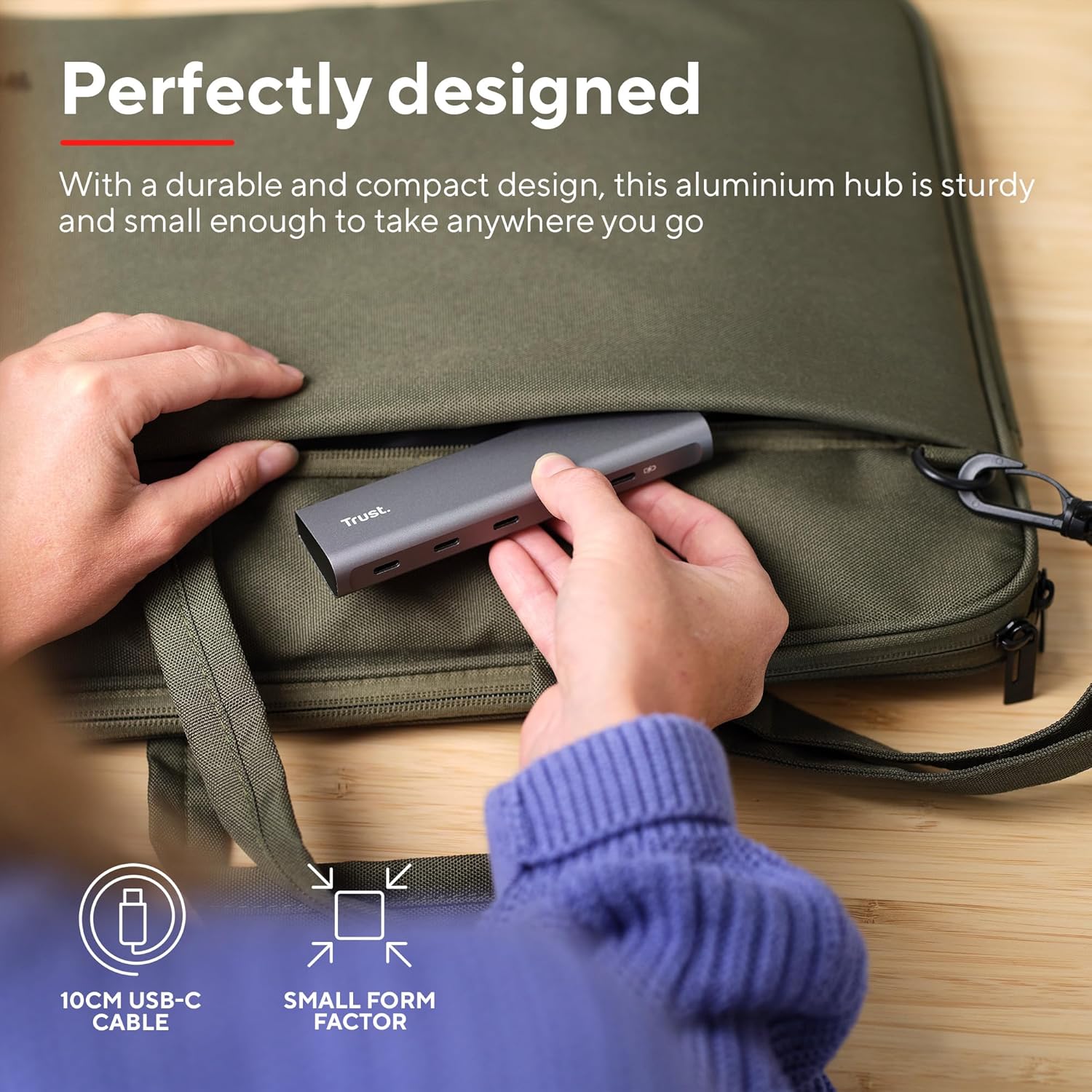
Image: The compact and durable design of the Trust Halyx hub, shown being placed into a laptop bag for portability.
6. טראָובלעשאָאָטינג
If you encounter issues with your Trust Halyx USB-C Hub, refer to the following common solutions:
6.1 Devices Not Detected
- טשעק קאַנעקשאַנז: Ensure the hub's USB-C cable is securely plugged into your host device and that peripherals are firmly connected to the hub.
- Restart Host Device: Sometimes, a simple restart of your computer can resolve detection issues.
- Test Peripherals Directly: Connect the peripheral directly to your computer's USB-C port (if available) to confirm it is functioning correctly.
- פרובירט אן אנדערן פארט: If your computer has multiple USB-C ports, try connecting the hub to a different one.
6.2 Charging Not Working
- באַשטעטיקן מאַכט אַדאַפּטער: Ensure your USB-C power adapter is correctly connected to the hub's PD port and is capable of providing sufficient power for your laptop.
- Check Laptop Compatibility: Confirm your laptop supports USB-C Power Delivery for charging.
- קאַבלע אָרנטלעכקייַט: Ensure the USB-C cable from your power adapter to the hub is not damaged.
6.3 לאַנגזאַמע דאַטן טראַנספער
- דיווייס קאַמפּאַטאַבילאַטי: Ensure the connected peripheral supports USB 3.0 (5 Gbps) speeds. Older USB 2.0 devices will operate at their native slower speeds.
- Host Port Speed: Verify that the USB-C port on your computer supports USB 3.0 or higher data transfer rates.
- ויסמיידן אָווערלאָאַדינג: While the hub provides multiple ports, extremely demanding devices might perform better when connected directly to the host device if possible.
7. ספּעסאַפאַקיישאַנז
| שטריך | דעטאַל |
|---|---|
| מאָדעל נומער | 25136 |
| סאָרט | צוטרוי |
| קאַנעקטיוויטי | 1x USB-C Host Connector (integrated cable), 4x USB-C Data Ports, 1x USB-C Power Delivery Port |
| דאַטאַ טראַנספער ספּיד | ביז 5 גיגאַביט פּער סעקונדע (USB 3.0) |
| מאַכט עקספּרעס | Up to 100W pass-through charging |
| האָוסינג מאַטעריאַל | אַלומינום |
| קאַבלע לענג | 10 סענטימעטער |
| דימענשאַנז (LxWxH) | 1.26 X 5 X 0.63 אינטשעס (32 X 127 X 16 מם) |
| וואָג | 2.86 אונסעס (81 גראַמז) |
| קאַמפּאַטאַבאַל אַפּערייטינג סיסטעמס | Chrome OS, Windows 10 or 11, macOS 11, 12 or 13 |
8. וואָראַנטי און שטיצן
פֿאַר וואָראַנטי אינפֿאָרמאַציע און טעכנישע שטיצע, ביטע זען די באַאַמטער טראַסט webזייטל אדער קאנטאקט זייער קאסטומער סערוויס גלייך. האלט אייער באווייז פון קויפן פאר גאראנטיע פארלאנגען.
אָנליין שטיצן: www.trust.com/support