
1. הקדמה
This manual provides detailed instructions for the installation, operation, and maintenance of your EverBrite 88LED Under Cabinet Lighting. This versatile lighting solution features a motion sensor, remote control, adjustable color temperatures, and dimmable brightness, designed to enhance visibility in various indoor spaces.
2. פּעקל אינהאַלט
ביטע באַשטעטיקן אַז אַלע זאכן וואָס זענען ליסטעד אונטן זענען אַרייַנגערעכנט אין דיין פּעקל:
- EverBrite 88LED Under Cabinet Light Bar
- ווייַט קאָנטראָל
- וסב טשאַרדזשינג קאַבלע
- Magnetic Mounting Bracket(s)
- קלעפּיק פּאַדס
- סקרוז און וואנט אַנגקערז
- באַניצער מאַנואַל

3. פּראָדוקט פֿעיִקייטן
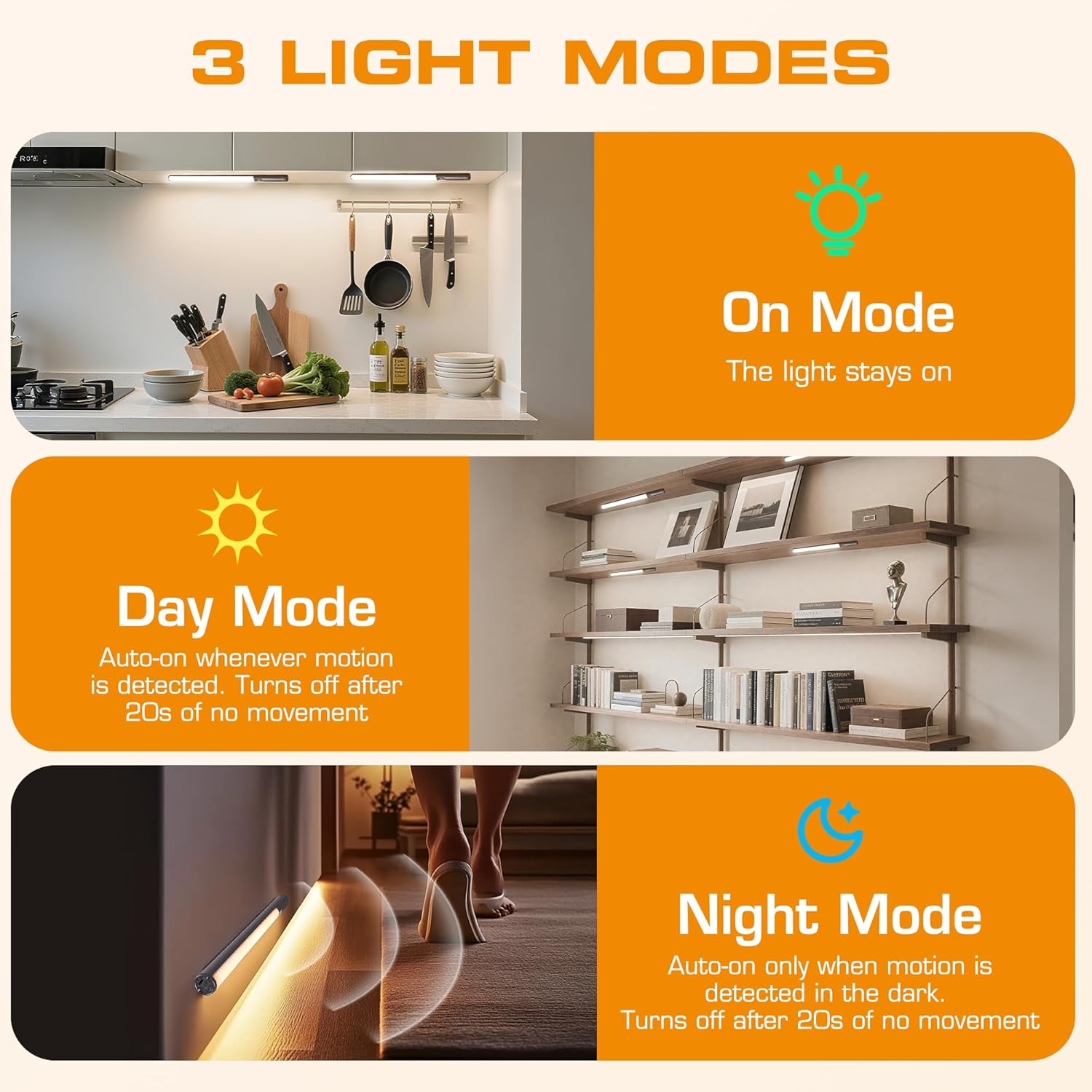
- 3 לייטינג מאָדעס: On Mode (light stays on), Day Mode (motion-activated regardless of ambient light), Night Mode (motion-activated only in dark).
- 3 קאָליר טעמפּעראַטורעס: Warm Light (3000K), Natural Light (4000K), Cold Light (6500K).
- דימאַבלע: 10 brightness levels with short press, stepless dimming with long press.
- צווייענדיק קאָנטראָל: Operable via remote control or direct touch on the light bar.
- גרינג ינסטאַלירונג: Multiple mounting options including magnetic, adhesive, and screw-in.
- קריקאָנלאָדלעך באַטערי: 2600mAh קאַפּאַציטעט פֿאַר פֿאַרלענגערט נוצן.
- ברייט אַפּלאַקיישאַן: Suitable for kitchens, closets, wardrobes, garages, stairwells, and more.
4. אויפשטעלן און אינסטאַלירן
The EverBrite Under Cabinet Light offers flexible installation to suit various surfaces and needs.
- Choose Your Mounting Method:
- מאַגנעטיק אַטאַטשמאַנט: For iron surfaces, simply attach the light bar directly. The light has built-in magnets.
- קלעפּיק מאַונטינג: For non-iron surfaces, peel the backing from the adhesive pads and attach them to the magnetic mounting bracket. Then, adhere the bracket to your desired surface. The light bar can then be magnetically attached to this bracket.
- שרויף מאַונטינג: For a more permanent installation, use the provided screws and wall anchors. Determine the mounting location, drill two holes, insert anchors, and fasten the magnetic mounting bracket with screws. Attach the light bar magnetically.
- פּאַזישאַנינג: Ensure the motion sensor is facing the area where movement is expected for optimal detection. The light bar can be rotated up to 90 degrees on its magnetic mount to direct illumination.


5. טשאַרדזשינג
The EverBrite light is equipped with a 2600mAh rechargeable Lithium-Ion battery.
- Locate the USB-C charging port on the end of the light bar.
- Connect the provided USB charging cable to the light bar and a compatible USB power source (e.g., wall adapter, computer USB port).
- The indicator light will show charging status (refer to product for specific indicator behavior).
- A full charge provides approximately 25 hours of continuous light or up to 25 days in motion sensor mode (based on 1 hour of activation per day).


6. אַפּערייטינג ינסטרוקטיאָנס
Your EverBrite light can be operated using either the manual touch controls on the device or the included remote control.
6.1. Manual Control (On-Device)
The light bar features a switch and a touch sensor on one end for direct control.
- מאָדע באַשטימען: Slide the switch to select between 'Off', 'Day Mode' (motion sensor always active), 'Night Mode' (motion sensor active only in dark), or 'On Mode' (light stays on continuously).
- קאָליר טעמפּעראַטור: In 'On Mode', short press the touch sensor to cycle through the 3 color temperatures: Warm White (3000K), Natural White (4000K), and Cold White (6500K).
- ברייטנאַס אַדזשאַסטמאַנט: In 'On Mode', long press the touch sensor to activate stepless dimming. Release at your desired brightness level.

6.2. רימאָוט קאָנטראָל
The remote control provides convenient access to all light functions from a distance.
- מאַכט אויף / אַוועק: דרוק די OFF button to turn the light off. Press the ON קנעפּל צו קער עס אויף.
- לייטינג מאָדעס: ניצט די ספּעציעלע קנעפּלעך פֿאַר ON (continuous light), טאָג (motion sensor always active), or נאַכט (motion sensor active only in dark).
- קאָליר טעמפּעראַטור: אויסקלייַבן WW (Warm White), NW (Natural White), or CW (Cold White) to change the light color.
- ברייטנאַס אַדזשאַסטמאַנט: Short press the brightness buttons (sun icons) to cycle through 10 preset brightness levels. Long press for stepless dimming.
- טיימער סעטטינגס: דרוק 15מין, 30מין, אָדער 60מין to set an automatic shut-off timer. Press the טייַמער אויסגעלאשן button to cancel any active timer.

6.3. Motion Sensor Modes
The integrated motion sensor provides hands-free illumination.
- טאָג מאָדע: The light will turn on automatically when motion is detected, regardless of the ambient light level. It will turn off after 20 seconds of no movement.
- נאַכט מאָדע: The light will turn on automatically only when motion is detected in dark conditions. It will turn off after 20 seconds of no movement.

7. ספּעסאַפאַקיישאַנז
| שטריך | באַשרייַבונג |
|---|---|
| סאָרט | EverBrite |
| מאָדעל נומער | עקסנומקסאַ |
| מאַכט מקור | באַטאַרייע פּאַוערד (1 ליטהיום יאָן באַטאַרייע אַרייַנגערעכנט) |
| באַטאַרייע קאַפּאַציטעט | 2600 מאַה |
| ליכט מקור טיפּ | געפירט |
| קאָליר טעמפּעראַטורעס | 3000K (Warm Light), 4000K (Natural Light), 6500K (Cold Light) |
| קאָנטראָל מעטאָד | ריר, רימאָוט קאָנטראָל |
| ספּעציעלע שטריך | Cordless, Motion Sensor, Dimmable |
| ייַנמאָנטירונג טיפּ | Surface Mount (Magnetic, Adhesive, Screws) |
| מאַטעריאַל | אַלומינום |
| פּונקט וואָג | 9.9 אונסעס |
| פּעקל דימענשאַנז | 16.3 X 1.97 X 1.65 אינטשעס |
| דרינענדיק / דרויסנדיק באַניץ | דרינענדיק |
8. וישאַלט
To ensure the longevity and optimal performance of your EverBrite Under Cabinet Light, follow these simple maintenance guidelines:
- רייניקונג: Wipe the light bar and remote control with a soft, dry cloth. Avoid using abrasive cleaners or solvents, as these may damage the finish or electronic components.
- באַטערי זאָרגן: Recharge the battery when the light output diminishes. Avoid fully depleting the battery frequently to prolong its lifespan. Store the device in a cool, dry place if not in use for extended periods.
- סענסאָר וישאַלט: האַלט די באַוועגונג סענסאָר לינז ריין און פריי פון שטערונגען צו ענשור פּינקטלעכע דעטעקשאַן.
9. טראָובלעשאָאָטינג
If you encounter any issues with your EverBrite Under Cabinet Light, please refer to the following common problems and solutions:
- ליכט טוט נישט קער אויף:
- פאַרזיכערן די באַטאַרייע איז באפוילן.
- Check the mode switch on the light bar; it should be set to 'On', 'Day Mode', or 'Night Mode'.
- If using the remote, ensure the light bar's main switch is in an active mode (not 'Off').
- באַוועגונג סענסאָר אַרבעט נישט:
- Verify the light is set to 'Day Mode' or 'Night Mode'.
- In 'Night Mode', ensure the environment is sufficiently dark.
- Check for any obstructions blocking the sensor lens.
- Ensure the motion is within the 9.8ft (3m) detection range and 120-degree angle.
- די ווײַטקאָנטראָל רעאַגירט נישט:
- Ensure the light bar's main switch is in an active mode (not 'Off').
- קאָנטראָלירט די באַטעריע פֿון דער ווײַטקאָנטראָל.
- Ensure there are no obstructions between the remote and the light bar.
- Light is not charging:
- זיכער מאַכן אַז דער USB קאַבל איז זיכער פארבונדן צו ביידע די ליכט באַר און די מאַכט מקור.
- פּרוּווט אַ אַנדערש וסב קאַבלע אָדער מאַכט אַדאַפּטער.
10. וואָראַנטי און שטיצן
פֿאַר וואָראַנטי אינפֿאָרמאַציע, טעכנישע שטיצע, אָדער ווייטערדיקע הילף, ביטע זען די פאַבריקאַנט'ס באַאַמטער webזייטל אדער קאנטאקט זייער קאסטומער סערוויס גלייך. האלט אייער קויף קוויטל פאר גאראנטיע טענות.