
1. הקדמה
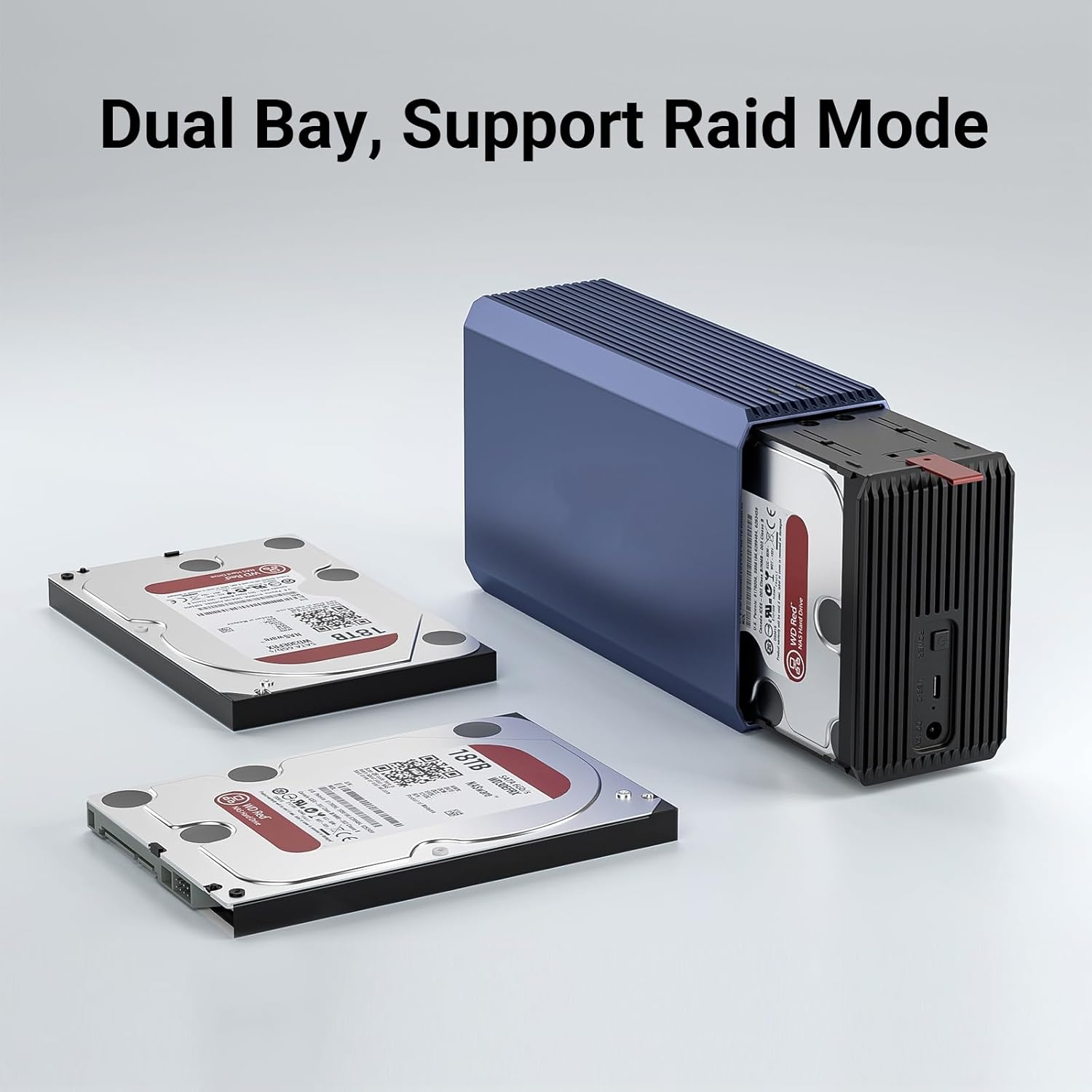
This manual provides detailed instructions for the setup, operation, maintenance, and troubleshooting of your Dohaeris Dual Bay USB 3.0 Hard Drive Enclosure. This device is designed to house two 2.5-inch or 3.5-inch SATA hard drives, offering data storage and RAID functionality for desktop and laptop computers.
Please read this manual thoroughly before using the product to ensure proper functionality and to prevent data loss.
2. סעטאַפּ גייד
2.1 פּעקל אינהאַלט
באַשטעטיקן אַז אַלע זאכן זענען פאַראַן אין פּעקל:
- Dohaeris Dual Bay Hard Drive Enclosure
- וסב 3.0 טיפּ-C צו טיפּ-א קאַבלע
- 12V/3A מאַכט אַדאַפּטער
- שרויפן פֿאַר האַרט דרייוו ינסטאַלירונג
- באַניצער מאַנואַל (דעם דאָקומענט)
2.2 ייַזנוואַרג ינסטאַלירונג
Follow these steps to install your hard drives into the enclosure:
- עפֿנט דעם קעסטל: Gently slide open the enclosure to reveal the drive bays.
- אַרײַנשטעלן האַרט דרייווס: Carefully slide your 2.5-inch or 3.5-inch SATA hard drives into the available bays. Ensure they are seated firmly into the SATA connectors. For 2.5-inch drives, additional supplements may be required for a secure fit.
- Secure Hard Drives: Use the provided screws to secure the hard drives within the enclosure, if applicable.
- פֿאַרמאַכן דעם קעסטל: שטופּ צוריק דעם דעקל פון דעם קעסטל ביז עס קליקט זיכער.
2.3 פֿאַרבינדן זיך צו דיין קאָמפּיוטער
- פאַרבינדן מאַכט: Plug the 12V/3A power adapter into the DC 12V port on the back of the enclosure, then connect it to a power outlet.
- פאַרבינדן וסב קאַבלע: Connect one end of the USB 3.0 Type-C cable to the USB-C port on the enclosure and the other end to an available USB 3.0 port on your computer.
- מאַכט אויף: Press the power button on the enclosure. The power indicator light should illuminate.

3. אַפּערייטינג ינסטרוקטיאָנס
3.1 פּאַוערינג אויף / אַוועק
- מאַכט אויף: Press the 'POWER' button on the rear of the enclosure. The LED indicator will light up.
- מאַכט אַוועק: Safely eject the drives from your operating system, then press and hold the 'POWER' button until the LED indicator turns off.
3.2 RAID קאַנפיגיעריישאַן
The enclosure supports RAID 0, RAID 1, JBOD, and SPAN modes. The RAID mode is configured using switches located on the back of the device. Changing RAID modes will erase all data on the installed hard drives. Back up your data before making any changes.

- RAID 0 (סטרייפּינג): Combines two hard drives into a single logical unit, doubling storage capacity and improving read/write speeds. If one drive fails, all data is lost.
Setting: Switch 1 ON, Switch 2 ON. - RAID 1 (שפּיגל): Creates an exact copy of data on both hard drives, providing data redundancy. The recognized capacity is that of a single drive. If one drive fails, data is preserved on the other.
Setting: Switch 1 OFF, Switch 2 ON. - JBOD (נאָר אַ הויפן דיסקס): Treats each hard drive as an independent disk. This is the factory default setting.
Setting: Switch 1 ON, Switch 2 OFF. - SPAN (Concatenation): Combines the storage capacity of both hard drives into a single large volume. Data is written sequentially across drives. If one drive fails, data on that drive is lost.
Setting: Switch 1 OFF, Switch 2 OFF.
To change RAID mode:
- Power off the enclosure and disconnect it from the computer.
- Adjust the RAID switches on the back of the enclosure to the desired configuration.
- Reconnect the power and USB cable, then power on the enclosure.
- The computer will detect the new RAID configuration. You may need to initialize and format the disk(s) in your operating system's Disk Management utility.
3.3 Data Transfer and Intelligent Sleep
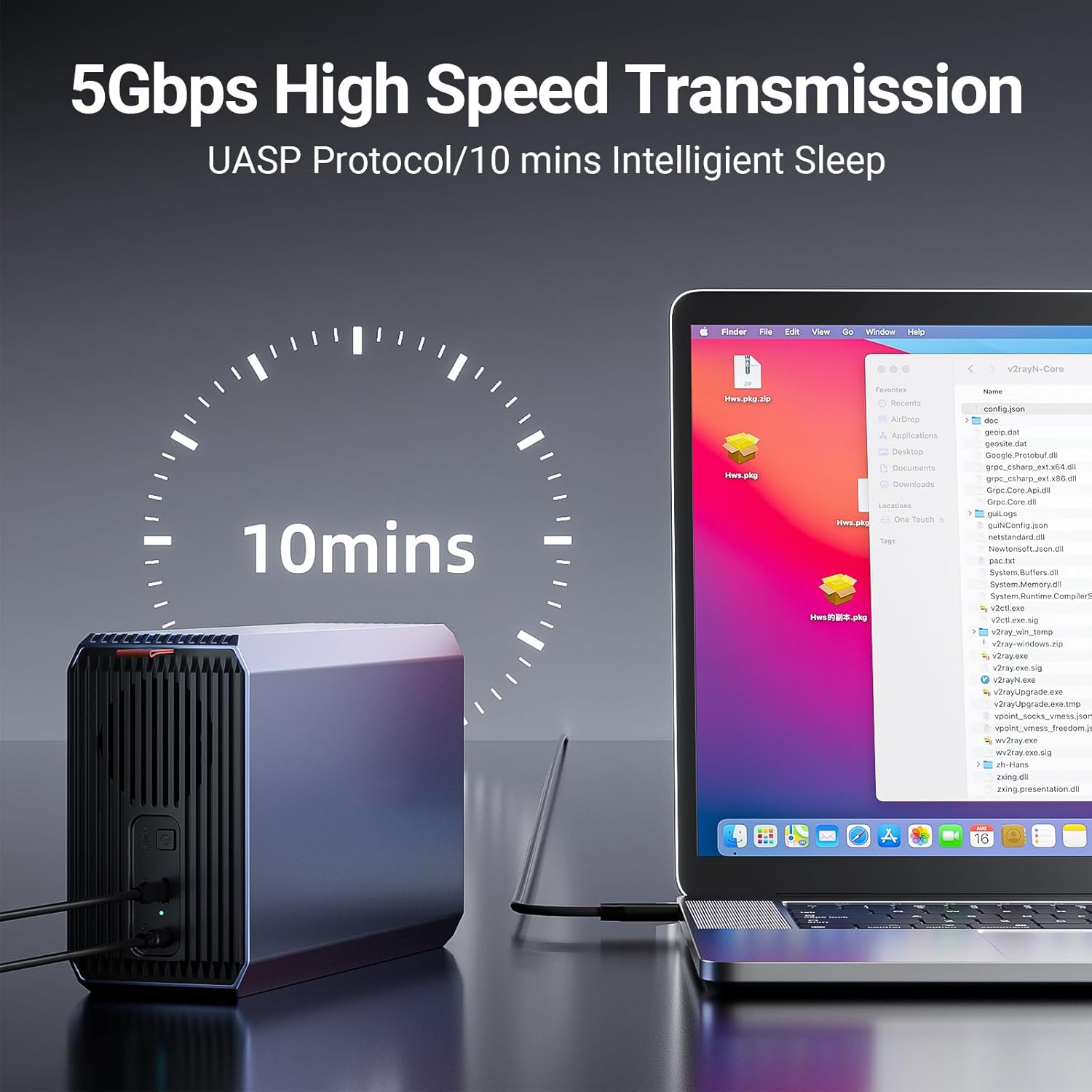
The enclosure supports USB 3.0 for high-speed data transmission up to 5Gbps, utilizing the UASP protocol for optimized performance. It also features an intelligent sleep function, activating after 10 minutes of inactivity to conserve power and extend hard drive lifespan.
4. וישאַלט
4.1 קאָאָלינג סיסטעם
The enclosure features a built-in silent fan to ensure optimal operating temperatures for your hard drives, prolonging their lifespan and maintaining stable performance. Ensure the fan vents are not obstructed to allow for proper airflow.

4.2 אַלגעמיינע קער
- Keep the enclosure in a clean, dry environment, away from direct sunlight and extreme temperatures.
- Avoid dropping or subjecting the enclosure to physical shock.
- רייניקט די אויסערליכע זייט מיט א ווייכן, טרוקענעם טוך. ניצט נישט קיין פליסיקע רייניגער.
5. טראָובלעשאָאָטינג
5.1 פּראָסט ישוז און סאַלושאַנז
- קאמפיוטער דערקענט נישט די אפשליסונג:
- זייט זיכער אז דער מאַכט אַדאַפּטער איז זיכער פארבונדן און אז די קעסטל איז אנגעצינדן.
- איבערצייגט אז דער USB קאַבל איז ריכטיק פארבונדן סיי צום קעסטל און סיי צום קאָמפּיוטער.
- Try a different USB port on your computer or a different USB cable.
- Check Disk Management (Windows) or Disk Utility (macOS) to see if the drives are detected but uninitialized or unformatted.
- Drives not appearing after RAID configuration change:
- After changing RAID modes, drives typically need to be re-initialized and formatted in your operating system's Disk Management utility. This will erase existing data.
- לאַנגזאַמע דאַטן טראַנספער גיכקייטן:
- זייט זיכער אז איר זענט פארבונדן צו א USB 3.0 פארט אויף אייער קאמפיוטער. USB 2.0 פארטן וועלן רעזולטירן אין שטייטערע גיכקייטן.
- Verify that your operating system and drivers support UASP.
5.2 Data Protection Features
The enclosure incorporates multiple protection mechanisms to safeguard your data and hardware, including overcurrent protection, overheat protection, voltage isolation protection, and short circuit protection.

6. טעכניש ספּעסאַפאַקיישאַנז
| שטריך | באַשרייַבונג |
|---|---|
| מאָדעל | B0CJBMB52Z |
| מאַטעריאַל | אַלומינום צומיש |
| דימענשאַנז | 200 X 120 X 65 מם |
| וואָג | בעערעך 645 ג |
| קאָליר | גרוי |
| שטיצט דרייוו טייפּס | 2.5-inch / 3.5-inch SATA HDD/SSD (SATA1/SATA2/SATA3) |
| Max Capacity per Drive | 18 טב |
| נומער פון בייס | 2 |
| ייַזנוואַרג צובינד | וסב 3.0 טיפּ-C |
| דאַטאַ טראַנספער ספּיד | אַרויף צו 5 גבפּס (וסב 3.0) |
| RAID מאָדעס | RAID 0, RAID 1, JBOD, SPAN |
| בעל טשיפּ | JMS561 |
| קאָאָלינג | געבויט-אין פאָכער |
| מאַכט צושטעלן | 12V / 3A מאַכט אַדאַפּטער |
| שטיצט אַפּערייטינג סיסטעמס | Windows 7/8/10/11, macOS, Linux |
| UPC | 795930934364 |
7. וואָראַנטי און שטיצן
For warranty information and technical support, please refer to the documentation provided with your purchase or contact Dohaeris customer service through the retailer where the product was purchased. Keep your proof of purchase for warranty claims.