
litokam LF-C1t
litokam Indoor Camera LF-C1t User Manual
Model: LF-C1t
1. הקדמה
This manual provides detailed instructions for the setup, operation, and maintenance of your litokam Indoor Camera LF-C1t. This 2K resolution camera is designed for indoor use, offering features such as night vision, two-way audio, motion detection, and compatibility with smart home systems like Amazon Alexa. Please read this manual thoroughly before using the product to ensure proper functionality and safety.
2. פּעקל אינהאַלט
באַשטעטיקן אַז אַלע זאכן זענען פאַראַן אין דיין פּעקל:
- litokam Indoor Camera LF-C1t
- מאַכט אַדאַפּטער
- וסב קאַבלע
- Mounting Accessories (screws, wall anchors)
- באַניצער מאַנואַל
3. פּראָדוקט איבערview
The litokam Indoor Camera LF-C1t is a compact device featuring a 2K resolution lens, infrared LEDs for night vision, a microphone, and a speaker for two-way audio. It includes a Micro SD card slot for local storage and a power port for continuous operation.

Image: litokam Indoor Camera LF-C1t with its accompanying smartphone application interface, displaying a live feed.
4. סעטאַפּ אינסטרוקציעס
4.1 אַפּ ינסטאַלירונג
- אָפּלאָדירן די "littlelf smart" אַפּ פֿון די אַפּ סטאָר (iOS) אָדער גוגל פּליי סטאָר (אַנדרויד).
- רעגיסטרירט זיך פֿאַר אַ נײַעם אַקאַונט אָדער לאָגט זיך אײַן אויב איר האָט שוין אײנס.
4.2 מאַכט אויף
Connect the camera to a power source using the provided USB cable and power adapter. The camera will power on automatically.
4.3 נעץ פּערינג
The litokam LF-C1t camera supports נאָר 2.4GHz Wi-Fi נעטוואָרקס. Ensure your router is configured for 2.4GHz or that your device is connected to a 2.4GHz network during setup.
- Open the "littlelf smart" app and tap the "+" icon to add a new device.
- אויסקלייבן אייער קאַמעראַ מאָדעל פֿון דער רשימה.
- Follow the on-screen instructions to reset the camera if prompted.
- אַרייַן דיין 2.4GHz Wi-Fi נעץ נאָמען און פּאַראָל.
- די אַפּ וועט דזשענערירן אַ QR קאָד. שטעלט אייער קאַמעראַ צו סקענען דעם QR קאָד פֿון אייער טעלעפֿאָן עקראַן.
- Once the camera confirms successful pairing, complete the setup in the app.

Image: Visual guide demonstrating the network pairing process for the litokam camera via the smartphone application and QR code scanning.
4.4 מאַונטינג אָפּציעס
די קאַמעראַ אָפפערס ווערסאַטאַל מאַונטינג אָפּציעס:
- טאַבלעטאָפּ אָרט: Place the camera on any flat surface.
- וואַנט מאָונטינג: Use the included screws and anchors to mount the camera to a wall.
- סופיט מאַונטינג: Attach the camera to the ceiling using the provided hardware.

בילד: עקסamples of the litokam camera mounted on a table, a wall, and a ceiling, showcasing its flexible installation options.
5. אַפּערייטינג ינסטרוקטיאָנס
5.1 לעבן View און רעזאָלוציע
Access the live feed through the "littlelf smart" app. The camera provides 2K (2304 x 1296) resolution for clear and detailed monitoring. HDR technology enhances image clarity in varying light conditions.

Image: A family in a living room, demonstrating the high-definition 2K resolution capabilities of the litokam camera.

Image: A visual comparison illustrating how HDR technology improves image clarity and vividness compared to an underexposed image.
5.2 נאַכט זעאונג
The camera is equipped with 6 IR LEDs, providing clear night vision up to 33 feet (10 meters) in complete darkness.

Image: The litokam camera capturing clear night vision footage of a baby sleeping in a crib.

Image: A dog sleeping in a dark room, showcasing the litokam camera's ability to provide clear night vision up to 33 feet.
5.3 באַוועגונג דעטעקציע און וואָרענונגען
The camera features human motion detection to reduce false alarms. When motion is detected, you will receive instant alerts on your phone. Sensitivity can be adjusted in the app settings.

Image: The litokam camera's human detection feature, distinguishing human movement from other minor disturbances like insects.

Image: A child playing with a dog, with a 'Motion Detected' notification appearing from the litokam camera.
5.4 Baby Cry Detection
The camera can detect baby crying sounds and send notifications to your phone, providing an additional layer of monitoring for infants.

Image: The litokam camera detecting a baby crying, with a corresponding notification displayed on a smartphone screen.

Image: A baby crying in a crib, with a 'Baby cry detected' notification from the litokam camera displayed on a smartphone.
5.5 צוויי-וועג אַודיאָ
Utilize the built-in microphone and speaker to communicate with individuals or pets in the camera's vicinity directly through the app.

Image: A person using the litokam camera's two-way audio function to speak to a baby.

Image: A person interacting with a child using the litokam camera's two-way audio feature for seamless communication.
5.6 פּריוואַטקייט מאָדע
Activate Privacy Mode via the app to temporarily disable video and audio recording, ensuring privacy when desired.

Image: A woman in a bedroom, with a smartphone displaying the litokam camera in privacy mode, indicating video and audio are temporarily disabled.
5.7 Customizable Zones Detection
דעפינירן ספּעציפֿישע געביטן אין דער קאַמעראַ'ס view for motion detection, allowing you to focus on critical zones and receive relevant alerts.

Image: A child reaching for items in a kitchen, with a customizable motion detection zone highlighted on the camera's view, demonstrating focused monitoring.
5.8 Siren Alert
The camera includes a built-in siren that can be triggered upon motion detection, serving as a deterrent for unwanted activity.

Image: The litokam camera detecting an intruder and activating a siren alarm as a security measure.

Image: An intruder in a room, with the litokam camera displaying a 'Human body detected' notification and a siren alarm icon, indicating immediate protection.
5.9 24/7 Recording & Storage
The camera supports continuous recording. Video footage קען ווערן אויפגעהיט אויף צוויי וועגן:
- מיקראָ סד קאַרד: Insert a Micro SD card (up to 128GB, not included) into the camera's slot for local storage.
- וואָלקן סטאָרידזש: A 7-day trial of cloud storage is available. Subscription options are available for extended cloud storage.

Image: The litokam camera illustrating its 24/7 recording capabilities with options for cloud storage and Micro SD card storage.

Image: Various family moments captured and available for 24/7 recording and playback through the litokam camera application.

Image: The litokam camera highlighting its storage options: cloud storage with a 7-day trial and Micro SD card storage (not included).
5.10 Multi-User & Multi-View
Share camera access with family and friends. The "littlelf smart" app allows viewing up to 16 live video feeds simultaneously on one screen from multiple cameras.

Image: A smartphone screen displaying live feeds from four litokam cameras concurrently, monitoring different rooms.

Image: A collage depicting various individuals and pets, symbolizing the multi-user sharing capability of the litokam camera.
5.11 קלוגע היים אינטעגראַציע
The litokam LF-C1t is compatible with Amazon Alexa, allowing you to view live feeds using voice commands on compatible devices.

Image: A woman using an Alexa voice command to display the baby room camera feed on an Echo Show device while performing household tasks.
6. וישאַלט
To ensure optimal performance and longevity of your litokam Indoor Camera LF-C1t:
- Regularly clean the camera lens with a soft, dry cloth to prevent dust and smudges from affecting image quality.
- Keep the camera in a dry environment and avoid exposure to extreme temperatures.
- Check the "littlelf smart" app periodically for firmware updates to ensure you have the latest features and security enhancements.
7. טראָובלעשאָאָטינג
באַציט זיך צו די פאלגענדע געוויינטלעכע פּראָבלעמען און לייזונגען:
- שטיצט עס 5GHz Wi-Fi?
No, the camera only supports 2.4GHz Wi-Fi connections. Ensure your router is set to 2.4GHz or connect your device to a 2.4GHz network during setup. - Where and how can I insert the SD card?
The SD card slot is located to the left of the camera lens. Turn the camera to the side, then insert a Micro SD card (up to 128GB) into the slot with the metal side up. - The SD card is inserted, but the camera is unable to record videos locally.
a. Please check if the SD card is properly inserted into the camera.
b. Please check if the "recording settings" option is enabled in the recording settings menu, located in the camera settings within the app.
ג. צו view local recordings, please use the playback function in the app. - Is it a battery-powered camera?
No, it needs to be plugged in at all times to function, and the power interface is Type-C. - What if I can't connect the camera?
Please contact our customer service team, who will be available to assist you with any issues you may encounter during the camera connection process. - Are you unable to receive detection notifications or are notifications too frequent?
Adjust the motion detection sensitivity through the app based on the monitoring distance and environment to avoid missed reports or excessive notifications.
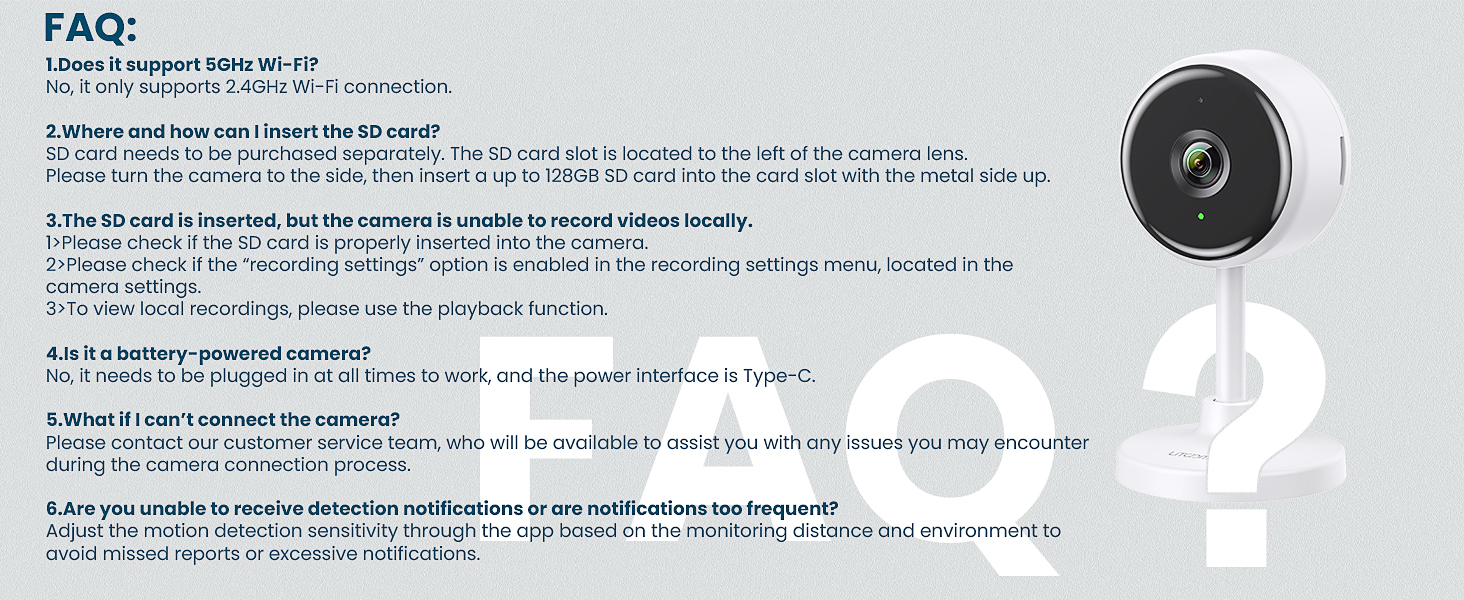
Image: A list of Frequently Asked Questions (FAQ) regarding the litokam camera, addressing common concerns such as Wi-Fi compatibility, SD card usage, and connectivity issues.
8. ספּעסאַפאַקיישאַנז
| שטריך | באַשרייַבונג |
|---|---|
| מאָדעל נאָמען | LF-C1t |
| דרינענדיק / דרויסנדיק באַניץ | דרינענדיק |
| ווידעא קאַפּטורע רעסאָלוטיאָן | 2K (2304 X 1296) |
| נאַכט וויזשאַן ראַנגע | 33 פֿיס (10 מעטער) |
| נומער פון יר לעדס | 6 |
| קאַנעקטיוויטי טעכנאָלאָגיע | Wi-Fi (נאָר 2.4GHz) |
| קאַמפּאַטאַבאַל דעוויסעס | אַמאַזאָן אַלעקסאַ |
| צוויי-וועג אַודיאָ | יא |
| באַוועגונג דעטעקשאַן | Human Motion Detection |
| סטאָרידזש אָפּציעס | Micro SD Card (up to 128GB, not included), Cloud Storage |
| מאַכט מקור | עלעקטריש מיט שנור (5V, 5W) |
| מאַונטינג טיפּ | וואנט בארג, טאַבלעטאָפּ |
| Viewינג אַנגלע | 100 דיגריז |
| פּראָדוקט דימענשאַנז | 6.42 X 5.83 X 1.81 אינטשעס |
| פּונקט וואָג | 8.1 אונסעס |
9. וואָראַנטי און שטיצן
9.1 וואָראַנטי אינפֿאָרמאַציע
Your litokam Indoor Camera LF-C1t comes with a 2-יאָר וואָראַנטי פֿון דעם קויף־דאַטום. ביטע באַהאַלטן אייער קויף־באַווייַז פֿאַר גאַראַנטיע־קליימז.
9.2 קונה שטיצן
For any technical assistance, troubleshooting, or warranty inquiries, please contact litokam customer support:
- 24/7 Live Service: Available through live chat on the "littlelf smart" app or the litokam webפּלאַץ.
- Calls Center: Contact our support team via phone during business hours.
- Online Email: Send your queries to our support email address.
פֿאַר מער אינפֿאָרמאַציע, באַזוכן די באַאַמטער litokam Store.

Image: litokam brand story hero image, emphasizing family connection and care.
Ask a question about this manual
Ask about setup, troubleshooting, compatibility, parts, safety, or missing instructions. Manuals+ will review the question and use this page’s manual context to help answer it.