
CHUANYUE T2
CHUANYUE T2 Motorcycle Bluetooth Headset User Manual
מאָדעל: T2
1. הקדמה
The CHUANYUE T2 Motorcycle Bluetooth Headset is designed to enhance communication and entertainment for motorcycle riders. This device features Bluetooth 5.0 technology, supporting two-rider intercom communication up to 1000 meters, music sharing, DSP and CVC noise cancellation for clear audio, FM radio, and one-click pairing. It is built with an IP67 waterproof rating and utilizes a Type-C charging port for convenience.

Image: Four CHUANYUE T2 Motorcycle Bluetooth Headsets, illustrating the product units.
2. וואָס איז אין דער קעסטל
Ensure all components are present before installation:
- Mainframe Equipment
- Headset Microphone Sets
- Fixed Installation Bracket
- Sticky Installation Bracket
- טיפּ-C טשאַרדזשינג קאַבלע
- באַניצער מאַנואַל

בילד: איבערview of included components and a visual guide for installing the clip and paste brackets.
3. ינסטאַלירונג
3.1. Headset Unit Installation
- צוגרייטן העלם: Carefully remove the inner padding of your helmet to access the ear areas.
- רעדנער אָרט: Attach the headset speakers to the inside of the helmet using the provided adhesive pads. Ensure they are positioned directly over your ears for optimal audio quality. The short line speaker is for the left side, and the long line speaker is for the right side.
- מיקראָפאָן אָרט: Secure the microphone inside the helmet, positioning it close to your mouth but away from direct wind.
- קאַבלע פאַרוואַלטונג: Route all cables neatly under the helmet padding to prevent discomfort and ensure they are not exposed.

Image: A motorcycle helmet with the T2 headset installed, connected to a GPS device, demonstrating integrated use.
3.2. Main Unit Mounting
Choose between the fixed clip bracket or the adhesive paste bracket:
3.2.1. Clip Bracket Installation
- Open the metal piece of the clip bracket.
- Slide the bracket onto the edge of the helmet shell, ensuring a secure fit.
- Insert the main unit into the clip bracket until it locks into place.
3.2.2. Paste Bracket Installation
- Clean the desired mounting area on the helmet surface thoroughly.
- Peel off the red protective film from the adhesive on the paste bracket.
- Firmly press the bracket onto the helmet surface for at least 30 seconds. Allow sufficient time for the adhesive to cure before use.
- Slide the main unit into the paste bracket until it clicks securely.
4. אַפּערייטינג ינסטרוקטיאָנס
4.1. מאַכט אויף / אויסגעלאשן
- מאַכט אויף: Press and hold the multi-function button for approximately 3 seconds until the indicator light illuminates.
- מאַכט אַוועק: Press and hold the multi-function button for approximately 3 seconds until the indicator light turns off.
4.2. Bluetooth Pairing with Mobile Device
- Ensure the T2 headset is powered off.
- Press and hold the multi-function button for approximately 5-7 seconds until the red and blue indicator lights flash alternately, indicating pairing mode.
- אויף אייער מאָביל טעלעפאָן, אַקטיוויזירט בלועטוט און זוכט פֿאַר פֿאַראַן דעוויסעס.
- Select "T2" from the list of devices to connect. Once connected, the blue indicator light will flash slowly.
4.3. אינטערקאם פארבינדונג (2 רייטערס)
- Ensure both T2 headsets are powered off.
- On both headsets, press and hold the multi-function button for approximately 5-7 seconds until the red and blue indicator lights flash alternately.
- On one of the headsets, short press the intercom button. The headsets will search for each other and automatically pair.
- Once paired, the indicator lights on both headsets will turn solid blue, indicating a successful intercom connection.
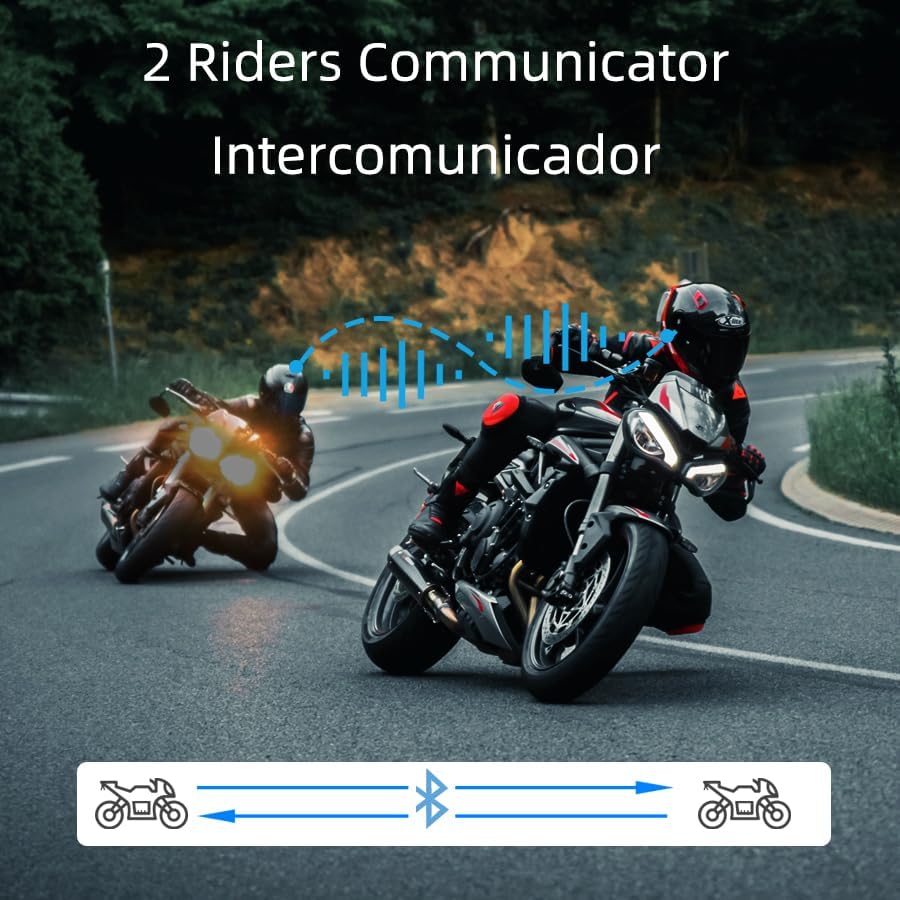
Image: Two riders on motorcycles, illustrating the two-way intercom communication feature.
4.4. מוזיק ווידערשפּיל און טיילן
- שפּיל / פּויזע: Short press the multi-function button to play or pause music.
- ווייַטער שפּור: Rotate the multi-function knob clockwise.
- פֿריִערדיקע שפּור: Rotate the multi-function knob counter-clockwise.
- באַנד אַדזשאַסטמאַנט: Press and hold the volume up/down buttons.
- מוזיק ייַנטיילונג: (Specific instructions for music sharing between two T2 units would be here if available, but are not detailed in the provided data. Generally, this involves a specific button press on both devices after they are paired.)
4.5. טעלעפאָן קאַללס
- ענטפער רופן: דריקט קורץ דעם מולטי-פונקציע קנעפּל ווען אַ רוף קומט אריין.
- סוף רופן: דריק קורץ דעם מולטי-פונקציע קנעפּל בעת א רוף.
- אָפּוואַרפן רופן: דריק און האלט דעם מולטי-פונקציע קנעפל פאר 2 סעקונדעס ווען א רוף קומט אריין.
- Voice Dial (Siri/Google Assistant): Long press the multi-function button for 2 seconds to activate your phone's voice assistant.

Image: A helmet with the T2 headset, showing a smartphone screen with voice assistant commands, highlighting the voice control feature.
4.6. עפעם ראַדיאָ
- אן/אויסלעשן FM: Double-click the multi-function button to activate or deactivate the FM radio.
- טוישן סטאנציע: Rotate the multi-function knob clockwise or counter-clockwise to scan for stations.
5. וישאַלט
- רייניקונג: ניצן אַ ווייך, דamp cloth to clean the exterior of the headset. Avoid harsh chemicals or abrasive materials.
- וואַסער קעגנשטעל: The T2 headset is IP67 waterproof. While it can withstand rain and splashes, avoid submerging it in water for extended periods.
- טשאַרדזשינג: ניצט דעם צוגעשטעלטן טיפ-C טשאַרדזשינג קאַבל. מאַכט זיכער אַז דער טשאַרדזשינג פּאָרט איז טרוקן איידער איר קאַנעקץ דעם קאַבל.
- סטאָרידזש: סטאָר די כעדסעט אין אַ קיל, טרוקן אָרט ווען ניט אין נוצן.

Image: The T2 headset shown with water splashing, highlighting its IP67 waterproof feature.
6. טראָובלעשאָאָטינג
- קיין מאַכט: Ensure the battery is charged. Connect the headset to the charger and check the indicator light.
- קען נישט פארבינדן: Make sure the headset is in pairing mode (red and blue lights flashing alternately). Ensure your phone's Bluetooth is on and visible. Try restarting both devices.
- אינטערקאם דיסקאנעקציע: If the intercom disconnects, try re-pairing the units. Ensure they are within the specified range.
- נעבעך אַודיאָ קוואַליטעט: Check speaker placement inside the helmet. Ensure the microphone is not obstructed. Verify that noise cancellation features (DSP & CVC) are active.
- שטימע אסיסטענט ענטפערט נישט: Ensure your phone is connected via Bluetooth and the voice assistant is enabled on your device.
7. ספּעסאַפאַקיישאַנז
| שטריך | דעטאַל |
|---|---|
| מאָדעל נאָמען | T2 |
| סאָרט | CHUANYUE |
| קאַנעקטיוויטי טעכנאָלאָגיע | בלועטוט, וויירלעס |
| בלועטאָאָטה ווערסיע | 5.0 |
| בלועטאָאָטה קייט | 30 Meters (device to phone) |
| ינטערקאָם קייט | Up to 1000M (2 riders) |
| ראַש קאָנטראָל | Active Noise Cancellation (DSP & CVC) |
| וואַסער קעגנשטעל מדרגה | IP67 וואָטערפּרוף |
| באַטערי לעבן | 15 שעה (באַניץ) |
| טשאַרדזשינג צייט | 2.5 שעה |
| כעדפאָונז דזשאַק | טיפּ-C |
| מאַטעריאַל | אַקרילאָניטרילע בוטאַדיענע סטירענע (אַבס) |
| פּונקט וואָג | 6.7 אונסעס |
| פּראָדוקט דימענשאַנז | 3.54 X 1.77 X 1.02 אינטשעס |
8. וואָראַנטי און שטיצן
For warranty information, technical support, or any inquiries regarding your CHUANYUE T2 Motorcycle Bluetooth Headset, please refer to the contact details provided in the packaging or visit the official CHUANYUE webפּלאַץ. האַלטן דיין קויפן קאַבאָלע פֿאַר וואָראַנטי קליימז.
Ask a question about this manual
Ask about setup, troubleshooting, compatibility, parts, safety, or missing instructions. Manuals+ will review the question and use this page’s manual context to help answer it.