
הקדמה
Thank you for choosing the TrustFire H6R Headlamp. This manual provides essential information for the safe and effective operation, maintenance, and troubleshooting of your device. Please read it thoroughly before use and retain it for future reference.
The TrustFire H6R is a versatile and powerful headlamp designed for various outdoor activities and work environments. It features a triple light source design, offering spotlight, floodlight, and red light options, with a maximum output of 1350 lumens and a beam distance of up to 152 meters.

Image: TrustFire H6R Headlamp highlighting its triple light source design, 1350 lumens output, and 152-meter range.
פּראָדוקט פֿעיִקייטן
- הויך ברייטנאַס: Maximum output of 1350 lumens with a beam distance of up to 152 meters.
- עטלעכע ליכט מקורים: Features spotlight, floodlight, and red light for diverse lighting needs.
- ווערסאַטאַל מאָדעס: Includes various white light modes (High, Medium, Low, Moonlight) and a Red Light mode with SOS function.
- ריטשאַרדזשאַבאַל: Equipped with a USB-C charging port for convenient recharging.
- דוראַבאַל קאַנסטראַקשאַן: IP68 waterproof rating and 1-meter drop resistance, built with aluminum alloy for enhanced durability and an anti-slip grip.
- 180-גראַד ראָטאַטאַבלע קאָפּ: Allows precise adjustment of the light beam direction.
- מאַגנעטיק טאַיל קאַפּ: Enables hands-free attachment to ferrous metal surfaces.
- רימווואַבאַל פּאַקאַט קליפּ: Converts the headlamp into a versatile handheld flashlight.
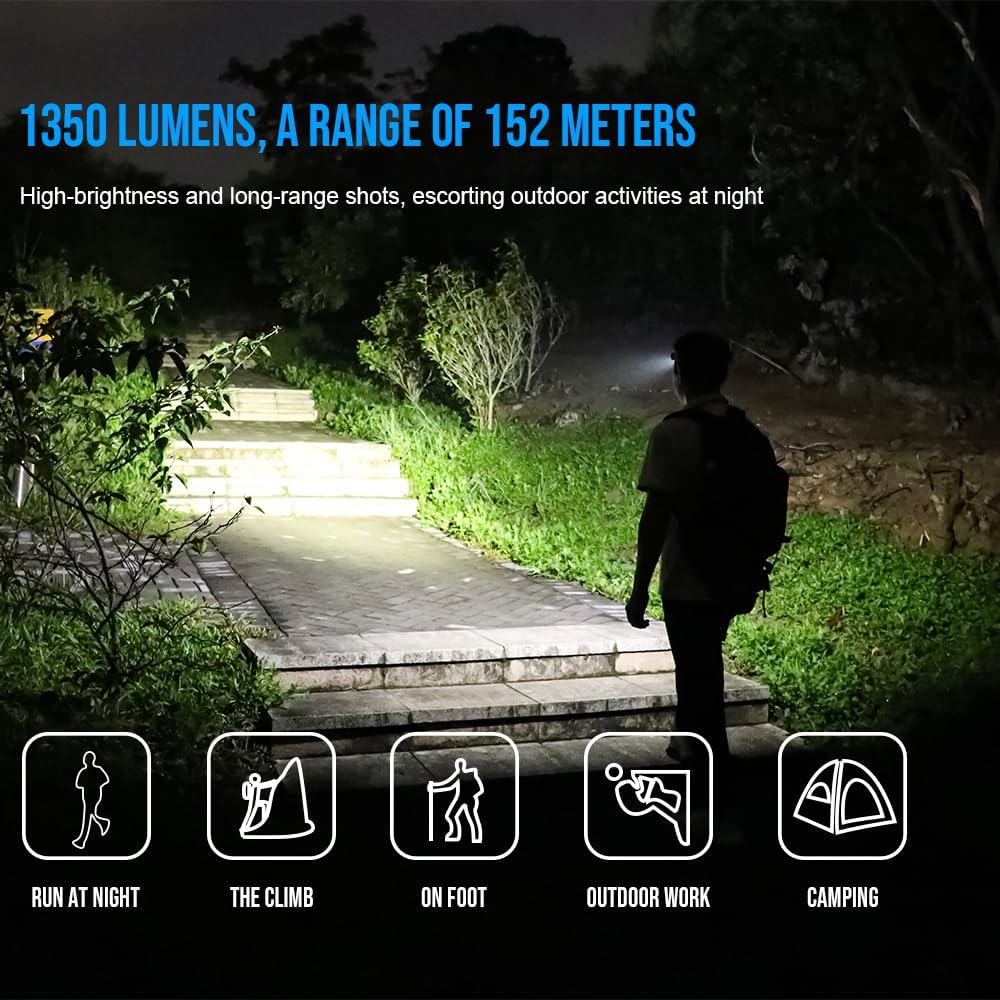
Image: TrustFire H6R Headlamp in use, demonstrating its 1350 lumens and 152-meter range for various outdoor activities.
סעטאַפּ
1. Battery Installation and First Use
- The H6R headlamp comes with a pre-installed Lithium Ion battery.
- פארן ערשטן באַנוץ, זאָל מען גאָר אויפלאָדן דעם קאָפּ.amp ניצן די צוגעשטעלט וסב-C קאַבלע.
2. צוטשעפּען דעם קאָפּבאַנד
- Thread the adjustable TrustFire headband through the designated slots on the headlamp גוף.
- אַדזשאַסטירן די קאָפּבאַנד צו ענשור אַ באַקוועם און זיכער פּאַסיק אויף דיין קאָפּ.
3. Using the Pocket Clip (Optional)
- To use the H6R as a handheld flashlight, remove it from the headband.
- Attach the removable pocket clip to the headlamp body as desired for carrying on pockets, backpacks, or caps.
אַפּערייטינג ינסטראַקשאַנז
1. מאַכט אויף / אויסגעלאשן
- Press and hold the power button for approximately 0.5 seconds to turn the headlamp אויף אָדער אַוועק.
2. Switching Modes (White Light)
- ווען דער העדלamp is ON, short press the power button to cycle through white light modes: Moonlight → Low → Medium → High.
- דער קאָפּamp features a memory function and will turn on in the last used white light mode.
3. Activating Red Light / SOS
- From OFF, double-click the power button to activate the Red Light mode.
- From Red Light mode, short press the power button to switch to Red SOS mode.
- Short press again to return to Red Light mode.
- Press and hold for 0.5 seconds to turn OFF.

Image: Demonstration of the H6R's three light sources: spotlight, red light, and floodlight, for multi-scenario application.
4. Adjusting Beam Angle
- דער קאָפּamp body can be rotated up to 180 degrees to direct the light beam precisely where needed.

Image: The H6R's floodlighting capability, suitable for tasks like work maintenance and outdoor hiking, with a wide 100-degree flood angle.
5. אויפלאָדן דעם קאָפּamp
- Connect the USB-C charging cable to the headlamp's charging port and to a USB power source.
- די אינדיקאַטאָר ליכט וועט ווייַזן די טשאַרדזשינג סטאַטוס (למשל, רויט פֿאַר טשאַרדזשינג, גרין פֿאַר גאָר טשאַרדזשד).
וישאַלט
- רייניקונג: ווישן די קאָפּamp מיט אַ ווייכער, דamp שטאָף. דו זאלסט נישט נוצן אַברייסיוו קלינערז אָדער סאָלוואַנץ.
- באַטערי זאָרגן: Recharge the battery regularly, especially if not used for extended periods, to maintain battery health. Avoid fully discharging the battery.
- סטאָרידזש: קראָם די קאָפּamp אין אַ קיל, טרוקן אָרט אַוועק פון דירעקט זונשייַן און עקסטרעם טעמפּעראַטורעס.
- וואַסער קעגנשטעל: Ensure the USB-C port cover is securely closed to maintain IP68 water resistance.
טראָובלעשאָאָטינג
| פּראָבלעם | מעגלעך סיבה | לייזונג |
|---|---|---|
| העדלamp טוט נישט קער אויף. | באַטערי איז דיפּליטיד. | באַשולדיקן די קאָפּamp גאָר. |
| ליכט רעזולטאַט איז טונקל. | נידעריק באַטאַרייע מדרגה. | ריטשאַרדזש די באַטאַרייע. |
| העדלamp טוט נישט באַשולדיקן. | טשאַרדזשינג קאַבל אָדער אַדאַפּטער דעפעקטיוו. | Try a different USB-C cable or power adapter. Ensure the charging port is clean. |
| וואַסער אַרײַנטרעטן נאָך ויסשטעלן. | USB-C port cover not properly sealed. | Ensure the USB-C port cover is always securely closed before exposing the headlamp צו וואַסער. |
ספּעסאַפאַקיישאַנז
| סאָרט | TrustFire |
| מאָדעל נאָמען | הקסנומקסר |
| Internal Model Number | MC12 |
| Maximum Luminous Power | 1350 לומענס |
| Light Travel Distance | 152 מעטער |
| ליכט מקור טיפּ | לעד (3 גלאָבירלעך) |
| מאַכט מקור | באַטעריע (ליטיום יאָן) |
| באַטערי ינקלודעד | יא |
| Run Time (High Mode) | Approximately 1 hour 5 minutes (at 1000 lumens) |
| ספּעציעלע פֿעיִקייטן | Weather resistant, Floodlight, Red light, SOS |
| וואַסער קעגנשטעל מדרגה | IP68 (וואָטערפּרוף) |
| דראָפּ קעגנשטעל | 1 מעטער |
| מאַטעריאַל | אַלומינום צומיש, ABS |
| קאָליר | רויט |
| פּראָדוקט דימענשאַנז (ד רענטגענ וו רענטגענ ה) | 4 X 13 X 18 סענטימעטער |
| וואָג | 220 ג |
| רעקאָממענדעד ניצט | Camping, fishing, hiking, hunting, running, industrial maintenance, outdoor travel, reading, car care, emergency lighting |
באַמערקונג: ספּעסאַפאַקיישאַנז זענען אונטערטעניק צו טוישן אָן פריערדיק באַמערקן.
וואָראַנטי און שטיצן
TrustFire products are manufactured to high-quality standards. For warranty information, please refer to the warranty card included with your product or visit the official TrustFire website. If you encounter any issues or require technical assistance, please contact TrustFire customer support through their official channels.
פֿאַר מער אינפֿאָרמאַציע און שטיצן, ביטע באַזוכן די TrustFire Brand Store on Amazon.