
הקדמה
Thank you for choosing the HAMMER SpeedMotion II Elliptical Trainer. This manual provides essential information for the safe and effective use of your new fitness equipment. Please read it thoroughly before assembly and operation, and keep it for future reference.
The SpeedMotion II offers an innovative and comfortable workout experience, combining dynamic movement with individual intensity control. Its natural, ergonomic design supports effective calorie burning and targets various muscle groups through its 3-fold incline adjustment.

The HAMMER SpeedMotion II Elliptical Trainer provides a full-body workout experience in the comfort of your home, featuring 24 programs, 16 resistance levels, an LCD display, and Bluetooth connectivity.
זיכערקייַט אינסטרוקציעס
- באַראַט זיך מיט אַ דאָקטער איידער איר הייבט אָן קיין נייע געניטונג פּראָגראַם.
- זיכער מאַכן אַז אַלע באָלץ און ניסלעך זענען זיכער צוגעצויגן איידער יעדן באַנוץ.
- שטעלט דעם עלליפּטישן טרעינער אויף אַ פלאַכער, סטאַבילער ייבערפלאַך.
- האַלטן קינדער און פּעץ אַוועק פון די ויסריכט בעשאַס אָפּעראַציע.
- טראָגט פּאַסיקע אַטלעטישע שיך און קליידער.
- הער אויף צו טאָן געניטונגען גלייך אויב איר פילט זיך שוואַך, שווינדלדיק, אָדער דערפאַרט ווייטיק.
- The maximum user weight for this device is 130 kg.
סעטאַפּ און אַסעמבלי
The HAMMER SpeedMotion II Elliptical Trainer requires assembly. An instruction manual is included with the product to guide you through the process. It is recommended to lay out all parts and verify them against the parts list before beginning assembly.
- אויספּאַקן: קערפאַלי באַזייַטיקן אַלע קאַמפּאָונאַנץ פון די פּאַקקאַגינג.
- קאָמפּאָנענט טשעק: באַשטעטיקן אַז אַלע טיילן וואָס זענען ליסטעד אין דער פֿאַרזאַמלונג גייד זענען פאַראַן און נישט געשעדיגט.
- באַזע אַסעמבלי: Attach the front and rear stabilizers to the main frame.
- Pedal Arms and Flywheel: Assemble the pedal arms and connect them to the flywheel mechanism.
- כאַנדאַלבאַרז: Secure the stationary and moving handlebars.
- קאַנסאָול ינסטאַלירונג: Mount the LCD console and connect all necessary cables.
- שיפּוע אַדזשאַסטמאַנט: Ensure the 3-fold incline adjustment mechanism is correctly installed and functional.
- לעצט טשעק: Double-check all connections and ensure the elliptical is stable before first use.
Assembly typically takes approximately 45 minutes for one person, following the detailed, illustrated instructions provided.
אַפּערייטינג ינסטראַקשאַנז
קאַנסאָול איבערview

The LCD display provides real-time feedback on your workout, controlled by the intuitive Push & Turn button.
The black-backlit LCD display provides clear visibility of your workout data. Use the central Push & Turn Button for intuitive navigation and selection.
- רפּם: רעוואָלוציע פּער מינוט
- גיכקייַט: קראַנט גיכקייַט
- דיסטאַנסע: Total distance covered
- Training Time: Duration of your workout
- קאַלאָריע קאַנסאַמשאַן: עסטימאַטעד קאַלאָריעס פארברענט
- הארץ ראטע: Measured via handgrip sensors
- קעגנשטעל מדרגה: Current resistance setting
וואָרקאָוט מגילה
The SpeedMotion II features 24 pre-set training programs to help you achieve your fitness goals. Navigate through the programs using the Push & Turn Button and select the one that suits your needs.
קעגנשטעל אַדזשאַסטמאַנט
The elliptical trainer uses a manual resistance mechanism. Adjust the resistance level to increase or decrease the intensity of your workout. Higher resistance targets strength, while lower resistance focuses on endurance.
3-Fold Incline Adjustment

Adjust the incline to target different muscle groups: higher incline for glutes and hamstrings, lower incline for quadriceps.
The 3-fold incline adjustment allows you to vary your workout and target different muscle groups. A higher incline emphasizes the glutes and posterior thigh muscles, while a lower incline places more emphasis on the anterior thigh muscles (quadriceps).
האַרץ קורס מאָניטאָרינג
Integrated handgrip sensors allow for real-time heart rate monitoring. Grip the sensors firmly during your workout to display your heart rate on the LCD console. This helps you stay within your target heart rate zone for optimal training.
Kinomap & Zwift Compatibility
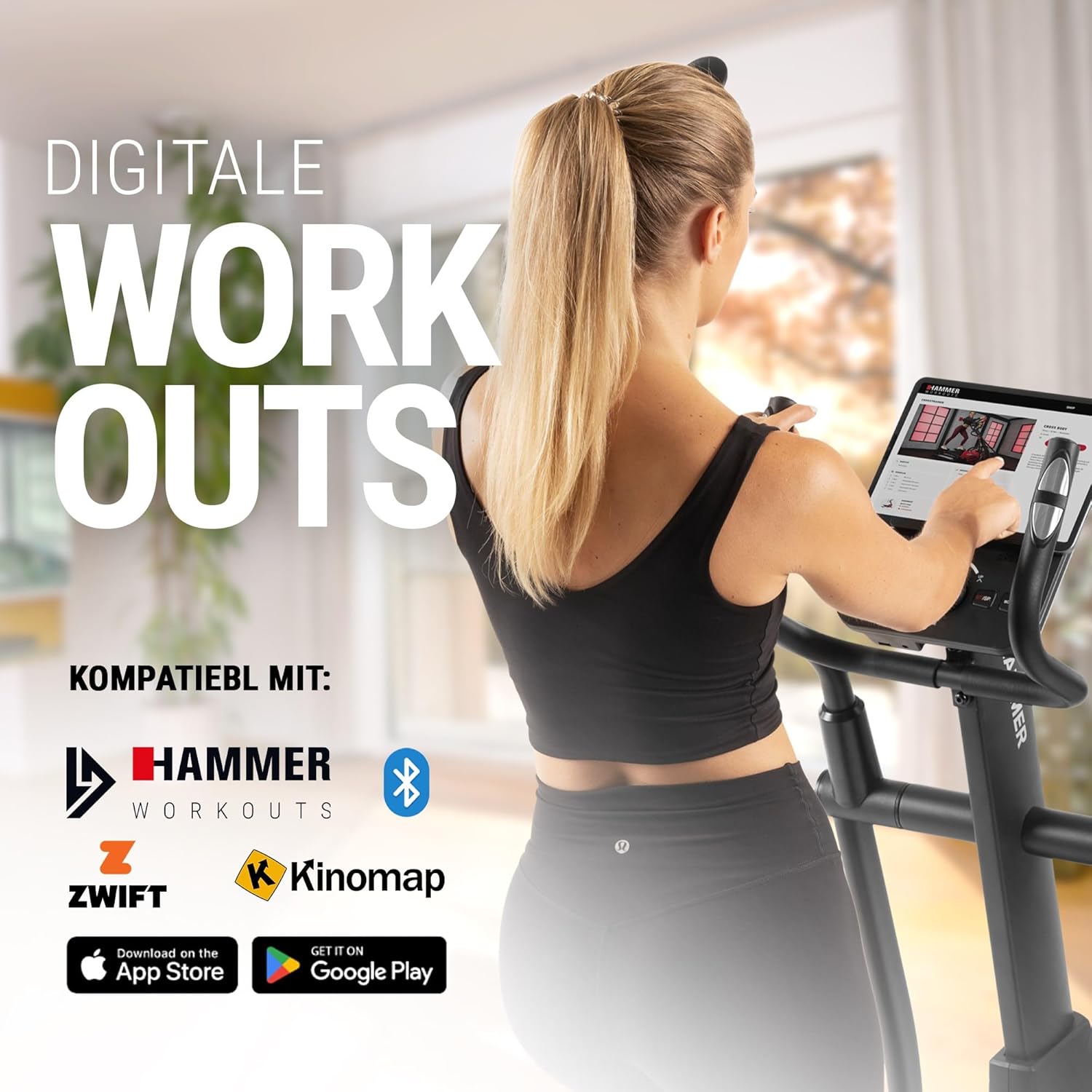
Connect your tablet or smartphone to the elliptical trainer for interactive workouts with Kinomap and Zwift.
The SpeedMotion II is compatible with popular fitness apps like Kinomap and Zwift. Connect your smartphone or tablet via Bluetooth to access virtual training worlds, interactive routes, and track your performance. Download the respective apps from the App Store or Google Play.
וישאַלט
Regular maintenance ensures the longevity and optimal performance of your elliptical trainer.
- רייניקונג: ווישט אַראָפּ די עקוויפּמענט מיט אַדamp טוך נאך יעדן באניץ צו באזייטיגן שווייס און שטויב. פארמיידט שווארצע רייניגער.
- שמירן: Periodically check moving parts, especially the rollers and tracks, for smooth operation. Lubricate as recommended in the detailed product manual if necessary.
- טייטנינג: Regularly inspect all bolts, nuts, and connections. Tighten any loose components to prevent noise and ensure stability.
- סטאָרידזש: Store the elliptical trainer in a dry, temperate environment away from direct sunlight and extreme temperatures.

The SpeedMotion II features a quiet drive system, high-quality rollers for smooth movement, and stability adjustments for a secure workout.
טראָובלעשאָאָטינג
If you encounter issues with your HAMMER SpeedMotion II, refer to the following common troubleshooting tips:
| פּראָבלעם | מעגלעך סיבה | לייזונג |
|---|---|---|
| Squeaking or rattling noises | Loose bolts or connections; lack of lubrication on moving parts. | Check and tighten all visible bolts and nuts. Lubricate joints and rollers as per the main manual. |
| דער אַרויסווייַזן איז נישט ארבעטן | Loose cable connection; depleted batteries (if applicable). | Ensure all console cables are securely connected. Check and replace batteries if the unit is battery-powered (AA batteries required, not included). |
| Uneven movement or instability | Uneven floor surface; loose frame components. | Adjust the leveling feet on the stabilizers. Check and tighten all frame connections. |
| קעגנשטעל נישט טשאַנגינג | Issue with the resistance mechanism. | Refer to the detailed manual for specific resistance mechanism troubleshooting or contact customer support. |
If the problem persists after attempting these solutions, please contact HAMMER customer support.
ספּעסאַפאַקיישאַנז
| שטריך | באַשרייַבונג |
|---|---|
| מאָדעל נאָמען | SpeedMotion II |
| מאָדעל נומער | 11000 |
| דימענסיעס (L X W X H) | 160 X 60 X 177 סענטימעטער |
| פּונקט וואָג | 61.9 קג |
| מאַקסימום באַניצער וואָג | 130 קג |
| פליוויל מאַסע | 18 kg (implied from product title, not explicitly in specs table but in product title) |
| סטרייד לענג | 50 סענטימעטער |
| Pedal Distance | 14 cm (from feature bullets) |
| שיפּוע אַדזשאַסטמאַנט | 3-fold manual adjustment |
| קעגנשטעל מעקאַניזאַם | מאַנואַל |
| מגילה | 24 (from product title and feature bullets) |
| ווייַז טיפּ | Black-backlit LCD, 17.78 cm (7 inches) |
| קאַנעקטיוויטי | Bluetooth, Kinomap & Zwift compatible |
| מאַטעריאַל טיפּ | מעטאַל |
| מאַכט מקור | ריקוויירז אַאַ באַטעריז (ניט אַרייַנגערעכנט) |
וואָראַנטי און שטיצן
וואָראַנטי אינפֿאָרמאַציע
Specific warranty details for the HAMMER SpeedMotion II Elliptical Trainer are typically provided with your purchase documentation. Please refer to the warranty card or the official HAMMER website for comprehensive information regarding coverage and terms.
קונה שטיצן
For technical assistance, spare parts, or any questions regarding your HAMMER SpeedMotion II, please contact HAMMER SPORT customer service. Contact details can usually be found on the official HAMMER webוועבזייטל אדער אין אייער פּראָדוקט דאָקומענטאַציע.
ווען איר קאָנטאַקטירט שטיצע, ביטע האַלט אייער מאָדעל נומער (11000) און באַווייַז פון קויפן גרייט.