
HAILIWEI LYYX-M12
HAILIWEI Portable Karaoke Machine User Manual
Model: LYYX-M12
הקדמה
Thank you for choosing the HAILIWEI Portable Karaoke Machine. This device is designed to provide an enjoyable audio experience with its portable speaker and two wireless microphones, perfect for various occasions. Please read this manual carefully to ensure proper use and maintenance of your new karaoke machine.
וואָס איז אין די קעסטל
- 1 x HAILIWEI Portable Karaoke Machine Speaker
- 2 רענטגענ ווירעלעסס מיקראָפאָנעס
- 1 x וסב טשאַרדזשינג קאַבלע
- 1 רענטגענ AUX קאַבלע
- 1 x באַניצער מאַנואַל (דאָס דאָקומענט)

Figure 1: HAILIWEI Portable Karaoke Machine package contents, including the speaker, two microphones, and the gift box.
פּראָדוקט איבערview
Familiarize yourself with the main components and features of your HAILIWEI Portable Karaoke Machine.

Figure 2: The karaoke machine connected to a smartphone and laptop, showcasing its Bluetooth 5.3 compatibility and various sound effects.

Figure 3: A child using the wireless microphone, emphasizing the product's ease of use and portability for all ages.
פיגורע 4: איבערview of the machine's features including colorful lights, dual wireless microphones, USB-C charging, AUX-in, SD card slot, and USB-A port.
סעטאַפּ גייד
1. טשאַרדזשינג די מיטל
Before first use, fully charge the karaoke machine speaker and both wireless microphones. Use the provided USB charging cable.
- רעדנער טשאַרדזשינג: Connect the USB-C cable to the charging port on the speaker and to a USB power adapter (not included). The charging indicator will show status.
- מיקראָפאָן טשאַרדזשינג: פֿאַרבינדט דעם USB קאַבל צום טשאַרדזשינג פּאָרט אויף יעדן מיקראָפאָן.
- טשאַרדזשינג צייט: Speaker takes approximately 3 hours for a full charge. Microphones take approximately 2 hours.
2. פּאָווערינג אויף / אויסגעלאשן
- רעדנער: Press and hold the power button on the speaker for 3 seconds to turn on or off.
- מיקראָפאָן: Press and hold the power button on each microphone for 3 seconds to turn on or off.
3. בלועטאָאָטה קאַנעקשאַן
The karaoke machine uses Bluetooth 5.3 for stable wireless connection to your devices.
- Turn on the karaoke machine speaker. It will automatically enter Bluetooth pairing mode.
- On your smartphone, tablet, or other Bluetooth-enabled device, go to Bluetooth settings and search for "HAILIWEI".
- Select "HAILIWEI" to pair. A voice prompt will confirm successful connection.
Once connected, you can play music from your device through the karaoke machine speaker.
4. Microphone Pairing
The two wireless microphones are pre-paired with the speaker. If they do not connect automatically:
- Ensure both the speaker and microphones are powered on.
- The microphones should automatically connect to the speaker. A blue indicator light on the microphone will confirm connection.
- If connection fails, turn off both the speaker and microphones, then turn them on again.
אַפּערייטינג ינסטראַקשאַנז
1. מוזיק פּלייבאַק
- בלועטאָאָטה: Play music from your paired device.
- AUX אַרייַנשרייַב: Connect an external audio source using the 3.5mm AUX cable.
- USB/TF קאַרטל: Insert a USB flash drive or TF (Micro SD) card with MP3 files into the respective port. The speaker will automatically play music.
2. רעדנער קאָנטראָלס
The speaker features intuitive controls on its top panel:
- מאַכט קנעפּל: Press and hold to power on/off. Short press to switch modes (Bluetooth/AUX/USB/TF).
- שפּיל / פּויזע קנעפּל: קורץ דריקן צו שפּילן אָדער פּויזע מוזיק.
- Previous/Volume Down (-): קורץ דריקן פֿאַר פֿריִערדיקן ליד. לאַנג דריקן צו פֿאַרמינערן די קול.
- Next/Volume Up (+): קורץ דריקן פֿאַר דער ווייַטער ליד. לאַנג דריקן צו פאַרגרעסערן די באַנד.
- Microphone Volume (M): סטרויערן די מיקראָפאָן באַנד.
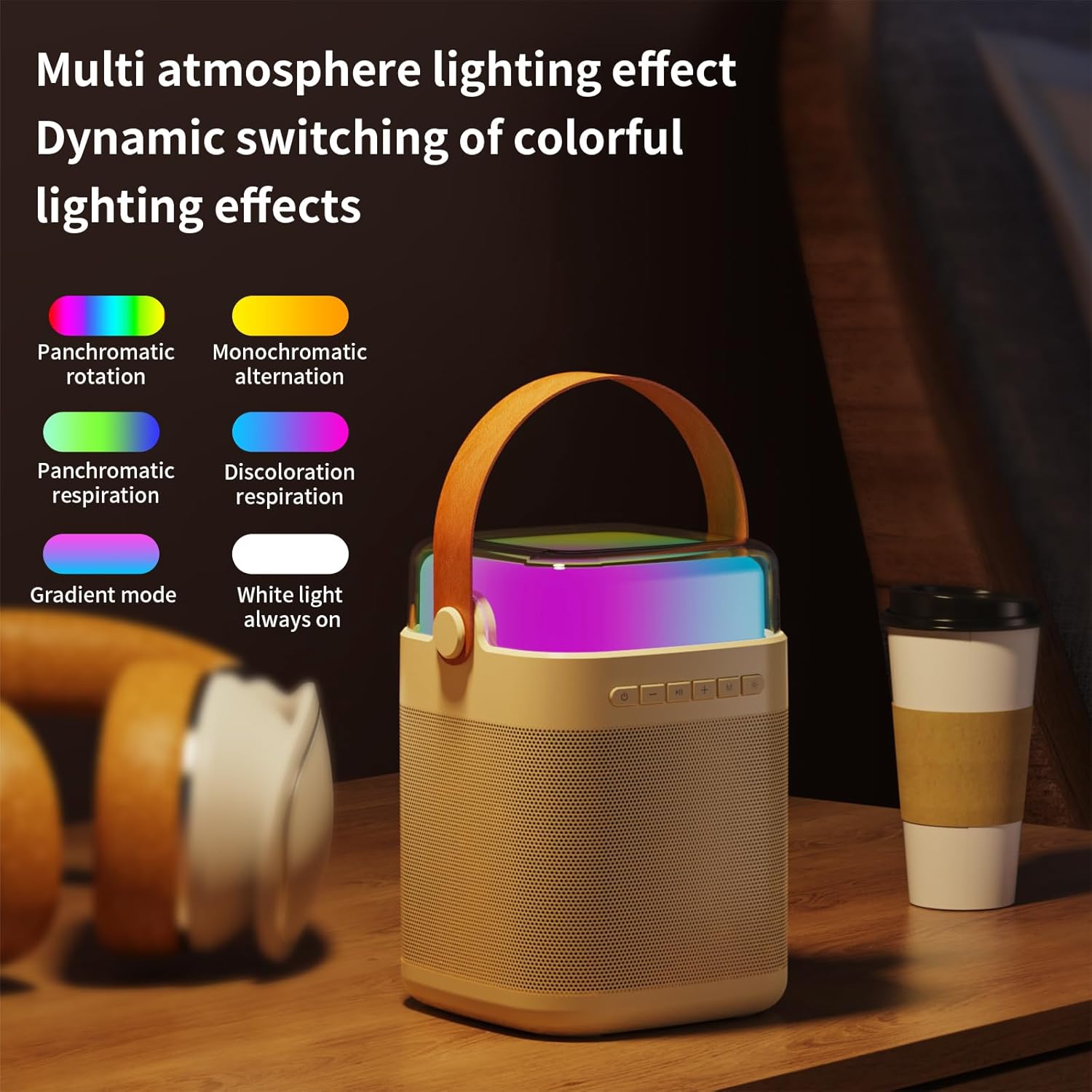
- Light Mode Button (*): Short press to cycle through different lighting effects.

Figure 5: The speaker's top panel showing control buttons and dynamic lighting effects.
3. מיקראָפאָן באַניץ
- Ensure microphones are powered on and connected to the speaker.
- Speak or sing into the microphone. Adjust the microphone volume using the 'M' button on the speaker.
- סאָונד עפפעקץ: The system supports five sound change effects: Original Voice, Child, Monster, Male Voice, Female Voice. Refer to the speaker controls for activating these effects.
וישאַלט
Proper care will extend the life of your karaoke machine.
- רייניקונג: Use a soft, dry cloth to clean the exterior of the speaker and microphones. Do not use abrasive cleaners or solvents.
- סטאָרידזש: האַלט דעם אַפּאַראַט אין אַ קיל, טרוקן אָרט אַוועק פון דירעקט זונשייַן און עקסטרעמע טעמפּעראַטורן.
- באַטערי זאָרגן: To maintain battery health, charge the device regularly, even if not in frequent use. Avoid fully discharging the battery for extended periods.
- וואַסער ויסשטעלן: די דעווייס איז נישט וואַסערפּרוף. פֿאַרמייַדט אויסשטעלונג צו וואַסער אָדער הויכער פֿײַכטקייט.
טראָובלעשאָאָטינג
אויב איר טרעפט פּראָבלעמען, ביטע זעט די פאלגענדע געוויינטלעכע פּראָבלעמען און לייזונגען:
| פּראָבלעם | לייזונג |
|---|---|
| קיין קלאַנג פֿון רעדנער. |
|
| מיקראָפאָנען אַרבעטן נישט. |
|
| בלועטאָאָטה קשר ישוז. |
|
| קורץ באַטאַרייע לעבן. |
|
ספּעסאַפאַקיישאַנז
| שטריך | דעטאַל |
|---|---|
| מאָדעל נומער | LYYX-M12 |
| סאָרט | HAILIWEI |
| מאַונטינג טיפּ | טאַבלעטאָפּ |
| מאַכט מקור | באַטאַרייע פּאַוערד |
| קאַנעקטער טיפּ | אוקס, יו-עס-בי |
| מאַטעריאַל | מעטאַל |
| רעזולטאַט וואָסtage | 13 וואטס |
| נומער פון טשאַנאַלז | 1 |
| אַודיאָ אַרייַנשרייַב | Bluetooth, TF card, USB flash drive, AUX cable |
| פּראָדוקט דימענשאַנז | 6.62 X 5.2 X 7 אינטשעס |
| פּונקט וואָג | 2.4 פונט |
| מיקראָפאָן וואָג | 0.18 פונט (בעערעך) |
| מיקראָפאָן באַטאַרייע קאַפּאַציטעט | 500 mAh (אומגעפער) |
| מיקראָפאָן באַניץ צייט | וועגן 15 שעה |
| רעדנער באַטעריע קאַפּאַציטעט | 3000 mAh (אומגעפער) |
| Speaker Usage Time | 5-12 שעה |
| קאַנעקטיוויטי טעכנאָלאָגיע | AUX, בלועטוט, USB |
| קאָליר | בייזש |
| קאַמפּאַטאַבאַל דעוויסעס | סמאַרטפאָנע, טאַבלעט |

Figure 6: Detailed dimensions and weight of the speaker and microphone.
וואָראַנטי און שטיצן
HAILIWEI products are manufactured to high quality standards. For warranty information or technical support, please refer to the contact details provided with your purchase or visit the official HAILIWEI webפּלאַץ.
Additional user guides in PDF format may be available for download from the product's Amazon listing or the manufacturer's webפּלאַץ.
Ask a question about this manual
Ask about setup, troubleshooting, compatibility, parts, safety, or missing instructions. Manuals+ will review the question and use this page’s manual context to help answer it.