
1. וויכטיק סאַפעטי אינפֿאָרמאַציע
ביטע ליינט און פארשטייט אלע זיכערהייט אינסטרוקציעס איידער איר ניצט דעם פראדוקט. האלט דעם מאנואל פאר שפעטערדיגע רעפערענץ.
- מאַכט מקור: ניצט נאָר דעם ספּעציפֿירטן מאַכט אַדאַפּטער אָדער באַטעריעס. זיכערט זיך אַז דער וואָלומען איזtage is compatible before plugging in.
- וואַסער און נעץ: Do not expose the radio to rain, moisture, or immerse it in water.
- היץ: האַלט דעם ראַדיאָ אַוועק פֿון היץ־קוואַלן ווי ראַדיאַטאָרן, היץ־רעגיסטערס, אויוון, אָדער אַנדערע אַפּאַראַטן (אַרייַנגערעכנט ampליפיערס) וואָס פּראָדוצירן היץ.
- ווענטילאַטיאָן: בלאָקירט נישט קיין ווענטילאַציע עפענונגען. זאָרגט פֿאַר געהעריקן לופטפֿלוס אַרום דעם אַפּאַראַט.
- רייניקונג: נעמט ארויס דעם ראַדיאָ פֿון דער עלעקטרישער אַוטלעט איידער איר רייניגט עס. ניצט נאָר אַ טרוקענעם שטאָף.
- סערוויס: דו זאלסט נישט פּרווון צו דינען דעם פּראָדוקט זיך. קאָנטאַקט אַלע קוואַלאַפייד סערוויס פּערסאַנעל.
- באַטעריז: When using batteries, ensure correct polarity. Do not mix old and new batteries, or different types of batteries. Remove batteries if the radio will not be used for an extended period.
2. פּראָדוקט איבערview
The Audiocrazy Portable AM FM Radio with Bluetooth (Model AC-BT2210) is a versatile audio device designed for clear reception and convenient playback. It features traditional AM/FM radio tuning, Bluetooth 5.0 connectivity for wireless streaming, and an AUX input for wired connections. The radio can be powered via an AC cord or 4 AA batteries, offering flexibility for both indoor and outdoor use.

בילד 2.1: פראָנט view of the Audiocrazy Portable AM FM Radio, showcasing its retro design and main controls.
שליסל פֿעיִקייטן:
- AM/FM טונער: Wide frequency range (FM 87-108MHz, AM 520-1710KHz) for easy station capture.
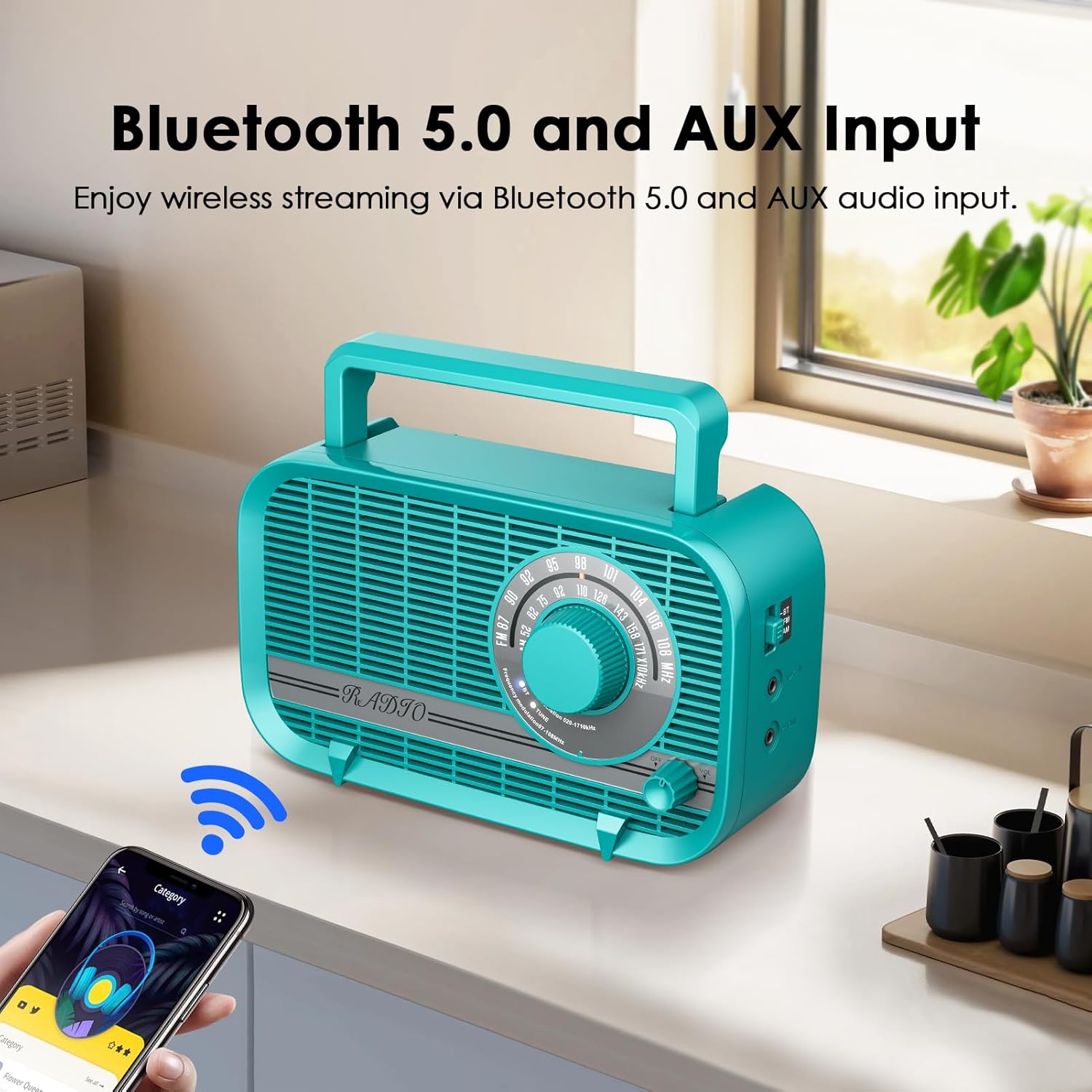
- בלועטאָאָטה 5.0: Seamless wireless connection to smart devices for audio streaming.
- 3-Watt Speaker: Delivers clear and vivid sound quality.
- Headphone/AUX-in Jack: For private listening or connecting external audio sources.
- צווייענדיק מאַכט מאָדעס: Operates with AC power cord (included) or 4 AA batteries (not included).
- פּאָרטאַטיוו פּלאַן: לייכט און קאָמפּאַקט מיט אַן אינטעגרירטן הענטל פֿאַר גרינגן טראַנספּאָרט.
3. פּעקל אינהאַלט
ביטע אָפּהאַקן דאָס קעסטל פֿאַר די פֿאָלגנדיקע זאַכן:
- Audiocrazy Portable AM FM Radio with Bluetooth (Model AC-BT2210)
- אַק מאַכט שנור
- ינסטרוקטיאָן מאַנואַל (דעם דאָקומענט)

Image 3.1: The included AC power cord for operating the radio.
4. קאָנטראָלס און פאַנגקשאַנז
מאַכט זיך באַקאַנט מיט די ראַדיאָ'ס קאָנטראָלן:
- טונינג רעדל: Located on the front, used to select AM or FM radio frequencies.
- באַנד קנעפּל: Located on the front, controls the audio output level. Also functions as the power ON/OFF switch.
- מאָדע באַשטימען: Typically on the side or front, allows switching between AM, FM, and Bluetooth modes.
- כעדפאָון דזשאַק: 3.5mm port for connecting headphones for private listening.
- AUX-אין דזשעק: 3.5mm port for connecting external audio devices via an AUX cable.
- אַק מאַכט אַרייַנשרייַב: Port for connecting the AC power cord.
- באַטערי אָפּטייל: Located on the back, holds 4 AA batteries.
- טעלאַסקאָפּיק אַנטענע: אויסשטרעקבארע אַנטענע פֿאַר פֿאַרבעסערט FM אָפּנאַם.

Image 4.1: Detail of the large tuning dial and volume knob for easy operation.
בילד 4.2: זייט view illustrating the Bluetooth mode switch, headphone jack, and AUX-in port.
5. סעטאַפּ
5.1 אנשטעלן דעם ראַדיאָ
Your radio can be powered by two methods:
- AC מאַכט:
- Insert the included AC power cord into the AC power input jack on the back of the radio.
- שטעקט אריין דעם אנדערן עק פונעם עלעקטרישן שנור אין א סטאנדארטן וואנט-אויסגאבע (120V AC, 60Hz).
- באַטאַרייע מאַכט:
- עפֿנט דעם דעקל פֿונעם באַטעריע־אָפּטייל וואָס געפֿינט זיך אויף דער הינטערשטער זײַט פֿונעם ראַדיאָ.
- Insert 4 new AA batteries (not included) into the compartment, ensuring correct polarity (+/-).
- פאַרמאַכן די באַטאַרייע אָפּטייל דעקן סיקיורלי.
באַמערקונג: When the AC power cord is connected, the radio will automatically draw power from the AC source, even if batteries are installed. Remove batteries if not using for extended periods to prevent leakage.

Image 5.1: Illustration of the two power supply modes: AC powered and battery operated.
5.2 אַנטענע אַדזשאַסטמענט
For optimal FM reception, fully extend the telescopic antenna. For AM reception, the radio has a built-in ferrite bar antenna, so antenna adjustment is generally not required, but rotating the radio itself may improve reception.

Image 5.2: The radio with its telescopic antenna extended, indicating improved signal reception.
6. אַפּערייטינג ינסטרוקטיאָנס
6.1 מאַכט אויף/אויס און באַנד קאָנטראָל
- צו דרייען דעם ראַדיאָ ON, rotate the Volume knob clockwise until you hear a click and the radio powers on.
- To adjust the volume, continue rotating the Volume knob clockwise to increase volume, or counter-clockwise to decrease volume.
- צו דרייען דעם ראַדיאָ OFF, rotate the Volume knob counter-clockwise until you hear a click and the radio powers off.
6.2 AM/FM ראַדיאָ אָפּעראַציע
- Turn on the radio using the Volume knob.
- Set the Mode switch to either FM or AM.
- Rotate the Tuning Dial to scan for radio stations. The frequency scale will indicate the current station.
- Adjust the telescopic antenna for FM or reposition the radio for AM to achieve the best reception.
6.3 בלועטאָאָטה אָפּעראַציע
- קער אויף די ראַדיאָ.
- שטעלן די מאָדע באַשטימען צו BT (Bluetooth). The radio will enter pairing mode, indicated by an audible prompt or flashing indicator light (if available).
- אויף אייער בלוטוט-פארשטארקטע דעווייס (למשל, סמאַרטפאָון, טאַבלעט), אַקטיווירט בלוטוט און זוכט פֿאַר פאַראַן דעווייסעס.
- Select "AC-BT2210" (or similar name) from the list of devices to pair.
- Once paired, you will hear a confirmation sound, and you can now play audio from your device through the radio.
באַמערקונג: The effective Bluetooth range is approximately 10 meters (33 feet) without obstacles.

Image 6.1: The radio wirelessly connected to a smartphone via Bluetooth, illustrating the streaming capability.
6.4 AUX אריינגאנג באַניץ
- קער אויף די ראַדיאָ.
- Connect one end of a 3.5mm audio cable (not included) to the AUX-in jack on the radio.
- Connect the other end of the audio cable to the headphone jack or audio output of your external device (e.g., MP3 player, CD player).
- Play audio from your external device. The sound will be routed through the radio's speaker.
6.5 באַניץ פון כעדפאָונז
- Connect a pair of 3.5mm headphones (not included) to the Headphone Jack on the radio.
- The radio's main speaker will automatically mute, and audio will be directed to your headphones.
- Adjust the volume using the Volume knob on the radio.
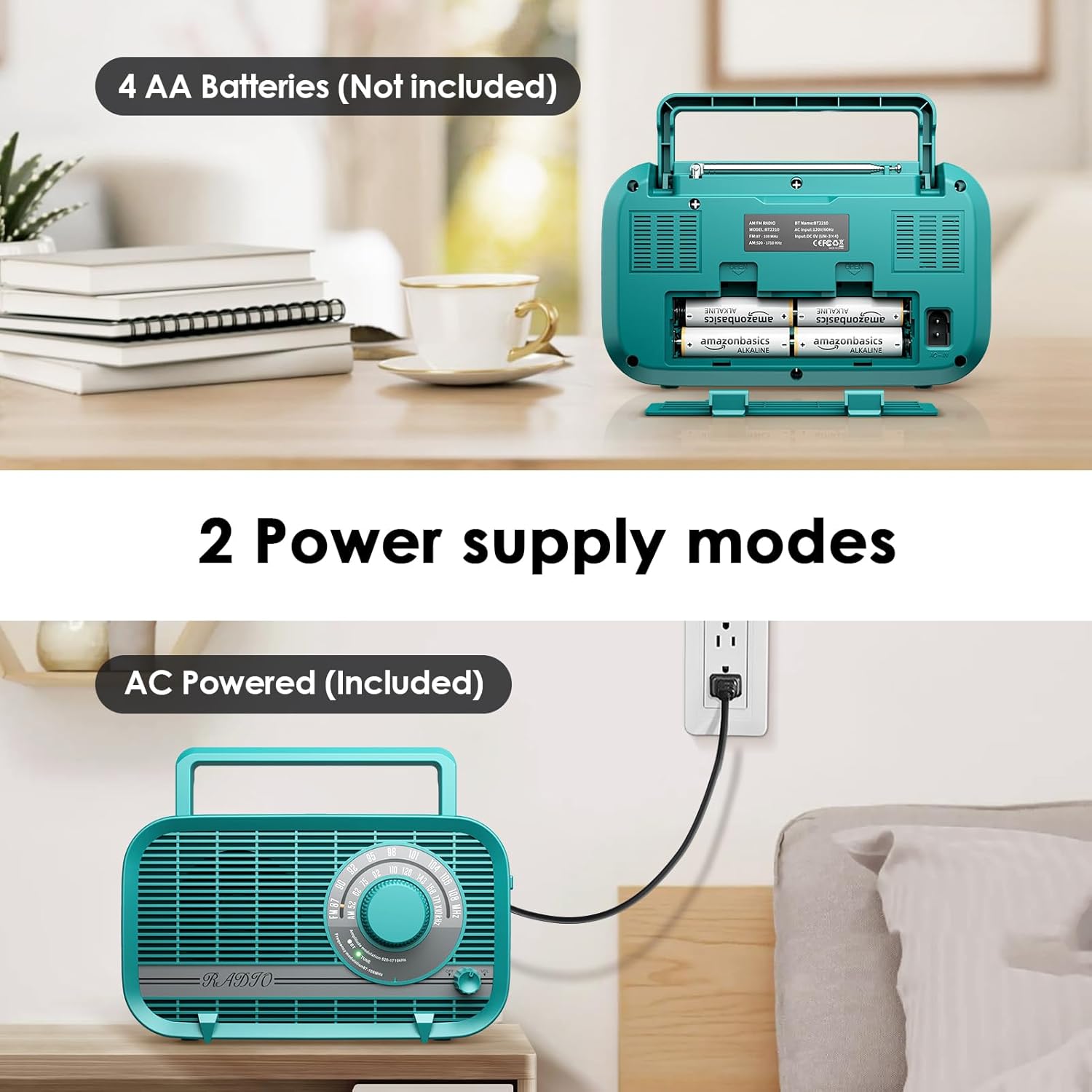
Image 6.2: A user enjoying private listening with headphones connected to the radio's headphone jack.
7. וישאַלט
- רייניקונג: ווישט אָפּ דעם ראַדיאָ מיט אַ ווייכן, טרוקענעם שטאָף. ניצט נישט קיין שרײַבנדיקע רייניגער, וואַקסן אָדער סאָלווענטן.
- סטאָרידזש: If storing the radio for an extended period, remove the batteries to prevent leakage. Store in a cool, dry place away from direct sunlight and extreme temperatures.
- אַנטענע זאָרגן: האַנדלט מיט דער טעלעסקאָפּישער אַנטענע מיט לײַכטקייט כּדי זי זאָל זיך נישט בייגן אָדער צעברעכן.
8. טראָובלעשאָאָטינג
| פּראָבלעם | מעגלעך סיבה | לייזונג |
|---|---|---|
| ראַדיאָ גייט נישט אָן. | No power source; batteries depleted or incorrectly inserted; AC cord not properly connected. | Ensure AC cord is securely plugged in or replace batteries with new ones, checking polarity. |
| Poor radio reception (static/weak signal). | Antenna not extended (FM); radio position (AM); interference from other electronics. | Fully extend the telescopic antenna for FM. Rotate the radio for AM. Move the radio away from other electronic devices. |
| קיין קלאַנג פֿון רעדנער. | די קול איז צו נידעריג; כעדפאָונז זענען פארבונדן; די אומרעכטע מאָדע איז אויסגעקליבן. | Increase volume. Disconnect headphones. Ensure correct mode (AM/FM/BT) is selected. |
| בלועטוט דעווייס קען נישט פארבינדן. | Radio not in BT mode; device too far; Bluetooth not enabled on external device. | Set radio to BT mode. Ensure external device's Bluetooth is on and within range. Forget device on external device and try pairing again. |
| AUX input not working. | AUX cable not connected properly; external device volume too low. | Ensure AUX cable is fully inserted into both the radio and the external device. Increase volume on both the radio and the external device. |
9. ספּעסאַפאַקיישאַנז
| שטריך | באַשרייַבונג |
|---|---|
| מאָדעל נומער | AC-BT2210 |
| פּראָדוקט דימענשאַנז | 8.66"ל x 3"בר x 5"ה (220x75x128 מ"מ) |
| פּונקט וואָג | 1.96 פונט (0.89 קג) |
| טונער טעכנאָלאָגיע | AM/FM |
| ראַדיאָ באַנדס געשטיצט | AM (520-1710KHz), FM (87-108MHz) |
| קאַנעקטיוויטי טעכנאָלאָגיע | Bluetooth 5.0, AUX-in |
| רעדנער רעזולטאַט | 3 וואטס |
| מאַכט מקור | AC Powered (Power Cord Included), 4 x AA Batteries (Not Included) |
| אַרייַנגערעכנט קאַמפּאָונאַנץ | מאַכט שנור |
| פאַבריקאַנט | אַודיאָקרייזי |
10. וואָראַנטי און שטיצן
Audiocrazy products are designed and manufactured to the highest quality standards. For specific warranty information and customer support, please refer to the warranty card included with your purchase or visit the official Audiocrazy website. If you encounter any issues not covered in this manual, please contact Audiocrazy customer service for assistance.