
1. הקדמה
This manual provides detailed instructions for the installation, operation, and maintenance of your UNITOPSCI Single Din Car Stereo, Model A3460. This unit features a 6.86-inch HD touch screen, Apple CarPlay, Android Auto, Bluetooth 5.0, FM radio, mirror link functionality, and support for a backup camera and DVR. Please read this manual thoroughly before use to ensure proper functionality and safety.
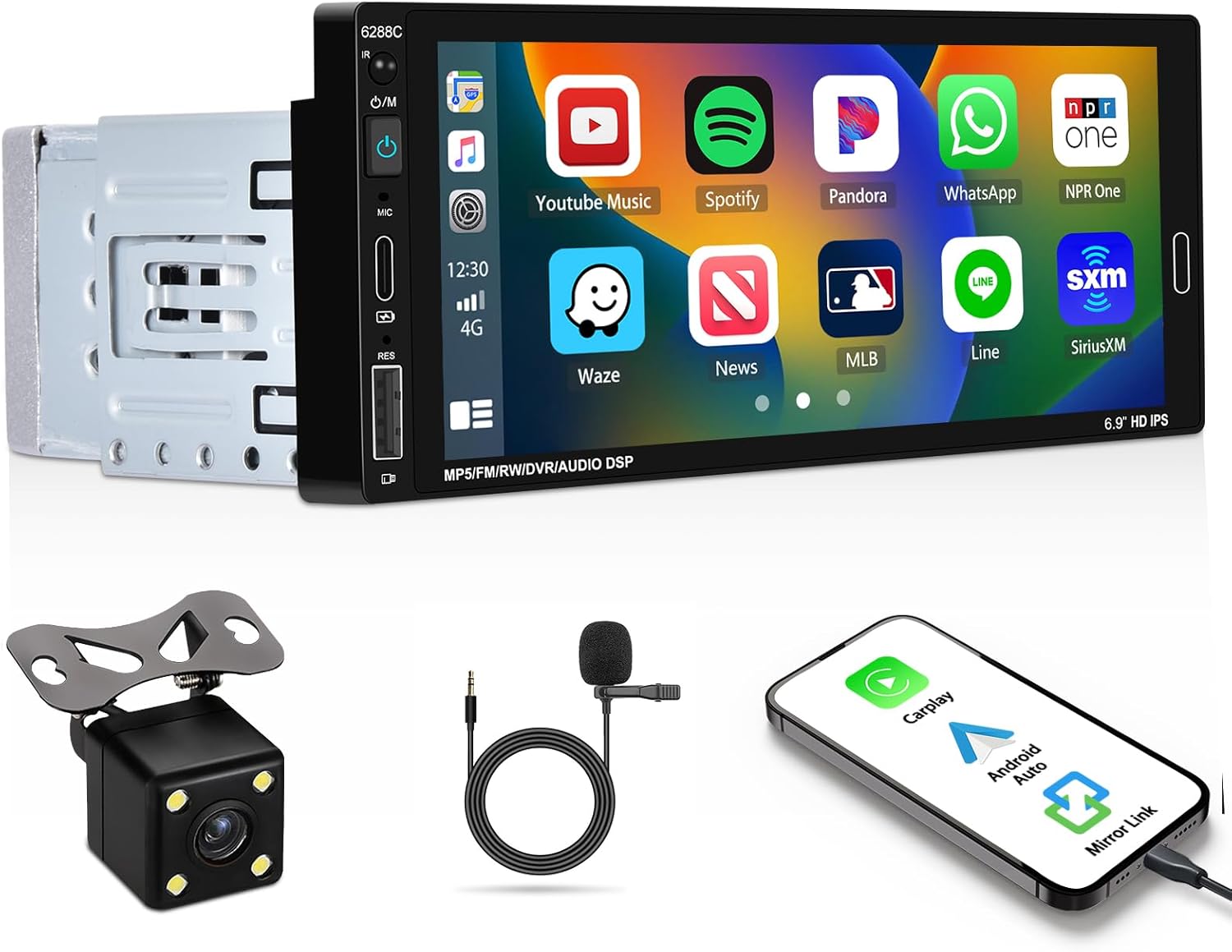
Image 1.1: UNITOPSCI Single Din Car Stereo with backup camera, microphone, and smartphone showing CarPlay/Android Auto connection.
2. וואָס איז אין דער קעסטל
באַשטעטיקט אַז אַלע זאכן וואָס זענען אויסגערעכנט אונטן זענען אַרייַנגערעכנט אין אייער פּעקל:
- 1 x Car Stereo
- 1 x באַקקופּ אַפּאַראַט
- 1 x Remote Control (Battery Not included)
- 1 x Steering Wheel Control (Battery Not included)
- 1 x מאַכט קאַבלע
- 1 x Horn Cable
- 1 x באַניצער מאַנואַל
- 1 x מיקראָפאָן
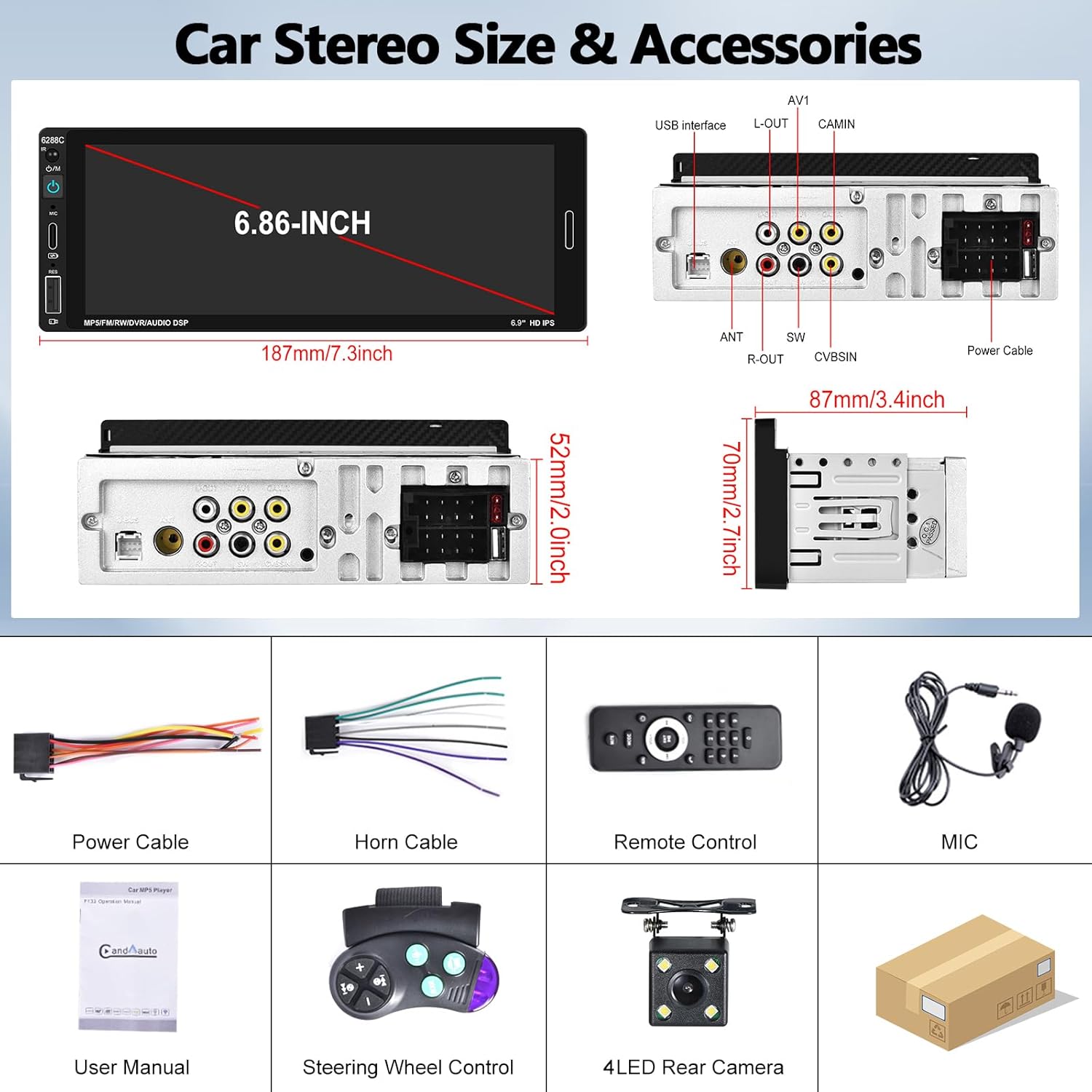
Image 2.1: Visual representation of the car stereo unit, power cables, remote control, microphone, user manual, steering wheel control, and 4-LED rear camera.
3. ספּעסאַפאַקיישאַנז
| שטריך | דעטאַל |
|---|---|
| מאָדעל נומער | A3460 |
| סיסטעם | ווינק |
| CPU Chip | פ133 |
| פאַרשטעלן גרייס | 6.86 אינטשעס |
| פאַרשטעלן האַכלאָטע | 1280 X 480 |
| מאַכט רעזולטאַט | 45W x 4 |
| בלועטאָאָטה ווערסיע | 5.0 |
| בלועטאָאָטה נאָמען | CAR BT |
| ראַדיאָ טשיפּ | QN8035 |
| מאַכט Ampליפיער טשיפּ | TDA7388 |
| קאַנעקטיוויטי | Bluetooth, USB, Type-C |
| ספּעציעלע פֿעיִקייטן | Apple CarPlay, Android Auto, Mirror Link, FM Tuner, Backup Camera Input, DVR Function, DSP Sound, Steering Wheel Control, Colorful Backlight |
| אַודיאָ פֿאָרמאַטירונגען | מפּקסנומקס / וומאַ / וואַוו / אַפּע / פלאַק |
| ווידעא פֿאָרמאַטירונגען | RM/RMVB/AVI/MP4/MKV/3GP |
| בילד פאָרמאַץ | דזשפּג במפּ פּנג |
| שטיצט שפּראַכן | English, Chinese, Spanish, Portuguese, Russian, Italian, German, French, Turkish, Czech, Arabic, Polish, Hebrew |
| פּראָדוקט דימענשאַנז | 3.42" טיף x 7.4" ברייט x 2.04" הויך (87 מ״מ x 187 מ״מ x 52 מ״מ) |
| פּונקט וואָג | 1.92 פונט |
| אַפּערייטינג וואָלtage | DC 12V |
| אַפּערייטינג טעמפּעראַטור | -10°C צו 60°C |
4. אויפשטעלן און אינסטאַלירן
4.1. פאַר-אינסטאַלאַציע קאָנטראָל
Before beginning installation, ensure your vehicle has a single DIN radio opening. The unit dimensions are approximately 187mm (length) x 52mm (height) x 87mm (depth). Some vehicles may require a special wire harness, which is sold separately.

Image 4.1: Comparison of a standard car dashboard before and after installation of the UNITOPSCI 6.86-inch touch screen car stereo.
4.2. וויירינג דיאַגראַמע
Refer to the provided wiring diagram for correct connections. Incorrect wiring can damage the unit or vehicle electrical system. The pink wire is typically for the reverse trigger signal.
בילד 4.2: דערציען view of the car stereo showing various ports and a detailed wiring diagram for power, horn, USB, AV, camera, and steering wheel control connections.
- מאַכט קאַבלע: Connect to vehicle's power supply (ACC, B+, Ground).
- Horn Cable: Connect to vehicle's speaker outputs.
- באַקקופּ אַפּאַראַט: Connect the camera's video output to the CAMIN port and the power to the reverse light circuit. The pink wire on the stereo is the reverse trigger.
- שטיר-ראד קאנטראל (SWC): פֿאַרבינדט די SWC דראָטן צו אייער פֿאָרמיטל'ס סטירינג ראָד קאָנטראָל צובינד.
- מיקראָפאָן: Plug the external microphone into the dedicated MIC input for improved call quality.
4.3. Backup Camera Installation
The included backup camera should be mounted at the rear of the vehicle. Ensure the camera is securely fastened and its view is unobstructed. Connect the camera's power to the vehicle's reverse light circuit so it activates when the vehicle is in reverse gear. Connect the video cable to the "CAMIN" input on the stereo. The stereo's pink wire must be connected to the reverse trigger signal from the vehicle.

Image 4.3: Illustration of a backup camera mounted on a vehicle and its connection to the car stereo for displaying reversing images.
5. אַפּערייטינג ינסטרוקטיאָנס
5.1. עפּל קאַרפּליי און אַנדרויד אויטאָ
Connect your iOS or Android smartphone to the stereo via a USB cable. The unit will automatically detect and launch Apple CarPlay or Android Auto. This allows voice control for navigation, calls, messages, and music playback, enhancing driving safety and convenience.
- קול קאָנטראָל: Use "Hey Siri" or "Hey Google" to issue commands.
- נאַוויגאַציע: Access your phone's navigation apps directly on the stereo screen.
- קאָמוניקאַציע: Make calls and send messages hands-free.
- מעדיע: Play music and podcasts from your phone.

Image 5.1: The car stereo displaying Apple CarPlay and Android Auto interfaces, demonstrating voice control commands for navigation and communication.
5.2. בלועטאָאָטה קאַנעקטיוויטי
The stereo features Bluetooth 5.0 for hands-free calling and wireless audio streaming (A2DP).
- פּאָרינג: Go to the Bluetooth settings on the stereo and your phone. זוכן פֿאַר "CAR BT" and pair.
- הענט-פריי רופן: Use the built-in microphone or external microphone for clear calls.
- אַודיאָ סטרימינג: Play music from your phone wirelessly through the car stereo.

Image 5.2: The car stereo's Bluetooth setup screen for connecting a phone and the FM radio interface with station presets.
5.3. עפעם ראַדיאָ
Access FM radio stations with 18 preset memory slots. The DSP sound effect feature can enhance audio quality.
- טונינג: Use the touch screen controls to scan for stations or manually tune.
- פּרעסעץ: ראַטעוועט אייערע באַליבסטע סטאַנציעס פֿאַר שנעלן צוטריט.
- אָפטקייַט קייט: 87.5-108 מהז.
5.4. שפּיגל לינק פונקציע
Connect your iOS or Android phone via USB cable to mirror its screen onto the stereo display. This allows you to view maps, videos, or other content from your phone. Note: Mirror Link functionality may not be compatible with all Samsung phone models.
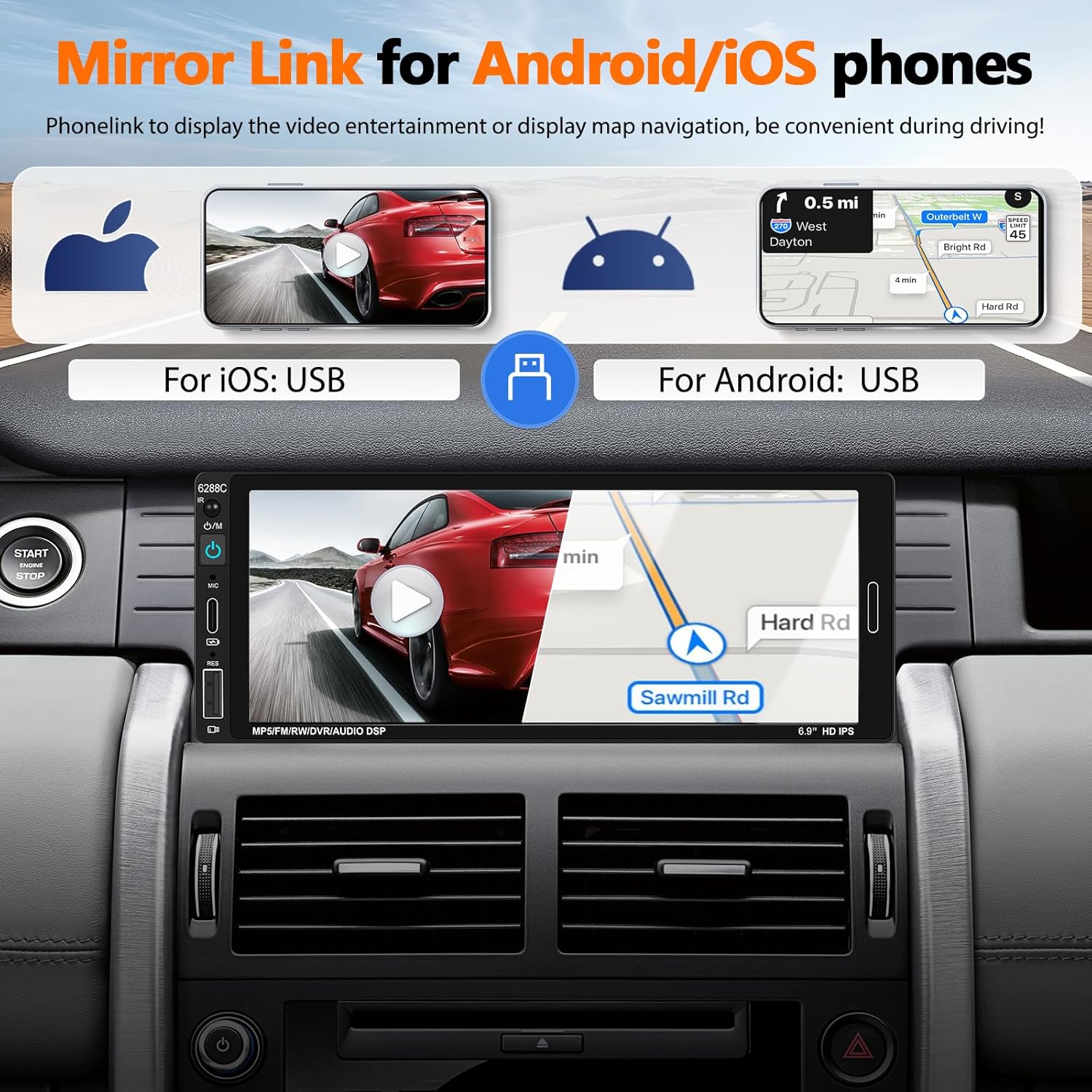
Image 5.3: The car stereo screen showing a mirrored smartphone display, illustrating navigation and video playback via Mirror Link.
5.5. Backup Camera Display
When the vehicle is shifted into reverse gear, the stereo will automatically switch to display the live feed from the connected backup camera. The camera provides a wide-angle view, night vision, and is waterproof, assisting with safer parking maneuvers. Parking guidelines are displayed on the screen.
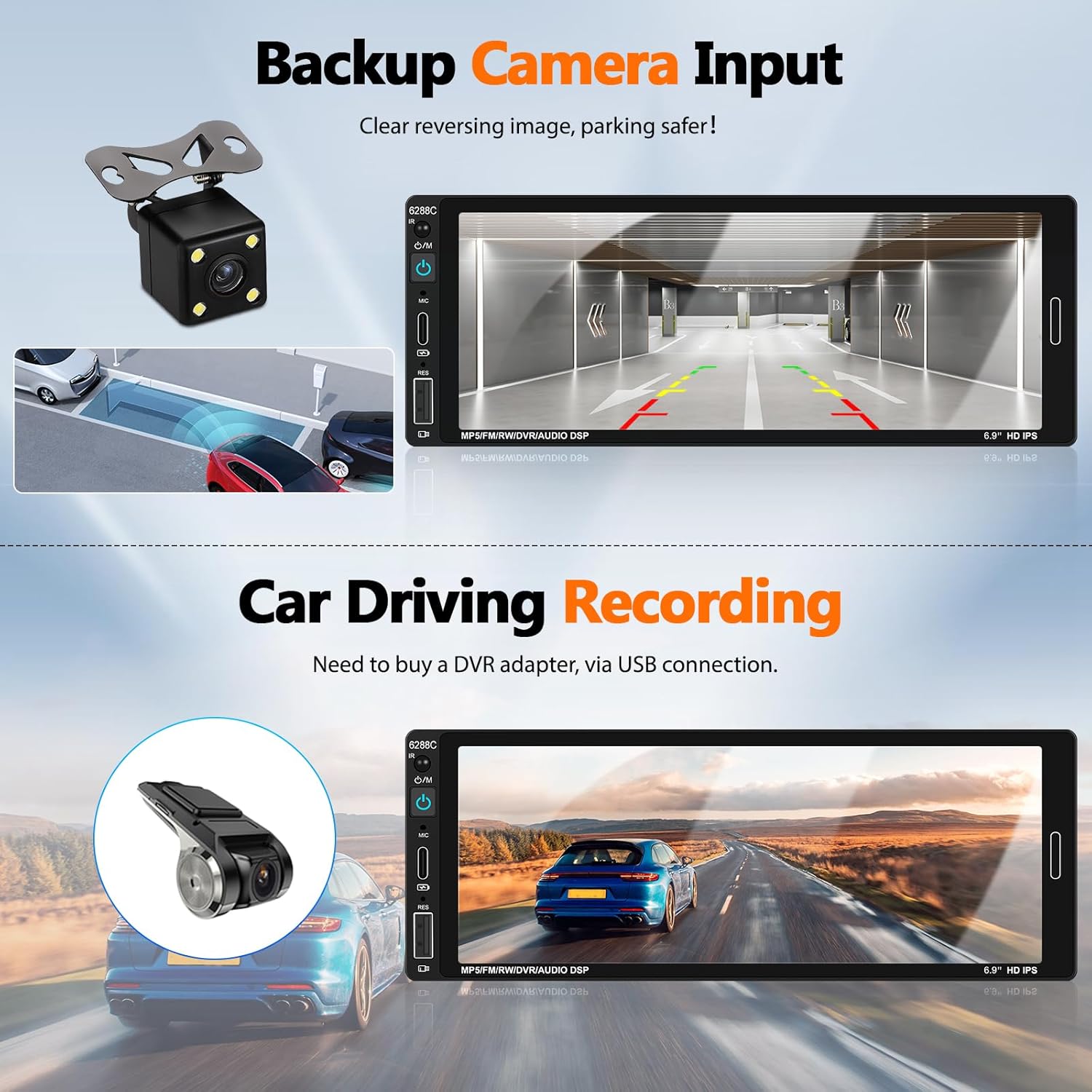
Image 5.4: The car stereo screen showing a clear reversing image from the backup camera with parking assistance lines.
5.6. DVR Function (Optional)
The unit supports a DVR (Driving Video Recorder) function. To use this, connect a compatible USB DVR adapter (purchased separately) to the rear USB slot. This enables recording of your driving footage directly through the head unit.
5.7. שטיר-ראד קאנטראל (SWC)
If your vehicle supports steering wheel controls, connect the provided SWC module. This allows you to easily control functions such as volume, track skipping, and answering calls directly from your steering wheel, reducing distractions while driving.
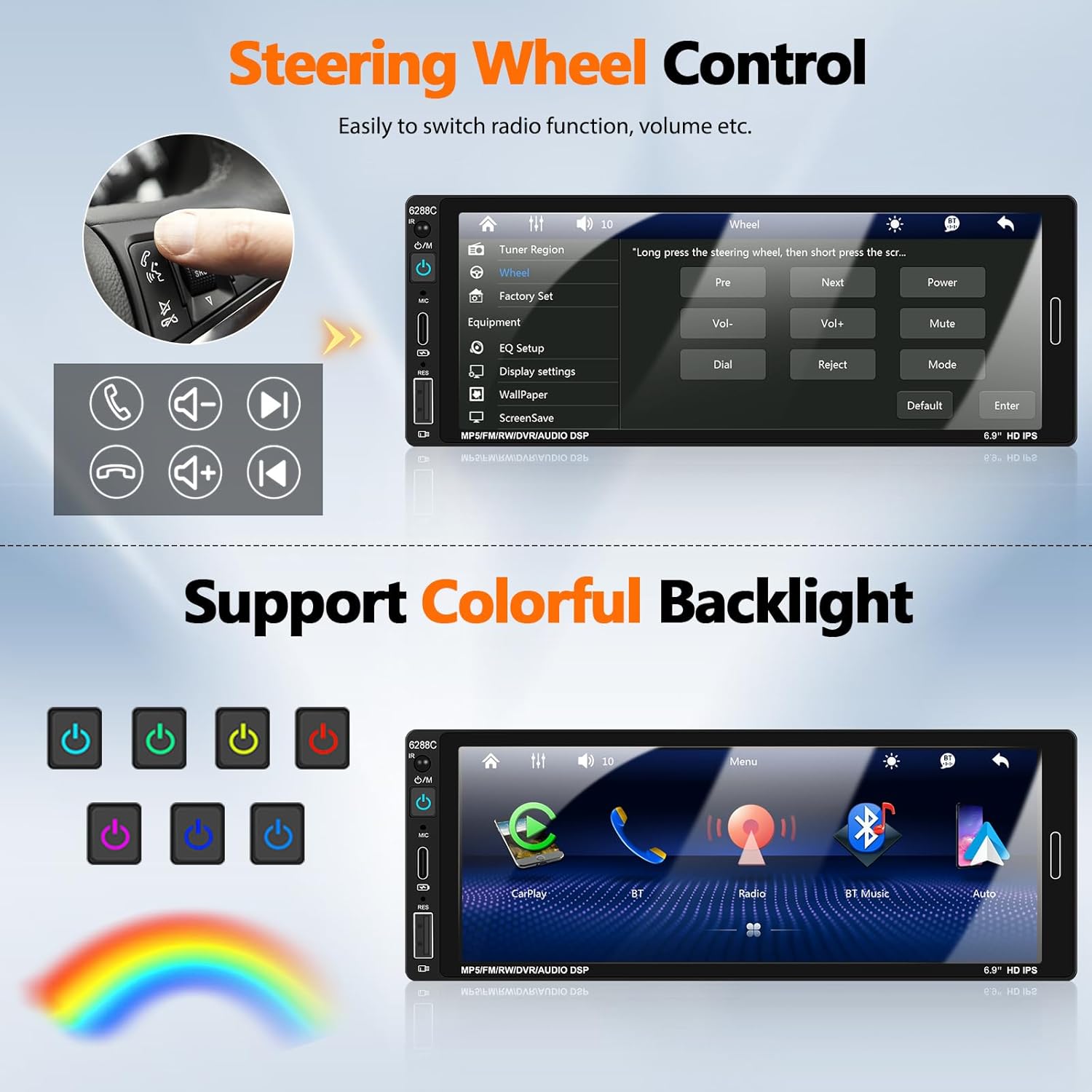
Image 5.5: Illustration of steering wheel controls and the corresponding settings screen on the car stereo for mapping functions.
5.8. DSP Sound Settings
The Digital Sound Processor (DSP) allows you to customize the audio output. Access the EQ settings to adjust bass, treble, balance, and other sound parameters to your preference.

Image 5.6: Various user interface screens, including detailed EQ settings for audio customization.
5.9. Colorful Backlight
The unit features 7-color backlight buttons. You can customize the button illumination color to match your vehicle's interior lighting or your personal preference.
6. וישאַלט
- רייניקונג: ניצט אַ ווייכע, טרוקענע שטאָף צו רייניקן דעם עקראַן און אַפּאַראַט. פֿאַרמייַדט אַברייסיוו רייניגער אָדער סאָלווענטן.
- טעמפּעראַטור: Operate the unit within the recommended temperature range (-10°C to 60°C).
- פֿאַרבינדונגען: קאָנטראָלירט פּעריִאָדיש אַלע וויירינג פֿאַרבינדונגען צו זיכער מאַכן אַז זיי זענען זיכער.
7. טראָובלעשאָאָטינג
| פּראָבלעם | מעגלעך סיבה / לייזונג |
|---|---|
| דער אַפּאַראַט טוט נישט מאַכט אויף. | Check power cable connections (ACC, B+, Ground). Ensure vehicle's fuse is intact. |
| קיין געזונט פון ספּיקערז. | Verify speaker wire connections. Check volume level and mute settings. Ensure "Horn Cable" is correctly connected. |
| Apple CarPlay / Android Auto not connecting. | Ensure a genuine USB cable is used. Check phone settings for CarPlay/Android Auto permissions. Try a different USB port if available. Restart both phone and stereo. |
| בעקאַפּ קאַמעראַ ווײַזט זיך נישט. | Check CAMIN video connection. Ensure the pink reverse trigger wire is correctly connected to the vehicle's reverse light signal. Verify camera power supply. |
| Bluetooth not pairing or unstable. | Ensure Bluetooth is enabled on both devices. Forget previous pairings and try again. Ensure devices are within range. |
| ווייַט קאָנטראָל נישט ארבעטן. | Check battery in the remote control. Ensure there are no obstructions between the remote and the stereo's IR receiver. |
| Mirror Link not working for Samsung phone. | Some Samsung phone models may not be compatible with the Mirror Link function. This is a known limitation. |
8. וואָראַנטי & שטיצן
UNITOPSCI is committed to providing high-quality products and satisfactory services. We offer comprehensive support for your car stereo.
- פאַרבייַט: Available within 24 months of purchase.
- קערט: 60-טאָגיקע זאָרגלאָזע צוריקקער פּאָליטיק.
- טעכניש שטיצן: Lifetime after-sales consultation and technical support.
- קאָנטאַקט: פֿאַר קיין ינקוועריז אָדער שטיצן, ביטע קאָנטאַקט אונדז אין UNITOPSCI@126.com. We aim for a quick response within 16 hours.

בילד 8.1: איבערview of UNITOPSCI's customer support, including replacement policy, quick response time, lifetime technical support, and contact email.