
Formovie X5
Formovie X5 4K לייזער טעלעוויזיע פּראָיעקטאָר באַניצער מאַנואַל
Model: X5 | Brand: Formovie
הקדמה
The Formovie X5 4K Laser TV Projector is a portable mini smart projector designed to deliver a cinematic experience in your home. Featuring ALDP Laser Display Technology, 2450 lumens brightness, and built-in Denon speakers, it offers stunning 4K resolution and immersive audio. This manual provides essential information for setting up, operating, and maintaining your projector.
פּראָדוקט איבערview
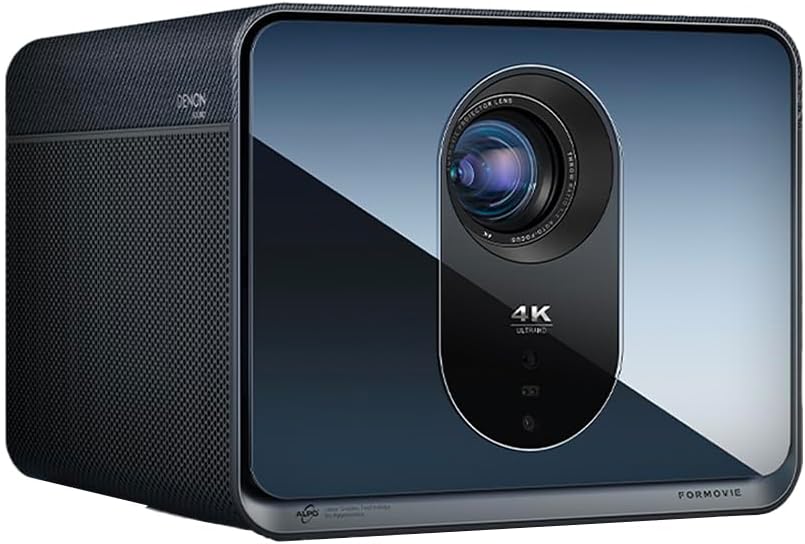
פראָנט view of the Formovie X5 projector, showcasinג זײַן גלאַטן דיזײַן און פּראָמינענטע לינז.
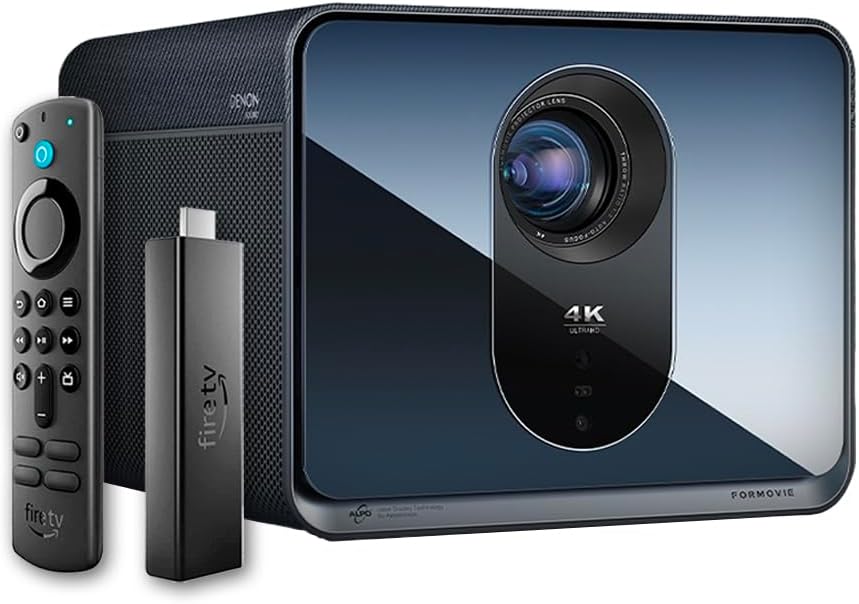
The Formovie X5 projector shown alongside its included Amazon Fire TV Stick 4K Max and remote control.

דערציען view of the Formovie X5 projector, displaying various connectivity ports including LAN, USB, HDMI, and S/PDIF.
סעטאַפּ גייד
1. אויספּאַקן און פּלאַצירונג
- נעמט פֿאָרזיכטיק אַרויס דעם פּראָיעקטאָר און אַלע אַקסעסאָריעס פֿון דער פּאַקאַדזשינג.
- Place the projector on a stable, flat surface. Ensure adequate ventilation around the unit.
- Position the projector directly in front of your desired projection surface (wall or screen) for optimal image geometry. While the projector has auto-correction, a direct alignment is recommended for the best experience.
2. מאַכט קאַנעקשאַן
- פֿאַרבינדט דעם מאַכט אַדאַפּטער צום פּראָיעקטאָר'ס מאַכט אַרייַנגאַנג פּאָרט.
- צאַפּן די מאַכט אַדאַפּטער אין אַ פּאַסיק עלעקטריקאַל ווענטיל.
3. Initial Power On and Auto-Focus
- דרוק די מאַכט קנעפּל אויף די פּראַדזשעקטער אָדער די ווייַט קאָנטראָל צו קער אויף די מיטל.
- The projector will automatically initiate its auto-focus and omnidirectional auto-correction features. Allow a few moments for the image to stabilize and sharpen.
4. Connecting the Fire TV Stick 4K Max
- Insert the Amazon Fire TV Stick 4K Max into an available HDMI port on the projector.
- Connect the Fire TV Stick to its power source.
- Select the corresponding HDMI input on the projector's menu.
אַפּערייטינג ינסטראַקשאַנז
ווייַט קאָנטראָל פאַנגקשאַנז
The included remote control allows full navigation and control of the projector and the connected Fire TV Stick.
- מאַכט קנעפּל: טורנס די פּראַדזשעקטער אויף / אַוועק.
- נאַוויגאַציע פּאַד: געניצט צו נאַוויגירן מעניוז און אויסקלייבן אָפּציעס.
- צוריק קנעפּל: קערט צו די פריערדיקע פאַרשטעלן.
- היים קנעפּל: קערט צו די הויפּט מעניו.
- באַנד קנעפּלעך: אַדזשאַסץ די אַודיאָ באַנד.
- קול קאָנטראָל קנעפּל: Activates voice commands for the Fire TV Stick.
אַדזשאַסטינג בילד סעטטינגס
The Formovie X5 features advanced automatic adjustment tools. For manual adjustments:
- מאַנואַל פאָקוס: If auto-focus is not satisfactory, access the projector settings to manually adjust focus.
- Keystone Correction: While omnidirectional auto-correction is standard, manual keystone adjustment is available in the settings for fine-tuning image shape.
- Ambient Light Adaptive: The projector automatically adjusts brightness based on ambient light conditions. This can be toggled or fine-tuned in the display settings.
שליסל פֿעיִקייטן
- 4K ALDP Laser Display Technology: Experience breathtaking visuals with true 4K resolution and a wide color gamut, ensuring crystal-clear and vibrant images.
- Cinema-Like Projection Size: Project images from 60 inches up to a massive 1,000 inches, providing an immersive viewing experience for movies, sports, and gaming.
- Powerful Adjustment Tools: Equipped with omnidirectional auto-correction, ambient light adaptive technology, laser autofocus, and automatic curtain alignment for hassle-free setup and optimal picture quality.
- Built-In Three-Way Denon Speakers: The X5 is the first projector to feature integrated three-way speakers powered by Denon, delivering rich, immersive audio without the need for external sound systems.
- Integrated Amazon Fire TV: Stream directly from your favorite apps like Netflix, Prime Video, Disney+, and more, with the convenience of the included Fire TV Stick 4K Max.
וישאַלט
- לענס רייניקונג: ווישט אָפּ די פּראָיעקטאָר לינז מיט אַ ווייכן, לינט-פֿרײַעם שטאָף ספּעציעל דיזיינד פֿאַר אָפּטישע פֿלאַכן. ניצט נישט קיין שרײַבנדיקע רייניגערס אָדער איבערגעטריבענע קראַפֿט.
- ווענטילאַטיאָן: Ensure the projector's ventilation ports are clear of dust and obstructions to prevent overheating. Regularly clean the vents with a soft brush or compressed air.
- סטאָרידזש: ווען נישט אין באַנוץ פֿאַר לענגערע פּעריאָדן, זאָל מען האַלטן דעם פּראָיעקטאָר אין אַ קיל, טרוקן אָרט, אַוועק פֿון דירעקטער זון און עקסטרעמע טעמפּעראַטורן.
טראָובלעשאָאָטינג
| פּראָבלעם | מעגלעך סיבה | לייזונג |
|---|---|---|
| קיין בילד נישט פּראָיעקטירט | Power cable disconnected, incorrect input source, projector in standby mode. | Check power connection, select correct HDMI input, press power button to wake. |
| די בילד איז בלערי | Out of focus, lens dirty. | Allow auto-focus to complete or manually adjust focus. Clean the lens. |
| בילד איז פארדרייט (טראפעזיום פאָרעם) | Projector not perpendicular to screen, auto-correction issue. | Reposition projector directly in front of the screen. Use manual keystone correction if needed. |
| קיין געזונט | Volume too low, mute activated, external audio device not connected properly. | Increase volume, check mute status, ensure external audio (if used) is correctly connected. |
| אָוווערכיטינג ווארענונג | פארשטאפטע ווענטילאציע, פארלענגערטע באנוץ אין א הייסער סביבה. | Ensure vents are clear. Turn off projector and allow it to cool down. Operate in a well-ventilated area. |
ספּעסאַפאַקיישאַנז
| שטריך | דעטאַל |
|---|---|
| סאָרט | פאָרמאָוויע |
| מאָדעל נומער | X5 |
| ווייַז האַכלאָטע | 3840 X 2160 (4K) |
| ליכט מקור טעכנאָלאָגיע | ALDP Laser |
| ברייטנאַס (ANSI לומענס) | 2450 לומענס |
| קאַנעקטיוויטי טעכנאָלאָגיע | HDMI, USB, LAN |
| ספּעציעלע פֿעיִקייטן | Portable, Omnidirectional Auto-Correction, Ambient Light Adaptive, Laser Autofocus, Automatic Curtain Alignment, Built-In Denon Three-Way Speakers, Integrated Amazon Fire TV |
| פּונקט וואָג | 15.14 פונט |
| פּראָדוקט דימענשאַנז | 8.27 X 8.54 X 6.57 אינטשעס |
וואָראַנטי און שטיצן
For warranty information, please refer to the documentation included with your product or visit the official Formovie website. For technical support, troubleshooting assistance, or to access additional resources, please contact Formovie customer service.
- באַניצער מאַנואַל (PDF): אראפקאפיע
- באַניצער גייד (PDF): אראפקאפיע
- Visit the Formovie Store: Formovie Store
Ask a question about this manual
Ask about setup, troubleshooting, compatibility, parts, safety, or missing instructions. Manuals+ will review the question and use this page’s manual context to help answer it.