
הקדמה
This manual provides comprehensive instructions for the setup, operation, and maintenance of your Surfans F22 Portable HiFi MP3 Player. Please read this manual thoroughly before using the device to ensure proper functionality and to maximize your listening experience.
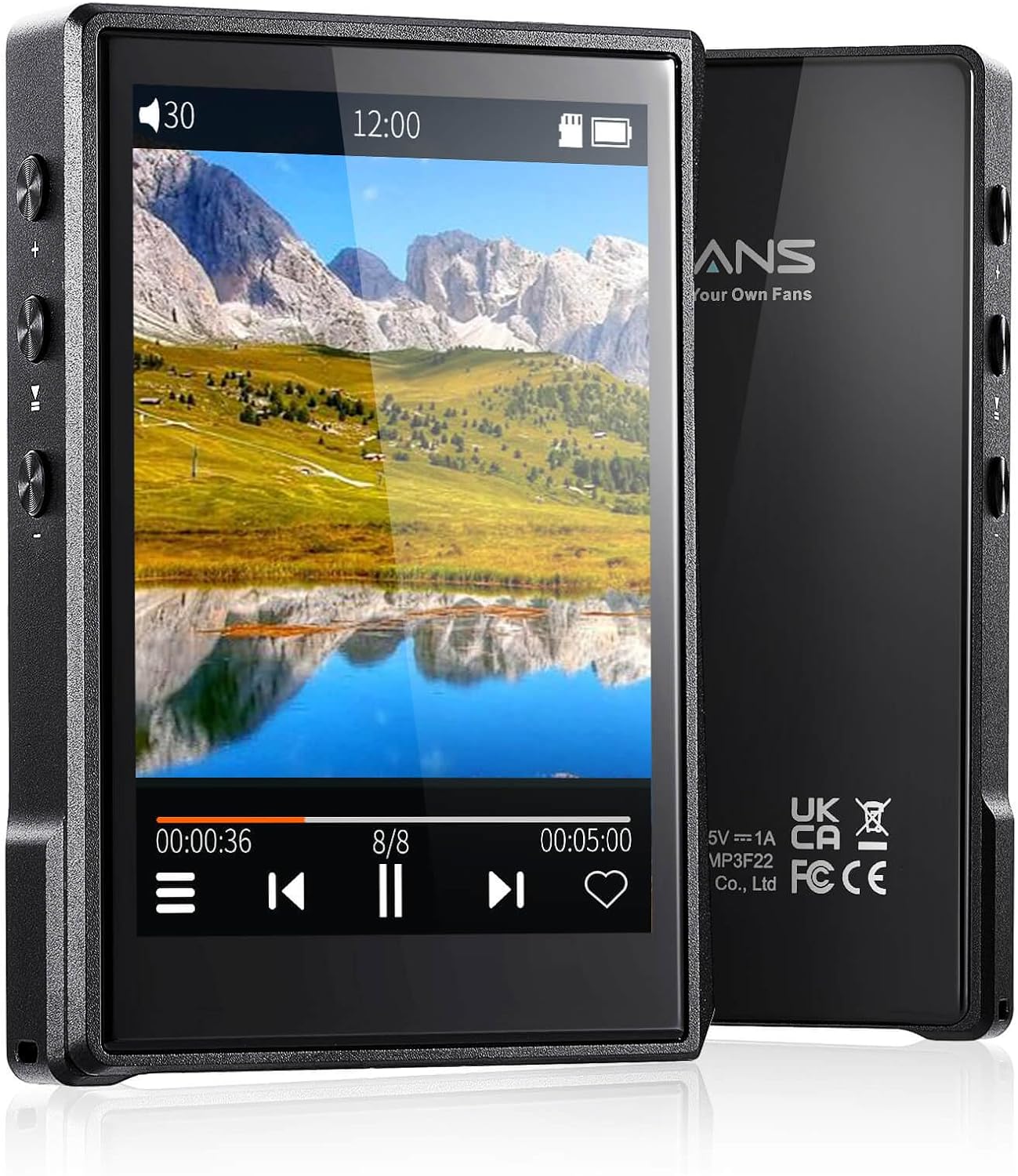
בילד: פאָרנט און הינטן view of the Surfans F22 Portable HiFi MP3 Player, showcasing its 2.8-inch touchscreen and sleek design.
פּעקל אינהאַלט
באַשטעטיקן אַז אַלע זאכן זענען פאַראַן אין פּעקל:
- Surfans F22 HiFi Music Player
- באַניצער מאַנואַל (דעם דאָקומענט)
- וסב- C קאַבלע
- 32 גיגאבייט זכּרון קאַרטל (פאַר-אינסטאַלירט אָדער אַרייַנגערעכנט באַזונדער)
מיטל איבערview
Familiarize yourself with the physical components of your F22 player.

Image: Diagram illustrating the various ports and buttons on the Surfans F22 MP3 Player, including the power button, volume controls, headphone jack, and USB-C port.
- 2.8-inch IPS TFT Full Touchscreen: Main interface for navigation and control.
- מאַכט קנעפּל: טוט אָן/אויס דעם אַפּאַראַט און פֿאַרשליסט/עפֿנט דעם עקראַן.
- באַנד קנעפּלעך: אַדזשאַסטירט אַודיאָ אַרויסגאַנג לעוועל.
- כעדפאָון דזשאַק (3.5 מם): פֿאַרבינדט דראָטיקע כעדפאָונז.
- וסב- C פּאָרט: פֿאַר טשאַרדזשינג און דאַטן אַריבערפירן.
- מיקראָ סד קאָרט שפּעלטל: פֿאַר יקספּאַנדאַבאַל סטאָרידזש ביז 1TB.
סעטאַפּ
1. טשאַרדזשינג די מיטל
Before first use, fully charge the F22 player. Connect the provided USB-C cable to the device's USB-C port and the other end to a USB power adapter (not included) or a computer's USB port. The charging indicator will show progress. A full charge typically takes approximately 2 hours and provides up to 10 hours of playback.
2. אריינשטעלן א מיקראָ SD קאַרטל
The F22 comes with a 32GB memory card. For additional storage, you can insert a Micro SD card (up to 1TB) into the designated slot. Ensure the card is inserted correctly until it clicks into place.

Image: A Surfans F22 MP3 Player shown with a Micro SD card being inserted into its slot, illustrating the expandable storage capability.
3. איבערפירן מוזיק Files
Connect the F22 player to your computer using the USB-C cable. The device will appear as a removable storage drive. Drag and drop your music files (FLAC, WMA, WAV, DSF, DSD, MP3, etc.) into the appropriate folders on the player's internal storage or the Micro SD card.

Image: A Surfans F22 MP3 Player displaying music playback, with a person wearing headphones in the background, symbolizing the high-fidelity audio experience.
אַפּערייטינג ינסטראַקשאַנז
1. אײַנשטעלן/אויסלעשן און סקרין שלאָס
- צו אנצינדן, דריק און האלט דעם פּאַוער קנעפּל ביז דער עקראַן באַלויכטנט זיך.
- To power off, press and hold the Power button, then select "Power Off" on the screen.
- To lock/unlock the screen, briefly press the Power button.
2. נאַוויגאַציע די צובינד
The F22 features a 2.8-inch touchscreen for navigation. Swipe left/right or up/down to browse menus and lists. Tap icons to select options or open applications.
3. מוזיק פּלייבאַק
- From the main menu, select "Music" to access your library.
- Browse by Artist, Album, Song, Genre, or Folder.
- צאַפּן אויף אַ ליד צו אָנהייבן שפּילן.
- During playback, use the on-screen controls for play/pause, skip track, and volume adjustment. Physical volume buttons also control volume.

Image: The Surfans F22 MP3 Player screen showing options for music playback modes: List play, Single play, List loop, and Random, indicating flexible listening options.
4. בלועטאָאָטה קאַנעקטיוויטי
The F22 supports Bluetooth 4.2 for wireless audio output.
- Go to "Settings" and select "Bluetooth".
- Turn Bluetooth on. The player will scan for available devices.
- Select your desired Bluetooth headphones or speaker from the list to pair.
- Once paired, audio will stream wirelessly to the connected device.

Image: A visual representation of the Surfans F22 MP3 Player's Bluetooth 4.2 capabilities, showing connections to Bluetooth headphones, a Bluetooth speaker, and a car stereo system.
5. E-Book Functionality
The F22 also supports E-book reading.
- Transfer compatible E-book fileס צו די מיטל.
- From the main menu, select "E-book".
- Browse and select a book to open and read.
וישאַלט
- רייניקונג: ניצט אַ ווייכע, טרוקענע שטאָף צו רייניקן דעם אַפּאַראַט. פֿאַרמייַדט פֿליסיקע רייניגער אָדער אַברייסיוו מאַטעריאַלן.
- סטאָרידזש: האַלט דעם שפּילער אין אַ קיל, טרוקן אָרט אַוועק פון דירעקט זונשייַן און עקסטרעמע טעמפּעראַטורן.
- באַטערי זאָרגן: כדי צו פארלענגערן די לעבן פון די באַטעריע, זאָלט איר נישט אָפט אויסלאָדן די באַטעריע. לאָדט דאָס אַפּאַראַט רעגולער אויף, אפילו אויב עס ווערט נישט גענוצט פֿאַר לענגערע צייטן.
- ווייכווארג דערהייַנטיקונגען: קוק די פאַבריקאַנט ס website periodically for firmware updates to ensure optimal performance and new features.
טראָובלעשאָאָטינג
| פּראָבלעם | מעגלעך סיבה | לייזונג |
|---|---|---|
| די מיטל טוט נישט מאַכט אויף. | נידעריק באַטאַרייע. | טשאַרדזש די מיטל פֿאַר בייַ מינדסטער 30 מינוט. |
| קיין געזונט. | Volume too low; headphones not connected properly; incorrect audio output. | Increase volume; ensure headphones are fully plugged in; check Bluetooth connection if using wireless. |
| קענען ניט אַריבערפירן files. | USB cable issue; device not recognized by computer. | Try a different USB port or cable; ensure the device is in data transfer mode if prompted. |
| בלועטוט פֿאַרבינדונג נישט סטאַביל. | Interference; device too far from player. | Reduce distance between devices; avoid obstacles; try re-pairing. |
| דער עקראַן רעאַגירט נישט. | צייטווייליגע ווייכווארג פראבלעם. | Perform a soft reset by holding the Power button until the device restarts. |
ספּעסאַפאַקיישאַנז
| שטריך | דעטאַל |
|---|---|
| מאָדעל | Surfans F22 Hi Res Music Player |
| פּראַסעסער | RK3308G 64-bit Quad-core ARM Cortex-A35 |
| ווייַז | 2.8-inch IPS TFT Full Touchscreen (240*320 resolution) |
| אַודיאָ פאָרמאַץ סופּפּאָרטעד | FLAC, WMA, WAV, DSF, DSD (Native DSD 128/256), PCM (up to 384kHz/32bit), DFF, DTS, APE, OGG, M4A, AIFF, AAC, MP3, Apple Lossless |
| בלועטאָאָטה | ווערסיע 4.2 |
| אינערלעכער סטאָרידזש | 32GB (included) |
| יקספּאַנדאַבאַל סטאָרידזש | מיקראָ SD קאַרטל ביז 1TB |
| באַטערי | 1500 מאַה ליטהיום פּאָלימער |
| באַטערי לעבן | ביז 10 שעה ווידערשפּיל |
| טשאַרדזשינג צייט | Approximately 2 hours (fast charge) |
| דימענשאַנז | 4.72 X 3.15 X 1.77 אינטשעס |
| וואָג | 7.4 אונסעס |
| קאַנעקטיוויטי | וסב-C |
| ספּעציעלע פֿעיִקייטן | Equalizer, Hi-Res Audio, E-book function |
וואָראַנטי און שטיצן
The Surfans F22 Portable HiFi MP3 Player comes with a one-year return and exchange guarantee from the date of purchase. This warranty covers manufacturing defects under normal use.
For technical support, warranty claims, or further assistance, please contact Surfans customer service through their official website or the retailer where the product was purchased. Please have your purchase receipt and product model number (F22) available when contacting support.
פאַבריקאַנט: Surfans
Webפּלאַץ: Surfans Official Store