
הקדמה
Thank you for choosing the BoxWave FineTouch Capacitive Stylus. This manual provides essential information for the proper setup, operation, and maintenance of your stylus. Designed for accurate and versatile interaction, this stylus is compatible with your Lenovo Tab M9 and other similar capacitive touchscreens.
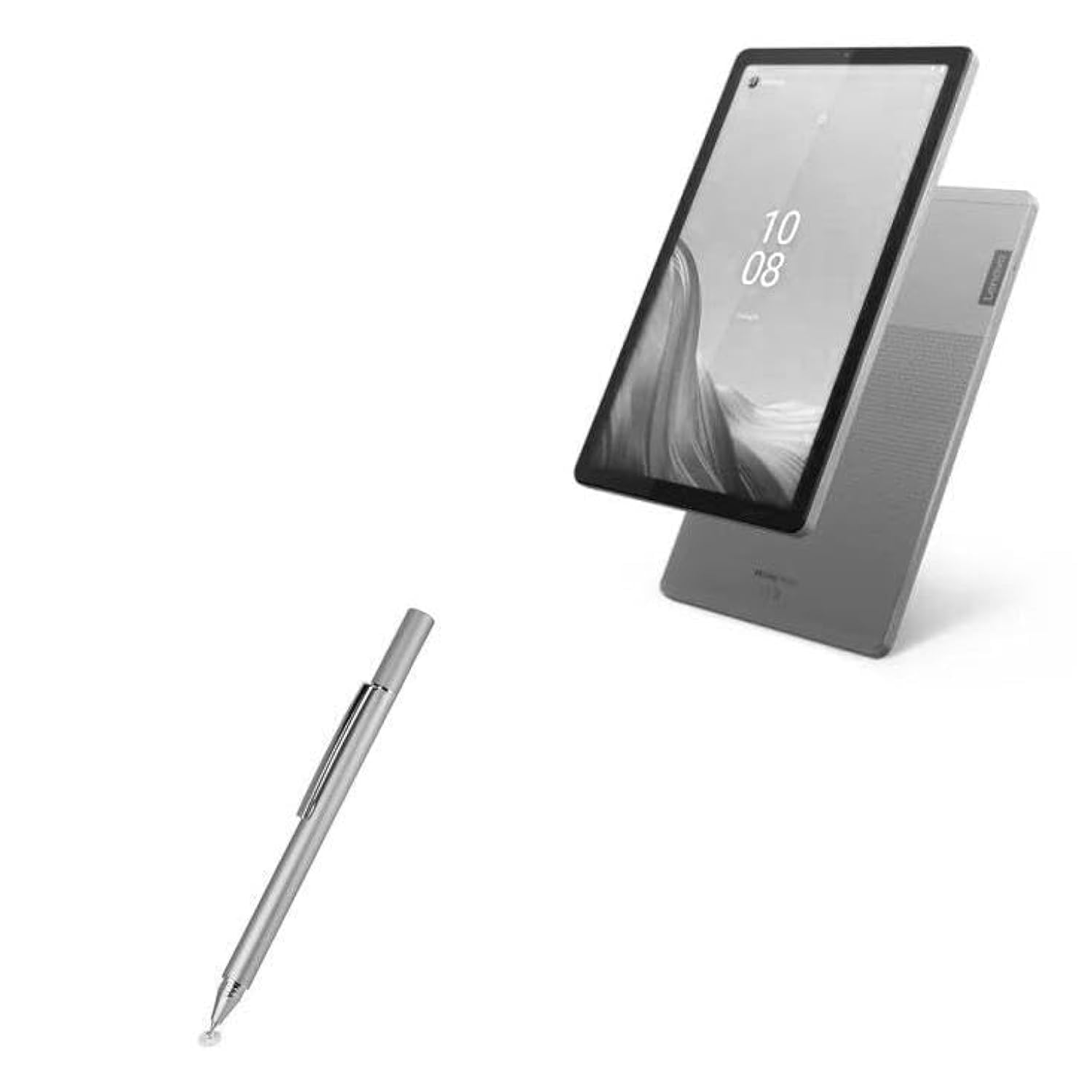
Image: The BoxWave FineTouch Capacitive Stylus in Metallic Silver positioned next to a Lenovo Tab M9 tablet, illustrating its intended use with a digital device.
פּראָדוקט איבערview
The BoxWave FineTouch Capacitive Stylus offers a seamless and precise experience for your touchscreen devices. Key features include:
- Versatile and Universal Compatibility: This stylus works with accurate perfection on your Lenovo Tab M9 and all similar capacitive touchscreens.
- Innovative Clear Tip for Precision: The unique clear disc tip provides vision-enhancing precision, allowing you to clearly see where and what you are writing, drawing, or tapping from any angle.
- עפערטלאַס אָפּעראַציע: No Bluetooth pairing is required. Simply touch the tip gently against your screen to begin use.
- Convenient Clip Design: A built-in metal clip allows you to easily attach the stylus to your shirt, jacket, or device case for secure portability.
- סאָליד און ערגאַנאַמיק פּלאַן: Designed in a comfortable pen form, it fits neatly into the palm of your hand, making it perfect for extended use and easy carrying.
Note: The FineTouch Capacitive Stylus does not support Palm Rejection or Pressure Sensitivity.

בילד: א דעטאַלירטע view of the stylus's clear disc tip, highlighting its transparent design for enhanced precision during use.
סעטאַפּ
The BoxWave FineTouch Capacitive Stylus requires minimal setup:
- אַנפּאַק: Carefully remove the stylus from its packaging.
- דורכקוקן: Check the clear disc tip and the soft rubber tip (if applicable) for any damage.
- גרייט צו נוצן: The stylus is immediately ready for use with any capacitive touchscreen device. No batteries or Bluetooth pairing are required.
אַפּערייטינג ינסטראַקשאַנז
Using your FineTouch Capacitive Stylus is intuitive:
- אַלגעמיינע נוצן: Gently touch the clear disc tip or the soft rubber tip to your device's screen. The stylus simulates the touch of your finger.
- Precision Tasks: For detailed writing, drawing, or precise tapping, use the clear disc tip. Its transparent design allows you to see exactly where your input is registered.
- Broader Strokes/Navigation: For general navigation, scrolling, or broader strokes, either tip can be used effectively.
- שרייבן און צייכענונג: Open any compatible note-taking or drawing application on your Lenovo Tab M9 or other device and use the stylus as you would a traditional pen.

Image: A hand holding the stylus, actively drawing a line on a tablet screen, demonstrating its functionality for creative tasks.
וישאַלט
To ensure the longevity and optimal performance of your stylus:
- רייניקונג: Wipe the stylus body and tips with a soft, dry cloth. Avoid using harsh chemicals or abrasive materials.
- טיפּ פאַרבייַט: The clear disc tip is designed to be replaceable. If the tip becomes worn or damaged, gently pull it out and insert a new one. Replacement tips are typically included with your purchase or can be acquired separately.
- סטאָרידזש: When not in use, store the stylus in a safe place to prevent damage to the tips. Utilize the built-in metal clip to secure it.

Image: A close-up of the stylus with its protective threaded cap removed, revealing the clear disc tip, illustrating the design for tip replacement.
טראָובלעשאָאָטינג
If you encounter issues with your stylus, consider the following:
- סטילוס ניט ריספּאַנדינג: Ensure the screen of your device is clean and free of debris. Try gently wiping the stylus tip.
- נישט פּינקטלעכע איינגאַבע: Check if the clear disc tip is securely attached and not damaged. Replace the tip if necessary.
- Screen Protector Interference: Some thick or textured screen protectors may affect stylus performance. Test the stylus on a device without a screen protector to rule this out.
ספּעסאַפאַקיישאַנז
| סאָרט | BoxWave |
| מאָדעל נומער | bw-1199-40011-8805 |
| קאָליר | מעטאַלליק זילבער |
| מאַטעריאַל | Plastic (tips), Metal (body) |
| פּונקט וואָג | 1 אונס |
| פּעקל דימענשאַנז | 5.21 X 0.43 X 0.43 אינטשעס |
| קאַמפּאַטאַבאַל דעוויסעס | Tablet (specifically Lenovo Tab M9 and similar capacitive touchscreens) |
| באַטעריז פארלאנגט | ניין |
| יוניט גראף | 1.0 גראף |
וואָראַנטי און שטיצן
For any product-related inquiries or support, please refer to the contact information provided with your purchase. Limited 3rd party technical support for your device (up to 3 inquiries via messaging) is included. Please note that BoxWave is not affiliated with or endorsed by Lenovo.