
הקדמה
This manual provides essential instructions for setting up, operating, and maintaining your KALOC Fitness Tracker. Please read this guide thoroughly to ensure proper use and to maximize the device's features.
וואָס איז אין די קעסטל
ביים אויספּאַקן, קאָנטראָלירט אַז אַלע זאכן זענען פאַראַן:
- KALOC Fitness Tracker (main unit)
- וואַך באַנד
- טשאַרדזשינג קאַבלע
- באַניצער מאַנואַל
סעטאַפּ
1. טשאַרדזשינג די מיטל
Before first use, fully charge your fitness tracker. Connect the charging cable to the charging port on the back of the device and to a USB power source. The screen will indicate charging status.

Image: The KALOC Fitness Tracker displaying a '100% Fully charged' message while connected to its charging cable.
2. אַפּ אינסטאַלאַציע און פּערינג
To utilize all features and synchronize data, download the companion application to your smartphone. The app is compatible with Android 6.0 and iOS 12.0 or above, and requires Bluetooth 4.0.
- Scan the QR code in the quick guide or search for the app name (usually mentioned in the quick guide or packaging) in your phone's app store.
- ינסטאַלירן די אַפּלאַקיישאַן.
- Open the app and follow the on-screen instructions to create an account and pair your fitness tracker via Bluetooth. Ensure Bluetooth is enabled on your phone.
- Allow necessary permissions for the app to function correctly (e.g., location, notifications).
אַפּערייטינג ינסטראַקשאַנז
ווייַז און נאַוויגאַציע
The KALOC Fitness Tracker features a 1.58-inch AMOLED touch display. Navigate through menus and functions by swiping up, down, left, or right, and tapping to select options.

Image: The 1.58-inch AMOLED screen of the KALOC Fitness Tracker, highlighting its resolution and brightness capabilities.
יקערדיק פאַנגקשאַנז
- צייט און דאַטע: Automatically synchronizes with your paired smartphone.
- וואַך פנימער: Customize your watch face through the companion app or directly on the device.

בילד: עקסamples of personalized watch faces available for the KALOC Fitness Tracker.
געזונט טראַקינג פֿעיִקייטן
The KALOC Fitness Tracker provides comprehensive health monitoring throughout the day.
- האַרץ קורס מאָניטאָרינג: כסדר טראַקס דיין האַרץ טעמפּאָ. View real-time data on the device or detailed trends in the app.
- בלוט זויערשטאָף (SpO2) מעסטונג: מעסט אייערע בלוט זויערשטאָף זעטיקונג לעוועלס.
- שלאָף מאָניטאָרינג: אנאליזירט אייערע שלאף-מוסטערן, אריינגערעכנט טיפע שלאף, לייכטע שלאף, און וואך-צייטן.
- Stress Level Tracking: Monitors your stress levels and provides insights into your mental well-being.
- פּעדאָמעטער און קאַלאָריע טראַקער: Records daily steps, distance covered, and estimated calories burned.

Image: The KALOC Fitness Tracker displaying 24-hour health tracking data, including heart rate, sleep, and stress.

Image: The KALOC Fitness Tracker tracking daily fitness data, including steps, distance, calories, and activity time.
ספּאָרט מאָדעס
The fitness tracker supports over 100 sports modes to accurately track your workouts. Select the appropriate mode before starting an activity for precise data collection.
- Examples include outdoor walking, running, cycling, strength training, yoga, and various ball games.
- Access sports modes from the device menu and select your desired activity.
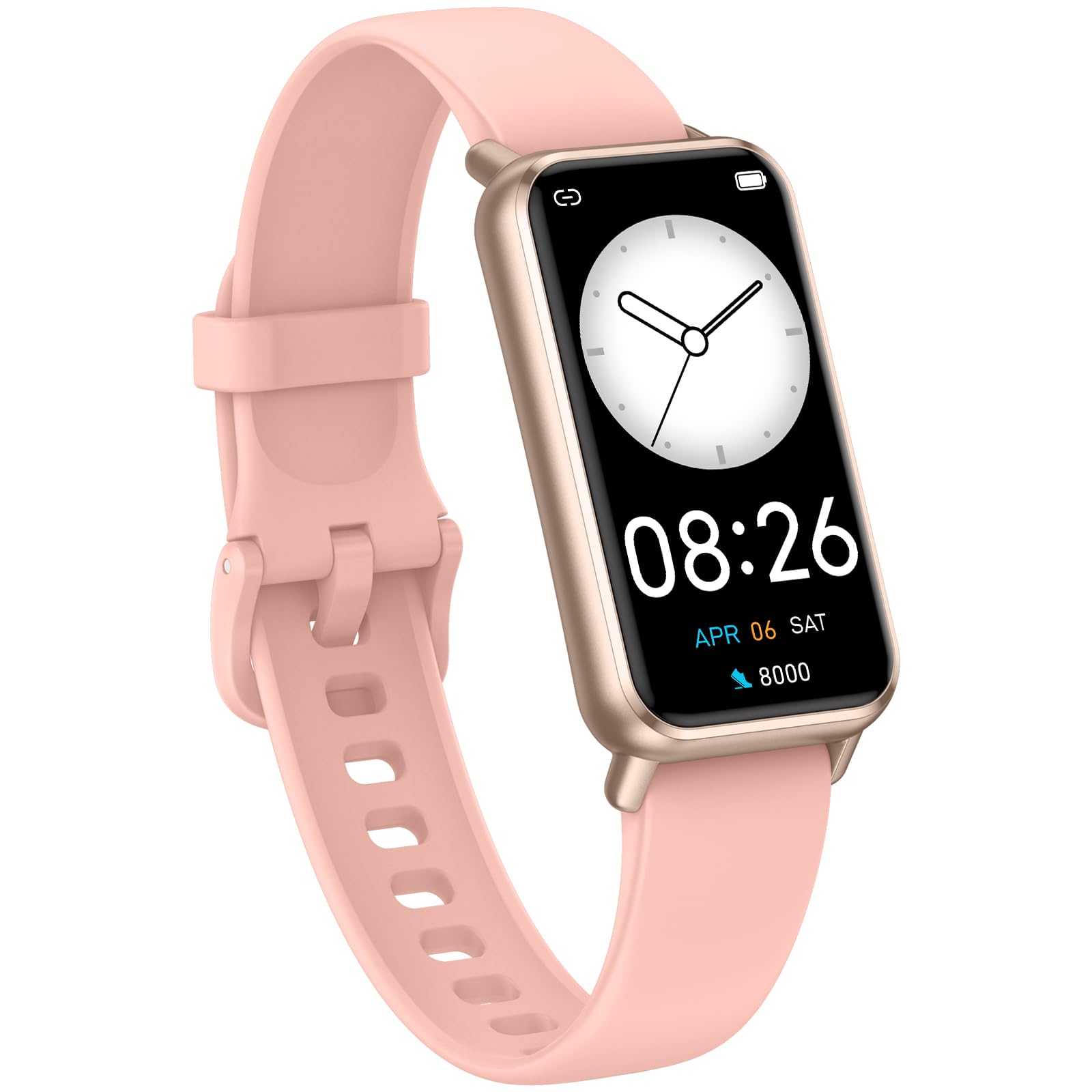
Image: The KALOC Fitness Tracker highlighting its support for over 100 sports modes.
וואַסער קעגנשטעל
The KALOC Fitness Tracker is 50-meter waterproof, making it suitable for various water activities.
- Suitable for washing hands, showering, swimming, and shallow water activities.
- Not recommended for diving, hot water activities, or high-pressure water exposure.

Image: The KALOC Fitness Tracker demonstrating its 50-meter waterproof feature during swimming.
באַטערי לעבן
The device offers an extended battery life, providing up to 14 days of typical use or 30 days of standby time on a single charge.

Image: The KALOC Fitness Tracker highlighting its 14-day battery life.
סמאַרט נאָוטאַפאַקיישאַנז
Receive notifications for calls, messages, and app alerts directly on your wrist when paired with your smartphone.

Image: The KALOC Fitness Tracker receiving smart notifications from various applications.
אנדערע פאַנגקשאַנז
The KALOC Fitness Tracker includes several additional useful features:
- אַפּאַראַט קאָנטראָל: קאָנטראָליר דיין טעלעפאָן'ס קאַמעראַ אויף ווייטן.
- מוזיק קאָנטראָל: Manage music playback on your paired phone.
- וועטער פאָרעקאַסט: View איצטיקע וועטער באדינגונגען און פאָרויסזאָגן.
- דערמאָנונג צו טרינקען: שטעלט דערמאָנונגען צו בלייבן כיידרירט.
- זיציק דערמאָנונג: וואָרנט אייך צו רירן זיך נאָך פּעריאָדן פון אומאַטישקייט.
- וועקער זייגער: Set alarms directly on your device.
- אָטעם טריינינג: גיידעד אָטעמען עקסערסייזיז צו העלפן קאָנטראָלירן דרוק.

Image: The KALOC Fitness Tracker showcasing its multiple functions.
וישאַלט
To ensure the longevity and optimal performance of your KALOC Fitness Tracker, follow these maintenance guidelines:
- רייניקונג: רעגולער רייניקט דעם אַפּאַראַט און רימען מיט אַ ווייכן, דamp שטאָף. פֿאַרמײַדט שאַרפֿע כעמיקאַלן אָדער אַברייסיוו מאַטעריאַלן.
- טשאַרדזשינג: Use only the provided charging cable. Do not expose the charging contacts to water or corrosive liquids.
- סטאָרידזש: האַלט דאָס אַפּאַראַט אין אַ קיל, טרוקן אָרט ווען עס איז נישט אין באַנוץ. פֿאַרמייַדט עקסטרעמע טעמפּעראַטורן.
- וואַסער ויסשטעלן: While waterproof, it is advisable to dry the device thoroughly after exposure to water to prevent skin irritation and ensure proper sensor function.
טראָובלעשאָאָטינג
If you encounter issues with your KALOC Fitness Tracker, refer to the following common solutions:
- מיטל נישט קער אויף: זיכער מאַכן אַז די דעווייס איז גאָר אויפגעלאָדן. פֿאַרבינדט עס צום טשאַרדזשער פֿאַר לפּחות 30 מינוט.
- קען נישט צוזאמענשטעלן מיטן טעלעפאן:
- מאַכן זיכער אַז בלועטאָאָטה איז ענייבאַלד אויף דיין טעלעפאָן.
- Make sure the tracker is within Bluetooth range of your phone.
- Restart both your phone and the fitness tracker.
- Check if the app has the necessary permissions.
- נישט פּינקטלעכע דאַטן:
- Ensure the tracker is worn snugly on your wrist, about one finger's width from your wrist bone.
- Clean the sensors on the back of the device.
- Update the device firmware via the app if available.
- נאָטיפיקאַטיאָנס ניט באקומען:
- Verify that notifications are enabled in both the tracker's app and your phone's settings.
- פאַרזיכערן אַז די אַפּ איז פליסנדיק אין דער הינטערגרונט.
If problems persist, consult the support section of the companion app or contact customer support.
ספּעסאַפאַקיישאַנז
| מאָדעל נומער | 529d841c-3537-4f97-bf0f-2a0c001c6b1e |
| ווייַז גרייס | 1.58 אינטשעס אַמאָלעד |
| וואַסער קעגנשטעל | 50 מעטער |
| באַטערי לעבן | ביז 14 טעג (טיפּיש נוצן) |
| קאַנעקטיוויטי | בלועטאָאָטה 4.0 |
| קאַמפּאַטאַבילאַטי | אַנדרויד 6.0+ / יאָס 12.0+ |
| פּונקט וואָג | 2.82 אונסעס |
| פּראָדוקט דימענשאַנז | 6.4 X 3 X 0.7 אינטשעס |
וואָראַנטי און שטיצן
For warranty information and customer support, please refer to the documentation included with your purchase or visit the official KALOC webזייטל. האַלט אייער קויף קוויטל ווי אַ באַווייַז פון קויפן פֿאַר וואָראַנטי קליימז.