
1. פּראָדוקט איבערview
The Manba Mini Wireless Controller is a compact and portable gaming device designed for classic and retro games. Its small size makes it convenient for on-the-go use. This controller offers multi-platform compatibility, supporting various operating systems and gaming consoles.
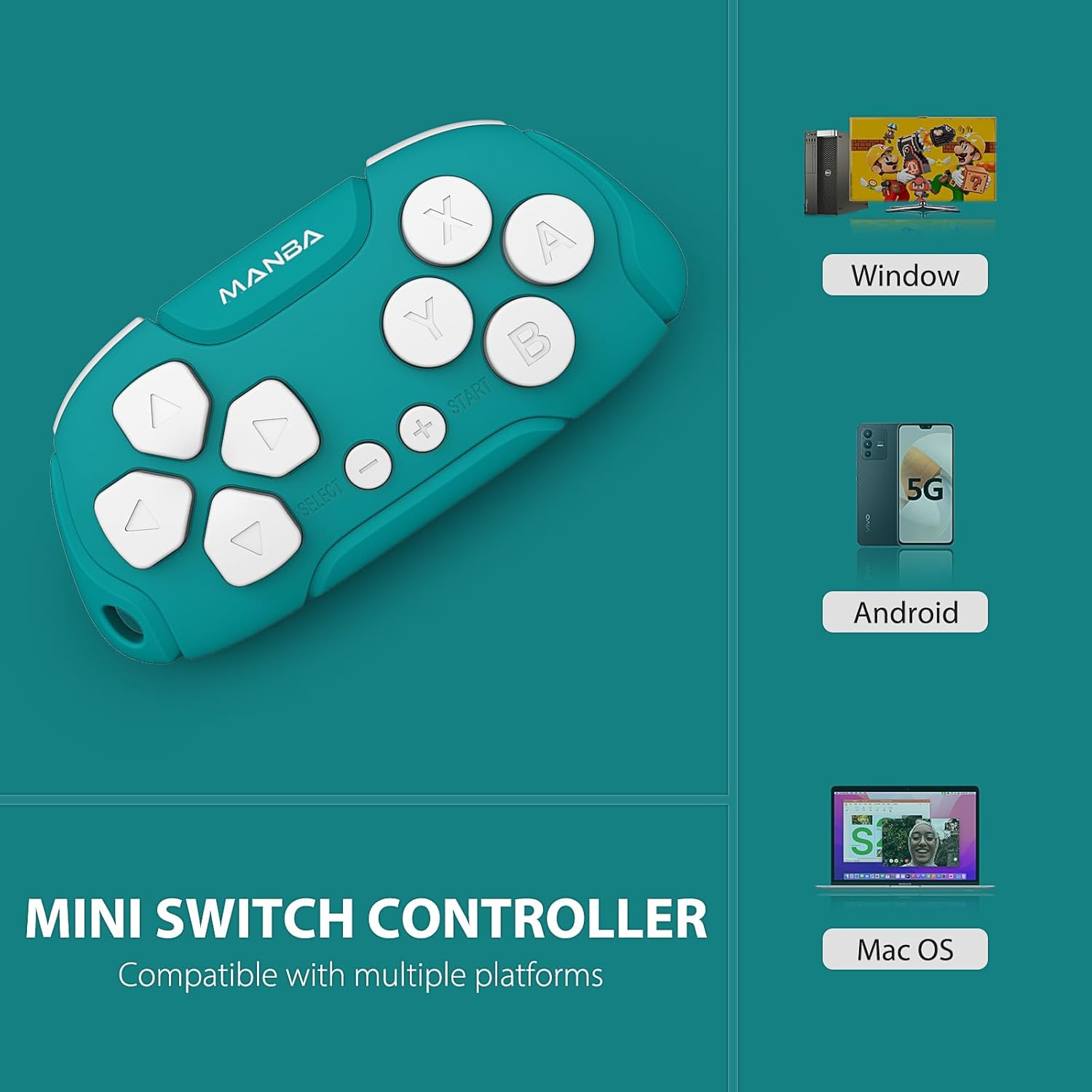
Image 1.1: Manba Mini Wireless Controller compatible with multiple platforms.
Beyond gaming, the controller can function in keyboard mode, making it suitable for applications like Anki (with remapping) and Clip Studio Paint, transforming it into a compact shortcut device.
2. פּעקל אינהאַלט
באַשטעטיקן אַז אַלע זאכן זענען פאַראַן אין דיין פּעקל:
- 1 × Manba Mini Wireless Controller
- 1 × מיקראָ-וסב טשאַרדזשינג קאַבלע
- 1 × אינסטרוקציע מאַנואַל (דאָס דאָקומענט)
3. סעטאַפּ און קאַנעקשאַן
3.1 טשאַרדזשינג די קאָנטראָללער
Before first use, fully charge the controller. Connect the provided micro-USB cable to the controller's charging port and the other end to a USB power source (e.g., computer USB port, USB wall adapter). The LED indicator will show charging status and turn off when fully charged. A full charge typically takes 1-2 hours and provides approximately 8 hours of play time.
3.2 פּאַוערינג אויף / אַוועק
- צו מאַכט אויף: Press and hold the START button for a few seconds until the indicator light illuminates.
- צו מאַכט אַוועק: Press and hold the START button for a few seconds until the indicator light turns off. The controller will also automatically power off after a period of inactivity.
3.3 פּאָרן מיט דעוויסעס
The Manba Mini Wireless Controller supports various connection modes for different platforms. Refer to the specific instructions below for your device.
3.3.1 Nintendo Switch / Switch Lite / Switch OLED

Image 3.1: Controller compatibility with Nintendo Switch models.
- אויף אייער נינטענדאָ סוויטש, גייט צום היים מעניו.
- אויסקלייַבן קאָנטראָללער > טוישן גריפּ / סדר.
- On the Manba Mini Controller, press and hold the Y + START buttons simultaneously until the LED indicator starts flashing rapidly.
- Once the controller appears on the Switch screen and the LED indicator becomes solid, the pairing is complete.
3.3.2 Windows (X-input)
- On the Manba Mini Controller, press and hold the X + START buttons simultaneously until the LED indicator starts flashing rapidly.
- אויף אייער ווינדאָוס פּיסי, גייט צו Bluetooth & other devices settings.
- אויסקלייַבן לייג בלועטאָאָטה אָדער אנדערע מיטל > בלועטאָאָטה.
- Select the controller from the list of available devices.
- Once connected, the LED indicator on the controller will become solid.
3.3.3 Android / MacOS
- On the Manba Mini Controller, press and hold the A + START buttons simultaneously until the LED indicator starts flashing rapidly.
- On your Android device or Mac, go to בלועטאָאָטה סעטטינגס.
- אַקטיווירן בלועטוט און זוכן פֿאַר נייַע דעוויסעס.
- Select the controller from the list of available devices.
- Once connected, the LED indicator on the controller will become solid.
4. אַפּערייטינג ינסטרוקטיאָנס
4.1 General Gaming Use
The Manba Mini Wireless Controller is optimized for classic and retro games. It features a D-pad, action buttons (A, B, X, Y), and shoulder buttons (L, R). Familiarize yourself with the button layout for optimal gameplay.
4.2 Keyboard Mode for Productivity
In keyboard mode, the controller can be used as a shortcut remote for various applications. This is particularly useful for:
- Anki: For efficient flashcard review. Custom mapping may be required using software like Karabiner Elements on macOS.
- Clip Studio Paint: As a compact shortcut controller for digital art.

Image 4.1: Controller use with Anki for efficient study.
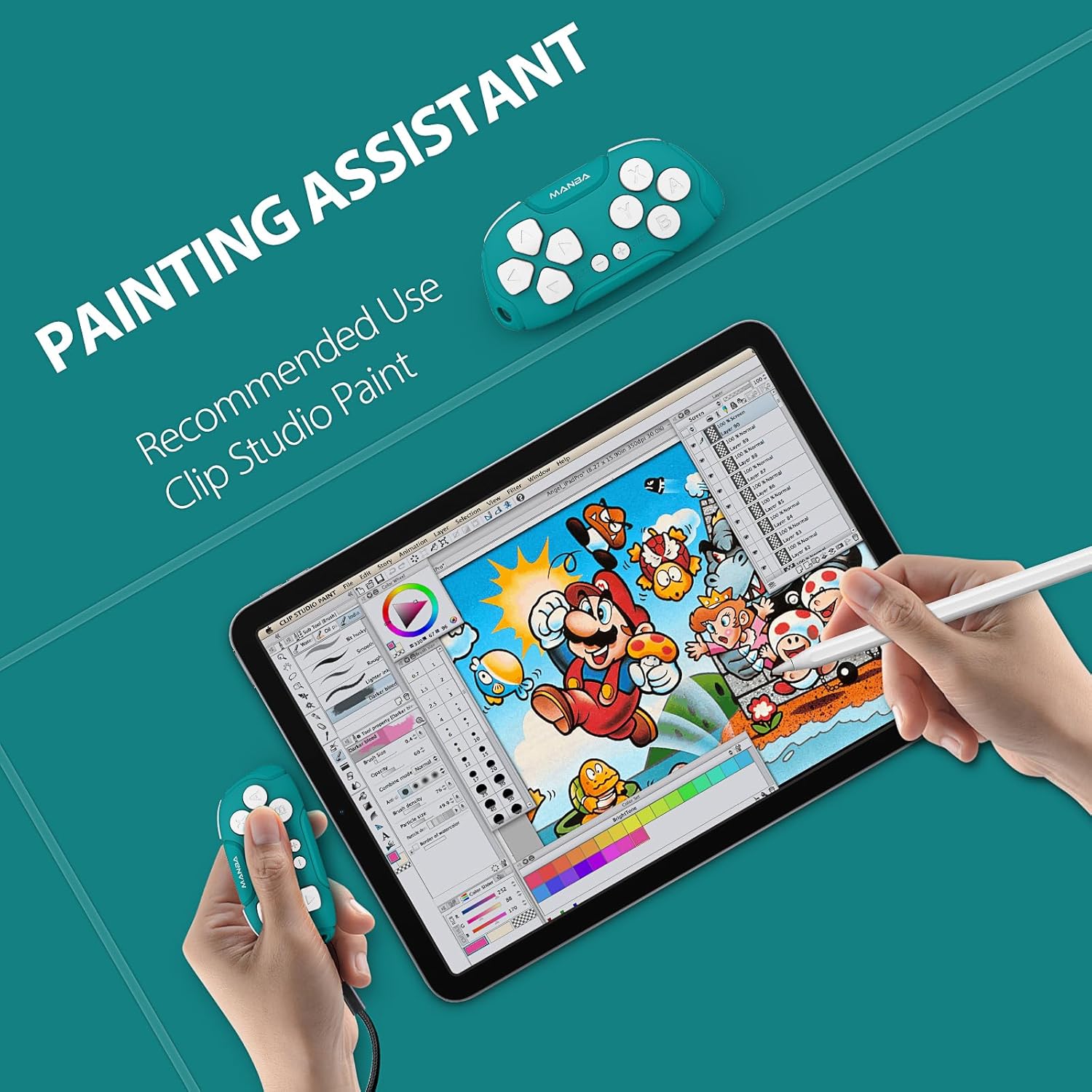
Image 4.2: Controller functioning as a painting assistant for Clip Studio Paint.
5. קער און וישאַלט
To ensure the longevity and optimal performance of your Manba Mini Wireless Controller, follow these care guidelines:
- רייניקונג: ניצט אַ ווייכע, טרוקענע שטאָף צו ווישן דעם קאָנטראָללער. פֿאַר שווערע שמוץ, אַ ביסל ווייכער מאַכןampווייקט דעם שטאָף מיט וואַסער. פֿאַרמייַדט שטרענגע כעמיקאַלן אָדער אַברייסיוו רייניגער.
- סטאָרידזש: האַלט דעם קאָנטראָללער אין אַ קיל, טרוקן אָרט אַוועק פון דירעקט זונשייַן און עקסטרעמע טעמפּעראַטורן.
- ויסמיידן טראפנס: כאָטש עס איז שטאַרק, קענען אָפטע פאַלן שאַטן די אינעווייניקסטע קאָמפּאָנענטן. באַהאַנדלען מיט וואָרענונג.
- פליסיק ויסשטעלן: שטעלט נישט אויס דעם קאָנטראָללער צו וואַסער אָדער אַנדערע פליסיקייטן.
6. טראָובלעשאָאָטינג
If you encounter issues with your Manba Mini Wireless Controller, refer to the following common problems and solutions:
- קאָנטראָללער פֿאַרבינדט זיך נישט/פֿאַרבינדט זיך נישט:
- זיכער מאַכן אַז דער קאָנטראָללער איז גאָר אויפגעלאָדן.
- באַשטעטיקן אַז בלועטאָאָטה איז ענייבאַלד אויף דיין מיטל.
- Make sure you are using the correct button combination for pairing with your specific platform (Y+START for Switch, X+START for Windows, A+START for Android/MacOS).
- פּרוּווט ריסטאַרטן ביידע דעם קאָנטראָללער און דיין דעווייס.
- Remove any previous pairings of the controller from your device's Bluetooth settings and attempt to pair again.
- קנעפּלעך רעאַגירן נישט ריכטיק:
- זיכער מאַכן אַז דער קאָנטראָללער איז ריכטיק געפּאָרט און קאָנעקטעד.
- For keyboard mode applications like Anki, ensure any necessary remapping software (e.g., Karabiner Elements for macOS) is correctly configured.
- D-Pad Functionality: Note that the D-pad on this controller consists of four individual buttons, not a single connected piece with a pivot point like some traditional controllers. This means it is possible to press opposing directions simultaneously (e.g., left and right), which may affect performance in certain platformers or timing-sensitive games. This design is intentional for its versatility in keyboard mode but differs from standard gaming D-pads.
- קורץ באַטאַרייע לעבן:
- Ensure the controller is being charged for the recommended 1-2 hours.
- Battery performance can degrade over time with extensive use.
- Ensure the controller is powered off when not in use to conserve battery.
7. טעכניש ספּעסאַפאַקיישאַנז

Image 7.1: The compact size of the Manba Mini Wireless Controller.
| פאַבריקאַנט | מאַנבאַ |
| מאָדעל | Mini Wireless Controller |
| ASIN | B0CFQJFQZG |
| פּעקל דימענשאַנז | 3.7 X 2.13 X 1.18 אינטשעס |
| באַטערי | 1 Lithium Polymer battery (included), 180 mAh capacity |
| באַטערי לעבן | Approximately 8 hours after 1-2 hours charging |
| קאַמפּאַטאַבילאַטי | Nintendo Switch, Windows (X-input), Android, macOS |
8. וואָראַנטי און שטיצע אינפֿאָרמאַציע
For warranty information or technical support, please refer to the documentation included with your purchase or visit the official Manba brand store. Contact details for customer service are typically provided on the manufacturer's webפּלאַץ.
You can visit the Manba Store for more information: Manba Official Store