
הקדמה
This manual provides detailed instructions for setting up, operating, maintaining, and troubleshooting your Amazon Kindle Paperwhite Signature Edition 32GB. Please read this guide thoroughly to ensure optimal use of your device.
1. סעטאַפּ
1.1 אויספּאַקן און ערשטע אָפּצאָל
Upon unboxing, locate the Kindle Paperwhite Signature Edition device and the included USB-C charging cable. It is recommended to fully charge your device before first use.
- אַרייַנגערעכנט אין די קעסטל: Kindle Paperwhite Signature Edition, USB-C charging cable, Quick Start Guide.
- טשאַרדזשינג: Connect the USB-C cable to the Kindle and a compatible USB power adapter (9W adapter recommended, sold separately). A full charge takes less than 2.5 hours.
- ווירעלעסס טשאַרדזשינג: The Signature Edition supports wireless charging. Place the device on a compatible wireless charging dock (sold separately).

Image: Kindle Paperwhite Signature Edition charging wirelessly on a dock. The device can be charged via USB-C or wirelessly for extended battery life.
1.2 מאַכט אויף / אַוועק
- צו מאַכט אויף: Press and hold the power button located on the bottom edge of the device until the screen lights up.
- צו מאַכט אַוועק: Press and hold the power button until a power dialog appears, then select 'Power Off'. A short press will put the device to sleep.
1.3 Wi-Fi קאָנעקטיוויטי
To access the Kindle Store and download content, connect your device to a Wi-Fi network.
- פון די היים פאַרשטעלן, צאַפּן אויף סעטטינגס בילדל (גיר בילדל) אדער סווייפּ אַראָפּ פֿון דער שפּיץ פֿונעם עקראַן און צאַפּן אַלע סעטטינגס.
- אויסקלייַבן ווי-פי און בלועטאָאָטה, דעמאלט ווי-פי נעטוואָרקס.
- Choose your desired network from the list and enter the password if prompted.
The device supports 2.4 GHz and 5.0 GHz networks with WEP, WPA, WPA2, WPA3, and OWE security.
1.4 אַקאַונט סעטאַפּ
Register your Kindle to your Amazon account to access your content library and the Kindle Store.
- After connecting to Wi-Fi, follow the on-screen prompts to sign in with your Amazon account credentials.
- If you do not have an Amazon account, you can create one during this process.
2. אפערירן אייער קינדל
2.1 Basic Navigation and Page Turns
The Kindle Paperwhite Signature Edition features a 7-inch glare-free display designed for comfortable reading.
- Page Turns: Tap the right side of the screen to turn to the next page, or the left side to go back. Swiping left or right also turns pages.
- היים פאַרשטעלן: Tap the top of the screen to reveal the navigation bar, then tap the היים icon to return to your library.

Image: A hand holding the Kindle Paperwhite, displaying a book page. The 7-inch Paperwhite display offers fast page turns for an enhanced reading experience.
2.2 Reading Features
Customize your reading experience with various display and font settings.
- Adjusting Front Light: The Signature Edition features an auto-adjusting front light. You can also manually adjust the brightness by tapping the top of the screen while reading and using the brightness slider.
- וואַרעם ליכט: Adjust the warmth of the screen light for comfortable reading in different environments.
- טונקל מאָדע: Invert screen colors for white text on a black background, ideal for low-light conditions. Access this from the quick settings menu.
- פאָנט סעטטינגס: While reading, tap the top of the screen, then select the Aa icon to adjust font size, font face, line spacing, and margins.
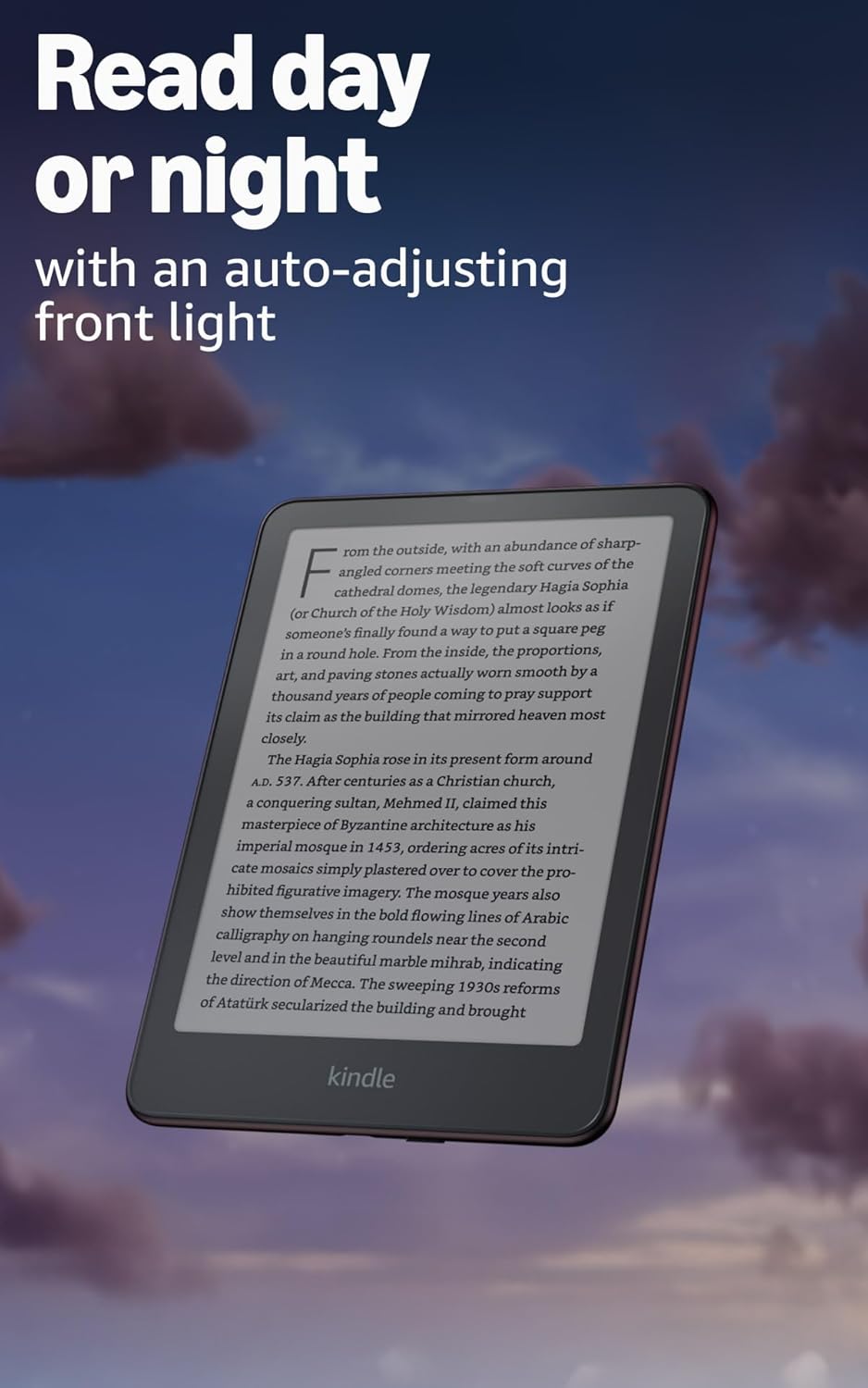
Image: Kindle Paperwhite screen illuminated in a dark room. The auto-adjusting front light allows for comfortable reading day or night.

Image: Close-up of the Kindle Paperwhite screen displaying text. Enjoy a glare-free display without distracting notifications.
2.3 אינהאַלט מאַנאַגעמענט
Your Kindle provides access to a vast library of content.
- קינדלע סטאָר: פון די היים פאַרשטעלן, צאַפּן אויף קראָם icon to browse and purchase books.
- ביבליאָטעק: All purchased content is stored in your library and can be downloaded to your device.
- וואָלקן סטאָרידזש: All Amazon content is stored for free in the cloud, allowing you to access it from any compatible device.
- שטיצט פֿאָרמאַטירונגען: קינדלע פֿאָרמאַט 8 (AZW3), קינדלע (AZW), TXT, PDF, אומגעשיצטע MOBI, PRC נאַטיוו; PDF, DOCX, DOC, HTML, EPUB, TXT, RTF, JPEG, GIF, PNG, BMP דורך קאָנווערסיע; Audible אַודיאָ פֿאָרמאַט (AAX).

Image: A collage of various book covers. The Kindle Store offers access to over 15 million titles worldwide.
2.4 אױדיאָביכער
Listen to Audible audiobooks on your Kindle Paperwhite Signature Edition.
- בלועטאָאָטה: Connect Bluetooth headphones or speakers to your Kindle via the ווי-פי און בלועטאָאָטה סעטטינגס.
- Playing Audiobooks: Download Audible audiobooks from the Kindle Store and play them through your connected Bluetooth device.
2.5 וואַסערפּרוף
Your Kindle Paperwhite Signature Edition is waterproof (IPX8 rated).
- It is tested to withstand immersion in 2 meters of fresh water for 60 minutes.
- This makes it suitable for reading by the pool, in the bath, or at the beach.
- After exposure to water, ensure the USB-C port is dry before charging.
3. וישאַלט
3.1 רייניקן דיין דעווייס
- Use a soft, lint-free cloth to clean the screen and body of your Kindle.
- פֿאַרמײַדן אַברייסיוו רייניגער, סאָלוואַנץ, אָדער אַעראָסאָל ספּרײַז.
- If the device has been exposed to water, gently wipe it dry.
3.2 באַטערי קער
- To maximize battery life, avoid exposing your Kindle to extreme temperatures.
- A single charge can last up to twelve weeks, based on half an hour of reading per day with wireless off and the light setting at 13. Heavy use, especially with wireless features or audiobook streaming, will reduce battery life.
- Charge the device regularly, but it is not necessary to fully discharge it before recharging.
3.3 ווייכווארג דערהייַנטיקונגען
Your Kindle will periodically receive software updates to improve performance and add new features.
- Ensure your Kindle is connected to Wi-Fi to receive automatic updates.
- You can manually check for updates by going to סעטטינגס > מיטל אָפּציעס > קוק פֿאַר דערהייַנטיקונגען.
4. טראָובלעשאָאָטינג
4.1 אַפּאַראַט רעאַגירט נישט
- If your Kindle is frozen or unresponsive, press and hold the power button for 40 seconds until the device restarts.
4.2 Wi-Fi פֿאַרבינדונג פּראָבלעמען
- זייט זיכער אז אייער Wi-Fi ראַוטער איז אנגעצינדן און אין דערגרייך.
- Try restarting your Kindle and your Wi-Fi router.
- באַשטעטיקט אַז איר גיט אַרײַן דאָס ריכטיקע Wi-Fi פּאַראָל.
4.3 באַטעריע לאָדט זיך נישט אויף
- Check that the USB-C cable is securely connected to both the Kindle and the power adapter.
- פּרוּווט ניצן אַ אַנדערש וסב-C קאַבלע אָדער מאַכט אַדאַפּטער.
- Ensure the USB-C port on the Kindle is clean and free of debris.
4.4 Content Not Downloading
- באַשטעטיקן אַז אייער Wi-Fi פֿאַרבינדונג איז אַקטיוו און סטאַביל.
- Check your Amazon account for any payment issues or content restrictions.
- Ensure your device has sufficient storage space.
5. ספּעסאַפאַקיישאַנז
| שטריך | באַשרייַבונג |
|---|---|
| ווייַז | 7” Paperwhite display technology with built-in front light, 300 ppi, optimized font technology, 16-level gray scale. |
| גרייס | 5 "רענטגענ 7" X 0.3" (127.6 X 176.7 X 7.8 מם) |
| וואָג | קסנומקס אַז (קסנומקסג) |
| אויף-מיטל סטאָרידזש | 32 גיגאבייט; האלט טויזנטער ביכער. |
| וואָלקן סטאָרידזש | פרייע וואָלקן סטאָרידזש פֿאַר אַלע אַמאַזאָן אינהאַלט. |
| באַטערי לעבן | Up to twelve (12) weeks (based on 30 mins reading/day, wireless off, light setting 13). |
| אָפּצאָל צייט | Less than 2.5 hours with a 9W USB power adapter. |
| Wi-Fi קאַנעקטיוויטי | Supports 2.4 GHz and 5.0 GHz networks with WEP, WPA, WPA2, WPA3, and OWE security. |
| אַקסעסאַביליטי פֿעיִקייטן | קולView screen reader (Bluetooth audio, English only), dark mode, adjustable font size, font face, line spacing, and margins. |
| אינהאַלט פֿאָרמאַטן געשטיצט | קינדלע פֿאָרמאַט 8 (AZW3), קינדלע (AZW), TXT, PDF, אומגעשיצטע MOBI, PRC נאַטיוו; PDF, DOCX, DOC, HTML, EPUB, TXT, RTF, JPEG, GIF, PNG, BMP דורך קאָנווערסיע; Audible אַודיאָ פֿאָרמאַט (AAX). |
| וואָטערפּרופינג | IPX8 rated (withstands immersion in 2 meters of fresh water for 60 minutes). |
| דור | 12th Generation (2024 release). |
6. וואָראַנטי און שטיצן
6.1 וואָראַנטי אינפֿאָרמאַציע
Your Kindle Paperwhite Signature Edition comes with a 1-year limited warranty and service. Extended warranty options may be available for purchase separately in some regions.
6.2 צוגעלייגטע שטיצע
פֿאַר ווייטערדיקע הילף און דעטאַלירטע אינפֿאָרמאַציע, ביטע זעט די פֿאָלגנדיקע רעסורסן:
- שנעל אָנהייב גייד: Included in your product packaging.
- Kindle User Guide: Accessible on your device or via the Amazon webפּלאַץ.
- Accessibility for Kindle: Learn more about accessibility features on the Amazon webפּלאַץ.
- Manage Your Content and Devices: Visit your Amazon account online to manage your Kindle content and device settings.