
הקדמה
This manual provides comprehensive instructions for the installation, operation, and maintenance of your TAXNELE TUYA WIFI Smart Circuit Breaker (Model 40A). This device integrates smart home functionality, allowing remote control, energy monitoring, and voice control through the Smart Life/Tuya App, Google Home, and Amazon Alexa. It functions as a voltmeter, ammeter, and energy meter, providing real-time data on power consumption.
זיכערקייַט אינפֿאָרמאַציע
ווארענונג: Electrical installation should only be performed by qualified personnel. Ensure power is disconnected before installation or maintenance to prevent electric shock. This device is designed for indoor use in dry environments. Do not expose to moisture or extreme temperatures. Adhere to all local electrical codes and regulations.
סעטאַפּ
1. גשמיות ייַנמאָנטירונג
The TAXNELE Smart Circuit Breaker is designed for DIN35 rail mounting. Ensure proper wiring connections for Power (N, L) and Load (N, L) as indicated on the device.

בילד: איבערview of the TAXNELE Smart Circuit Breaker, showing its physical appearance, wiring terminals, and an example of the Smart Life/Tuya app interface displaying energy monitoring data. The device is labeled TXCB2-TWM and indicates metering for 63A.
וויירינג דיאַגראַמע: Connect the incoming power supply to the "Power" terminals (N for Neutral, L for Live) and the outgoing load to the "Load" terminals (N for Neutral, L for Live). Ensure all connections are secure.
2. אַפּ דאַונלאָוד און מיטל פּערינג
- Download the "Smart Life" or "Tuya Smart" app from your mobile device's app store (available on iOS and Android).
- רעגיסטרירן אָדער קלאָץ אין צו דיין חשבון.
- Ensure your mobile device is connected to a 2.4 GHz Wi-Fi network. The circuit breaker supports Wi-Fi 2.4 GHz only.
- Power on the circuit breaker. The Wi-Fi indicator light on the device should be blinking, indicating it's in pairing mode. If not, refer to the device's reset instructions (usually holding the ON/OFF button for a few seconds).
- In the app, tap "+" to add a new device. Select "Electrical Engineering" or "Circuit Breaker (Wi-Fi)".
- Follow the on-screen instructions to connect the device to your Wi-Fi network. This typically involves confirming the Wi-Fi network and entering the password.
- Once successfully paired, you can rename the device for easier identification.
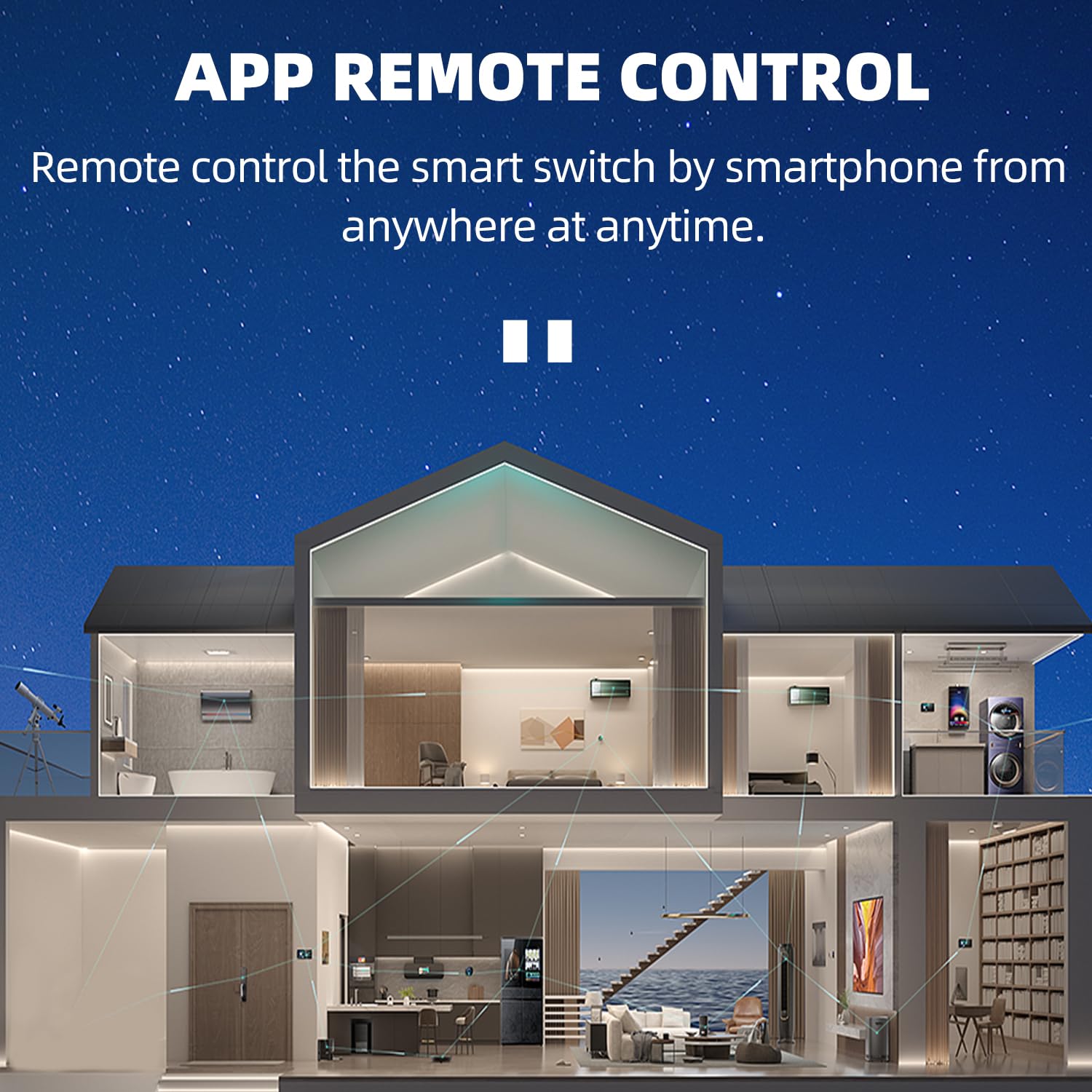
Image: Illustration demonstrating remote control capabilities of the smart circuit breaker via a smartphone app, showing a house with various smart devices connected.

Image: Two smartphone screens showing the Tuya Smart and Smart Life apps being used to control an electric device (television and fan) remotely.
3. שטימע קאנטראל אינטעגראציע
The device is compatible with Google Home and Amazon Alexa. To enable voice control:
- Open the Google Home or Amazon Alexa app.
- Link your Smart Life/Tuya Smart account within the voice assistant app.
- Discover new devices. Your TAXNELE Smart Circuit Breaker should appear.
- You can now control the circuit breaker using voice commands, e.g., "Alexa, turn on [device name]" or "Hey Google, turn off [device name]".

Image: Depiction of voice control functionality with Google Assistant and Amazon Alexa, showing example commands like "Alexa, turn on the living room light." and "Google, turn on the living room light."
אַפּערייטינג ינסטראַקשאַנז
1. ווײַטקאָנטראָל דורך אַפּ
Through the Smart Life/Tuya Smart app, you can:
- קער אויף / אַוועק: Remotely switch the circuit breaker on or off from anywhere.
- טיימער פֿונקציע: Set schedules for the device to turn on or off at specific times.
- קאָונטדאָוון: Set a countdown timer for the device to switch off after a set duration.
- ציקל צייט: Program the device to cycle on and off repeatedly at set intervals.

Image: A smartphone displaying the app interface with metering data (Power, Voltage, Current) and options for Switch, Electricity, and Time. Text highlights "24H Real Time Monitoring" and "APP Remote Control".
2. ענערגיע מאָניטאָרינג
The circuit breaker provides comprehensive energy monitoring features:
- וואלטמעטער: דיספּלייז די קראַנט וואָלtagE (V).
- אַממעטער: דיספּלייז די קראַנט ampעראַגע (א).
- KWh Meter: Tracks total energy consumption in kilowatt-hours (kWh).
- פאַקטיש-צייט דאַטן: מאָניטאָר וואָלtage, current, and power consumption in real-time through the app.
- עלעקטריע סטאַטיסטיק: View daily, monthly, and yearly energy consumption reports.

Image: A smartphone screen showing detailed electricity statistics (Daily, Monthly, Yearly Energy) and real-time voltage, current, and power readings. An energy record graph is also visible.
וישאַלט
To ensure optimal performance and longevity of your TAXNELE Smart Circuit Breaker:
- רייניקונג: Periodically wipe the exterior of the device with a dry, soft cloth. Do not use liquid cleaners or solvents.
- דורכקוק: Regularly check for any signs of physical damage or loose wiring connections.
- Firmware דערהייַנטיקונגען: Keep the Smart Life/Tuya Smart app updated to ensure you have the latest features and security patches for your device.
טראָובלעשאָאָטינג
- אפאראט קאנעקט זיך נישט צו Wi-Fi:
- זיכער מאַכן אַז אייער Wi-Fi נעץ איז 2.4 GHz. די דעווייס שטיצט נישט 5 GHz נעטוואָרקס.
- Check if the Wi-Fi signal is strong enough at the installation location.
- באַשטעטיקן אַז די Wi-Fi פּאַראָל וואָס איז אַרייַנגעגעבן געוואָרן אין דער אַפּ איז ריכטיק.
- Try resetting the circuit breaker (refer to app instructions for specific reset procedure, usually holding the ON/OFF button).
- ריסטאַרט דיין Wi-Fi ראַוטער.
- רימאָוט קאָנטראָל נישט ארבעטן:
- Check if the device is connected to Wi-Fi and online in the app.
- זיכער מאַכן אַז אייער מאָבילער מיטל האט אַן אַקטיווע אינטערנעט פֿאַרבינדונג.
- באַשטעטיקן אַז די אַפּ איז דערהייַנטיקט צו די לעצטע ווערסיע.
- שטימע קאנטראל רעאגירט נישט:
- Confirm that your Smart Life/Tuya Smart account is correctly linked to Google Home or Amazon Alexa.
- Ensure the device name used in voice commands matches the name set in the app.
- Check the internet connection of your voice assistant device.
- נישט פּינקטלעכע ענערגיע מעסטונגען:
- Ensure the device is correctly wired according to the installation instructions.
- Contact customer support if issues persist after verifying wiring.
ספּעסאַפאַקיישאַנז

Image: A table detailing the product parameters including model, rated voltage, rated current, Wi-Fi standard, and functions.
| שטריך | דעטאַל |
|---|---|
| מאָדעל | TXCB2-TWM (40A) |
| אַפּערייטינג וואָלtage | AC90-300V, 50/60 הז |
| רייטאַד קראַנט | 40A (up to 63A variants available) |
| קשר טיפּ | 1P+N |
| מעטשאַניקאַל לעבן | >100,000 מאל |
| אַפּערייטינג טעמפּעראַטור | -25 ℃ צו 70 ℃ |
| ווירעלעסס טיפּ | ווי-פי 2.4 גהז |
| קאָנטראָל טיפּ | ווייַט קאָנטראָל, מאַנואַל |
| רעלס טיפּ | DIN35 |
| דימענסיעס (בעערעך) | 82x68x18mm (3.23x2.68x0.71in) |
| פאַנגקשאַנז | Remote On/Off, Timer, Metering (Voltage, Current, Power, Energy) |

Image: Diagram showing the dimensions of the TAXNELE Smart Circuit Breaker, indicating a height of 82mm, width of 18mm, and depth of 50mm.
וואָראַנטי און שטיצן
Specific warranty information is not provided in the product details. Please refer to the retailer or manufacturer's webוועבזייטל פֿאַר וואָראַנטי טערמינען און באדינגונגען.
For technical support or further assistance, please contact TAXNELE customer service through their official channels or the platform where the product was purchased.