
GP GPRCPCHP461D464
GP RECYKO Pro P461 USB Charger and D461 Charging Dock User Manual
Model: GPRCPCHP461D464
הקדמה
This manual provides comprehensive instructions for the safe and efficient use of your GP RECYKO Pro P461 USB Charger and D461 Charging Dock. Please read this manual thoroughly before operation and retain it for future reference.

Figure 1: GP RECYKO Pro P461 USB Charger inserted into the D461 Docking Station.
וויכטיק סאַפעטי אינפֿאָרמאַציע
כדי צו זיכער מאַכן זיכערע אָפּעראַציע און פאַרמייַדן שאָדן, אָבסערווירן די פאלגענדע פאָרזיכטיגקייטן:
- Use only with NiMH rechargeable batteries. Do not attempt to charge disposable batteries.
- Ensure correct battery polarity when inserting batteries into the charger.
- נישט צענעמען, מאדיפיצירן, אדער קורץ-שליסן דעם טשאַרדזשער אדער באַטעריעס.
- פֿאַרמײַדט אויסשטעלן דעם טשאַרדזשער צו וואַסער, פֿײַכטקייט, אָדער עקסטרעמע טעמפּעראַטורן.
- האַלטן אויס פון דערגרייכן פון קינדער.
- נעמט ארויס דעם טשאַרדזשער פֿון דער מאַכט-מקור ווען ער איז נישט אין באַנוץ אָדער בעת רייניקונג.
- The charger features automatic power shutdown, dV full charge detection, and temperature shutdown to prevent overcharge, overvoltagE, און קורץ סערקאַץ.
- If defective or disposable batteries are inserted, a red LED will flash quickly. Remove immediately.
פּעקל אינהאַלט
באַשטעטיקן אַז אַלע זאכן זענען פאַראַן אין דיין פּעקל:
- 1 x GP P461 USB Charger
- 4 x GP ReCyko PRO AA Batteries (2000 mAh)
- 1 x GP D461 Docking Station
- 1 x וסב טשאַרדזשינג קאַבלע

Figure 2: Included components: P461 charger, D461 docking station, 4 AA batteries, and USB cable.
פּראָדוקט איבערview
GP RECYKO Pro P461 USB Charger
The P461 is a 4-slot USB charger designed for NiMH AA and AAA batteries. It features individual charging channels, smart safety functions, and LED indicators for charging status.
GP RECYKO Pro D461 Docking Station
The D461 docking station enhances the P461 charger by providing a vertical charging concept, an LCD display for detailed battery information, and advanced battery analysis functions such as capacity checking and recovery. It is compatible with GP RECYKO chargers B421, M451, and P461.

פיגורע 3: דערציען view of the P461 charger, showing input (DC 5V=2A) and output specifications for AA and AAA batteries.
סעטאַפּ
- Connect the Docking Station (Optional): If using the D461 docking station, connect the provided USB charging cable to the USB input port on the D461 and then to a compatible USB power adapter (DC 5V/2A recommended, not included).
- Insert the P461 Charger: Place the P461 USB Charger into the D461 Docking Station. The vertical design ensures a secure fit.
- Connect the P461 Charger Directly (Alternative): If not using the docking station, connect the USB charging cable directly to the P461 charger's USB input port and then to a compatible USB power adapter.
- מאַכט אויף: Once connected, the charger/dock will power on. The green LED on the P461 charger will flash for 0.5 seconds and then turn off, indicating it's ready.
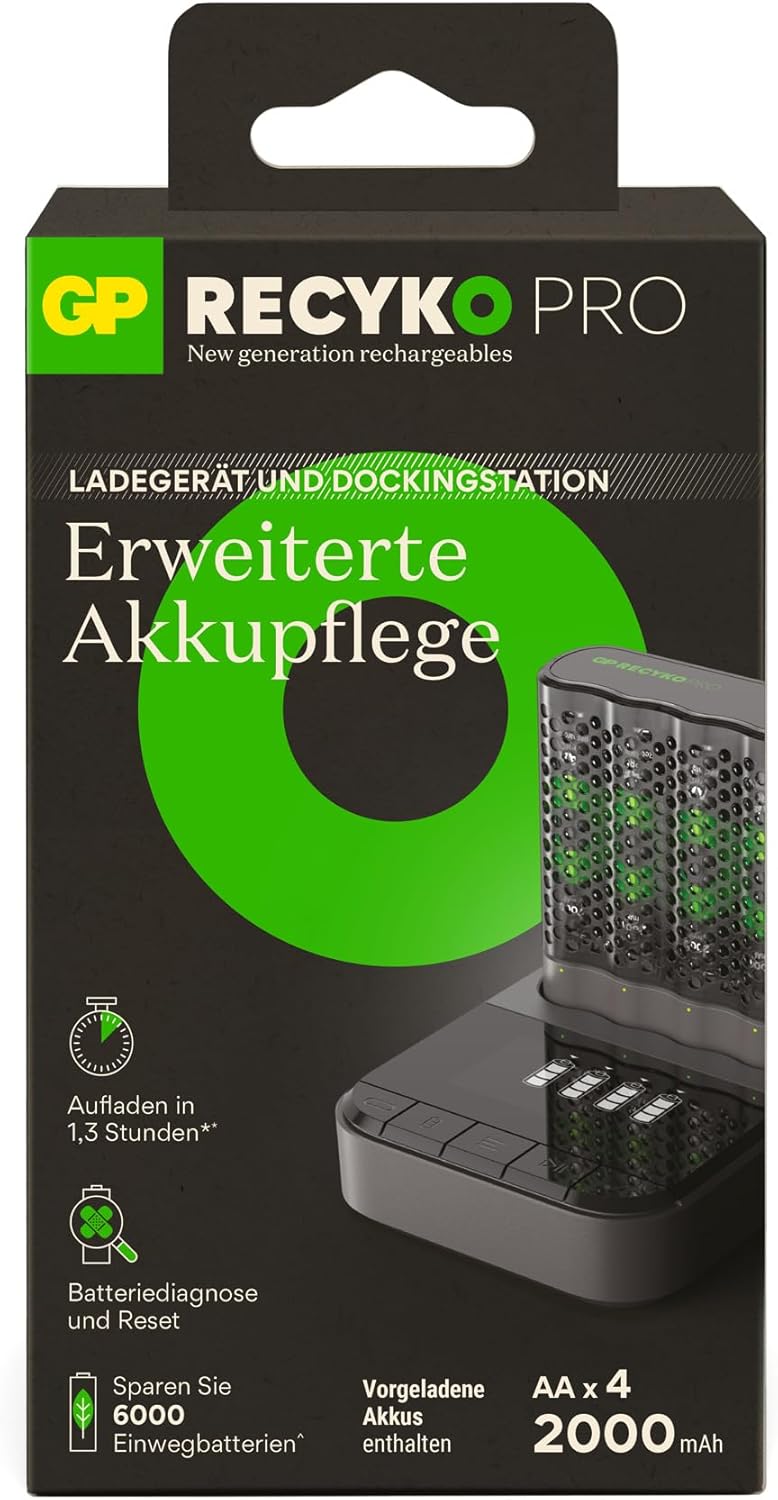
Figure 4: The vertical charging concept of the P461 charger within the D461 docking station, designed for space-saving.
Operating the P461 USB Charger
ינסערטינג באַטעריז
Insert 1 to 4 AA or AAA NiMH rechargeable batteries into the charging slots, ensuring correct polarity (+/-). The charger can accommodate both AA and AAA battery sizes simultaneously.
געפירט ינדיקאַטאָרס
- מאַכט אויף: Green LED flashes 0.5s and turns off.
- טשאַרדזשינג: גרין געפירט פלאַשיז סלאָולי.
- גאָר באפוילן: Green LED lights solid.
- Defective/Disposable Batteries: Red LED flashes quickly. Remove the battery immediately.
Charging Times (Approximate)
(Input DC 5.0V 2A min, for 2 batteries)
- 2000 mAh AA battery: Approximately 80 minutes
- 800 mAh AAA battery: Approximately 80 minutes
For 4 x 2000mAh AA batteries, charging takes approximately 2.6 hours.
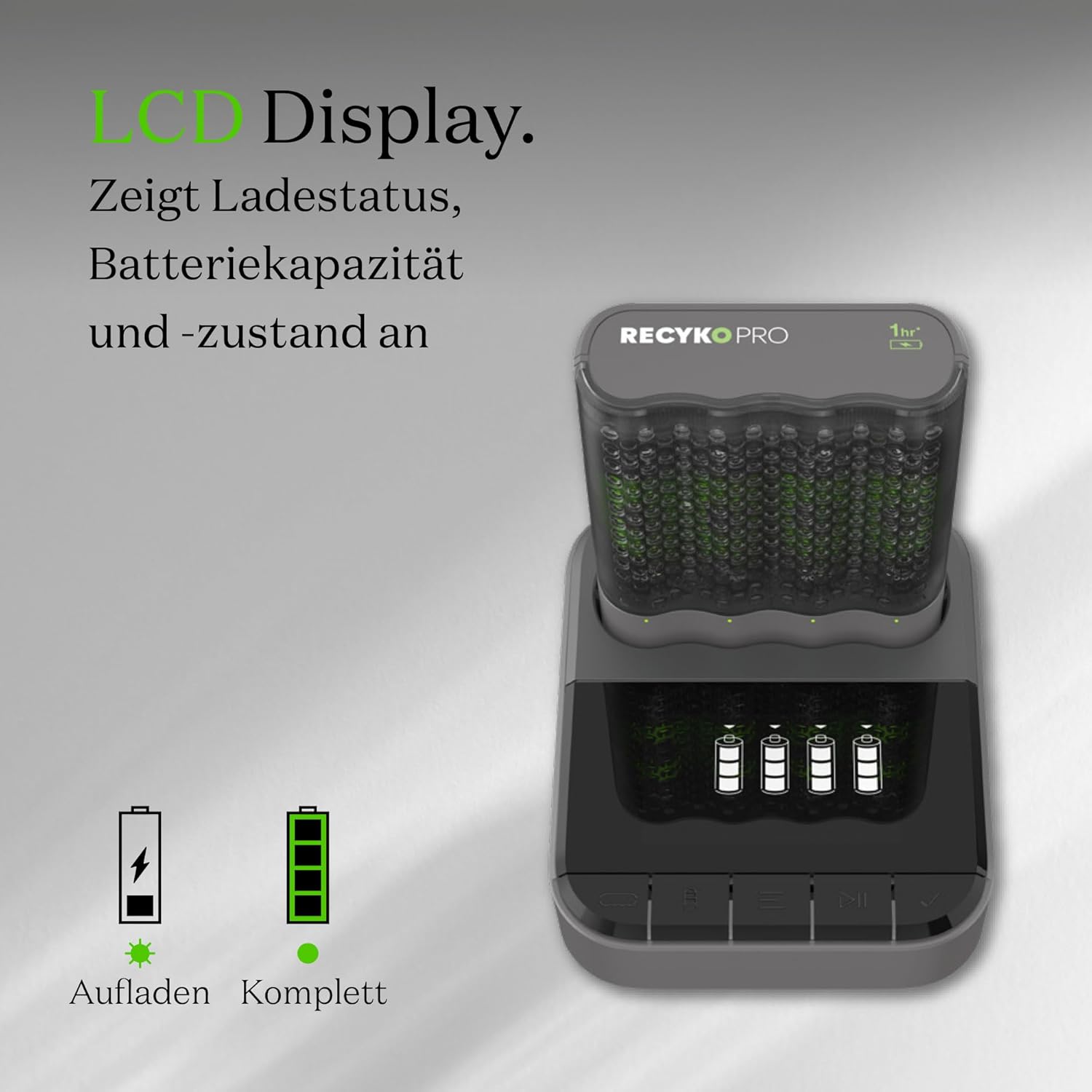
Figure 5: The GP RECYKO Pro charger provides fast charging, enabling quick readiness for devices like RC cars. *For 2 Recyko AA 2100mAh batteries.
Operating the D461 Docking Station
When the P461 charger is inserted into the D461 docking station, the LCD display on the dock provides enhanced information and control.
לקד ווייַז פאַנגקשאַנז
The LCD display shows the charging status and battery status for each individual battery. It also alerts if disposable or defective batteries have been inserted.

Figure 6: The D461's LCD display indicates charging status, battery capacity, and overall battery condition.
Advanced Battery Analysis
The D461 docking station offers advanced functions for individual batteries:
- קאַפּאַציטעט טשעק: Verify the full and remaining capacity of your batteries.
- Battery Recovery/Conditioning: Restore and improve the condition of older or worn batteries.

Figure 7: The D461 allows for checking both full and remaining battery capacity.

Figure 8: The D461 offers battery conditioning and capacity restoration features.
טשאַרדזשינג מאָדעס
The D461 docking station provides two charging modes:
- שנעל טשאַרדזשינג: Charges batteries quickly (e.g., 1.3 hours for certain battery types).
- עקאָ מאָדע: A slower charging mode (e.g., 4 hours) which can be beneficial for battery longevity.
וישאַלט
- רייניקונג: Disconnect the charger and dock from power. Use a dry, soft cloth to wipe the surfaces. Do not use abrasive cleaners or solvents.
- סטאָרידזש: Store the charger, dock, and batteries in a cool, dry place away from direct sunlight and extreme temperatures. The P461 charger's sturdy case can serve as a battery holder for safe storage.
- באַטערי זאָרגן: For optimal performance and longevity, fully charge new batteries before first use. Avoid completely discharging batteries frequently.
טראָובלעשאָאָטינג
| פּראָבלעם | מעגלעך סיבה | לייזונג |
|---|---|---|
| Charger LEDs not lighting up. | קיין מאַכט קשר. | Ensure the USB cable is securely connected to both the charger/dock and a powered USB adapter. Check the power source. |
| Red LED flashes quickly. | Defective or disposable battery inserted. | Remove the battery immediately. Only charge NiMH rechargeable batteries. |
| Batteries not charging or charging slowly. | Incorrect battery insertion, low power input, or very old/damaged batteries. | Check battery polarity. Ensure USB power adapter provides DC 5V/2A. Try the battery recovery function on the D461 dock if available. Replace very old batteries. |
| D461 LCD display not working. | P461 charger not properly seated in the dock, or dock not powered. | Ensure the P461 charger is fully inserted into the D461 dock. Check the USB power connection to the D461. |
ספּעסאַפאַקיישאַנז
GP RECYKO Pro P461 USB Charger
- דימענסיעס: בעערעך. 68 (ל) רענטגענ 84 (וו) רענטגענ 26 (ה) מם
- וואָג: בעערעך. 62 ג
- Number of Slots/Channels: 4 / 4
- USB אַרייַנשרייַב מאַכט: דק קסנומקסוו / קסנומקסאַ
- רעזולטאַט חלקtage/Charging Current (AA): DC 1.4V / 1.73A (1-2 batteries), DC 1.4V / 0.87A (3-4 batteries)
- רעזולטאַט חלקtage/Charging Current (AAA): DC 1.4V / 0.7A (1-2 batteries), DC 1.4V / 0.35A (3-4 batteries)
- זיכערקייַט פֿעיִקייטן: Timer shutdown (3 hours), dV full charge detection, Temperature interruption, Primary battery protection, Reverse polarity protection.
GP RECYKO Pro D461 Docking Station
- דימענסיעס: בעערעך. 100.5 (ל) רענטגענ 82 (וו) רענטגענ 27 (ה) מם
- וואָג: בעערעך. 100.5 ג
- USB אַרייַנשרייַב מאַכט: דק קסנומקסוו / קסנומקסאַ
- רעזולטאַט חלקtage/Charging Current: דק קסנומקסוו / קסנומקסאַ
- LCD ווייַז: 26 רענטגענ 46 מם
- זיכערקייַט פֿעיִקייטן: Timer shutdown (6 hours), Full load detection, Temperature shutdown.
- קאַמפּאַטאַבאַל טשאַרדזשערז: B421, M451, P461 (4-slot USB chargers)
GP RECYKO PRO AA Batteries (2000mAh)
- טיפּ: NiMH
- קאַפּאַציטעט: 2000 מאַה
- גרייס: AA

Figure 9: The charger and dock incorporate automatic power shutdown to prevent overcharging, overvoltage, און קורץ-קרייזן, וואס זיכערט זיכערע אפעראציע.
וואָראַנטי און שטיצן
For warranty information, technical support, or service inquiries, please refer to the official GP Batteries webזייטל אדער קאנטאקט זייער קאסטומער סערוויס דעפארטמענט. האלט אייער קויף קוויטל אלס באווייז פון קויפן.
פאַבריקאַנט: גפּ באַטעריז
Webפּלאַץ: www.gpbatteries.com
Ask a question about this manual
Ask about setup, troubleshooting, compatibility, parts, safety, or missing instructions. Manuals+ will review the question and use this page’s manual context to help answer it.