
1. הקדמה
Thank you for choosing the AULCMEET Replacement Remote Control. This remote is designed to be fully compatible with specific QBell 4K OLED Smart TV models, offering a seamless replacement experience without the need for complex setup or programming. Simply insert batteries, and it's ready for use.
קאָמפּאַטיבלע טעלעוויזיע מאָדעלס: QBell 4K OLED Smart TV QT43J03, QT40K02, QT40J03.
2. אויפשטעלן: באַטעריע אינסטאַלאַציע
To begin using your remote control, you must first install the batteries. This remote requires two AAA alkaline batteries (not included).
- געפֿינען די באַטאַרייע אָפּטייל אויף די צוריק פון די ווייַט קאָנטראָל.
- דריק אַראָפּ אויף דער טאַב און שלעפּ די באַטעריע דעקל אַראָפּ צו עפֿענען עס.
- Insert two AAA alkaline batteries, ensuring the positive (+) and negative (-) terminals align correctly with the markings inside the compartment.
- רוק די באַטאַרייע דעקן צוריק אין פּלאַץ ביז עס קליקס סיקיורלי.
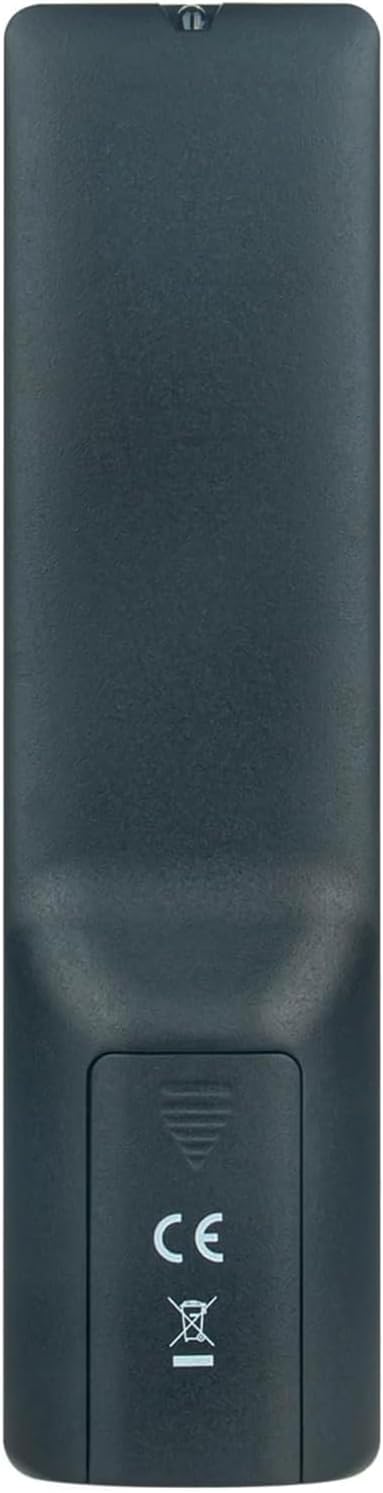
בילד 2.1: דערציען view of the remote control with the battery cover open, illustrating the correct orientation for AAA battery insertion.
Once batteries are installed, the remote is ready for immediate use with your compatible QBell Smart TV. No additional programming or pairing is required.
3. אַפּערייטינג ינסטרוקטיאָנס
This remote control provides full functionality for your compatible QBell 4K OLED Smart TV. Below is a general overview of common buttons and their functions.

בילד 3.1: פראָנט view of the AULCMEET remote control, displaying the layout of all control buttons.
- מאַכט קנעפּל (●): טורנס די טעלעוויזיע אויף אָדער אַוועק.
- נומער קנעפּלעך (0-9): גלייך אויסקלייבן קאַנאַלן.
- CH +/-: טוישט קאַנאַלן אַרויף אָדער אַראָפּ.
- VOL +/-: אַדזשאַסץ די באַנד מדרגה.
- שטום: שטומט אדער אנשטומט דעם טעלעוויזיע קלאַנג.
- מקור: אויסקלייבט אריינגאנג קוועלער (HDMI, AV, אאז"וו).
- מעניו: גייט אריין אין דעם הויפּט מעניו פון דער טעלעוויזיע.
- נאַוויגאַציע קנעפּלעך (אַרויף, אַראָפּ, לינקס, רעכטס, גוט): נאַוויגירן דורך מעניוז און באַשטעטיקן סעלעקשאַנז.
- אַרויסגאַנג: אַרויסגאַנג דעם קראַנט מעניו אָדער פֿונקציע.
- אינפֿאָרמאַציע: דיספּלייז אינפֿאָרמאַציע וועגן דעם קראַנט פּראָגראַם.
- קאָלירטע קנעפּלעך (רויט, גרין, געל, בלוי): Access specific functions depending on the TV menu or application.
- טעקסט: אַקטיוויזירט אָדער דעאַקטיוויזירט טעלעטעקסט.
- סאַבטייטאַל: מאַכט אונטערטיטלען אָן אָדער אויס.
- מעדיע: צוטריט מעדיע ווידערשפּיל פונקציעס.
- שלאפן: Sets the TV sleep timer.
For detailed functions of specific buttons, please refer to your QBell Smart TV's original user manual.
4. וישאַלט
- באַטערי פאַרבייַט: Replace batteries when the remote's response becomes sluggish or stops working. Always replace both batteries simultaneously with new AAA alkaline batteries. Do not mix old and new batteries, or different types of batteries.
- רייניקונג: To clean the remote control, gently wipe it with a soft, dry cloth. Do not use liquid cleaners, sprays, or abrasive materials, as these can damage the remote's surface or internal components.
- סטאָרידזש: אויב די ווײַטקאָנטראָל וועט נישט ווערן גענוצט פֿאַר אַ לענגערע צײַט, נעמט אַרויס די באַטעריעס כּדי צו פֿאַרמײַדן ליקאַדזש און מעגלעכע שאָדן. האַלט די ווײַטקאָנטראָל אין אַ קיל, טרוקן אָרט, ווײַט פֿון דירעקטער זון און עקסטרעמע טעמפּעראַטורן.
5. טראָובלעשאָאָטינג
| פּראָבלעם | מעגלעך סיבה | לייזונג |
|---|---|---|
| די ווײַטקאָנטראָל אַרבעט נישט. |
|
|
| Buttons are unresponsive or delayed. |
|
|
6. ספּעסאַפאַקיישאַנז
| סאָרט | AULCMEET |
| מאָדעל נאָמען | BJKJ-MB1807-JKJBEU |
| קאַמפּאַטאַבאַל דעוויסעס | QBell 4K OLED Smart TV QT43J03, QT40K02, QT40J03 |
| קאַנעקטיוויטי טעכנאָלאָגיע | ינפרערעד (IR) |
| מאַקסימום קייט | 10 מעטער |
| נומער פון קנעפּלעך | 20 |
| קאָנטראָללער טיפּ | קנעפּל קאָנטראָל |
| באַטערי טיפּ | AAA Alkaline (x2) |
| ספּעציעלע שטריך | קיין פּראָגראַממינג פארלאנגט |
| לאַנד פון אָריגין | כינע |
7. שטיצן
For any questions, concerns, or further assistance regarding your AULCMEET Replacement Remote Control, please do not hesitate to contact the manufacturer or your retailer. We are committed to ensuring your satisfaction.
ביטע האַלטן דעם מאַנואַל פֿאַר צוקונפֿט רעפֿערענץ.