
1. הקדמה
The usogood TC30 Trail Camera is designed for capturing high-quality images and videos of wildlife and for outdoor surveillance. Featuring 48-megapixel photos and 4K HD video recording at 30 frames per second, this camera provides clear and detailed footage both day and night. Its robust, waterproof design ensures reliable performance in various outdoor environments.

Figure 1: usogood TC30 Trail Camera
2. פּעקל אינהאַלט
איידער איר שטעלט אויף, ביטע זיכער מאכן אז אלע זאכן זענען פאראן אין פעקל:
- 1x usogood TC30 Trail Camera
- 8x AA Batteries (1.5V)
- 1x 32GB SD קאַרד
- 1x מאַונטינג רימען
- 1x וסב קאַבלע
- 1x באַניצער מאַנואַל

Figure 2: Package contents including camera, batteries, SD card, strap, and cable.
3. סעטאַפּ גייד
3.1 באַטאַרייע ייַנמאָנטירונג
The camera requires 8 AA batteries for operation. Ensure correct polarity when inserting the batteries.
- עפֿנט די קאַמעראַ casing.
- געפינען די באַטאַרייע אָפּטייל.
- Insert 8 AA batteries, matching the positive (+) and negative (-) terminals as indicated.

Figure 3: Proper battery installation.
3.2 SD קאַרטל אַריינשטעלן
A 32GB SD card is included for storing photos and videos.
- With the camera open, locate the SD card slot.
- שטעקט אריין די SD קארטל אין דעם סלאט ביז עס קליקט אריין. זיכערט זיך אז די קארטל איז אריינגעשטעלט אין דער ריכטיגער אריענטאציע.

Figure 4: SD card insertion.
3.3 אײַנצושאַלטן און מאָדוס אויסוואַל
The camera has an ON/TEST/OFF switch to select the operating mode.
- Slide the switch to the 'TEST' position to access the menu and configure settings. The screen will activate.
- After configuring settings, slide the switch to the 'ON' position for automatic operation. The screen will turn off, and the camera will enter surveillance mode.
- Slide the switch to 'OFF' to power down the camera.

Figure 5: ON/TEST/OFF switch.
3.4 מאָונטינג די אַפּאַראַט
The camera is designed for outdoor use and can be mounted using the provided strap.
- Securely attach the camera to a tree or pole using the mounting strap.
- אַדזשאַסטירן דעם קאַמעראַ ווינקל צו דעקן די געוואונטשענע אויפזיכט געגנט.
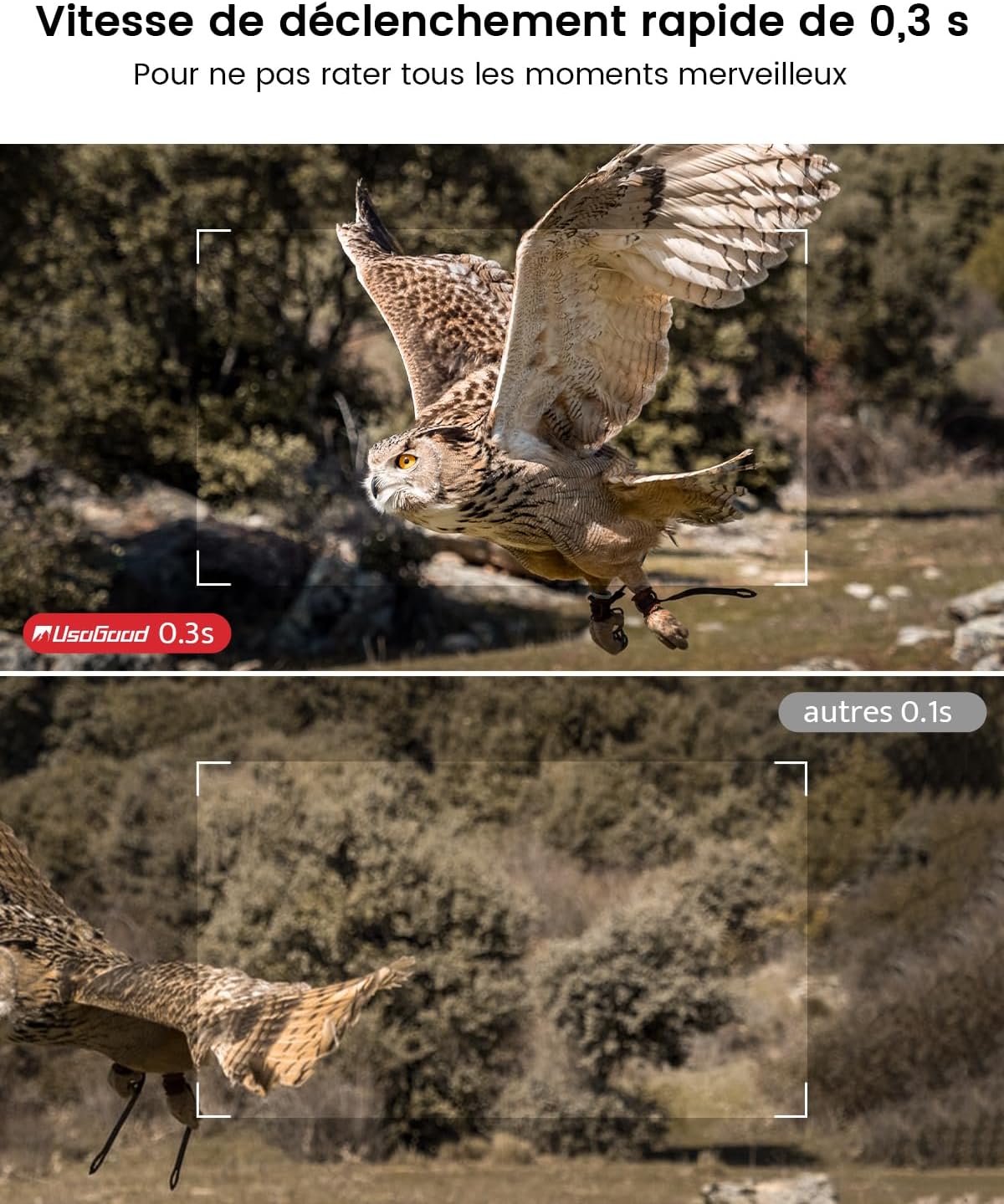
Figure 6: Camera mounted on a tree, demonstrating its IP66 waterproof rating.
4. אַפּערייטינג די קאַמעראַ
4.1 נאַכט זעאונג קייפּאַבילאַטיז
The camera features 36 850nm infrared LEDs for clear night vision without startling animals. The 4K version uses red PIR indicator lights.

פיגורע 7: עקסample of night vision capture.
4.2 Video and Image Quality
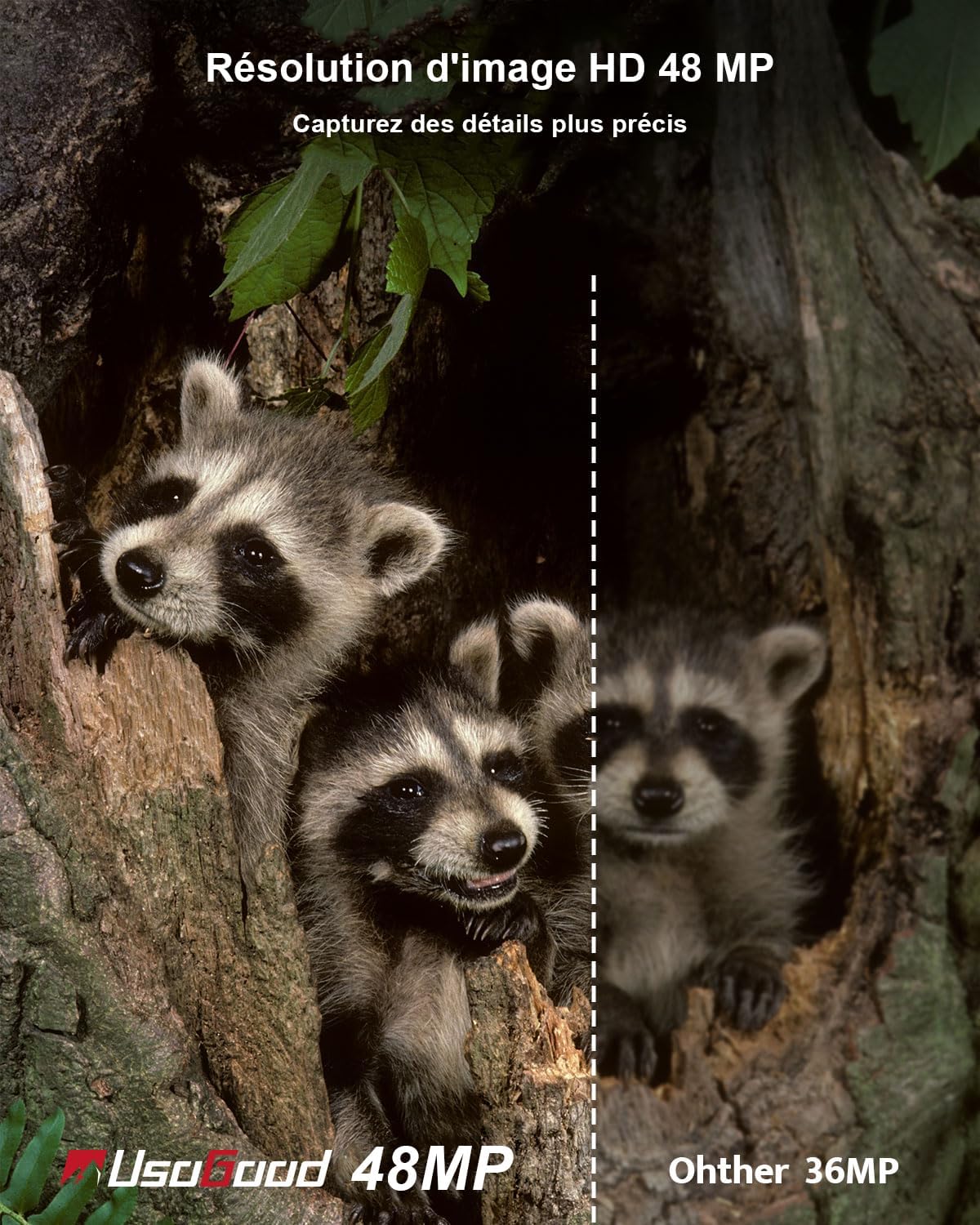
The TC30 captures 4K HD video at 30fps and 48-megapixel still images, ensuring high-quality recordings.
פיגורע 8: עקסample of 4K video quality.

Figure 9: Comparison of 48MP image resolution.
4.3 Motion Detection and Trigger Speed
Equipped with a 120° wide-angle PIR sensor, the camera detects motion and triggers recording within 0.3 seconds.

Figure 10: 120° wide-angle PIR detection.
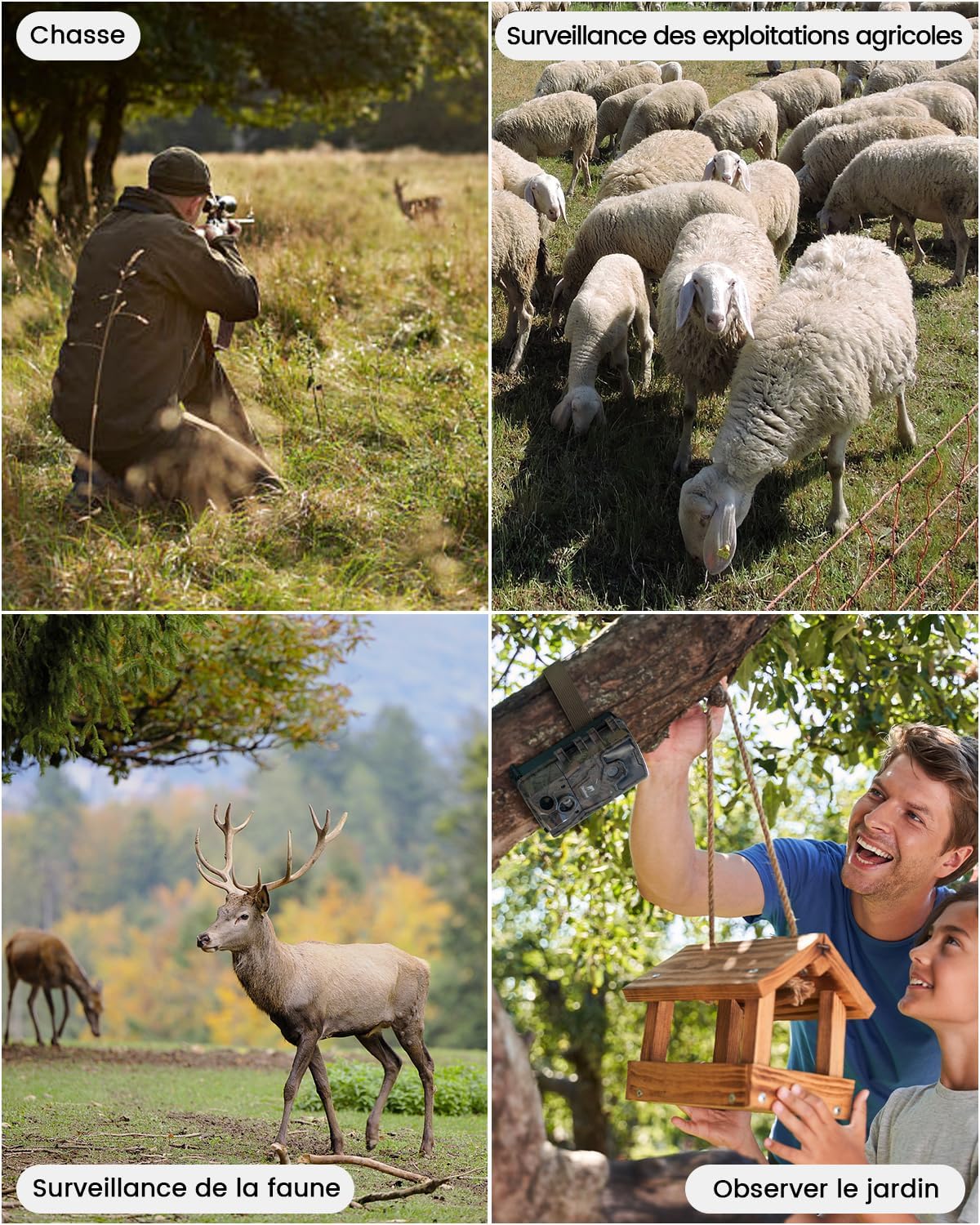
Figure 11: Fast 0.3-second trigger speed.
4.4 Time Lapse Function
The camera supports time-lapse recording, allowing observation of gradual changes over time.

Figure 12: Time-lapse recording of plant growth.
5. Media Management
5.1 Viewינג און דיליטינג Files
צו view or delete recorded videos and pictures:
- Slide the camera switch to the 'TEST' position.
- Press the 'MODE' button twice to enter the viewינג צובינד.
- Use the 'UP' and 'DOWN' buttons to navigate through videos and pictures.
- Press the 'OK' button to play a selected video or view אַ בילד.
- To delete, press 'MENU', select 'Delete', then choose 'Delete Current' or 'Delete All', and confirm.
6. אַפּפּליקאַטיאָנס
The usogood TC30 Trail Camera is suitable for various outdoor applications:
- וויילדלייף אָבסערוואַציע: Capture images and videos of animals in their natural habitat.
- גייעג: Monitor game trails and animal activity.
- Property Surveillance: Enhance security for homes, farms, or backyards.
- Garden Monitoring: Observe garden visitors or plant growth.

Figure 13: Diverse applications of the TC30 camera.

פיגורע 14: זample images captured by the camera.
7. טראָובלעשאָאָטינג
If you encounter issues with your usogood TC30 Trail Camera, consider the following:
- די אַפּאַראַט מאַכט נישט אויף: Check battery installation and ensure batteries are fully charged.
- No recordings: Verify the SD card is correctly inserted and has sufficient space. Check motion detection settings.
- שלעכטע נאכט זעאונג: Ensure the camera is positioned correctly and there are no obstructions blocking the IR LEDs.
- קורץ באַטאַרייע לעבן: Reduce the frequency of recordings or video length in settings. Consider using high-quality alkaline batteries.
For further assistance, please contact usogood customer support.
8. ספּעסאַפאַקיישאַנז
| שטריך | באַשרייַבונג |
|---|---|
| מאָדעל נאָמען | TC30 |
| בילד האַכלאָטע | 48 מעגאַפּיקסעלס |
| ווידעא האַכלאָטע | 4K (30 fps) |
| נאַכט זעאונג | 36 x 850nm Infrared LEDs |
| PIR דעטעקטיאָן ווינקל | 120 דיגריז |
| צינגל ספּיד | 0.3 סעקונדעס |
| וואָטערפּרוף רייטינג | IP66 |
| מאַכט מקור | 8 אַאַ באַטעריז (אַרייַנגערעכנט) |
| סטאָרידזש | 32 גיגאבייט סד קאָרט (אַרייַנגערעכנט) |
| קאַנעקטיוויטי טעכנאָלאָגיע | קיין WiFi |
| מאַטעריאַל | פּלאַסטיק |
| דימענסיעס (L X W X H) | 13.3 X 9 X 5.2 סענטימעטער |
| וואָג | 720 גראַמז |
9. וואָראַנטי און שטיצן
The usogood TC30 Trail Camera comes with a 2-year manufacturer's warranty.
For product support, warranty claims, or any questions, please refer to the contact information provided in your package or visit the official usogood webפּלאַץ.
You can also scan the QR codes below for official usogood resources:
