
הקדמה
This manual provides detailed instructions for the operation and maintenance of your Cuifati Portable Cassette Player with Auto Reverse. Please read this manual thoroughly before using the device to ensure proper functionality and to maximize your listening experience.
פּעקל אינהאַלט
באַשטעטיקט אַז אַלע זאכן וואָס זענען אויסגערעכנט אונטן זענען אַרייַנגערעכנט אין אייער פּעקל:
- 1 x Cuifati Portable Cassette Player
- 1 X Headphone
- 1 x USB מאַכט שנור
- 1 x באַניצער מאַנואַל
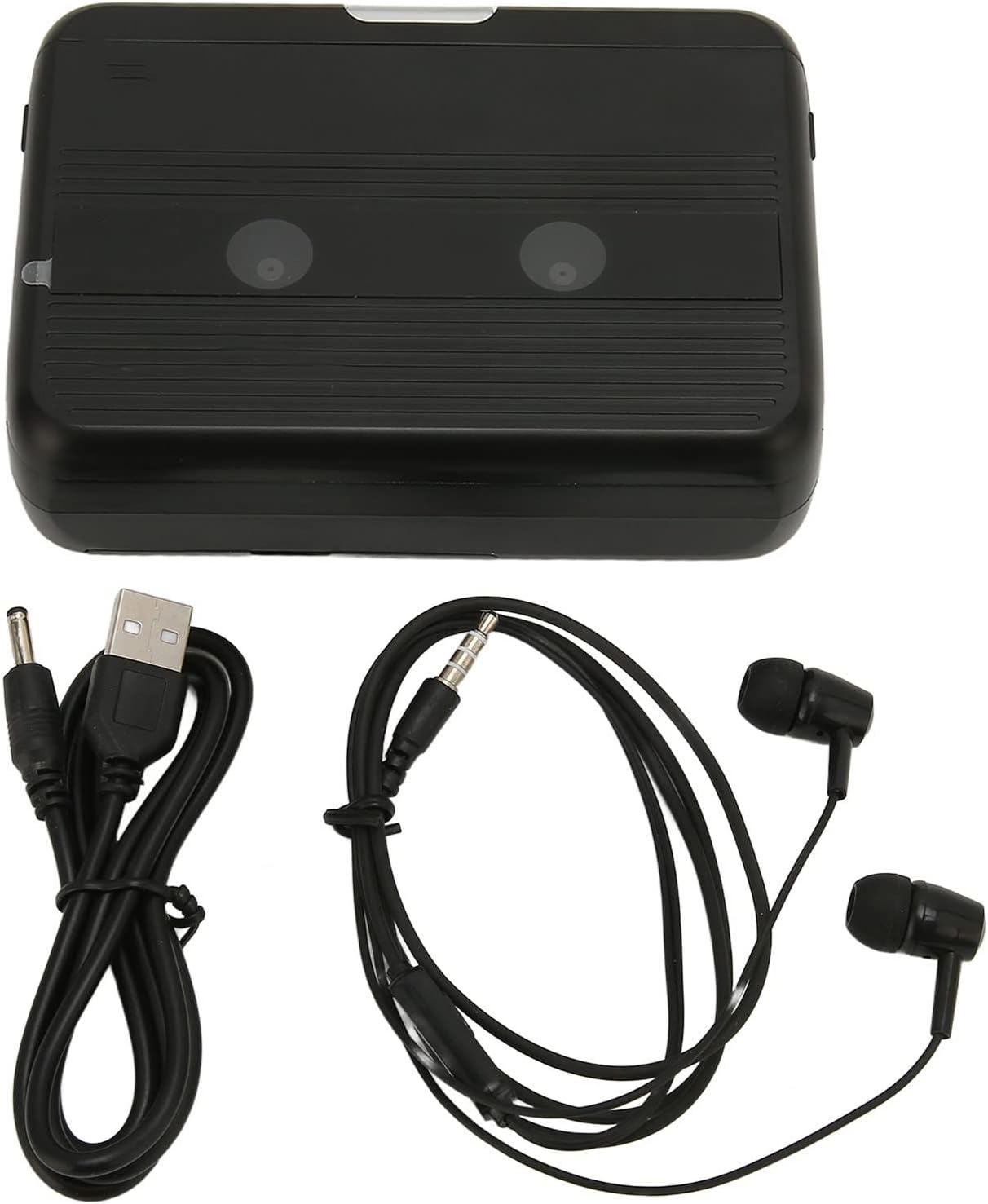
The Cuifati Portable Cassette Player shown alongside its included USB power cord and wired headphones.
פּראָדוקט איבערview
Familiarize yourself with the various parts and controls of your cassette player.
פראָנט View (עפענען)
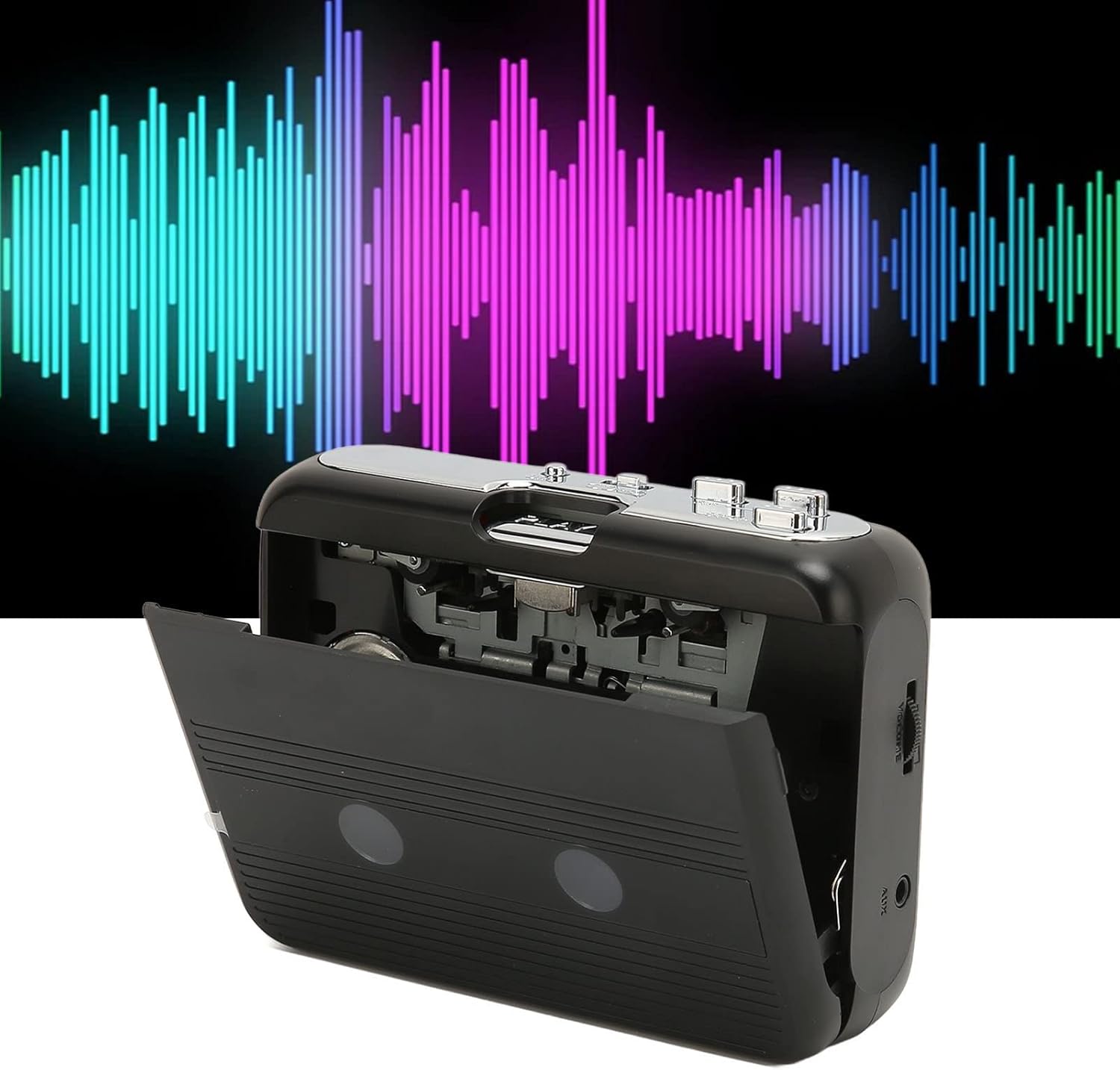
פראָנט view of the Cuifati Portable Cassette Player with the cassette compartment door open, revealing the tape mechanism.
פראָנט View (פארמאכט)
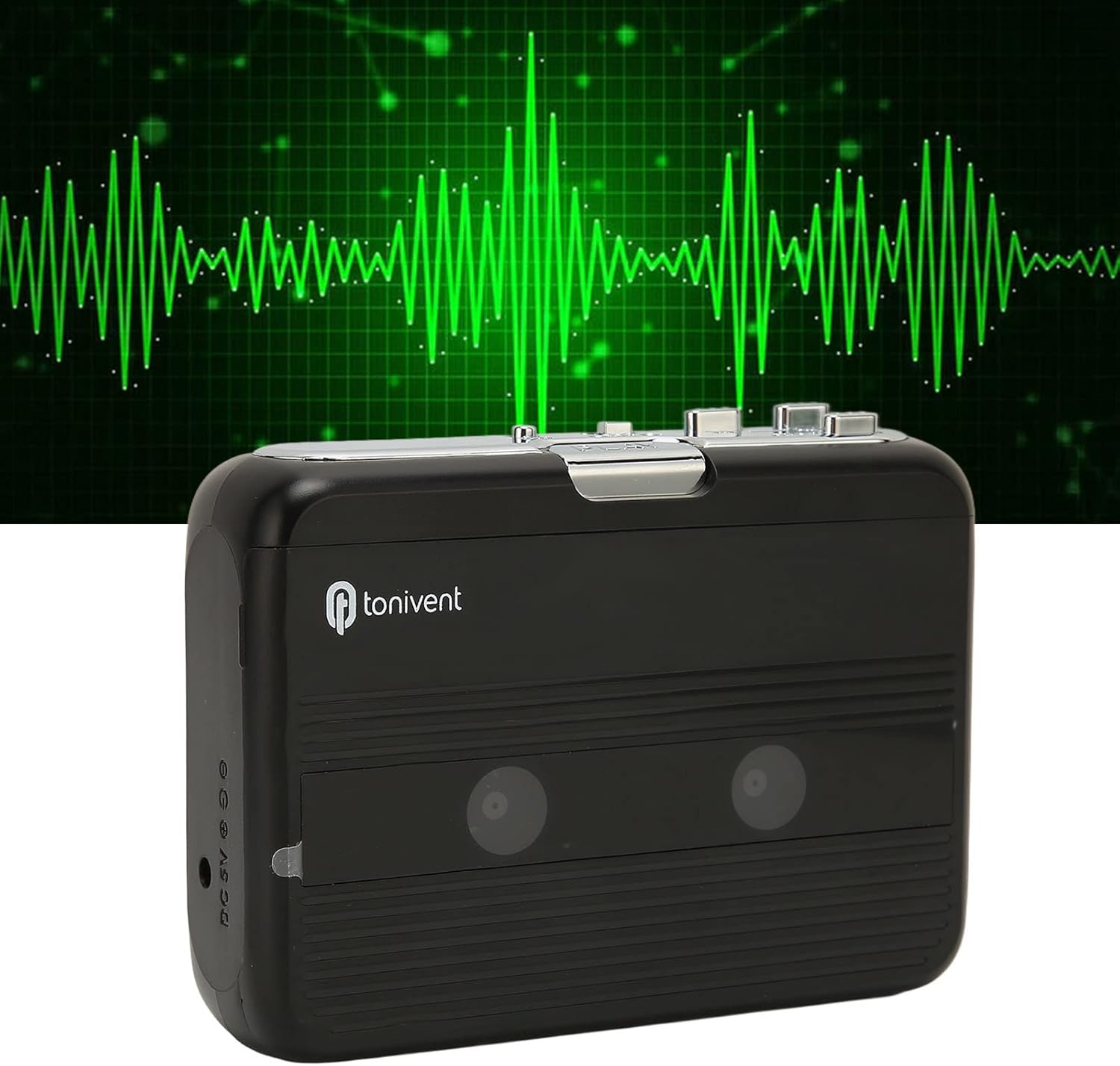
פראָנט view of the Cuifati Portable Cassette Player with the cassette compartment door closed.
Cassette Mechanism

נאָענט-אַרויף view of the cassette player's internal mechanism, showing the tape heads and rollers.
זייַט View (קאָנטראָלן און פּאָרטן)

זייַט view of the cassette player, highlighting the volume control wheel and the AUX output port.
שליסל קאָנטראָלס:
- שפּיל קנעפּל: Initiates cassette playback.
- האַלטן קנעפּל: Halts playback.
- Fast Forward (FF) Button: ציט שנעל פאָרויס דעם טייפּ.
- Rewind (REW) Button: שפּאַלט צוריק די טייפּ.
- Auto Reverse Button: Changes tape direction during playback.
- באַנד קאָנטראָל ראָד: אַדזשאַסטירט אַודיאָ אַרויסגאַנג לעוועל.
- FM/Tape Switch: Selects between FM radio and cassette playback mode.
- Headphone/AUX Output Jack: Connects headphones or external audio devices.
- DC 5V אַרייַנשרייַב: פֿאַר וסב מאַכט צושטעלן.
סעטאַפּ
מאַכט צושטעלן
The cassette player can be powered by two (2) AA batteries or via a USB power supply.
- ייַנמאָנטירונג פון באַטאַרייע:
- עפֿנט דעם דעקל פֿון דער באַטעריע־אָפּטיילונג, וואָס געפֿינט זיך אויף דער הינטערשטער זײַט פֿון דעם אַפּאַראַט.
- אַרײַנשטעלן צוויי AA באַטעריעס, און זיכער מאַכן אַז די פּאָלאַריטעט (+/-) איז ריכטיק ווי אָנגעוויזן אין דעם אָפּטייל.
- פאַרמאַכן די באַטאַרייע אָפּטייל דעקן סיקיורלי.
- USB Power Connection:
- Connect the small end of the included USB power cord to the DC 5V input port on the cassette player.
- Connect the standard USB end to a USB power adapter (not included) or a computer's USB port.
Inserting a Cassette Tape
- Gently open the cassette compartment door.
- Insert a cassette tape with the exposed tape facing upwards and the side you wish to play facing the front.
- Close the cassette compartment door until it clicks securely.
אַפּערייטינג ינסטראַקשאַנז
פּלייַינג קאַסעץ
- זייט זיכער אַז אַ קאַסעטע טייפּ איז ריכטיק אַרײַנגעלייגט.
- Set the FM/Tape switch to the "Tape" position.
- דרוק די שפּיל קנעפּל צו אָנהייבן פּלייבאַק.
- סטרויערן די באַנד קאָנטראָל ראָד צו אייער געוואונטשענעם הערן לעוועל.
- צו האַלטן פּלייבאַק דריקן די האַלטן קנעפּל.
- צו שנעל פאָרויס, דריקן די FF button. To rewind, press the REW קנעפּל. דרוק האַלטן to disengage.
Auto Reverse Function
The player features an auto-reverse function, allowing the tape to play in both directions without needing to manually flip the cassette.
- בעשאַס פּלייבאַק, דריקן די אַוטאָ פאַרקערט button to switch the tape direction. The player will automatically reverse and continue playing the other side of the tape.
ניצן די עפעם ראַדיאָ
- Set the FM/Tape switch to the "FM" position.
- Use the tuning dial (if present, otherwise the FF/REW buttons might serve as tuning) to scan for FM radio stations.
- סטרויערן די באַנד קאָנטראָל ראָד צו אייער געוואונטשענעם הערן לעוועל.
Using the Built-in Speaker
The device includes a built-in speaker for direct audio output. No special action is required; audio will play through the speaker unless headphones are connected.
Connecting Headphones or External Audio Devices
For private listening or connecting to external speakers, use the 3.5mm headphone/AUX output jack.
- Plug the included headphones or your own 3.5mm audio cable into the Headphone/AUX Output Jack.
- When headphones are connected, audio will automatically switch from the built-in speaker to the headphones.

A person listening to music with headphones, illustrating the headphone usage.
וישאַלט
Proper care ensures the longevity and optimal performance of your cassette player.
- רייניקונג: ניצט אַ ווייכע, טרוקענע שטאָף צו רייניקן די אויסערלעכע זייט פון דעם אַפּאַראַט. ניצט נישט פליסיקע רייניקונגס-מיטלען אדער שברייענדע מאַטעריאַלן.
- טייפּ קעפּ: Periodically clean the tape heads with a specialized cassette head cleaner to maintain sound quality.
- סטאָרידזש: ווען נישט אין באַנוץ פֿאַר לענגערע פּעריאָדן, אַרויסנעמען די באַטעריעס צו פאַרמייַדן ליקאַדזש. האַלטן די מיטל אין אַ קיל, טרוקן אָרט אַוועק פון דירעקט זונשייַן און עקסטרעמע טעמפּעראַטורן.
- ויסמיידן שטויב: Keep the cassette compartment closed when not in use to prevent dust accumulation.
טראָובלעשאָאָטינג
If you encounter issues with your cassette player, refer to the following common problems and solutions:
| פּראָבלעם | מעגלעך סיבה | לייזונג |
|---|---|---|
| קיין מאַכט | Dead batteries; USB cable not connected; faulty power source. | Replace batteries; ensure USB cable is securely connected to a working power source. |
| No sound from speaker/headphones | Volume too low; headphones not fully plugged in; FM/Tape switch in wrong position; dirty tape heads. | Increase volume; ensure headphones are fully inserted; set switch to correct mode (Tape/FM); clean tape heads. |
| Poor sound quality (cassette) | Dirty tape heads; worn-out tape; incorrect tape insertion. | Clean tape heads; try a different tape; re-insert tape correctly. |
| FM radio static/poor reception | שוואַך סיגנאַל; שטערונג. | Relocate the player to an area with better reception; try adjusting the player's orientation. |
| טייפּ שפּילט זיך נישט/רירט זיך נישט | Tape jammed; mechanism issue; tape not inserted correctly. | Check for tape jams; ensure tape is inserted correctly; if issue persists, contact support. |
ספּעסאַפאַקיישאַנז
| שטריך | דעטאַל |
|---|---|
| סאָרט | Cuifati |
| מאָדעל נומער | Cuifatibi73wk0z4p |
| ASIN | B0CDD42V9J |
| מאַכט צושטעלן | 2 x AA Batteries or USB DC 5V |
| פאַנגקשאַנז | Cassette Playback, Auto Reverse, FM Radio, Built-in Speaker, Headphone Output |
| אַודיאָ רעזולטאַט | 3.5mm Headphone/AUX Jack |
| פּונקט וואָג | 10.3 אונסעס |
וויכטיק סאַפעטי אינפֿאָרמאַציע
- שטעלט נישט אויס דעם אפאראט צו וואסער, פייכטקייט, אדער עקסטרעמע טעמפעראטורן.
- ויסמיידן דראַפּינג אָדער אונטערטעניק די מיטל צו שטאַרק ימפּאַקץ.
- פרובירט נישט צו צענעמען אדער פאררעכטן דעם אפאראט אליין. לאָזט איבער אלע סערוויסעס צו קוואַליפֿיצירטע פּערסאָנעל.
- אַוועקוואַרפן באַטעריעס פאַראַנטוואָרטלעך לויט די לאָקאַלע רעגולאַציעס.
- פארלענגערט הערן ביי הויכע וואליום לעוועלס קען שאפן געהער שאדן. שטעלט אפ דעם וואליום צו א זיכערן לעוועל.
וואָראַנטי און שטיצן
פֿאַר וואָראַנטי אינפֿאָרמאַציע אָדער טעכנישע שטיצע, ביטע זען די דאָקומענטאַציע וואָס איז צוגעשטעלט געוואָרן ביים קויפן אָדער קאָנטאַקט דיין הענדלער. האַלט דיין קויף קוויטל ווי אַ באַווייַז פון קויפן.