
HAMMER Ellypsis E3500 (Model 11001)
האַמער עלליפּסיס E3500 עלליפּטיקאַל טריינער באַניצער מאַנואַל
Model: Ellypsis E3500 (Model 11001)
1. הקדמה און איבערview
Welcome to the user manual for your new HAMMER Ellypsis E3500 Elliptical Trainer. This modern elliptical trainer, presented in Stealth Black, combines first-class design with optimized ergonomics to provide an effective and comfortable workout experience. It is designed to support various fitness goals, from cardiovascular health to muscle strengthening and fat burning.
The E3500 features a generous stride length of 52 cm and an ergonomic pedal distance of 13 cm, ensuring natural and fluid movement. Its user-friendly LCD computer provides all essential training data and functions at a glance, including heart rate monitoring via integrated sensors. The trainer is also compatible with popular fitness apps like Zwift and Kinomap, allowing you to immerse yourself in virtual training worlds and interactive routes.

Figure 1: The HAMMER Ellypsis E3500 Elliptical Trainer, a sleek black fitness machine designed for ergonomic and effective home workouts.
2. זיכערקייַט אינפֿאָרמאַציע
Please read all safety instructions carefully before assembling or using the HAMMER Ellypsis E3500. Failure to follow these instructions may result in injury or damage to the equipment.
- באַראַטנ זיך אַ דאָקטער: Before starting any new exercise program, especially if you have pre-existing health conditions, consult with a healthcare professional.
- פֿאַרזאַמלונג: Ensure all parts are correctly assembled and tightened according to the instructions. Do not use the machine if any parts are damaged or missing.
- אָרט: Place the elliptical trainer on a flat, stable surface. Ensure adequate clearance around the machine (at least 0.6 meters or 2 feet) for safe operation and movement.
- באַניצער וואָג לימיט: נישט איבערשטייגן דעם מאקסימום באַניצער וואָג פון 150 ק"ג (330 פונט).
- קינדער און פּעץ: Keep children and pets away from the machine during operation. This equipment is not a toy.
- געהעריק לבוש: טראָגט פּאַסיקע אַטלעטישע קליידער און שיך. פֿאַרמייַדט לויזע קליידער וואָס קענען זיך פֿאַרהאַנגען אין באַוועגלעכע טיילן.
- וואַרעם-אַרויף און קיל-אַראָפּ: Always perform a warm-up before your workout and a cool-down afterwards to prevent muscle strain.
- Stop if Unwell: If you experience dizziness, nausea, chest pain, or any other abnormal symptoms, stop your workout immediately and consult a doctor.
- וישאַלט: Regularly inspect the machine for wear and tear. Do not attempt to service the machine beyond the maintenance instructions provided in this manual.
3. פּעקל אינהאַלט
Carefully unpack all components and verify that you have received all parts listed below. If any parts are missing or damaged, please contact customer support.
- הויפּט פריים אַסעמבלי
- פראָנט און דערציען סטאַביליזערס
- Pedal Arms and Pedals (2 sets)
- Handlebars (Fixed and Moving)
- קאַנסאָול/דיספּליי יוניט
- האַרדווער קיט (באָלץ, וואַשערס, ניסלעך, מכשירים)
- מאַכט אַדאַפּטער
- באַניצער מאַנואַל (דעם דאָקומענט)
4. אַסעמבלי אינסטרוקציעס
Assembly typically requires two people. Follow these steps carefully. Refer to the included assembly diagram for visual guidance.
- אויספּאַקן און צוגרייטן: Remove all components from the packaging. Lay out all parts on a clean, flat surface. Ensure all packing materials are removed from the main frame.
- צוטשעפּען סטאַביליזאַטאָרן: באַפעסטיקט די פראָנט און הינטערשטע סטאַביליזאַטאָרן צום הויפּט ראַם מיט די צוגעשטעלטע באָלץ און וואַשערס. מאַכט זיכער אַז זיי זענען פעסט באַפעסטיקט פֿאַר פעסטקייט.
- Install Pedal Arms: Attach the pedal arms to the main drive mechanism. Pay attention to left and right markings. Secure with the appropriate hardware.
- מאָנטירן האַנטלבאַרס: Connect the fixed handlebars to the main frame. Then, attach the moving handlebars to the pedal arms and the main frame's upper support. Ensure all pivot points are secure.
- פֿאַרבינדן קאַנסאָול: Carefully connect the sensor cables from the main frame to the console unit. Mount the console onto its designated bracket.
- לעצט טשעקס: Double-check all bolts and connections to ensure they are secure. Plug in the power adapter.
5. אַפּערייטינג ינסטרוקטיאָנס
5.1. Console and Display
The user-friendly LCD console provides real-time feedback on your workout.

Figure 2: The elliptical trainer's console displaying workout data, alongside key features such as the 20 kg flywheel, 11 training programs, and 52 cm stride length.
- LCD ווייַז: Shows time, distance, speed, calories burned, and heart rate.
- קנעפּלעך: Navigate through menus, select programs, and adjust resistance. Refer to the console-specific section in the full manual for detailed button functions.
- טאַבלעט האָלדער: A convenient holder is integrated for your smartphone or tablet.
5.2. Training Programs
The Ellypsis E3500 offers a variety of programs to suit your fitness needs:
- 11 Training Programs: Pre-set programs designed for different fitness levels and goals.
- 4 Heart Rate Programs: Target specific heart rate zones for effective cardiovascular training.
- 4 באַניצער פּראָfiles: Save individual user data and progress.
- מאַנואַל פּראָגראַם: Adjust resistance and workout parameters manually during your session.
5.3. App Connectivity (Kinomap & Zwift)
Enhance your training experience by connecting your elliptical trainer to Kinomap and Zwift via Bluetooth.

Figure 3: A user interacting with the elliptical trainer's console, which displays connectivity with fitness apps like Kinomap and Zwift for interactive and live-streamed workouts.
- דאַונלאָוד אַפּפּס: Download the Kinomap and/or Zwift apps from your device's app store.
- געבן בלועטאָאָטה: זיכער מאַכן אַז בלועטוט איז ענייבאַלד אויף דיין סמאַרטפאָון אָדער טאַבלעט.
- פאַרבינדן: Open the fitness app and follow the in-app instructions to connect to your HAMMER Ellypsis E3500. The app will typically detect the trainer automatically.
- ויספאָרשן: Enjoy interactive routes, multiplayer functions, and live workouts.
5.4. Incline Adjustment
The Ellypsis E3500 features a 3-fold height adjustment, allowing you to vary your workout and target different muscle groups.
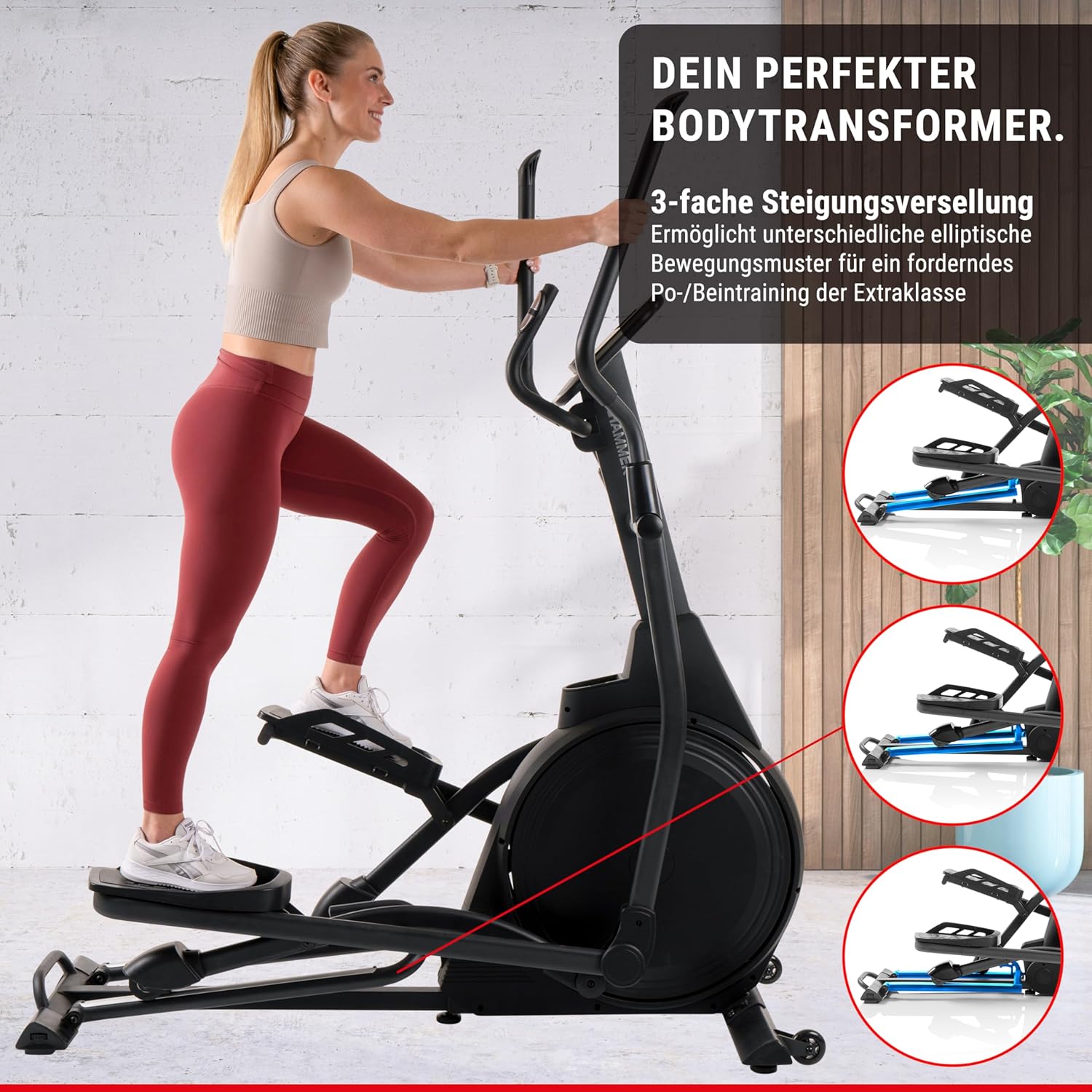
Figure 4: The elliptical trainer demonstrating its 3-fold incline adjustment capability, which allows for varied elliptical movement patterns to target different leg and glute muscles.
- Adjusting Incline: The incline mechanism is located at the front of the machine. Consult the detailed manual for specific instructions on how to safely adjust the incline.
- מוסקל טאַרגאַטינג: A higher incline focuses on glutes and hamstrings, while a lower incline emphasizes the front thigh muscles.
5.5. האַרץ רייט מאָניטאָרינג
Integrated heart rate sensors on the handlebars allow you to monitor your pulse during your workout.
- באַניץ: Grip the heart rate sensors firmly with both hands during your workout. Your heart rate will be displayed on the console.
- אַקיעראַסי: For best accuracy, ensure your hands are clean and dry.
6. וישאַלט
Regular maintenance ensures the longevity and optimal performance of your elliptical trainer.
- רייניקונג: ווישן די מאַשין מיט אַדamp טוך נאך יעדן באניץ צו באזייטיגן שווייס און שטויב. פארמיידט שווארצע רייניגער.
- שמירן: Periodically check and lubricate moving parts as indicated in the detailed maintenance section of the full manual.
- דורכקוק: Regularly inspect all bolts, nuts, and connections for tightness. Tighten any loose fasteners. Check for signs of wear on the aluminum rails and wheels.
- שטיל אָפּעראַציע: The E3500 features high-quality ball bearings for quiet operation. If you notice any unusual noises, refer to the troubleshooting section.
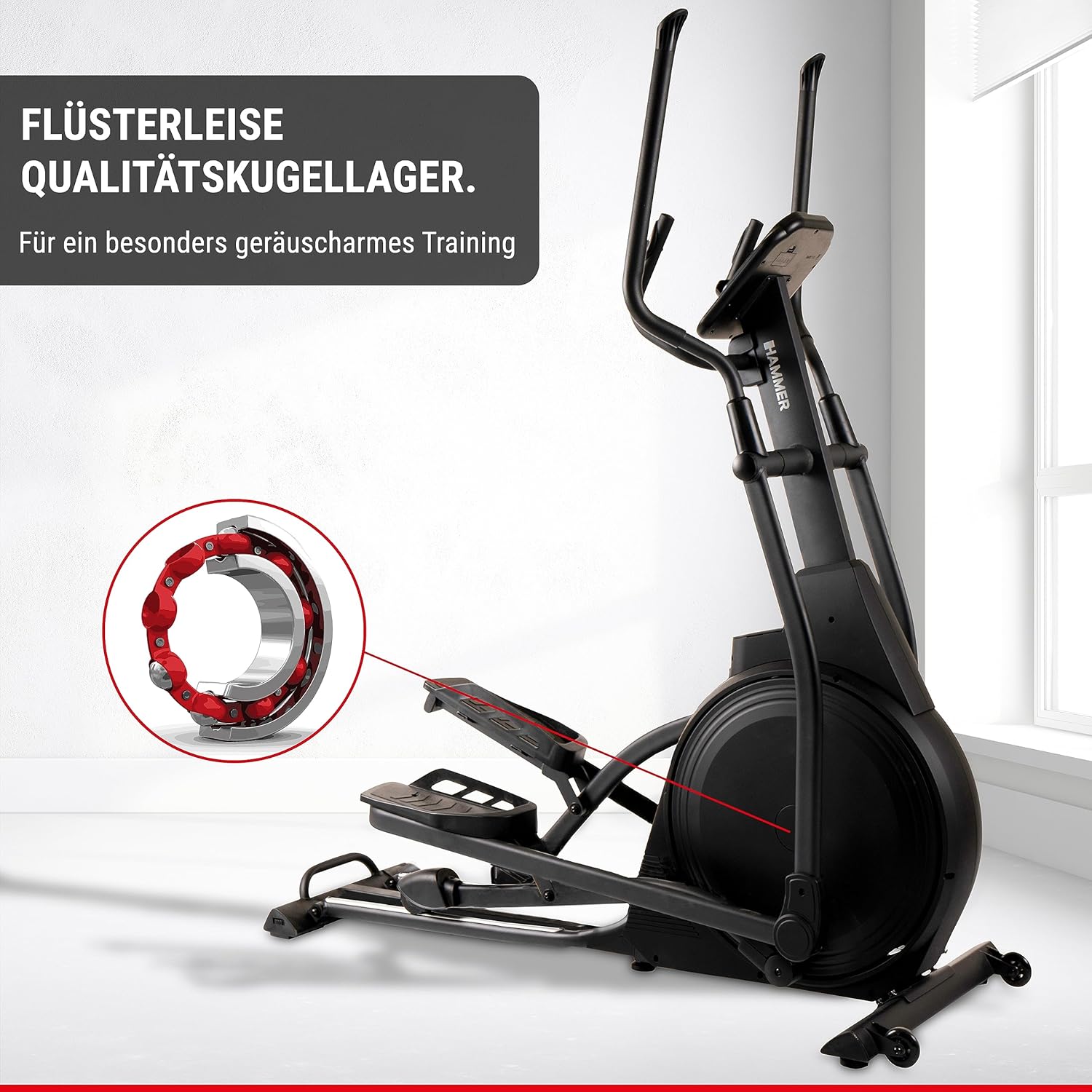
Figure 5: An illustration highlighting the high-quality ball bearings within the elliptical trainer, designed for exceptionally quiet training sessions.
7. טראָובלעשאָאָטינג
If you encounter any issues with your elliptical trainer, refer to the table below for common problems and solutions.
| פּראָבלעם | מעגלעך סיבה | לייזונג |
|---|---|---|
| No power to console | Power adapter not connected; outlet issue; damaged cable. | Ensure power adapter is securely plugged into the machine and a working outlet. Check for cable damage. |
| ומגעוויינטלעך נויזיז בעשאַס אָפּעראַציע | לויזע באָלץ; מאַנגל פון לובריקאַציע; אפגענוצטע טיילן. | Check and tighten all assembly bolts. Lubricate moving parts as per maintenance instructions. If noise persists, contact customer support. |
| נישט פּינקטלעכע האַרץ ראַטע לייענען | הענט נישט פעסט אויף סענסארן; טרוקענע הענט; אריינמישונג. | Ensure firm and consistent grip on sensors. Lightly moisten hands if too dry. Avoid electronic interference. |
| קעגנשטעל נישט טשאַנגינג | Console connection issue; magnetic brake system malfunction. | Check console cable connections. Restart the machine. If the problem continues, contact customer support. |
8. ספּעסאַפאַקיישאַנז
| שטריך | דעטאַל |
|---|---|
| מאָדעל נאָמען | עלליפּסיס ע3500 |
| מאָדעל נומער | 11001 |
| סאָרט | האַמער |
| קאָליר | שוואַרץ |
| דימענסיעס (L X W X H) | 158 X 65 X 185 סענטימעטער (62.2 X 25.6 X 72.8 אינטשעס) |
| פּונקט וואָג | 66 קג (145.5 לבס) |
| פליוויל מאַסע | 20 קג |
| קעגנשטעל מעקאַניזאַם | מאַגנעטיק |
| נומער פון קעגנשטעל לעוועלס | 20 |
| מאַקסימום שריט לענג | 52 סענטימעטער |
| Pedal Distance | 13 סענטימעטער |
| מאַקסימום באַניצער וואָג | 150 קג |
| טראַינינג מגילה | 11 (including 4 heart rate programs) |
| באַניצער פּראָfiles | 4 |
| קאַנעקטיוויטי | Compatible with Zwift & Kinomap |
| מאַכט מקור | Requires AA batteries (for console) |
9. וואָראַנטי און שטיצן
For warranty information, technical support, or to order replacement parts, please contact HAMMER customer service.
- קונה סערוויס: Refer to the contact information provided on the HAMMER webוועבזייטל אדער אייער קויף קוויטל.
- אָנליין רעסורסן: Visit the official HAMMER webזייטל פֿאַר אָפֿט געשטעלטע פֿראַגעס, נאָך שטיצע מאַטעריאַלן, און פּראָדוקט רעגיסטראַציע.
Ask a question about this manual
Ask about setup, troubleshooting, compatibility, parts, safety, or missing instructions. Manuals+ will review the question and use this page’s manual context to help answer it.