
Strong SW8000M
שטאַרק SW8000M 8-פּאָרט גיגאַביט דעסקטאָפּ סוויטש באַניצער מאַנואַל
Model: SW8000M
1. הקדמה
This manual provides instructions for the installation, operation, and maintenance of your STRONG SW8000M 8-Port Gigabit Desktop Switch. This device is designed to expand your network connectivity with high-speed Gigabit Ethernet ports, suitable for home and office environments.
2. פּראָדוקט פֿעיִקייטן
- גיגאַביט גיכקייט: Provides 10/100/1000 Mbps for fast network connections.
- 8-Port Connectivity: Expands network with 8 Gigabit Ethernet ports.
- צאַפּן און שפּיל: No software or configuration required for basic operation.
- Robust Metal Design: Durable metal housing for longevity.
- פלעקסאַבאַל מאַונטינג: Supports desktop placement or wall mounting.
- פען-לאזער אפעראציע: Ensures quiet performance, ideal for noise-sensitive areas.
- Optimized Data Traffic: Supports QoS, IGMP, and VLAN functions.
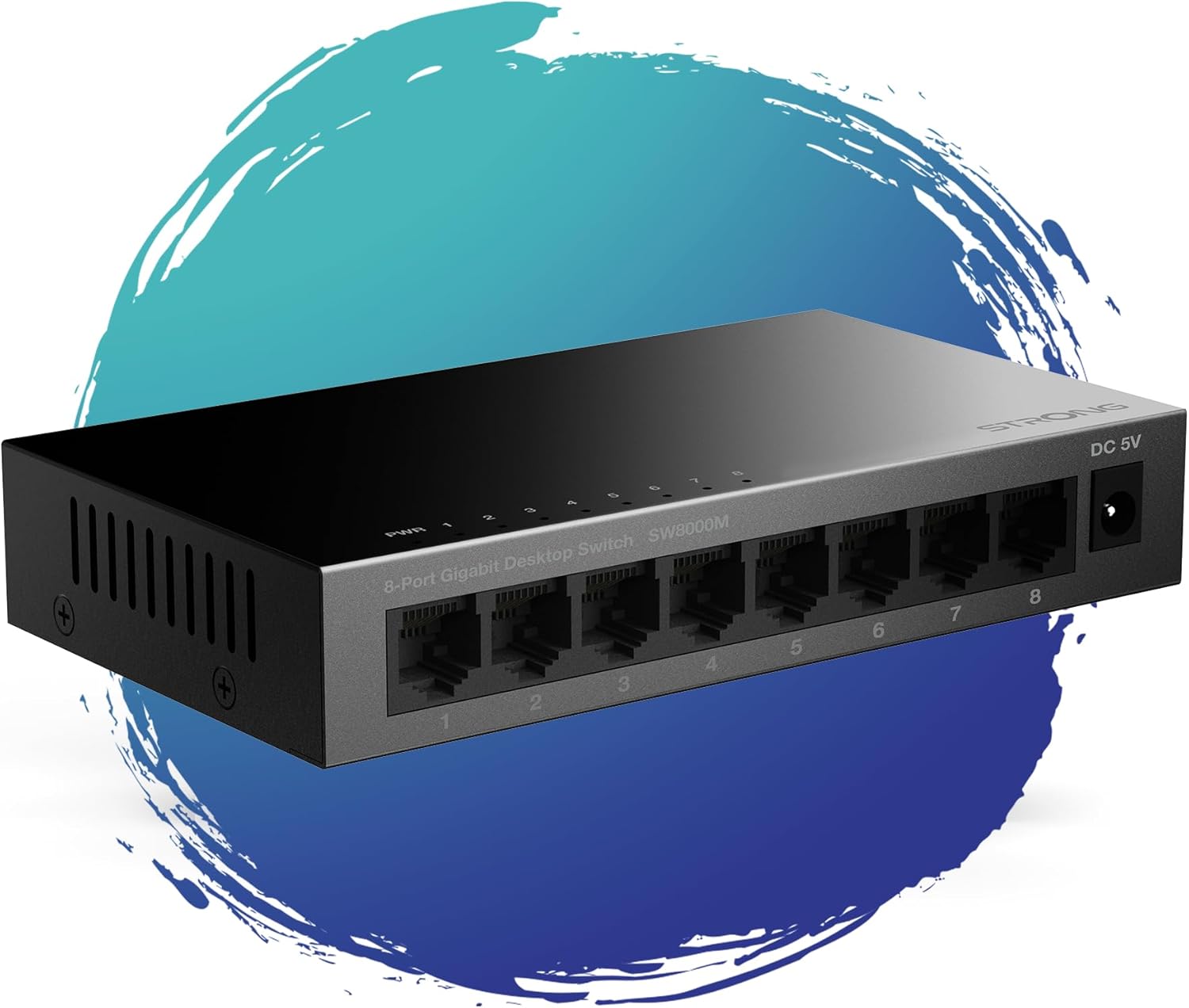
פיגורע 1: פראָנט view of the STRONG SW8000M 8-Port Gigabit Desktop Switch, highlighting its compact design and 8 RJ45 ports.
3. פּעקל אינהאַלט
באַשטעטיקן אַז אַלע זאכן זענען פאַראַן אין פּעקל:
- STRONG SW8000M 8-Port Gigabit Desktop Switch
- Power Adapter (Mains plug)
- ייַנמאָנטירונג אינסטרוקציעס (דעם מאַנואַל)
- וואָראַנטי קאַרד
4. סעטאַפּ און ייַנמאָנטירונג
4.1 פיזישע פּלאַצירונג
The SW8000M switch can be placed on a desktop or mounted on a wall. Ensure the location is well-ventilated and away from direct heat sources or moisture.
- דעסקטאַפּ פּלייסמאַנט: שטעלן די באַשטימען אויף אַ פלאַך, סטאַביל ייבערפלאַך.
- וואַנט מאָונטינג: Use the provided mounting options (if applicable) to secure the switch to a wall.

Figure 2: Illustrates the switch's advanced features like QoS, traffic optimization, and IEEE 802.3x flow control.
4.2 פֿאַרבינדן דעם סוויטש
- Connect the power adapter to the DC 5V port on the switch and then plug it into a power outlet. The Power LED (PWR) on the switch will illuminate.
- Connect your network devices (e.g., computers, printers, network-attached storage, routers) to any of the 8 Gigabit RJ45 ports using standard Ethernet cables.
- The corresponding LED indicator for each connected port will light up, indicating an active connection. A blinking LED indicates data activity.

פיגורע 3: דערציען view of the switch, detailing the 8 Gigabit RJ45 ports and the DC 5V power input.
5. אפערירן דעם סוויטש
The STRONG SW8000M is a plug-and-play device. Once connected, it automatically detects the speed and duplex mode of connected devices, providing optimal performance without manual configuration.
- LED ינדיקאַטאָרס: Each port has an LED indicator. A solid light indicates a link, and a blinking light indicates data transmission. The PWR LED indicates the device is powered on.
- Data Flow: The switch intelligently manages data traffic to ensure smooth and efficient communication between all connected devices.
6. וישאַלט
- רייניקונג: ניצט אַ ווייכע, טרוקענע שטאָף צו רייניקן די אויסערלעכע זייט פון דעם סוויטש. ניצט נישט קיין פליסיקע אדער אַעראָזאָל רייניגער.
- ווענטילאַטיאָן: Ensure that the ventilation openings on the sides of the switch are not blocked to prevent overheating.
- פאָכערלעסס פּלאַן: The fanless design reduces dust accumulation and eliminates operational noise, requiring minimal internal maintenance.
7. טראָובלעשאָאָטינג
- קיין מאַכט: Ensure the power adapter is securely connected to the switch and a working power outlet. Check if the PWR LED is illuminated.
- קיין לינק ליכט: Verify that the Ethernet cables are properly connected to both the switch and the network device. Try a different port or cable. Ensure the connected device is powered on.
- Slow Connection: Ensure all connected devices and cables support Gigabit Ethernet for optimal speed. Check for excessive network traffic or faulty cables.
- ינטערמיטאַנט קשר: Check cable connections. Ensure the switch is placed in a stable environment, free from strong electromagnetic interference.
8. ספּעסאַפאַקיישאַנז
| שטריך | באַשרייַבונג |
|---|---|
| מאָדעל | SW8000M |
| נומער פון פּאָרץ | 8 X RJ45 Gigabit עטהערנעט |
| דאַטאַ אַריבערפירן קורס | 10/100/1000 מבפּס |
| צובינד טיפּ | RJ45 |
| מאַכט אַרייַנשרייַב | 5 װאלט, 1 Amp |
| קאַסע מאַטעריאַל | מעטאַל |
| פּראָדוקט דימענשאַנז (L x W x H) | 3.07" x 0.98" x 5.43" |
| פּונקט וואָג | 240 גראַמז (8.5 אונסעס) |
| אַפּערייטינג טעמפּעראַטור | אַרויף צו 50 דיגריז סעלסיוס |
| אַרייַנגערעכנט קאַמפּאָונאַנץ | Switch, Power Adapter, Manual, Warranty Card |
9. וואָראַנטי און שטיצן
The STRONG SW8000M switch comes with a manufacturer's warranty. Please refer to the included Warranty Card for specific terms and conditions. For technical support or further assistance, please visit the official Strong webפּלאַץ אָדער קאָנטאַקט זייער קונה דינסט.
אי.יו. רעזערוו טיילן פאַראַנען געדויער: 2 יאר
Ask a question about this manual
Ask about setup, troubleshooting, compatibility, parts, safety, or missing instructions. Manuals+ will review the question and use this page’s manual context to help answer it.