
1. וויכטיק סאַפעטי אינפֿאָרמאַציע
Please read these instructions carefully before installation. If you do not understand these instructions or have doubts about the safety of the installation, please contact a qualified installer. The manufacturer is not responsible for damage or injury caused by incorrect mounting or operation.
- וואָג קאַפּאַציטעט: This TV wall mount is designed for TVs weighing up to 110 לבס (50 קג)נישט איבערשטייגן דעם וואָג לימיט.
- טעלעוויזיע גרייס קאַמפּאַטאַבילאַטי: קאַמפּאַטאַבאַל מיט רובֿ 40-82 אינטשעס flat or curved TVs.
- VESA קאַמפּאַטאַבילאַטי: Supports VESA mounting patterns from 200 קס 100 מם צו 600 קס 400 מם. Verify your TV's VESA pattern before installation.
- וואַנט טיפּ: This mount is designed for installation on האָלץ סטאַדז or solid concrete/brick walls. טאָן ניט ינסטאַלירן אויף דרייוואַל אַליין.
- UL ליסטעד: This product is UL Listed, indicating it meets specific safety standards.
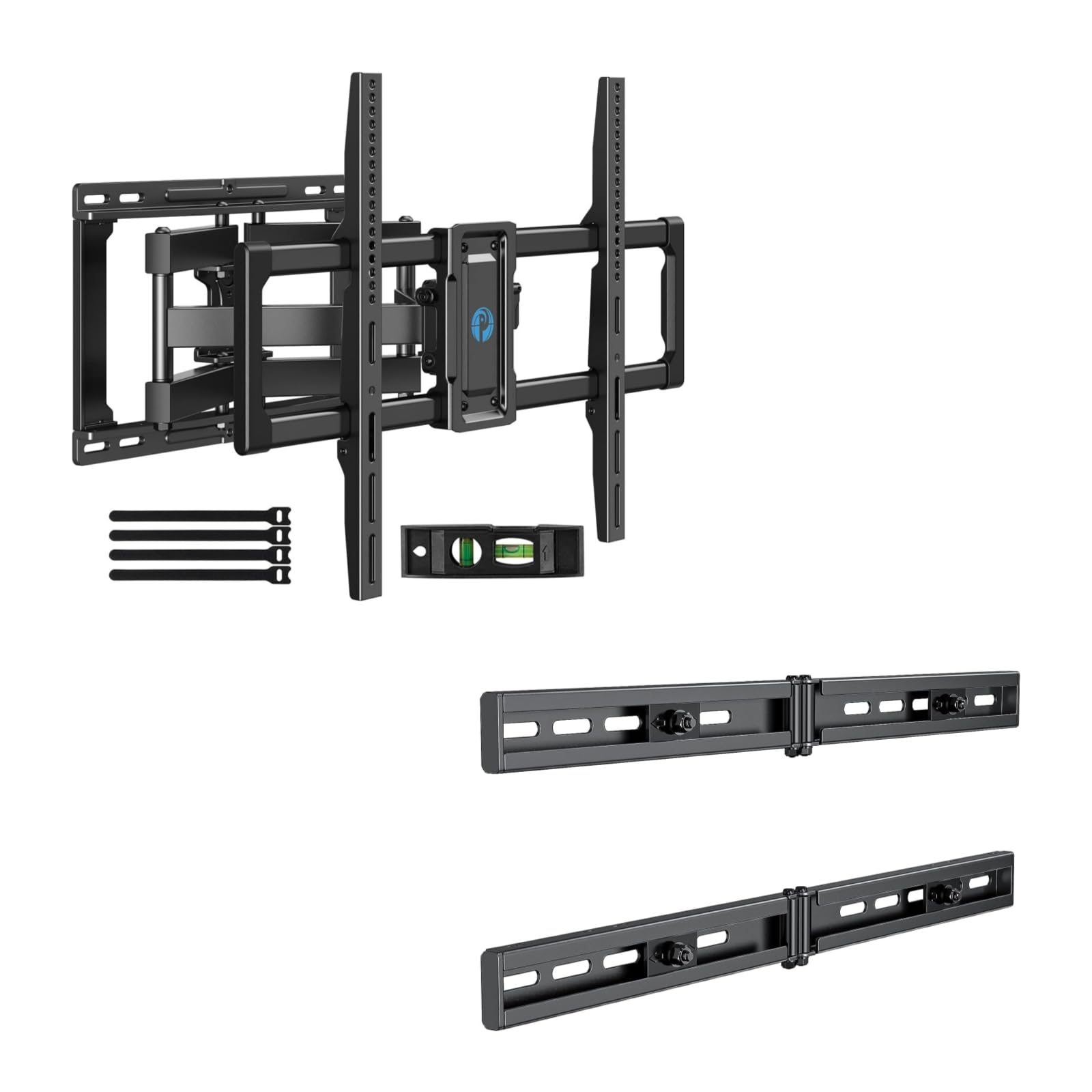
Image 1.1: Reinforced stability of the mount, highlighting heavy-duty steel arms and UL certification for safety and durability.
2. פּעקל אינהאַלט
Please check to ensure all components are present and undamaged before beginning installation. If any parts are missing or defective, contact Pipishell customer service.
2.1 נויטיקע מכשירים (נישט אַרייַנגערעכנט)
- בלייַער
- שטיפט פינדער
- Drill with appropriate drill bits (e.g., 5/32" (4mm) for wood studs, 3/8" (10mm) for concrete)
- מדרגה
- טייפּ מעזשער
- סאָקעט שליסל אָדער אַדזשאַסטאַבאַל שליסל
- פיליפּס קאָפּ שרויפנ - ציער
2.2 Hardware and Components (Included)
- וואַנט פּלאַטע פֿאַרזאַמלונג
- טעלעוויזיע בראַקאַץ (2)
- Extension Brackets (2)
- Various TV Screws, Washers, and Spacers (M4, M6, M8)
- Lag Bolts and Concrete Anchors
- לעוועל בלאָז
- קאַבלע טייז
3. סעטאַפּ און ייַנמאָנטירונג
3.1 פאַר-ינסטאַלירונג טשעקס
- Verify your TV's weight, size, and VESA pattern are within the mount's specifications.
- Determine the desired viewing height for your TV.
- Locate the wall studs using a stud finder. Mark the center of the studs.
3.2 ינסטאָלינג די וואנט פּלאַטע
The extension bracket feature allows for installation on wood studs with spacing between 16 and 24 inches.
- Position the wall plate assembly on the wall at your desired height, ensuring it is level. Mark the drill holes.
- For wood stud installation, drill pilot holes (e.g., 5/32" or 4mm) into the center of the studs. For concrete/brick, drill pilot holes (e.g., 3/8" or 10mm) and insert concrete anchors.
- Attach the wall plate to the wall using the provided lag bolts. Tighten securely.

Image 3.1: The extended wall plate design provides a flexible solution for mounting on walls with stud spacing between 16 and 24 inches.

Image 3.2: This feature helps center your TV for optimal viewing, even when wall studs are not perfectly centered.
3.3 באַפעסטיקט טעלעוויזיע קלאַמערן צו טעלעוויזיע
- לייגט פֿאָרזיכטיק אייער טעלעוויזאָר מיטן פּנים אַראָפּ אויף אַ ווייכער, ריינער ייבערפֿלאַך.
- Select the appropriate screws, washers, and spacers for your TV's VESA mounting holes.
- Attach the two TV brackets to the back of your TV. Ensure they are securely fastened and evenly spaced.
3.4 מאָנטירן טעלעוויזיע צו וואַנט פּלאַטע
- With assistance, carefully lift the TV and hook the TV brackets onto the wall plate.
- זיכער מאַכן אַז דער טעלעוויזאָר איז זיכער אַרײַנגעזעצט אויף דער וואַנט פּלאַטע.
- Tighten the safety screws or locking mechanisms on the TV brackets to prevent accidental dislodgement.
4. Operating the TV Mount
This full motion mount allows for flexible adjustment to achieve the best viewינג ווינקל.
4.1 דריי-אדזשאַסטמענט
The mount allows for a swivel range of +/-45°. Gently push or pull the TV to the desired left or right angle.

Image 4.1: The mount offers a smooth swivel motion of up to 45 degrees in either direction for flexible viewing.
4.2 טילט אַדזשאַסטמאַנט
Adjust the tilt angle from +5° צו -15° to reduce glare and optimize viewing. This adjustment is tool-free.

Image 4.2: Easily adjust the TV's vertical angle from +5° to -15° without tools to minimize glare and improve comfort.
4.3 אויסשטרעקן און צוריקציען
The mount allows the TV to extend from the wall by 2.89 אינטשעס צו 16.3 אינטשעס. Gently pull the TV forward or push it back towards the wall to adjust the distance.

Image 4.3: Adjust the TV's distance from the wall, extending up to 16.3 inches or retracting to 2.89 inches for optimal viewינג פּלאַץ.
5. וישאַלט
- רעגולער טשעקס: קאָנטראָלירט פּעריִאָדיש אַלע שרויפן און פֿאַרבינדונגען צו זיכער מאַכן אַז זיי בלייבן פֿעסט און זיכער.
- רייניקונג: רייניקט דעם מאָונט מיט אַ ווייכן, טרוקענעם שטאָף. פֿאַרמייַדט אַברייסיוו רייניגער אָדער סאָלווענטן.
- שמירן: The moving parts are designed for smooth operation. No lubrication is typically required. If movement becomes stiff, check for debris or loose components.
6. טראָובלעשאָאָטינג
- טעלעוויזיע איז נישט גלייך: Check the level of the wall plate during installation. Most mounts have a post-installation leveling adjustment. Refer to the specific mechanism on your mount.
- Difficulty adjusting swivel/tilt/extension: Ensure no cables are snagged or obstructing movement. Check if any adjustment knobs or screws are overtightened. The mount features improved torque accuracy for smoother movement.
- Mount feels loose on the wall: Immediately remove the TV from the mount. Re-check all wall plate fasteners and ensure they are securely anchored into the studs or concrete. If issues persist, consult a professional installer.
- TV brackets do not fit TV: Verify your TV's VESA pattern matches the mount's compatibility (200x100mm to 600x400mm). Ensure you are using the correct screws and spacers for your TV model.
7. ספּעסאַפאַקיישאַנז
| שטריך | באַשרייַבונג |
|---|---|
| מאַונטינג טיפּ | וואנט בארג |
| באַוועגונג טיפּ | Articulating (Full Motion) |
| סאָרט | פּיפּישעל |
| מאַטעריאַל | אַללוי סטיל |
| קאַמפּאַטאַבאַל דעוויסעס | טעלעוויזיע |
| Minimum Supported Screen Size | 40 אינטשעס |
| Maximum Supported Screen Size | 82 אינטשעס |
| מאַקסימום וואָג קאַפּאַציטעט | 110 לבס (50 קג) |
| VESA קאַמפּאַטאַבילאַטי | 200 קס 100 מם צו 600 קס 400 מם |
| סוויוואַל ראַנגע | +/-45 דיגריז |
| טילט ראַנגע | +5 / -15 Degrees (Tool-Free) |
| פארלענגערונג פון וואנט | 2.89 - 16.3 אינטשעס |
8. גאַראַנטיע און קונה שטיצע
Pipishell products are designed for durability and performance. For warranty information or technical assistance, please contact Pipishell customer support through their official webפּלאַץ אָדער די זיצער ווו די פּראָדוקט איז פּערטשאַסט.
ביטע האַלט אייער פּראָדוקט מאָדעל און קויף דאַטע גרייט ווען איר קאָנטאַקטירט שטיצע.