
docooler V8 Finder 2
docooler V8 Finder 2 TV Signal Finder Meter User Manual
Model: V8 Finder 2
1. הקדמה
The docooler V8 Finder 2 is a professional digital satellite signal finder meter designed for efficient and accurate installation and adjustment of satellite dishes. It features a high-definition LCD display, supports various DVB standards, and includes advanced functions like spectrum analysis and automatic angle calculation. This manual provides comprehensive instructions for operating and maintaining your device.
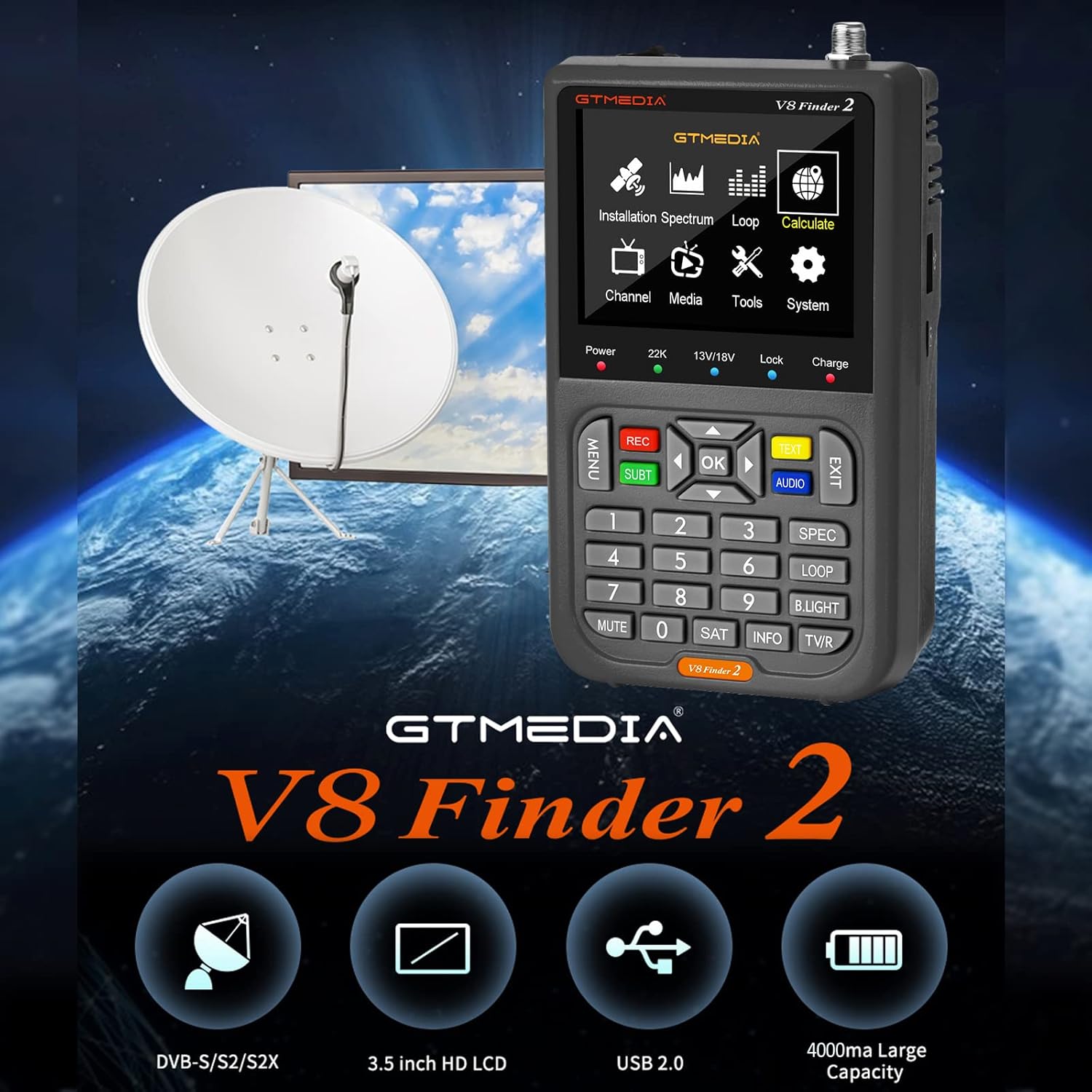
Figure 1: docooler V8 Finder 2 in use with a satellite dish, highlighting its core function.
2. זיכערקייַט אינפֿאָרמאַציע
ביטע ליינט אַלע זיכערהייט וואָרענונגען און אינסטרוקציעס קערפֿול איידער איר ניצט דעם פּראָדוקט צו ענשור זיכער אָפּעראַציע און פאַרמייַדן שעדיקן.
- דו זאלסט נישט ויסשטעלן די מיטל צו רעגן אָדער נעץ.
- פֿאַרמײַדט עקסטרעמע טעמפּעראַטורן. אַרבעט דעם אַפּאַראַט אין די רעקאָמענדירטע סביבה־באַדינגונגען.
- נעמט נישט אויס דעם אפאראט אדער פרובירט נישט צו פאררעכטן אליין. לאָזט איבער אלע סערוויסעס צו קוואַליפֿיצירטע פּערסאָנעל.
- ניצט נאָר די צוגעשטעלטע אָדער רעקאָמענדירטע טשאַרדזשינג אַקסעסאָריעס.
- זיכער מאַכן אַז די ווענטילאַציע איז געהעריק ווען איר אַרבעט מיט דעם אַפּאַראַט.
- האַלטן די מיטל אַוועק פון שטאַרק מאַגנעטיק פעלדער.
3. פּראָדוקט איבערview
The V8 Finder 2 is a compact and powerful tool for satellite signal detection. Familiarize yourself with its components and features.
3.1 מיטל אויסלייג

פיגורע 2: פראָנט view of the V8 Finder 2, showing the LCD display and control panel.
The front panel features a 3.5-inch high-definition LCD screen for displaying signal information, menus, and media. Below the screen are navigation buttons, numeric keypad, and function keys for various operations.
3.2 פּאָרטן און פֿאַרבינדונגען
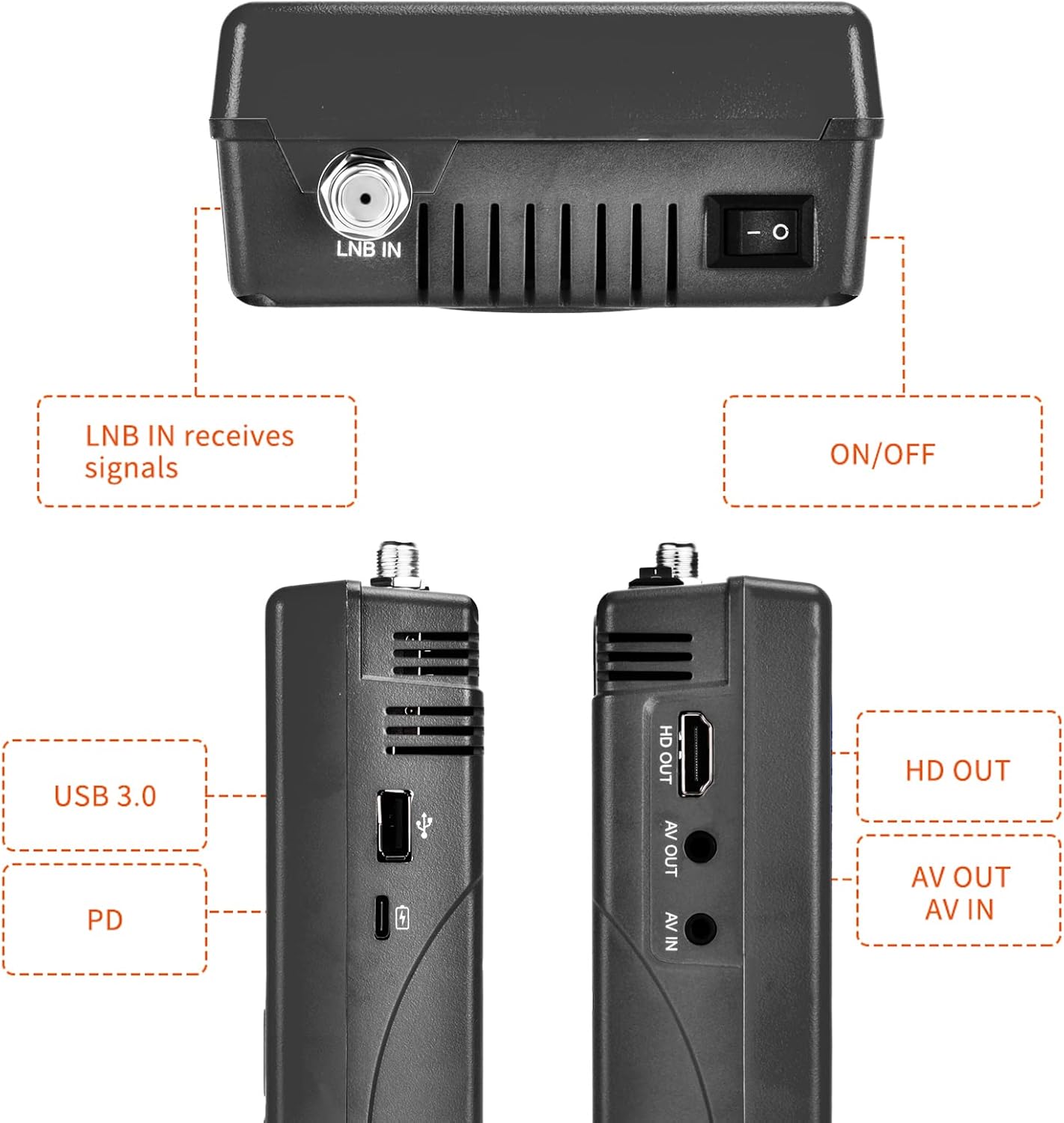
פיגור 3: זייט און אויבן views illustrating the various input and output ports.
- LNB אין: Connects to the LNB of your satellite dish for signal reception.
- אויף/אַוועק באַשטימען: מאַכט אָן אָדער אויס דעם אַפּאַראַט.
- USB Port (USB 3.0): For software updates and connecting a 2.4G USB Wi-Fi dongle for YouTube functionality.
- PD (Power Delivery) / Type-C Charging Port: For charging the device and supports reverse charging.
- HD OUT: High-Definition Multimedia Interface output for connecting to an external display.
- AV OUT: Analog Video output for connecting to older displays.
- AV IN: Analog Video input for connecting external video sources.
3.3 שליסל פֿעיִקייטן
- 3.5-inch High-Definition LCD Display.
- Full compatibility with DVB-S2X/S2/S, MPEG-2/MPEG-4.
- H.264 (8-bit) hardware decoding support.
- Digital measurement for signal strength and quality.
- Spectrum Analyzer and Loop Search functions.
- Supports Auto, Blind, Manual, or NIT scanning.
- Audible tone for signal lock.
- Automatic calculation of AZ, EL angles.
- DISEQC 1.0/1.1/1.2, Unicable, 0/22kHz tone support.
- געבויט-אין רעדנער.
- 7.4V/4000mAh Li-ion battery with Type-C fast charging and reverse charging.
- Software upgrade via USB port.

Figure 4: Visual representation of the V8 Finder 2's main features.
4. סעטאַפּ
Before first use, ensure the device is fully charged and familiarize yourself with the package contents.
4.1 פּעקל אינהאַלט

Figure 5: Items included in the V8 Finder 2 product package.
באַשטעטיקן אַז אַלע זאכן זענען פאַראַן:
- docooler V8 Finder 2 Device
- באַניצער מאַנואַל
- וסב קאַבלע (טיפּ-C)
- Power Adapter (if included, not explicitly listed in JSON but implied by charging)
- F-connector adapter (if included)
4.2 טשאַרדזשינג די מיטל
The device is equipped with a 7.4V/4000mAh Li-ion battery. For optimal performance, fully charge the device before first use.
- Connect the provided USB Type-C cable to the PD/Type-C charging port on the device.
- Connect the other end of the USB cable to a compatible USB power adapter (not explicitly listed as included, but standard for Type-C charging) or a powered USB port.
- The charging indicator on the device will illuminate. Charging is complete when the indicator changes color or turns off (refer to device screen for battery status).
The device supports multi-protocol fast charging and Type-C reverse charging, allowing it to act as a power bank for other devices.
5. אַפּערייטינג ינסטרוקטיאָנס
This section details the steps for using the V8 Finder 2 to locate and optimize satellite signals.
5.1 פּאַוערינג אויף / אַוועק
- To power on, slide the ON/OFF switch located on the top of the device to the 'ON' position.
- צו אויסלאָשן, רוקט דעם אָן/אויס קנעפּל צו דער 'אויס' פּאָזיציע.
5.2 Connecting to a Satellite Dish
- Ensure the V8 Finder 2 is powered off.
- Connect the coaxial cable from your satellite dish's LNB (Low Noise Block) to the LNB IN port on the V8 Finder 2.
- If connecting to a receiver or TV, use the HD OUT or AV OUT פּאָרץ.
5.3 Signal Finding and Optimization
The V8 Finder 2 provides various modes for signal acquisition and analysis.
- אויסקלייבן סאַטעליט: From the main menu, navigate to the "Installation" or "Satellite Setup" section. Select the desired satellite from the pre-programmed list or add a new one.
- Adjust Dish: Slowly adjust the azimuth (horizontal) and elevation (vertical) of your satellite dish. Observe the signal strength and quality indicators on the V8 Finder 2's display. The device will emit an audible tone when a signal is locked.
- ספּעקטרום אַנאַליזער: Use the "Spectrum" function to visualize the signal spectrum, which can help identify interference or weak signals.
- Angle Calculation: The device can automatically calculate the AZ (Azimuth) and EL (Elevation) angles for your location, assisting in precise dish alignment.
- קאַנאַל יבערקוקן: Once a strong signal is acquired, perform an "Auto Scan," "Blind Scan," "Manual Scan," or "NIT Scan" to find available channels.

Figure 6: The V8 Finder 2 display showing signal decoding capabilities.
5.4 Media Playback and Other Functions
- מעדיע: The device supports media playback. Connect a USB drive to the USB port to access compatible audio or video files.
- YouTube (via Wi-Fi): Connect a 2.4G USB Wi-Fi dongle to the USB port to enable YouTube functionality.
- AV IN/OUT: Use the AV IN port to display video from an external source on the V8 Finder 2 screen. Use AV OUT or HD OUT to display the V8 Finder 2's screen on an external monitor or TV.

Figure 7: Illustration of AV IN and AV OUT functionality, connecting the device to a television.
6. וישאַלט
Proper maintenance ensures the longevity and optimal performance of your V8 Finder 2.
- רייניקונג: ניצט אַ ווייכע, טרוקענע שטאָף צו רייניקן דעם אַפּאַראַט. ניצט נישט קיין פליסיקע רייניגער אָדער אַעראָזאָלן.
- סטאָרידזש: האַלט דעם אַפּאַראַט אין אַ קיל, טרוקן אָרט אַוועק פון דירעקט זונשייַן און עקסטרעמע טעמפּעראַטורן.
- באַטערי זאָרגן: To preserve battery life, avoid fully discharging the battery frequently. If storing for extended periods, charge the battery to about 50% every few months.
- ווייכווארג דערהייַנטיקונגען: Periodically check for software updates on the manufacturer's website. Updates can improve performance and add new features. Use the USB port for software upgrades.
7. טראָובלעשאָאָטינג
If you encounter issues with your V8 Finder 2, refer to the following common problems and solutions.
| פּראָבלעם | מעגלעך סיבה | לייזונג |
|---|---|---|
| די מיטל טוט נישט מאַכט אויף. | נידעריגע באַטעריע; מאַכט אויסשאַלטן. | לאָדט דאָס אַפּאַראַט גאָר אויף. מאַכט זיכער אַז דער אָן/אויס קנעפּל איז אין דער 'אָן' פּאָזיציע. |
| קיין סיגנאַל דיטעקטאַד. | Incorrect LNB connection; Dish misalignment; Incorrect satellite selected. | Check LNB cable connection. Re-align the satellite dish. Verify the correct satellite is selected in the device settings. |
| שוואַך אָדער נישט-סטאַביל סיגנאַל. | Fine-tuning needed; Obstruction; LNB issue. | Make small adjustments to the dish. Check for any physical obstructions. Inspect LNB for damage. |
| קענען ניט פאַרבינדן צו ווי-פי. | No 2.4G USB Wi-Fi dongle connected; Incorrect Wi-Fi settings. | Ensure a compatible 2.4G USB Wi-Fi dongle is inserted. Verify Wi-Fi network settings and password. |
| Display issues. | Software glitch; Hardware fault. | Restart the device. If the problem persists, consider a software update or contact support. |
8. ספּעסאַפאַקיישאַנז
Technical specifications for the docooler V8 Finder 2.
- ווייַז: 3.5-inch High-Definition LCD
- קאַמפּאַטאַבילאַטי: DVB-S2X/S2/S, MPEG-2/MPEG-4
- ווידעא דיקאָודינג: H.264 (8-bit)
- באַטערי: 7.4 וו / 4000 מאַה לי-יאָן
- טשאַרדזשינג פּאָרט: Type-C (supports fast charging, reverse charging)
- קאַנעקטיוויטי: USB (for software update, 2.4G Wi-Fi dongle), HD OUT, AV OUT, AV IN
- דימענסיעס: אומגעפער 155 מ״מ x 95 מ״מ x 45 מ״מ
- וואָג: 530ג
- DISEQC Support: 1.0/1.1/1.2, Unicable
- Tone Support: 0/22 כז
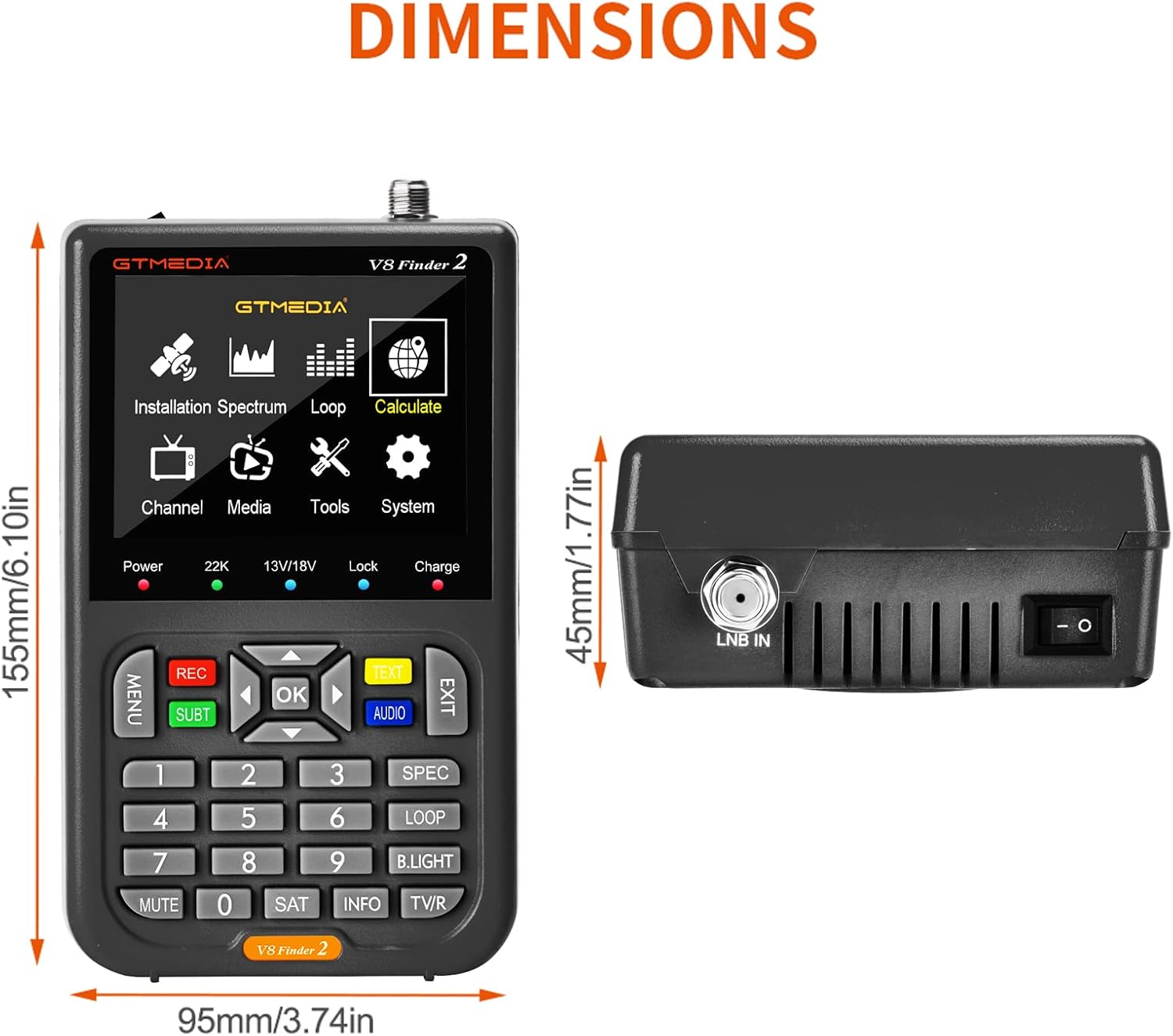
Figure 8: Physical dimensions of the V8 Finder 2.
9. וואָראַנטי און שטיצן
For warranty information and technical support, please refer to the product warranty card included in your package or visit the official docooler webזייטל. האַלט אייער קויף קוויטל ווי אַ באַווייַז פון קויפן פֿאַר וואָראַנטי קליימז.
פאַבריקאַנט: דאָקאָאָלער
סאָרט: docooler
For further assistance, please contact docooler customer service.
Ask a question about this manual
Ask about setup, troubleshooting, compatibility, parts, safety, or missing instructions. Manuals+ will review the question and use this page’s manual context to help answer it.