
1. הקדמה און איבערview
This Docooler Wireless Digital Thermometer provides simultaneous display of indoor and outdoor temperatures, along with the current time. It utilizes wireless technology for convenient outdoor temperature monitoring from an indoor receiver. The device records maximum and minimum indoor/outdoor temperatures and offers selectable temperature units (Celsius/Fahrenheit) and time formats (12H/24H).

Image 1.1: Docooler Wireless Digital Thermometer main unit and outdoor transmitter.
2. פּראָדוקט קאַמפּאָונאַנץ
דער פּעקל כולל די פאלגענדע זאכן:
- Main Temperature Unit (Receiver)
- ווירעלעסס דרויסנדיק טראַנסמיטער
- באַניצער מאַנואַל (דעם דאָקומענט)
באַמערקונג: 2x AA 1.5V batteries for the transmitter and 2x AAA 1.5V batteries for the main unit are ניט אַרייַנגערעכנט און מען דאַרף קויפן באַזונדער.

בילד 2.1: פאָרנט און הינטן view of the main temperature unit.
3. סעטאַפּ
3.1 באַטאַרייע ייַנמאָנטירונג
- For the Main Temperature Unit: Open the battery compartment cover on the back of the main unit. Insert 2x AAA 1.5V batteries, ensuring correct polarity (+/-). Close the cover.
- For the Wireless Outdoor Transmitter: Open the battery compartment cover on the back of the transmitter. Insert 2x AA 1.5V batteries, ensuring correct polarity (+/-). Close the cover.

Image 3.1: Battery compartment of the main temperature unit.

Image 3.2: Battery compartment of the wireless outdoor transmitter.
3.2 פּלייסמאַנט
- Main Temperature Unit: Place the main unit indoors on a flat surface using its integrated kickstand or mount it on a wall using the hanging hole. Ensure it is away from direct sunlight or heat sources that could affect indoor temperature readings.
- Wireless Outdoor Transmitter: Place the outdoor transmitter in a sheltered location outdoors, protected from direct rain and sunlight. For optimal wireless signal, ensure it is within 100 meters (unobstructed) of the main unit. Avoid placing it near large metal objects or electrical appliances that may cause interference.

Image 3.3: Diagram illustrating wireless data transmission.
4. אַפּערייטינג ינסטרוקטיאָנס
The main unit features an LCD screen displaying indoor temperature, outdoor temperature, and current time. Control buttons are located below the display.

Image 4.1: Main unit display and control buttons.
4.1 ווייַז פאַנגקשאַנז
- אַרויס: Displays the temperature measured by the wireless outdoor transmitter.
- דרינענדיק: Displays the temperature measured by the main unit's internal sensor.
- צייט: דיספּלייז די קראַנט צייט.
4.2 קנעפּל פאַנגקשאַנז
The main unit has several buttons for control:
- SET / ℃/℉: Press to switch between Celsius (℃) and Fahrenheit (℉). Press and hold to enter time setting mode.
- ▲ / MAX/MIN: דרוק צו view maximum and minimum recorded temperatures. Press and hold to clear MAX/MIN records. In time setting mode, press to increase value.
- ▼ / 12/24: Press to switch between 12-hour and 24-hour time format. In time setting mode, press to decrease value.
4.3 באַשטעטיקן די צייט
- דריקן און האַלטן די SET / ℃/℉ קנעפּל פֿאַר אַרום 3 סעקונדעס ביז די שעה ציפֿערן אָנהייבן צו בלינקען.
- ניצן די ▲ / MAX/MIN און ▼ / 12/24 קנעפּלעך צו סטרויערן די שעה.
- דרוק די SET / ℃/℉ קנעפּל נאכאמאל צו באשטעטיגן די שעה און אריבערגיין צו שטעלן די מינוטן.
- ניצן די ▲ / MAX/MIN און ▼ / 12/24 קנעפּלעך צו סטרויערן די מינוט.
- דרוק די SET / ℃/℉ button one last time to confirm the minutes and exit time setting mode.
5. וישאַלט
5.1 באַטערי פאַרבייַט
When the display becomes dim or readings are inconsistent, it is time to replace the batteries in both the main unit and the outdoor transmitter. Follow the battery installation steps in Section 3.1.
5.2 רייניקונג
ווישן די מיטל מיט אַ ווייך, דamp cloth. Do not use abrasive cleaners or immerse the unit in water. Ensure the device is completely dry before re-inserting batteries or operating.
5.3 סטאָרידזש
If the device will not be used for an extended period, remove all batteries to prevent leakage and store it in a cool, dry place.
6. טראָובלעשאָאָטינג
- No outdoor temperature reading or '---' displayed:
- Check if the outdoor transmitter batteries are correctly installed and not depleted.
- Ensure the outdoor transmitter is within the 100m wireless range and there are no major obstructions (e.g., thick walls, large metal objects) between the transmitter and the main unit.
- Try repositioning both units closer to each other.
- נישט פּינקטלעכע טעמפּעראַטור מעסטונגען:
- Ensure both units are not exposed to direct sunlight, heat sources, or extreme drafts.
- טוישן די באַטעריעס אין ביידע אַפּאַראַטן.
- די צייט איז נישט ריכטיג:
- Follow the time setting instructions in Section 4.3 to reset the time.
- דיספּליי איז טונקל אָדער ליידיק:
- Replace the batteries in the main unit.
7. ספּעסאַפאַקיישאַנז
| שטריך | באַשרייַבונג |
|---|---|
| מאַטעריאַל | אַקרילאָניטרילע בוטאַדיענע סטירענע (אַבס) |
| לקד סקרין גרייס | 94 רענטגענ 54 מם |
| דרינענדיק טעמפּעראַטורע ראַנגע | 0 ℃ ~ 50 ℃ / 32 ℉ ~ 122 ℉ |
| דרויסנדיק טעמפּעראַטורע ראַנגע | -20 ℃ ~ 70 ℃ / -4 ℉ ~ 158 ℉ |
| טעמפּעראַטור אַקקוראַסי | ± 1 ℃ |
| Indoor Temp. Detection Period | אַמאָל יעדער 30 סעקונדעס |
| Outdoor Temp. Detection Period | אַמאָל יעדער 57 סעקונדעס |
| טראַנסמיטער מאַכט מקור | 2x 1.5V AA באַטעריעס (נישט אַרייַנגערעכנט) |
| הויפּט אַפּאַראַט מאַכט מקור | 2x 1.5V AAA Batteries (not included) |
| טראַנסמיטער דימענשאַנז | 130 X 40 X 22 מם |
| הויפּט יוניט דימענשאַנז | 150 X 86 X 23 מם |
| ווירעלעסס טראַנסמיסיע קייט | אַרויף צו 100 ם (אַנאָבסטרוקטעד) |
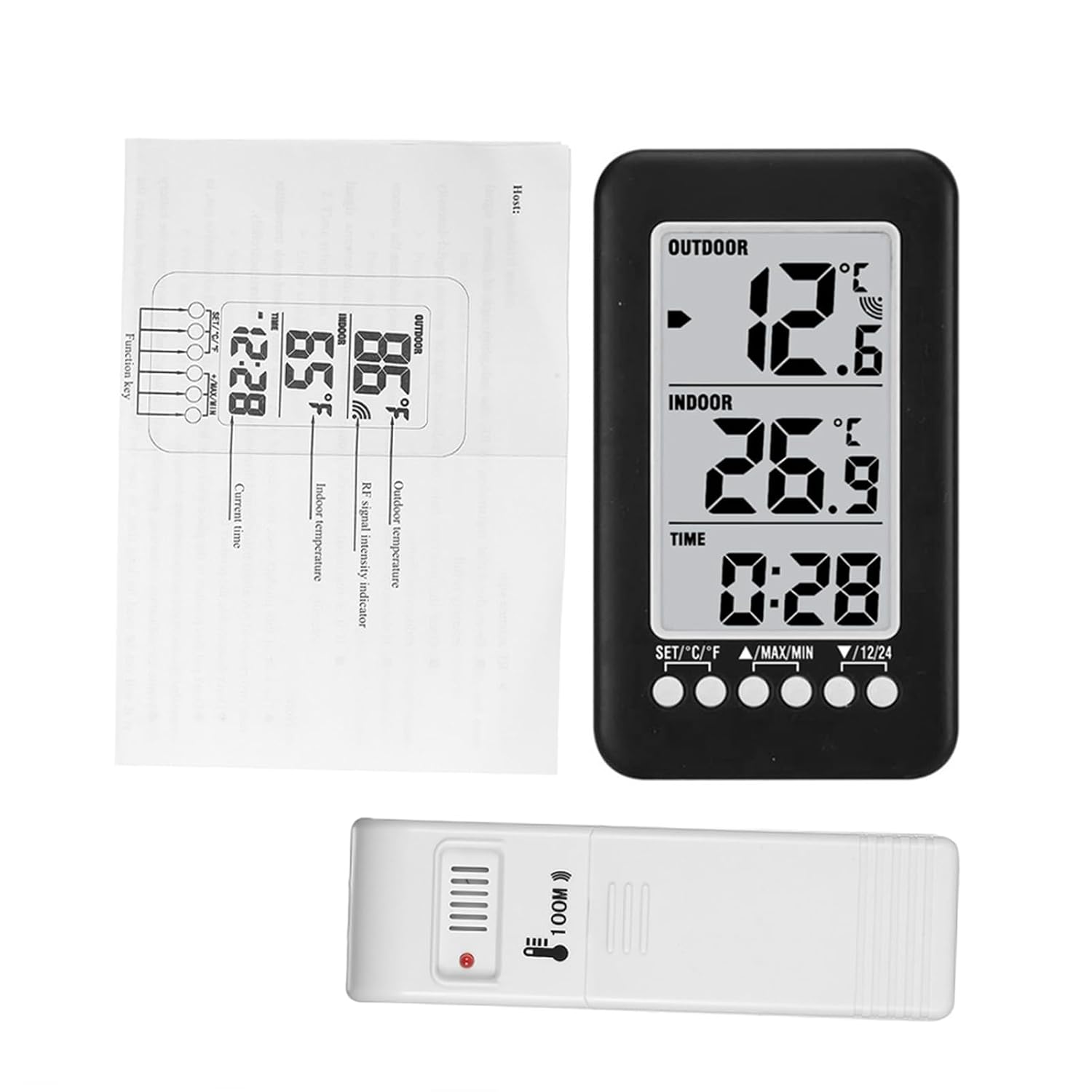
Image 7.1: Dimensions of the main unit and outdoor transmitter.
8. זיכערקייַט אינפֿאָרמאַציע
- שטעלט נישט אויס דעם אפאראט צו עקסטרעמע טעמפעראטורן, דירעקטע זונשייַן, אדער הויכע הומידיטי.
- ויסמיידן דראַפּינג אָדער אונטערטעניק די מיטל צו שטאַרק ימפּאַקץ.
- Do not attempt to disassemble or modify the device. This will void any potential warranty.
- אָפּזאָגן געוויינט באַטעריז ריספּאַנסאַבלי לויט די היגע רעגיאַליישאַנז.
9. וואָראַנטי און שטיצן
For warranty information or technical support, please refer to the retailer where the product was purchased or visit the official Docooler website. Please have your product model number (36ea5cd0-0bae-43c6-b51b-88b35e12f8b8) available when contacting support.