
1. הקדמה
This manual provides detailed instructions for the safe and effective operation of your Mcbazel Digital Illuminance Light Meter. This device is designed for accurate measurement of light intensity (illuminance) in various environments, including schools, hospitals, factories, airports, homes, and for professional applications like photography and plant growth monitoring. Please read this manual thoroughly before use and retain it for future reference.
2. זיכערקייַט אינפֿאָרמאַציע
- דו זאלסט נישט ויסשטעלן די מיטל צו עקסטרעם טעמפּעראַטורעס, הומידיטי אָדער דירעקט זונשייַן.
- Avoid dropping or subjecting the meter to strong impacts.
- Keep the light sensor clean and free from obstructions for accurate readings.
- פרובירט נישט צו צענעמען אדער מאדיפיצירן דעם אפאראט, ווייל דאס וועט בטל מאכן די גאראנטיע און קען שאפן שאדן.
- Replace batteries promptly when the low battery indicator appears to ensure continuous and accurate operation.
3. פּעקל אינהאַלט
ביים אויספּאַקן, ביטע באַשטעטיקן אַז אַלע זאכן וואָס זענען ליסטעד אונטן זענען פאַראַן און אין גוטן צושטאַנד:
- 1x Mcbazel Digital Illuminance Light Meter
- 1x אינסטרוקציע מאַנואַל (דאָס דאָקומענט)
Note: Batteries are not included and must be purchased separately. The device requires 3 x 1.5V AAA batteries.
4. פּראָדוקט איבערview און פֿעיִקייטן
The Mcbazel Digital Illuminance Light Meter is a versatile tool designed for precise light intensity measurements. Key features include:
- ברייט מעאַסורינג קייט: Measures up to 200,000 LUX with high sensitivity for accurate and fast response.
- הויך אַקיעראַסי: Lighting accuracy of ±3%±10dgts (<10000LUX) and ±4%±10dgts (>10000LUX).
- באַניצער-פרייַנדלעך פּלאַן: Easy switching between LUX and FC units.
- LCD דיספּלעי מיט באַקלייט: זיכערט קלאָרע זעאונג פון לייענונגען אין פארשידענע ליכט באדינגונגען.
- מולטיפונקטיאָנאַל: Measures current, maximum, and minimum brightness values.
- דאַטאַ האַלטן פֿונקציע: Freezes the current reading on the display for convenient recording.
- ענערגיע עפעקטיוו: Features automatic shut-off and a low battery indicator.
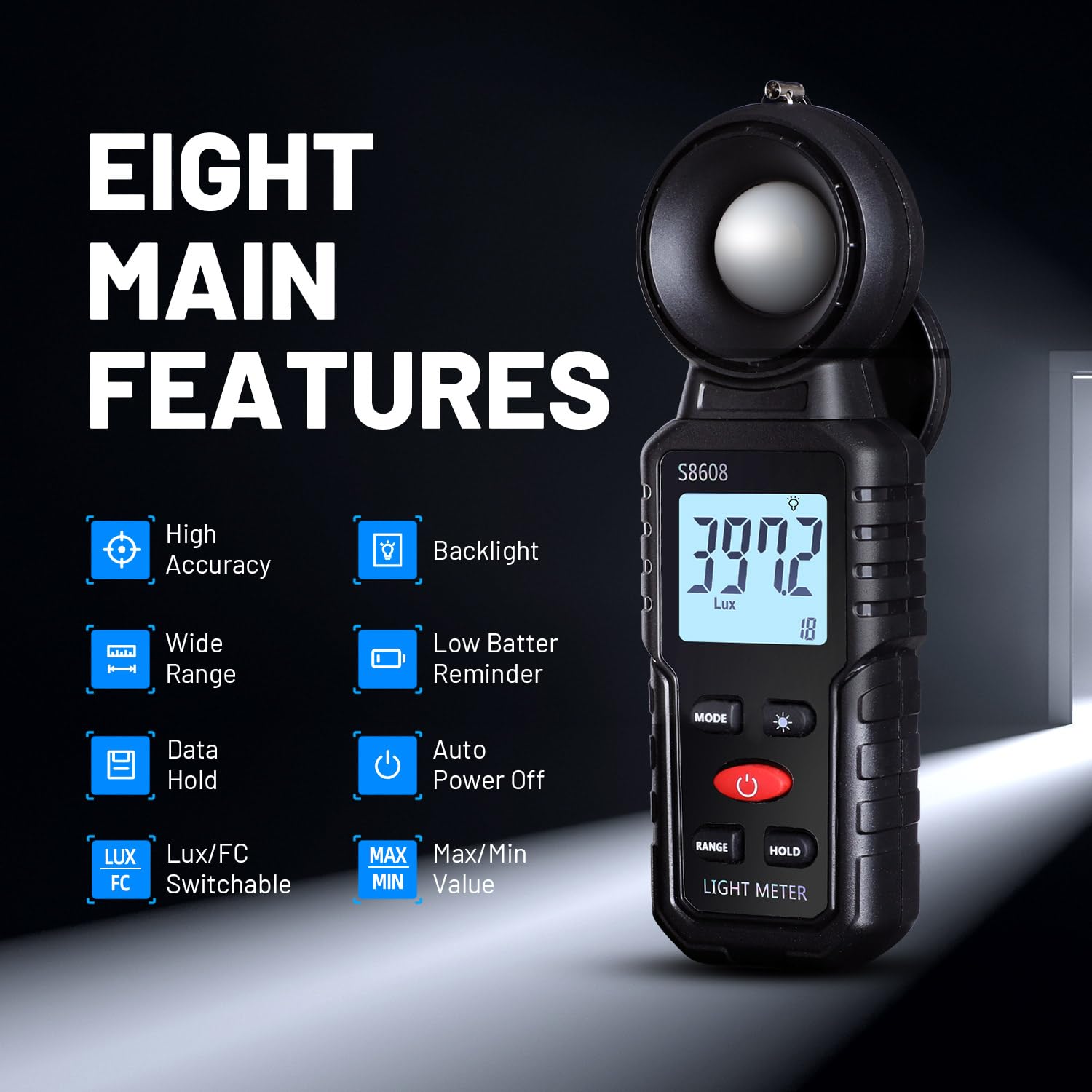
בילד 1: איבערview of the Mcbazel Digital Illuminance Light Meter highlighting its eight main features.
5. סעטאַפּ
5.1 באַטאַרייע ייַנמאָנטירונג
The Mcbazel Digital Illuminance Light Meter requires 3 x 1.5V AAA batteries (not included). To install or replace batteries:
- געפינט דעם דעקל פונעם באַטעריע־אָפּטייל אויף דער הינטערשטער זייט פונעם אַפּאַראַט.
- Slide the cover open or unscrew it if applicable.
- Insert three 1.5V AAA batteries, ensuring correct polarity (+/-).
- פאַרבייַטן די באַטאַרייע אָפּטייל דעקן סיקיורלי.

Image 2: The back of the light meter showing the battery compartment for 3x AAA batteries.
5.2 Sensor Protection Cover
Before use, remove the sensor protection cover from the top of the light meter. Remember to replace it after use to protect the sensitive illumination sensor.

Image 3: The light meter with its sensor protection cover open, revealing the white light sensor.
6. אַפּערייטינג ינסטרוקטיאָנס
6.1 מאַכט אויף / אַוועק
דרוק די מאַכט קנעפּל (red button) to turn the device on. The LCD display will illuminate. To turn off, press and hold the Power Button. The device also features an automatic shut-off function after 5 minutes of inactivity to conserve battery life.
6.2 Unit Selection (LUX/FC)
דרוק די מאָדע קנעפּל to switch between Lux (illumination) and FC (foot-candle) units. The selected unit will be displayed on the screen.

Image 4: The light meter displaying measurements in both Lux and FC units, illustrating the unit switch function.
6.3 באַקלייט פונקציע
דרוק די Backlight Switch Button (light bulb icon) to turn the LCD backlight on or off. This improves readability in dark environments.

Image 5: The light meter's LCD display with the backlight turned off and on, demonstrating improved visibility.
6.4 דאַטאַ האַלטן פֿונקציע
דרוק די HOLD קנעפּל to freeze the current reading on the display. Press it again to release the hold and resume live measurements. This is useful for recording stable readings.
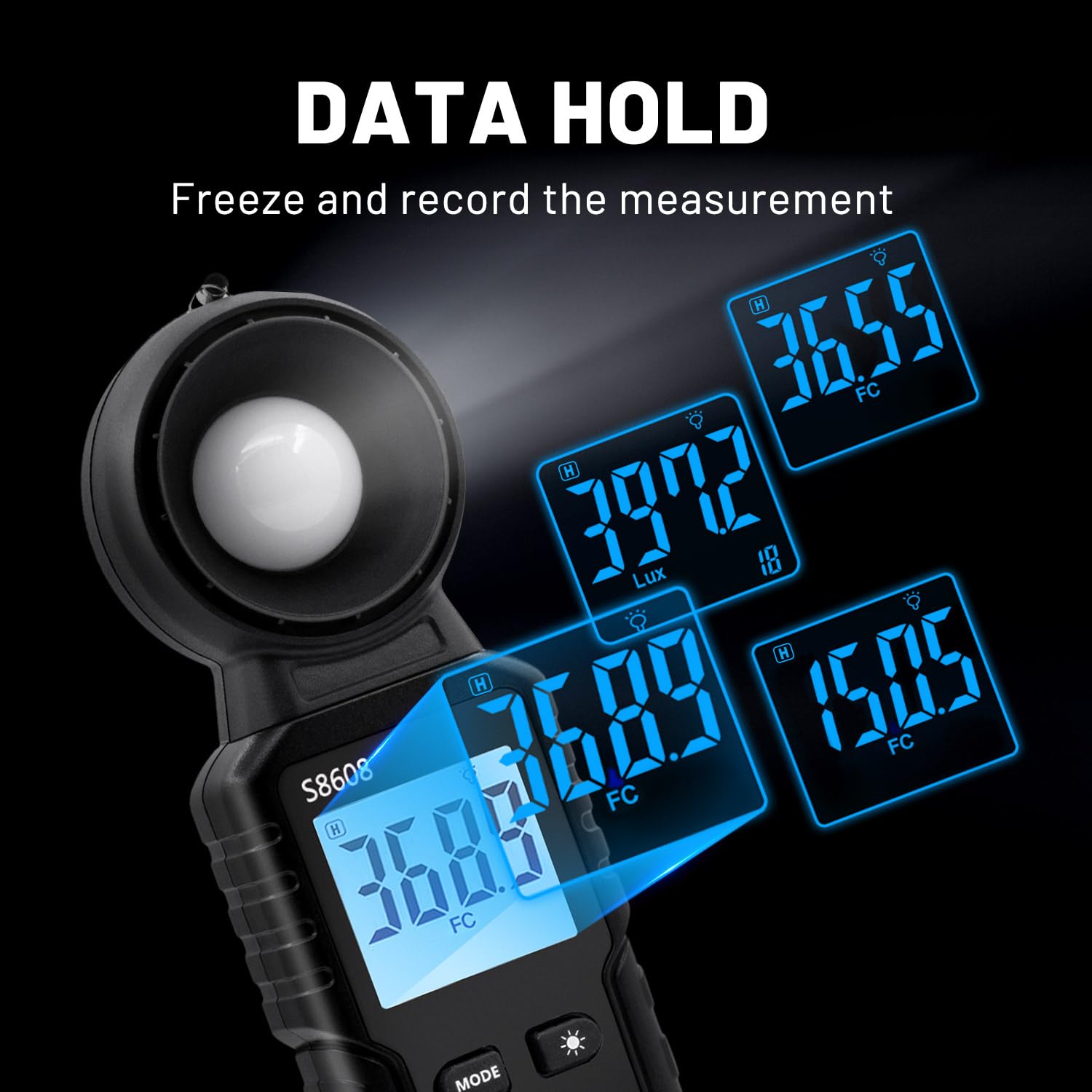
Image 6: The light meter displaying various held data values, illustrating the data hold feature.
6.5 מאַקס/מין מעסטונג
דרוק די MAX/MIN קנעפּל to cycle through current, maximum (MAX), and minimum (MIN) recorded values during a measurement session. This allows you to track fluctuations in light intensity.

Image 7: The light meter displaying readings in Minimum, Maximum, and Relative modes.
6.6 אויסוואל פון ראַנגע
The device automatically selects the appropriate measurement range. However, if needed, you can manually adjust the range using the RANGE קנעפּל to optimize accuracy for specific light levels.
7. ספּעסאַפאַקיישאַנז
| שטריך | באַשרייַבונג |
|---|---|
| פאַבריקאַנט | מקבאזל |
| מאָדעל נומער | MT-gf-020485 |
| פּונקט וואָג | 110 ג |
| פּראָדוקט דימענשאַנז | 16.6 X 5.7 X 3.8 סענטימעטער |
| קאָליר | שוואַרץ |
| מאַטעריאַל | ABS |
| מעאַסורעמענט אַקיעראַסי | ±3%±10dgts (<10000LUX), ±4%±10dgts (>10000LUX) |
| מעאַסורינג קייט | אַרויף צו 200,000 לוקס |
| באַטעריז פארלאנגט | 3 x 1.5 וו אַאַאַ (ניט ינקלודעד) |
| אַרייַנגערעכנט קאַמפּאָונאַנץ | Digital Illuminance Light Meter, Instruction Manual |
8. וישאַלט
- רייניקונג: Use a soft, dry cloth to clean the device. Do not use abrasive cleaners or solvents. Ensure the light sensor is free of dust and debris.
- סטאָרידזש: When not in use for extended periods, remove the batteries to prevent leakage and store the device in a cool, dry place with the sensor protection cover in place.
- באַטערי פאַרבייַט: טוישט די באַטעריעס ווען דער נידעריק באַטעריע אינדיקאַטאָר דערשיינט אויפן עקראַן. זעט סעקציע 5.1 פֿאַר באַטעריע ינסטאַלירונג אינסטרוקציעס.
9. טראָובלעשאָאָטינג
- אַפּאַראַט אַרבעט נישט אָן: קאָנטראָלירט צי די באַטעריעס זענען ריכטיק אינסטאַלירט און האָבן גענוג אָפּצאָל. טוישט די באַטעריעס אויב נייטיק.
- נישט פּינקטלעכע לייענונגען: Ensure the light sensor is clean and unobstructed. Verify that the correct measurement unit (LUX/FC) is selected. Avoid measuring light sources that are not ordinary light (e.g., LED lights, photographic lights, plant growth lights) as this meter is not designed for them.
- דיספּליי איז טונקל: Activate the backlight function. Replace batteries if the display remains dim.
10. פּראָדוקט ווידעאָס
S8608 Digital Light Meter by Soonkoda CA
Video 1: This video demonstrates the basic operation of the S8608 Digital Light Meter, including power on, unit switching, and data hold functions.
Dr.meter Light Meter by Hisgadget Canada
Video 2: A demonstration of the Dr.meter Light Meter, showing how to replace batteries and use various functions like unit selection and data hold.
Digital Light Meter by Milano2008
Video 3: This video provides a quick overview of a digital light meter, demonstrating its features and ease of use in different settings.
Light Meter AP-881E by Aoputt
Video 4: A detailed look at the AP-881E Light Meter, covering its functions and how to obtain accurate light measurements.
DEWINNER Digital Light Meter by NIXING LTD
Video 5: This video showcases the DEWINNER Digital Light Meter, demonstrating its features and practical applications for light measurement.
11. וואָראַנטי און שטיצן
For warranty information or technical support, please refer to the contact details provided on the product packaging or visit the official Mcbazel webזייטל. האַלט אייער קויף קוויטל ווי אַ באַווייַז פון קויפן פֿאַר קיין וואָראַנטי קליימז.