
הקדמה
Thank you for choosing the Yunseity Portable Voice Amplifier. This device is designed to provide clear and stable sound amplification for various applications such as teaching, presentations, meetings, and outdoor activities. Please read this manual carefully before using the product to ensure proper operation and to maximize its lifespan.
פּראָדוקט איבערview
The Yunseity Portable Voice Amplifier is a compact and versatile device. Familiarize yourself with its components and controls.

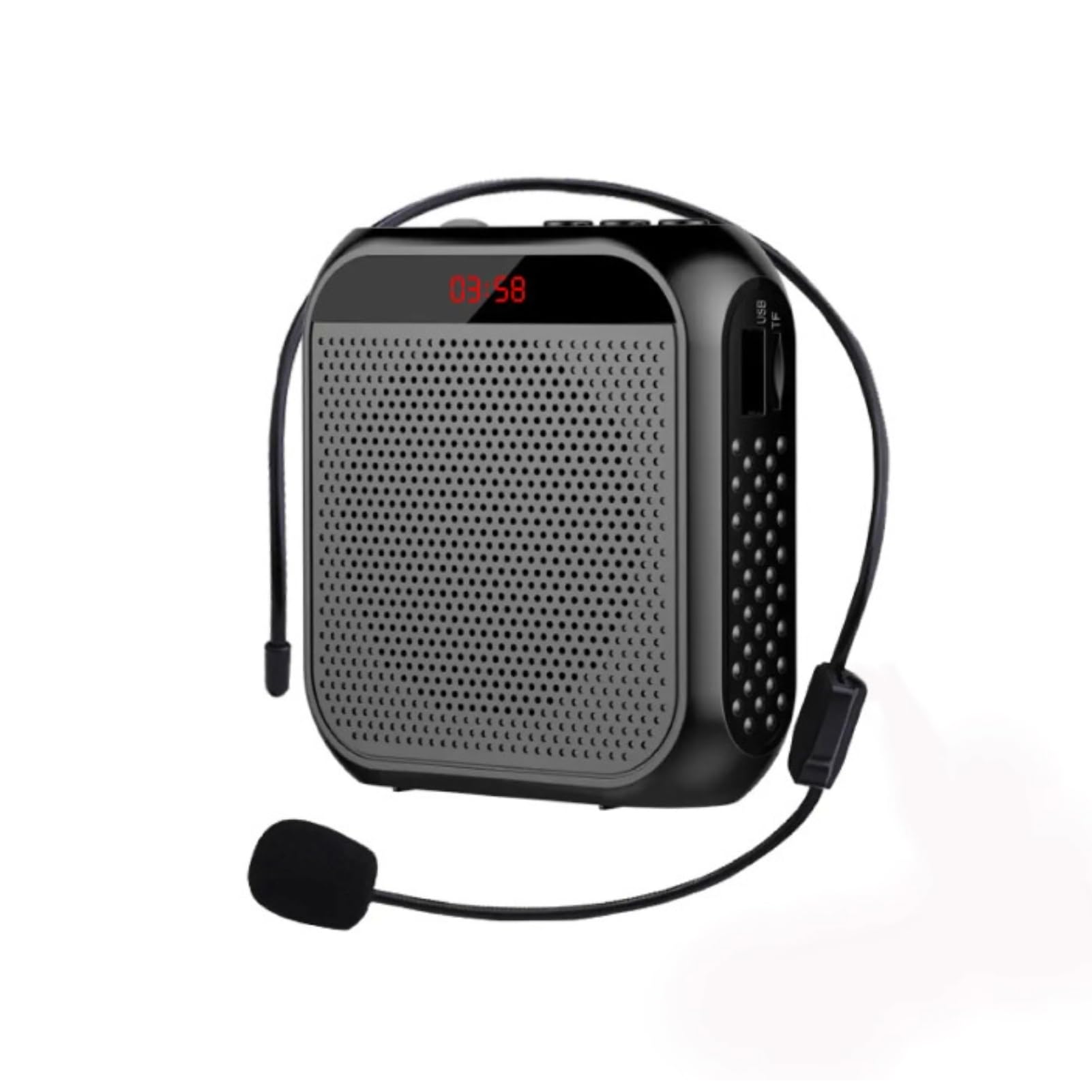
Image: The voice amplifier unit shown with its accompanying headset microphone, waistband strap, and USB charging cable.
הויפּט קאַמפּאָונאַנץ:
- קול Amplifier Unit: The main speaker and control unit.
- כעדסעט מיקראָפאָן: For hands-free voice input.
- Waistband Strap: פֿאַר באַקוועמע פּאָרטאַביליטי.
- USB טשאַרדזשינג קאַבלע: פֿאַר איבערלאָדן די אינערלעכע באַטאַרייע.
קאָנטראָל פּאַנעל און פּאָרץ:

Image: A labeled diagram indicating the location and function of each button, knob, and port on the ampליפער.
- 3.5 מ״מ מיקראָפאָן דזשעק: Connect the headset microphone here.
- באַנד קנעפּל: דרייען צו סטרויערן די ampלאַפאַקיישאַן באַנד.
- טשאַרדזשינג פּאָרט: פֿאַרבינדט דאָ דעם USB טשאַרדזשינג קאַבל.
- קנעפל פון פריערדיקן ליד: Press to go to the previous track (when playing media).
- שפּיל / פּויזע קנעפּל: Tap to play or pause media. Long press to turn the device on or off.
- נעקסטע ליד קנעפל: Press to go to the next track. Long press to switch between single song loop and list loop.
- U Disk Interface: Insert a USB flash drive for media playback.
- זכּרון קאָרט שפּעלטל: Insert a Memory Card (TF card) for media playback.
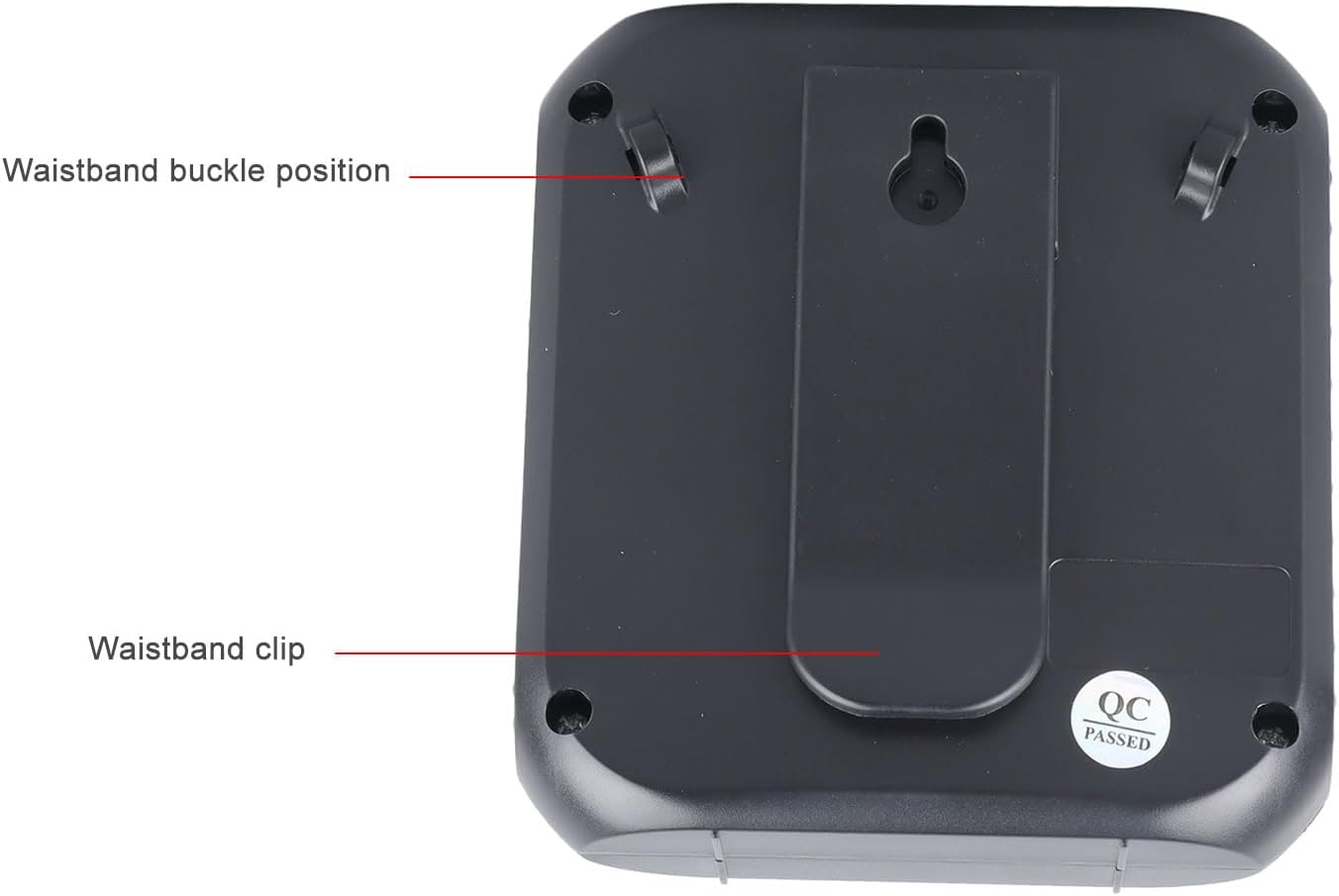
Image: The back of the amplifier, highlighting the attachment points for the waistband strap.
- Waistband Buckle Positions: Slots for attaching the waistband strap.
- Waistband Clip: For direct attachment to clothing or a belt.
סעטאַפּ
- ערשט אָפּצאָל: פארן ערשטן באַנוץ, זאָל מען גאָר אויפלאָדן דעם amplifier. Connect the USB charging cable to the charging port on the amplifier and to a standard USB power adapter (not included) or computer USB port. The charging indicator will illuminate.
- פאַרבינדן מיקראָפאָן: Insert the 3.5mm plug of the headset microphone into the microphone jack on the amplifier. Ensure it is securely connected.
- Wear Microphone: Position the headset microphone comfortably on your head, ensuring the microphone element is close to your mouth for optimal voice pickup.
- צוטשעפּען Ampלייבער: Use the waistband strap by threading it through the buckle positions on the back of the amplifier, or use the integrated clip to attach the amplifier to your belt or clothing.
אַפּערייטינג ינסטראַקשאַנז
- מאַכט אויף / אַוועק: לאנג דריקן די שפּיל / פּויזע קנעפּל צו ווענדן די amplifier on or off. A voice prompt will indicate the power status.
- סטרויערן באַנד: דרייען די באַנד קנעפּל clockwise to increase volume and counter-clockwise to decrease volume. Start with a low volume and gradually increase to avoid feedback.
- קול Ampליפיקאַטיאָן: Once powered on and the microphone is connected, speak into the headset microphone. Your voice will be ampליצירט דורך דעם רעדנער.
- Media Playback (U Disk/Memory Card):
- Insert a U disk into the U disk interface or a Memory Card (TF card) into the Memory Card slot.
- די amplifier will automatically detect and begin playing audio files.
- ניצן די פרייַערדיק ליד און ווייַטער ליד קנעפּלעך צו נאַוויגירן טראַקס.
- צאַפּן אויף שפּיל / פּויזע קנעפּל צו פּויזע אָדער נעמענ זיכ ווידער פּלייבאַק.
- לאנג דריקן די ווייַטער ליד button to cycle through playback modes (single song loop, list loop).
- AUX אַרייַנשרייַב: Connect an external audio source (e.g., smartphone, MP3 player) to the amplifier's AUX input port (if available, typically shared with microphone jack or a separate port) using an AUX cable (not included). The amplifier will play audio from the connected device.
טשאַרדזשינג
די amplifier features a built-in 2200mAh rechargeable battery, providing extended usage time.
בילד: וויזועלע רעפּרעזענטאַציע פון די amplifier's long battery life and capacity.
- פֿאַרבינדט דעם צוגעשטעלטן USB טשאַרדזשינג קאַבל צום amplifier's charging port and a USB power source.
- די טשאַרדזשינג אינדיקאַטאָר ליכט וועט ווייַזן דעם טשאַרדזשינג סטאַטוס.
- A full charge can provide up to 10 days of playtime, depending on usage.
- When the battery is low, the device may emit an audible alert or the indicator light may change. Recharge promptly.
עטלעכע אַפּלאַקיישאַנז
This portable voice amplifier is suitable for a wide range of scenarios where clear and amplified voice is needed.
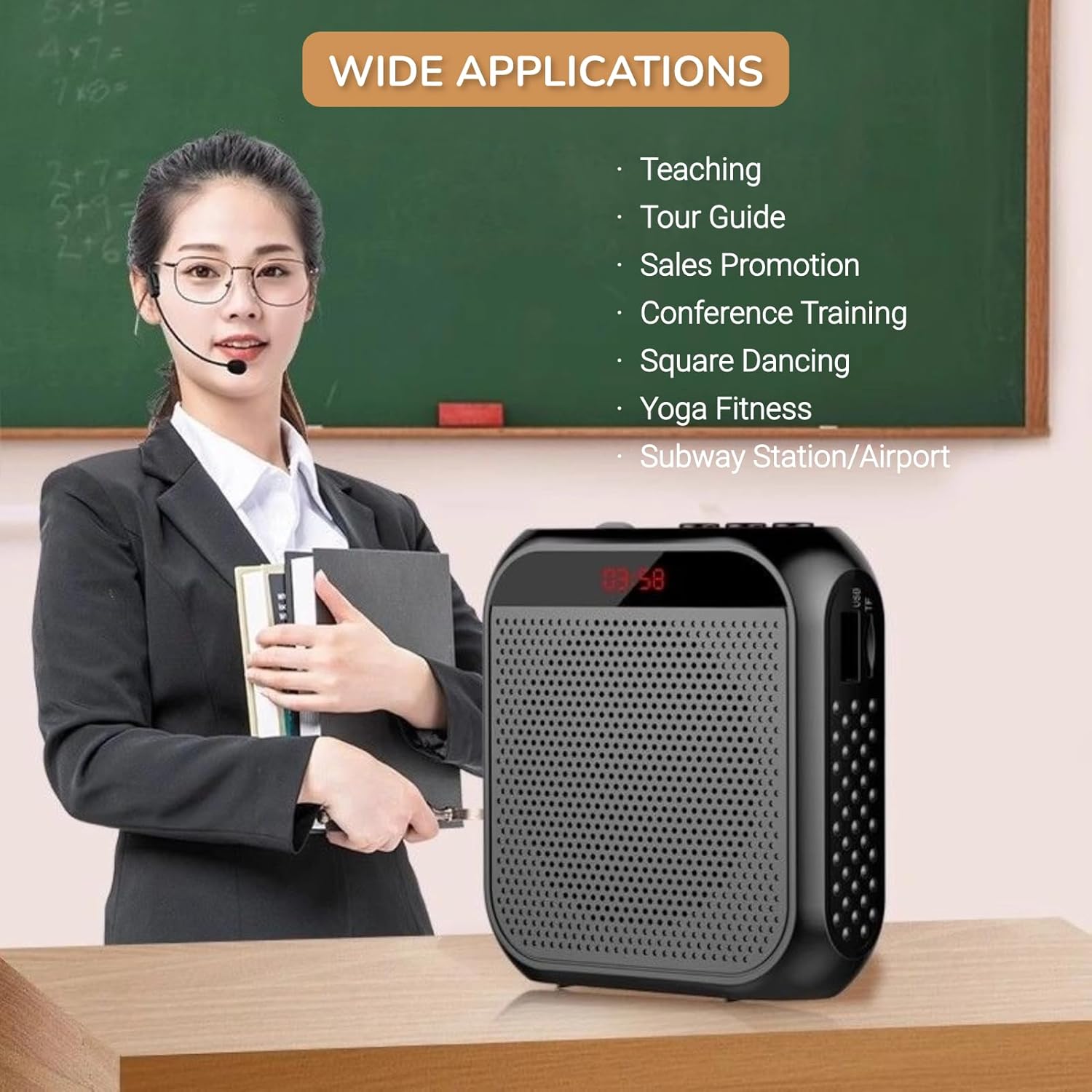
Image: A visual demonstrating various professional and recreational uses for the voice ampליפער.
- לערנען
- Tour Guiding
- Conference Training
- פּרעזאַנטיישאַנז
- ציבור ספּיקינג
- דרויסנדיק אַקטיוויטעטן
ווערינג מעטהאָדס
די amplifier offers flexible wearing options for user comfort and convenience.

בילד: עקסampלייענען וועגן ווי די amplifier can be worn using the waistband strap or clip.
- Waistband: Attach the provided strap to the buckle positions on the amplifier and wear it around your waist or over your shoulder.
- גאַרטל קליפּ: Use the integrated clip on the back of the amplifier to secure it directly to your belt, pocket, or clothing.
ספּעסאַפאַקיישאַנז
Key technical specifications of the Yunseity Portable Voice Ampליפער.

Image: Diagram showing the physical dimensions of the ampליפער.
| שטריך | באַשרייַבונג |
|---|---|
| סאָרט | יונסיטי |
| מאָדעל נומער | Yunseity07h6poqxat |
| קאַנעקטיוויטי טעכנאָלאָגיע | AUX |
| קאָליר | שוואַרץ |
| קאַמפּאַטאַבאַל דעוויסעס | העאַדסעט |
| מאַונטינג טיפּ | פּאָרטאַטיוו, טאַבלעטאָפּ |
| מאַכט מקור | באַטאַרייע פּאַוערד |
| קאַנעקטער טיפּ | אַוקס |
| נומער פון טשאַנאַלז | 1 |
| אַודיאָ אַרייַנשרייַב | USB, Memory Card, Auxiliary |
| אָפּצוימונג מאַטעריאַל | פּלאַסטיק |
| באַטאַרייע קאַפּאַציטעט | 2200 מאַה |
| דימענסיעס (בעערעך) | 8.4cm X 2.8cm X 9.2cm (3.30in X 1.10in X 3.62in) |
וישאַלט
- רייניקונג: ווישן די amplifier with a soft, dry cloth. Do not use harsh chemicals or abrasive cleaners.
- סטאָרידזש: האַלט דעם אַפּאַראַט אין אַ קיל, טרוקן אָרט אַוועק פון דירעקט זונשייַן און עקסטרעמע טעמפּעראַטורן.
- באַטערי זאָרגן: For optimal battery life, avoid fully discharging the battery frequently. Recharge the device regularly, even if not in use for extended periods.
- שעפּן מיט זאָרג: ויסמיידן דראַפּינג די מיטל אָדער אונטערטעניק צו שטאַרק ימפּאַקץ.
טראָובלעשאָאָטינג
If you encounter issues with your voice ampליפיער, ביטע זעט די פאלגענדע אלגעמיינע פראבלעמען און לייזונגען:
| פּראָבלעם | מעגלעך סיבה | לייזונג |
|---|---|---|
| ניט געזונט אָדער נידעריק באַנד | Device is off; Volume is too low; Microphone not connected; Microphone faulty. | Long press Play/Pause to turn on; Rotate volume knob clockwise; Ensure microphone is fully plugged in; Test with another microphone if available. |
| Feedback/Whistling sound | Microphone too close to speaker; Volume too high; Microphone pointed at speaker. | Increase distance between microphone and amplifier; Reduce volume; Adjust microphone position away from the speaker. |
| מיטל איז נישט טשאַרדזשינג | Charging cable faulty; Power source faulty; Charging port damaged. | Try a different USB cable; Use a different USB power adapter/port; Contact customer support if port is damaged. |
| Media playback not working | U disk/Memory Card not inserted correctly; Incompatible file פֿאָרמאַט; פֿאַרדאָרבן files. | Reinsert U disk/Memory Card; Ensure files are in a supported format (e.g., MP3); Try different media files. |
וואָראַנטי און שטיצן
This Yunseity product comes with a standard manufacturer's warranty. Please refer to the packaging or the seller's terms for specific warranty details and duration.
For technical support, warranty claims, or any questions regarding your product, please contact the seller or Yunseity customer service through the platform where you purchased the item. Provide your model number (Yunseity07h6poqxat) and purchase details for faster assistance.