
LC-Power LC-M32-FHD-165-C-A
LC-Power FHD 32 inch 165Hz Curved Gaming Monitor User Manual
Model: LC-M32-FHD-165-C-A | Brand: LC-Power
1. הקדמה
This manual provides essential information for the proper installation, operation, and maintenance of your LC-Power FHD 32 inch 165Hz Curved Gaming Monitor (Model: LC-M32-FHD-165-C-A). Please read this manual thoroughly before using the product to ensure optimal performance and safety.

פיגורע 1.1: פראָנט view of the LC-Power 32-inch curved gaming monitor.
2. זיכערקייַט אינפֿאָרמאַציע
אָבסערווירן די פאלגענדע זיכערהייט מיטלען צו פאַרמייַדן שעדיקן צו די מאָניטאָר און ענשור באַניצער זיכערהייט:
- שטעלט נישט אויס דעם מאָניטאָר צו רעגן, פייכטקייט, אדער עקסטרעמע טעמפּעראַטורן.
- זיכער מאַכן אַז די ווענטילאַציע אַרום דעם מאָניטאָר איז ריכטיק. בלאָקירט נישט די ווענטילאַציע עפענונגען.
- ניצט נאָר דעם מאַכט אַדאַפּטער וואָס ווערט צוגעשטעלט מיטן מאָניטאָר.
- ויסמיידן פּלייסינג שווער אַבדזשעקץ אויף די מאַכט שנור.
- Disconnect the power cable from the outlet during lightning storms or when unused for extended periods.
- פרובירט נישט צו פאררעכטן דעם מאָניטאָר אליין. לאָזט איבער אַלע סערוויסעס צו קוואַליפֿיצירטע פּערסאָנעל.
3. פּעקל אינהאַלט
באַשטעטיקן אַז אַלע זאכן זענען פאַראַן אין פּעקל:
- LC-Power 32 inch Curved Gaming Monitor
- מאָניטאָר שטאַנד (באַזע און האַלדז)
- מאַכט אַדאַפּטער און מאַכט קאַבל
- HDMI קאַבלע
- באַניצער מאַנואַל
- שרויפן פֿאַר שטאַנד פֿאַרזאַמלונג
4. סעטאַפּ
4.1 צוזאַמענשטעלן דעם שטאַנד
- נעמט פֿאָרזיכטיק אַרויס דעם מאָניטאָר פֿון זײַן פּאַקעט, און האַלט עס באַשיצט אויף אַ ווייכער ייבערפֿלאַך.
- באַפעסטיקט דעם שטאַנד האַלדז צום מאָניטאָר טאַפליע מיט די צוגעשטעלטע שרויפן.
- פֿאַרבינדט די שטאַנד באַזע צום שטאַנד האַלדז און באַפֿעסטיגט עס מיט די איבעריקע שרויפֿן.
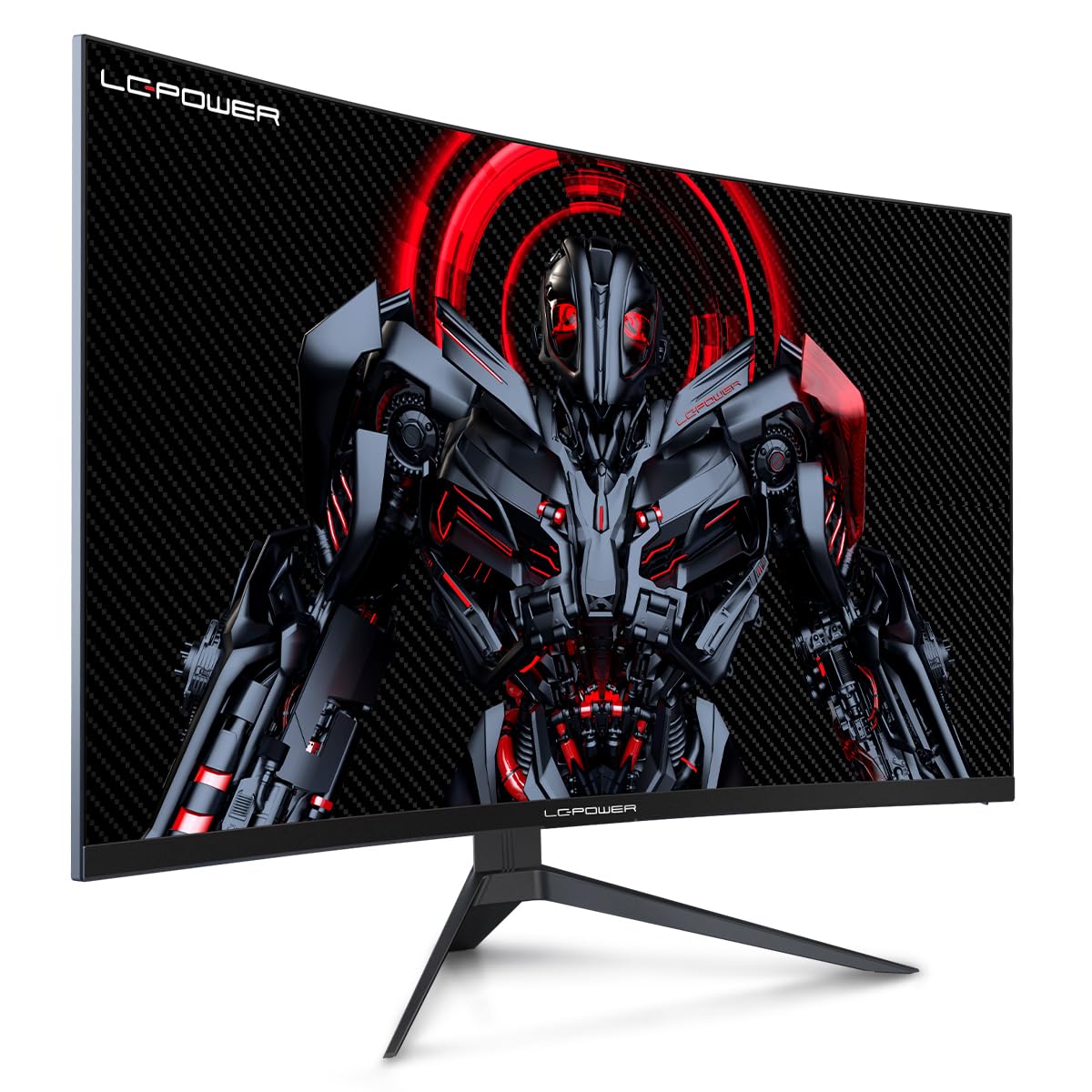
Figure 4.1: LC-Power monitor with stand assembled.
4.2 קאַנעקטינג קאַבלעס
פֿאַרבינדט די נויטיקע קאַבלען צו די הינטערשטע פּאָרטן פֿונעם מאָניטאָר:
- מאַכט: פֿאַרבינדט דעם מאַכט אַדאַפּטער צום מאָניטאָר'ס גלייַך שטראָם אַרייַנגאַנג און דערנאָך צו אַ מאַכט ווענטיל.
- ווידעא ינפּוט: Connect an HDMI or DisplayPort cable from your computer's graphics card to the corresponding port on the monitor.

פיגורע 4.2: דערציען view of the monitor with input ports.
4.3 וועסאַ מאָנטירונג (אפציאָנעל)
The monitor supports VESA 100x100mm mounting. To use a VESA mount, remove the stand and attach the monitor to a compatible VESA bracket using appropriate screws (not included).
5. אַפּערייטינג ינסטרוקטיאָנס
5.1 מאַכט אויף / אַוועק
דריק דעם מאַכט קנעפּל, וואָס געפינט זיך געוויינטלעך אויף דער הינטערשטער אָדער אונטערשטער טייל פונעם מאָניטאָר, צו אנצינדן אָדער אויסלעשן דעם מאָניטאָר. די מאַכט אינדיקאַטאָר ליכט וועט זיך אָנצינדן ווען דער מאָניטאָר איז אָן.
5.2 אויף-סקרין ווייַז (אָסד) מעניו
The OSD menu allows you to adjust various monitor settings. Use the control buttons (joystick or individual buttons) on the monitor to navigate the menu.
געוויינטלעכע OSD סעטטינגס:
- בילד סעטטינגס: אַדזשאַסטירן העלקייט, קאָנטראַסט, שאַרפֿקייט און קאָליר טעמפּעראַטור.
- אַרייַנשרייַב אויסקלייַבן: מאַנועל באַשטימען צווישן HDMI און DisplayPort אינפוטס.
- אַודיאָ: Adjust volume if external speakers are connected via the monitor's audio output.
- שפּיל סעטטינגס: Access features like Overdrive, GamePlus (crosshair overlays), FPS/RTS modes, and Adaptive Sync.
- ווייַז סעטטינגס: Adjust aspect ratio, resolution, and refresh rate. Ensure your graphics card is configured to output 1920x1080 resolution at 165Hz for optimal performance.
- נידעריק בלוי ליכט און פליקער-פֿרײַ: These features are designed to reduce eye strain during prolonged use. They can be enabled or disabled in the OSD menu.
6. וישאַלט
6.1 רייניקונג די מאָניטאָר
- שטענדיק אָפּשטויסן די מאָניטאָר איידער רייניקונג.
- ניצן אַ ווייך, לינט-פֿרייַ שטאָף אַ ביסל דampאָפּגעווישט מיט וואַסער אָדער אַ מילד, נישט-אַברייסיוו פאַרשטעלן רייניגער.
- שפריצט נישט רייניגער גלייך אויפן עקראַן.
- Avoid using benzene, thinner, or ammonia-based cleaners.
6.2 סטאָרידזש
If storing the monitor for an extended period, disconnect all cables, pack it in its original packaging, and store it in a cool, dry place away from direct sunlight.
7. טראָובלעשאָאָטינג
זעט די פאלגנדע טאבעלע פאר אלגעמיינע פראבלעמען און זייערע לייזונגען:
| פּראָבלעם | מעגלעך סיבה | לייזונג |
|---|---|---|
| קיין בילד אויף פאַרשטעלן | Power cable disconnected; Video cable disconnected; Incorrect input selected | Check power and video cable connections; Select correct input via OSD menu |
| בילד פליקערינג | Faulty video cable; Graphics card driver issue; Refresh rate mismatch | Replace video cable; Update graphics drivers; Set refresh rate to 165Hz in OS display settings |
| קאָלאָרס דערשייַנען פאַלש | Color settings in OSD; Graphics card settings | Adjust color settings in OSD; Calibrate colors via graphics card control panel |
| מאָניטאָר טוט נישט קער אויף | Power cable not connected; Power adapter faulty | Ensure power cable is securely connected; Test power outlet; Contact support if adapter is suspected faulty |
8. ספּעסאַפאַקיישאַנז
Detailed technical specifications for the LC-Power LC-M32-FHD-165-C-A monitor:
| שטריך | באַשרייַבונג |
|---|---|
| סאָרט | לק-מאַכט |
| מאָדעל | LC-M32-FHD-165-CA |
| פאַרשטעלן גרייס | 32 אינטשעס |
| פאַרשטעלן האַכלאָטע | 1920 x 1080 (FHD 1080p) |
| דערפרישן קורס | 165 הז |
| ענטפער צייט | 1 מיליסעקאַנד |
| קערוואַטשער | 1500ר |
| אַספּעקט פאַרהעלטעניש | 16:9 |
| ווייַז טעכנאָלאָגיע | לקד |
| Viewינג אַנגלע | 178 דיגריז |
| ייַזנוואַרג צובינד | הדמי, DisplayPort |
| ספּעציעלע פֿעיִקייטן | Curved, Flicker-Free, Low Blue Light, GamePlus, Overdrive, FPS/RTS |
| VESA קאַמפּאַטאַבילאַטי | 100x100מם |
| פּראָדוקט דימענשאַנז | 14.3 X 53.8 X 40.6 סענטימעטער (L X W X H) |
| פּונקט וואָג | 8.24 קג |
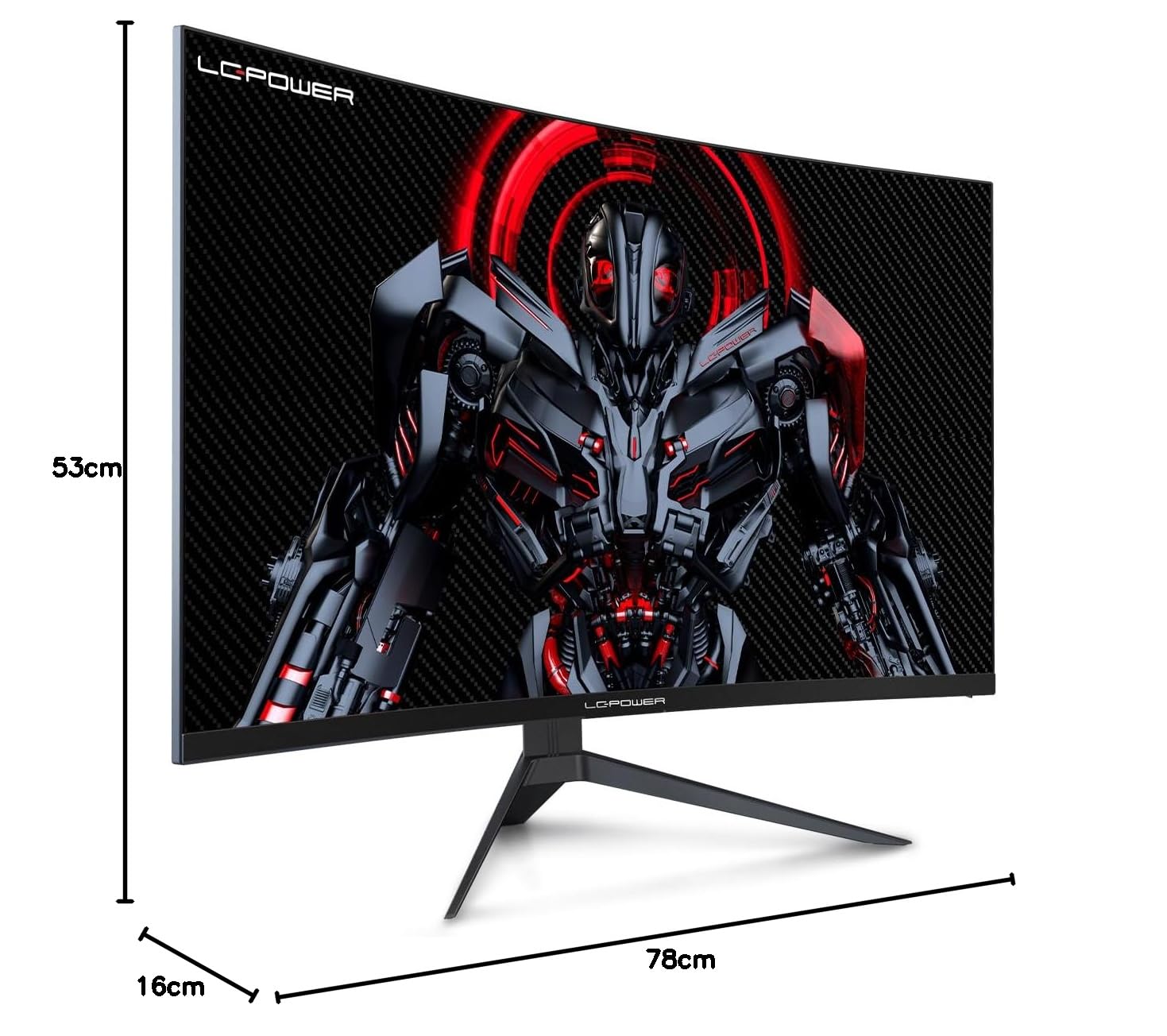
Figure 8.1: Monitor dimensions for planning installation space.
9. וואָראַנטי און שטיצן
LC-Power provides a three-year warranty for this product. Additionally, a twelve-month replacement service is available. For technical assistance or inquiries regarding damage, defects, or missing parts, please contact LC-Power customer support. Telephone technical support is also available.
Ask a question about this manual
Ask about setup, troubleshooting, compatibility, parts, safety, or missing instructions. Manuals+ will review the question and use this page’s manual context to help answer it.