
ANCwear ANC-107
ANCwear Smart Watch ANC-107 User Manual
מאָדעל: ANC-107
הקדמה
This manual provides detailed instructions for the setup, operation, and maintenance of your ANCwear Smart Watch ANC-107. Please read this manual thoroughly to ensure proper use and to fully utilize all features of your device.

Image: The ANCwear Smart Watch ANC-107 with a black strap, displaying time, step count, distance, and calories burned on its screen.
וואָס איז אין די קעסטל
ביים אויספּאַקן דעם קעסטל, ביטע באַשטעטיקן אַז אַלע די זאכן וואָס זענען אויסגערעכנט אונטן זענען פאַראַן:
- סמאַרט וואַך רענטגענ 1
- Charging Cable x 1 (Magnetic)
- באַניצער מאַנואַל x 1
סעטאַפּ גייד
Follow these steps to set up your ANCwear Smart Watch ANC-107 and connect it to your smartphone.
1. Download the Da Fit App
The ANCwear Smart Watch ANC-107 requires the דאַ פיט application for full functionality. Download the app from your smartphone's app store (App Store for iOS, Google Play for Android) or by scanning the QR code provided in the watch's packaging or on the watch screen during initial setup.
אדער, קענט איר באַזוכן די אפיציעלע דאַונלאָוד בלאַט: http://plus.crrepa.com/app-download/dafit

Image: Screenshot showing the Da Fit app download page on a smartphone.
2. געבן בלועטאָאָטה
Ensure Bluetooth is enabled on your smartphone. Navigate to your phone's settings and turn on Bluetooth.

Image: Screenshot of a smartphone's Bluetooth settings, showing Bluetooth enabled.
3. Pair Your Smart Watch
- Open the Da Fit app on your smartphone.
- Navigate to the 'Device' section or look for an option to 'Add Device' or 'Bind Device'.
- The app will scan for available devices. Select "ANC-107" from the list of found devices.
- באַשטעטיקט די פּאָרינג בקשה אויף ביידע אייער סמאַרטפאָון און די סמאַרטוואַטש אויב געבעטן.
If you encounter issues, ensure no other devices are actively paired with the watch and try restarting both the watch and your phone's Bluetooth.

Image: Screenshot of the Da Fit app showing the device pairing process, with "ANC-107" selected.
אַפּערייטינג ינסטראַקשאַנז
אַרויסווייַז און זייגער פנימער
The ANCwear Smart Watch ANC-107 features a 1.83-inch HD touchscreen display. You can customize the watch face to suit your style. The Da Fit app offers over 200 built-in watch faces, and you can also use your own photos.
- טשאַנגינג וואַך פנימער: Long-press the watch screen to quickly switch between pre-loaded watch faces. For more options, open the Da Fit app, navigate to the 'Watch Faces' section, and select from the gallery or upload a custom image.

Image: The ANCwear Smart Watch displaying different customizable watch faces, including a cat, a health dashboard, and a digital clock.
געזונט מאָניטאָרינג
The watch provides continuous health tracking features:
- האַרץ קורס מאָניטאָר: טראַקט דיין האַרץ טעמפּאָ 24/7. View real-time data on the watch or detailed historical data in the Da Fit app.
- שלאָף טראַקינג: Monitors your sleep patterns, including deep sleep, light sleep, and REM sleep. Access sleep quality reports in the app.
- Blood Pressure & SpO2 Monitor: Utilizes PPG technology to measure blood pressure and blood oxygen saturation (SpO2). These measurements are for reference only and not for medical diagnosis.

Image: A person exercising with the watch, showing heart rate data on the screen and a graph of heart rate over time.

Image: A person sleeping, with the watch on their wrist, showing sleep duration and sleep stagע צוזאמענברוך.
ספּאָרט מאָדעס
The watch supports over 120 sports modes, accurately tracking your activity data including steps, distance, calories burned, and heart rate during workouts.
- Activating a Sports Mode: Swipe on the watch screen to find the 'Sports' icon, tap it, and select your desired activity.
- גפּס טראַקינג: For outdoor activities like running or cycling, the watch can use your smartphone's GPS to map your route. Ensure your phone is with you and connected via Bluetooth.
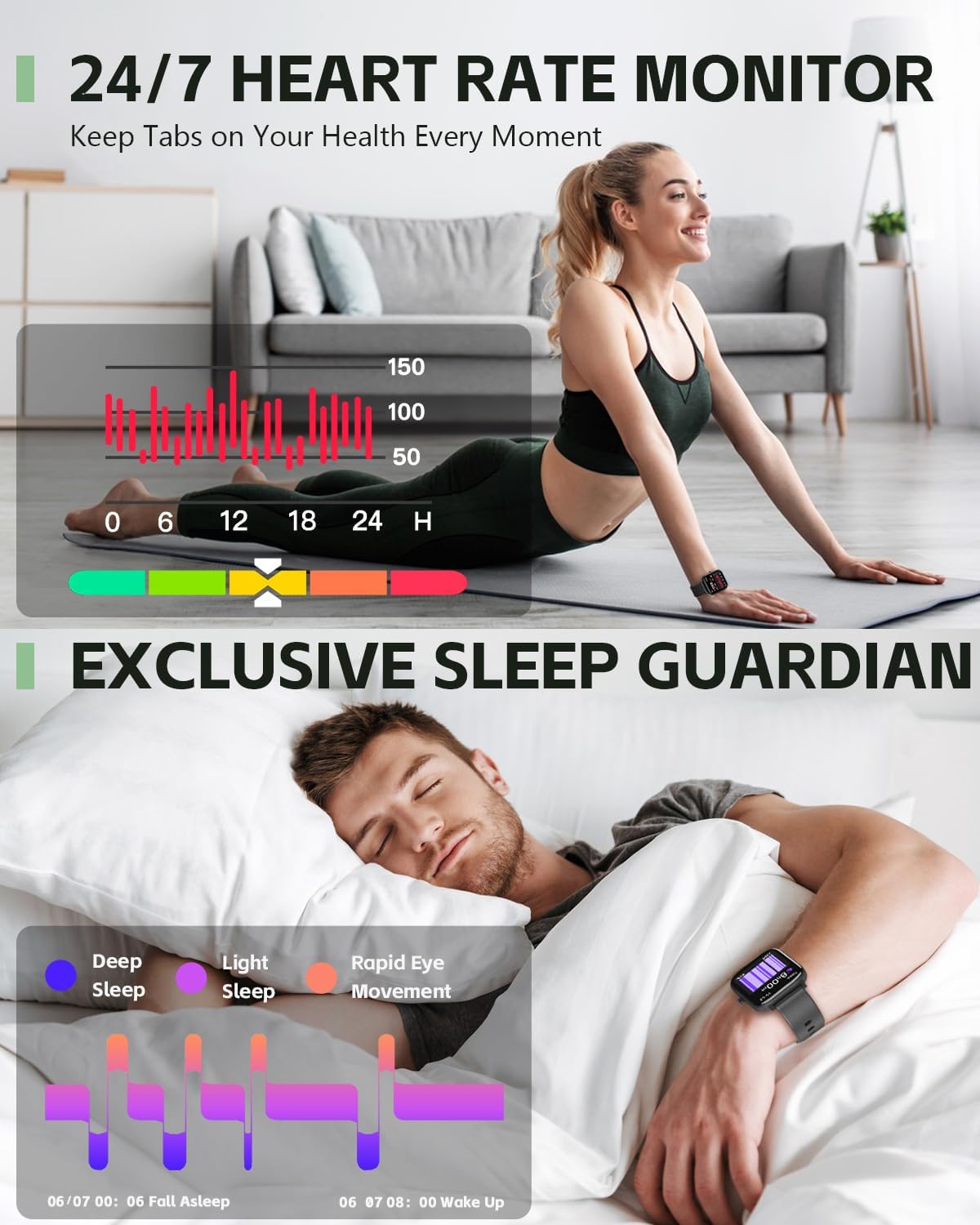
Image: A person cycling outdoors, wearing the ANCwear Smart Watch which displays cycling data such as duration, BPM, calories, steps, and distance.
Notifications and Remote Control
- Smart Reminders: Receive notifications for incoming calls, text messages, and social media alerts directly on your watch. Configure notification settings within the Da Fit app.
- ווייַט לאָדן: Use your watch as a remote control for your smartphone camera. Open the camera function in the Da Fit app, then shake your wrist or tap the watch screen to take a photo.
- מוזיק קאָנטראָל: קאָנטראָלירט מוזיק ווידערשפּיל אויף אייער סמאַרטפאָון (שפּילן, פּויזירן, איבערשפּרינגען טראַקס) גלייך פֿון אייער זייגער.

Image: A couple relaxing on a couch, with one person wearing the ANCwear Smart Watch and controlling music on a smartphone.
אנדערע פֿעיִקייטן
- דערמאָנונג פון טרינקען וואַסער: Set reminders to stay hydrated throughout the day.
- ברידינג עקסערסייזיז: געפֿירטע אָטעמען־געניטונגען צו העלפֿן אײַך אָפּרוען.

Image: A person drinking water, with the ANCwear Smart Watch displaying a "Reminder to Drink Water" notification.
וישאַלט
טשאַרדזשינג
The ANCwear Smart Watch ANC-107 uses a magnetic charging cable. Connect the magnetic end to the charging points on the back of the watch and the USB end to a power source (e.g., computer USB port, USB wall adapter).
- טשאַרדזשינג צייט: בעערעך 2 שעה פֿאַר אַ פול אָפּצאָל.
- באַטאַרייע לעבן: Up to 10 days of typical usage, and up to 30 days in standby mode.

Image: The back of the ANCwear Smart Watch connected to its magnetic charging cable, showing charging indicators.
וואַסער קעגנשטעל
The watch has an IP68 water resistance rating, meaning it is protected against dust and can withstand immersion in water up to 1.5 meters for up to 30 minutes. It is suitable for daily use, showering, and swimming in shallow water.
וויכטיק: Avoid using the watch in hot water, saunas, or steam rooms, as steam can penetrate the seals and cause damage. Not suitable for diving or high-pressure water activities.

Image: The ANCwear Smart Watch being worn by a person swimming underwater, illustrating its IP68 water resistance.
טראָובלעשאָאָטינג
If you encounter issues with your ANCwear Smart Watch ANC-107, please refer to the following common solutions:
| פּראָבלעם | לייזונג |
|---|---|
| Cannot pair with smartphone / App not finding watch |
|
| Inaccurate health data (Heart Rate, Sleep, etc.) |
|
| קורץ באַטאַרייע לעבן |
|
| נאָוטאַפאַקיישאַנז ניט דערשייַנען |
|
ספּעסאַפאַקיישאַנז
| שטריך | דעטאַל |
|---|---|
| מאָדעל נומער | אַנק -107 |
| ווייַז גרייס | 1.83 אינטשעס HD טאָוטש סקרין |
| קאַנעקטיוויטי | בלועטאָאָטה |
| וואַסער קעגנשטעל | IP68 (10M Proof, Sweat, Bathing) |
| באַטאַרייע קאַפּאַציטעט | 230 מיליamp שעהן |
| טיפּישע באַניץ באַטאַרייע לעבן | אַרויף צו 10 טעג |
| סטאַנדביי צייט | אַרויף צו 30 טעג |
| גאַנץ אָפּצאָל צייט | בעערעך. 2 שעה |
| געזונט מאָניטאָרינג | Heart Rate, Sleep, Blood Pressure, SpO2 |
| ספּאָרט מאָדעס | מער ווי 120 מאָדעס |
| קאַמפּאַטאַבאַל אַס | אַנדרויד, יאָס |
| פּונקט וואָג | 3.52 אונסעס |
| פּראָדוקט דימענשאַנז | 5.91 X 3.54 X 0.75 אינטשעס |
וואָראַנטי און שטיצן
ANCwear is committed to providing quality products and customer satisfaction.
- וואָראַנטי: Your ANCwear Smart Watch ANC-107 comes with a 2-year sales service warranty.
- קערט: A 30-day return policy is offered.
- קונה סערוויס: For any issues or inquiries, please contact ANCwear customer support. Contact details are typically found on the product packaging or the official ANCwear webפּלאַץ.
Ask a question about this manual
Ask about setup, troubleshooting, compatibility, parts, safety, or missing instructions. Manuals+ will review the question and use this page’s manual context to help answer it.