
הקדמה
This manual provides detailed instructions for the setup, operation, and maintenance of your Sandberg Mechanical Gamer Keyboard, model 640-31. Please read this manual thoroughly before using the product to ensure proper functionality and longevity.
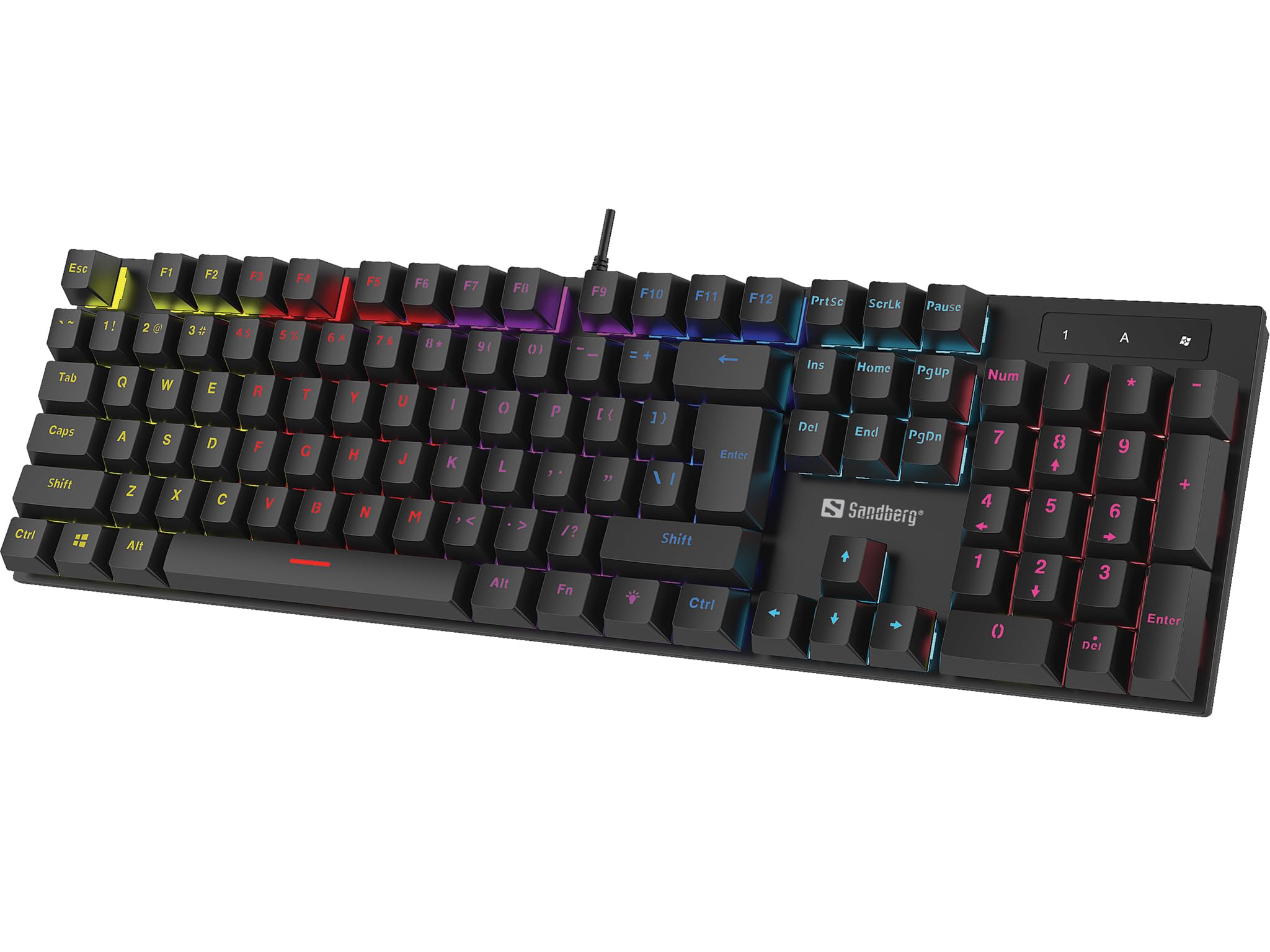
בילד: The Sandberg Mechanical Gamer Keyboard 640-31, showcasing its full layout with RGB backlighting.
פּעקל אינהאַלט
זיכער מאַכן אַז אַלע זאכן זענען פאַראַן אין פּעקל:
- Sandberg Mechanical Gamer Keyboard 640-31 (German Layout)
- באַניצער מאַנואַל (דעם דאָקומענט)
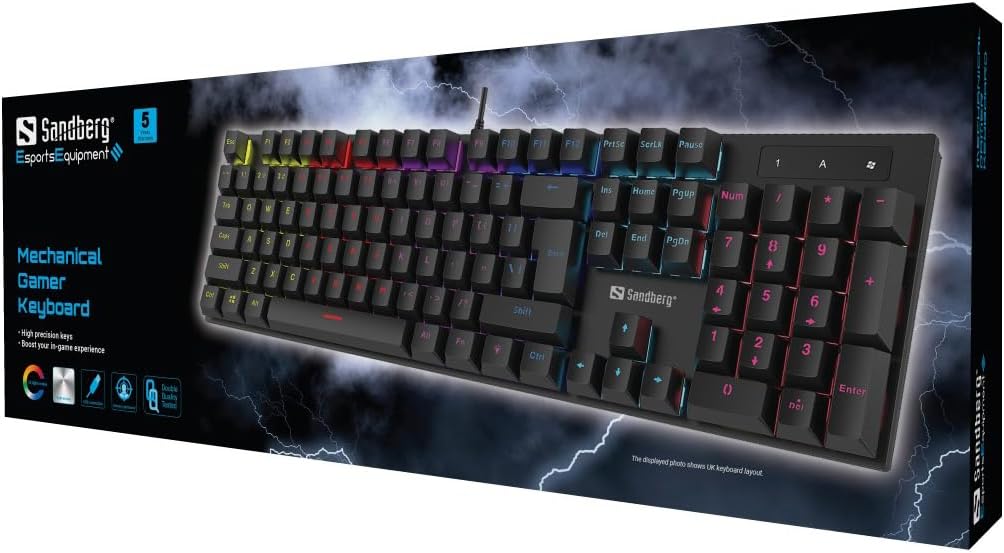
בילד: The retail packaging for the Sandberg Mechanical Gamer Keyboard 640-31, displaying the keyboard and key features.
סעטאַפּ
- אויספּאַקן: נעמט פֿאָרזיכטיק אַרויס די קלאַוויאַטור פֿון איר פּאַקעט.
- קשר: Locate an available USB port on your computer. Insert the USB connector of the keyboard into the USB port.
- דרייווער ינסטאַלירונג: די קלאַוויאַטור איז פּלאַג-און-פּלעי. אייער אָפּערירן סיסטעם וועט אויטאָמאַטיש דעטעקטירן און אינסטאַלירן די נייטיקע דרייווערס. קיין נאָך ווייכווארג אינסטאַלאַציע איז טיפּיש נישט נויטיק פֿאַר גרונטלעכע פֿונקציאָנאַליטעט.
- ערשטע טעסט: Open a text editor or any application where you can type to verify that all keys are functioning correctly.
אַפּערייטינג ינסטראַקשאַנז
גרונטלעכע קלאַוויאַטור פונקציעס
The Sandberg Mechanical Gamer Keyboard 640-31 features a standard German QWERTZ layout with a full numeric keypad. All standard alphanumeric keys, function keys (F1-F12), navigation keys, and the numeric keypad operate as expected.
Multimedia and Function Keys (Fn Combinations)
פילע קנעפּלעך האָבן צווייטיקע פונקציעס וואָס זענען צוטריטלעך דורך דריקן די Fn key (located near the Alt key) simultaneously with the desired function key. Refer to the keycaps for specific icons indicating these functions.
- Fn + F1-F12: Typically control multimedia playback, volume, and other system functions.
- Fn + ווינדאָוס קנעפּל: פארשפארט/עפנט די ווינדאוס קנעפל צו פארמיידן אקצידענטעלע דריקונגען בעת גיימינג.
- Fn + פײַל קנעפּלעך: May control backlight brightness or animation speed.
- Fn + Ins/Home/PgUp/Del/End/PgDn: Often used for backlight mode selection or customization.
באַקלייט קאָנטראָל
The keyboard features customizable RGB backlighting. Specific key combinations are used to adjust lighting effects:
- ברייטנאַס אַדזשאַסטמאַנט: ניצן Fn + אַרויף עראָו צו פאַרגרעסערן ברייטנאַס און Fn + אַראָפּ עראָו צו פאַרמינערן ברייטנאַס.
- מאָדע באַשטימען: דרוק Fn + ינס, Fn + היים, Fn + PgUp, Fn + Del, Fn + סוף, אָדער Fn + PgDn to cycle through various lighting modes and effects.
- קאָליר אַדזשאַסטמאַנט: Some modes allow color changes using Fn + לינקס עראָו or Fn + רעכט עראָו.
- גיכקייט אַדזשאַסטמאַנט: For dynamic lighting modes, Fn + Minus (-) און Fn + Plus (+) keys (on the main keyboard, not numpad) may adjust the effect speed.
וישאַלט
רייניקונג די קלאַוויאַטור
- דיסקאַנעקט: שטענדיק אָפּשטעקן די קלאַוויאַטור פֿון אייער קאָמפּיוטער איידער איר רייניקט.
- באַזייַטיקונג פון שטויב: ניצט אַ קאַן מיט קאַמפּרעסט לופט צו באַזייַטיקן שטויב און דעבריס פון צווישן די קלאַוויאַטורן.
- ייבערפלאַך רייניקונג: ווישט די קלאַוויאַטור קאַפּס און קלאַוויאַטור ייבערפלאַך מיט אַ ווייכן, לייכט נאַסן טוך.amp, א לינט-פֿרײַער שטאָף. פֿאַרמײַדט איבעריקע פֿײַכטקייט.
- ויסמיידן האַרב קעמיקאַלז: Do not use strong cleaning agents, solvents, or abrasive materials, as these can damage the keyboard's finish or keycap legends.
סטאָרידזש
ווען נישט אין באַנוץ פֿאַר לענגערע פּעריאָדן, האַלט די קלאַוויאַטור אין אַ טרוקן, קיל אָרט אַוועק פון דירעקט זונשייַן און עקסטרעמע טעמפּעראַטורן.
טראָובלעשאָאָטינג
| פּראָבלעם | מעגלעך סיבה | לייזונג |
|---|---|---|
| קלאַוויאַטור ניט ריספּאַנדינג | לויזע USB פֿאַרבינדונג, דעפֿעקטיווער USB פּאָרט, דרייווער פּראָבלעם. |
|
| ספּעציפֿישע קנעפּלעך אַרבעטן נישט | Debris under keycap, key switch malfunction. |
|
| Backlight not working or incorrect | Backlight settings, software conflict. |
|
| Keyboard input lag | System performance, USB port issues. |
|
ספּעסאַפאַקיישאַנז
- מאָדעל: 640-31
- סאָרט: Sandberg
- קלאַוויאַטור אויסלייג: דײַטש (DE)
- טיפּ: מעטשאַניקאַל גיימער קיבאָרד
- נומער פון קנעפּלעך: 105
- קאַנעקטיוויטי: וסב
- פּראָדוקט דימענשאַנז: 2.34 X 6.22 X 2.6 אינטשעס
- נומער וואָג: 6.8 אונסעס
- אַרייַנגערעכנט קאַמפּאָונאַנץ: Mechanical keyboard DE
וואָראַנטי און שטיצן
Sandberg products are designed for quality and come with a warranty. For specific warranty terms and conditions, please refer to the warranty information provided with your purchase or visit the official Sandberg webפּלאַץ.
For technical support, troubleshooting assistance, or to inquire about replacement parts, please visit the official Sandberg support page or contact their customer service directly. You can find contact information on the Sandberg webפּלאַץ: www.sandberg.it