
ApeStellar Keyless Entry Door Lock
ApeStellar Keyless Entry Door Lock User Manual
Model: Keyless Entry Door Lock
Brand: ApeStellar
1. הקדמה
Thank you for choosing the ApeStellar Keyless Entry Door Lock. This product is designed to provide convenient and secure access to your property without the need for traditional keys. It features a robust keypad for code entry, auto-locking capabilities, and is built with durable materials for long-lasting performance. This manual will guide you through the installation, programming, and daily operation of your new lock.
2. שליסל פֿעיִקייטן
- קייפל אַקסעס קאָדעס: Supports one administrator code and up to 49 user codes, including one-time codes.
- דוראַבאַל קאַנסטראַקשאַן: Made from heavy zinc alloy for enhanced stability and durability, meeting ANSI Grade 3 requirements.
- וועטער קעגנשטעל: IP54 rated for protection against dust and water, suitable for various weather conditions.
- אָטאַמאַטיק לאַקינג: Customizable auto-lock feature with adjustable delay from 5 to 900 seconds.
- איין-ריר לאַקינג: Dedicated button for quick and easy locking.
- Anti-Peep Code Protection: Allows entry of random digits before or after the actual code to prevent code exposure.
- באַקלייט קיפּאַד: Illuminated keypad for visibility in low-light conditions.
- ווארענונג פֿאַר נידעריק באַטערי: Alerts when battery power is low, ensuring timely replacement.
- וואַקאַציע מאָדע: Disables all user codes for extended security when away.
- שטום מאָדע: Silences keypad tones for quiet operation.
3. פּראָדוקט איבערview
The ApeStellar Keyless Entry Door Lock consists of an exterior keypad assembly and an interior knob assembly, designed for easy integration with standard door preparations.
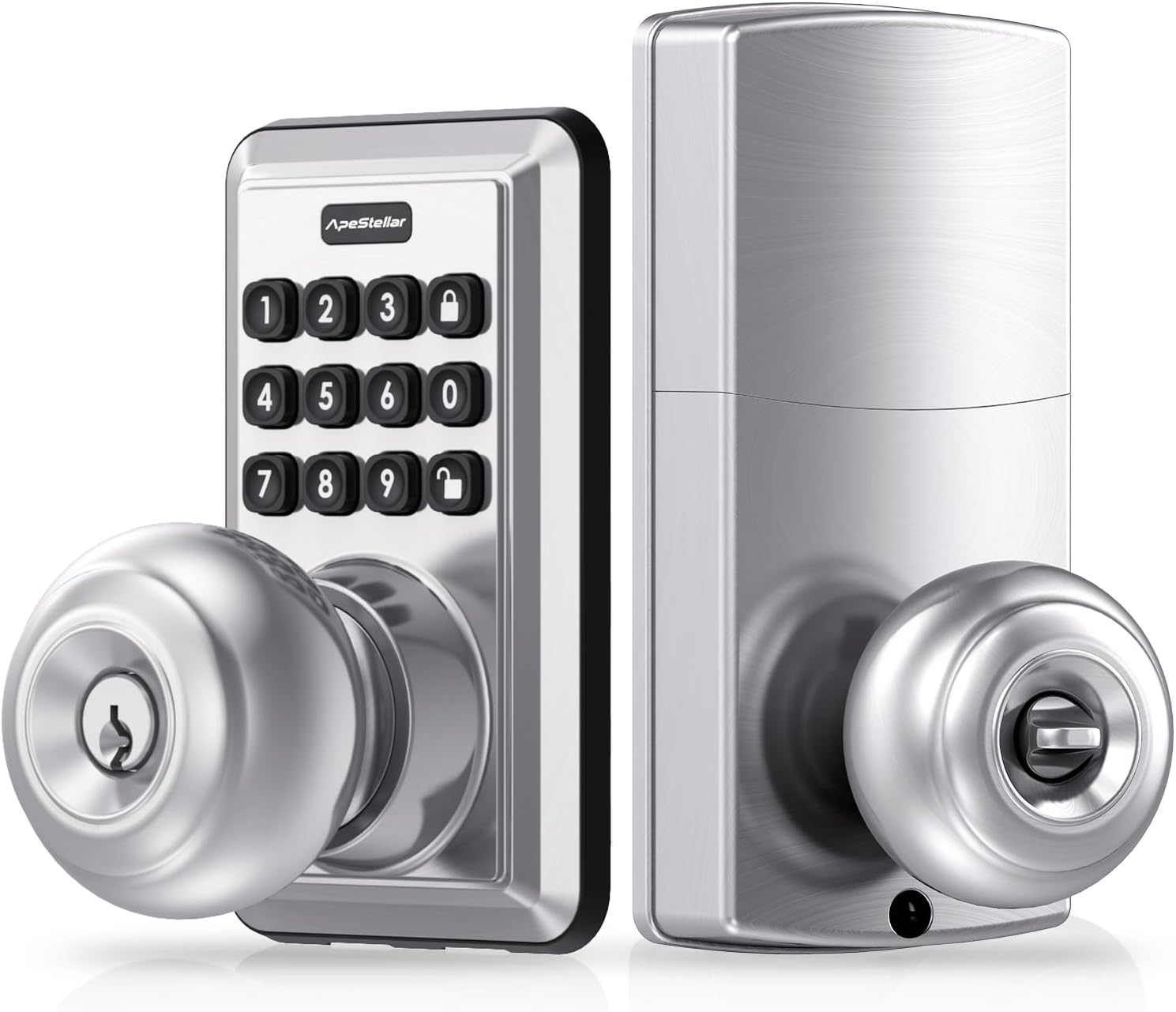
פיגור 3.1: פאָרנט און הינטן view of the ApeStellar Keyless Entry Door Lock components.

Figure 3.2: The lock supports up to 50 user codes, suitable for various access needs.

Figure 3.3: The lock is constructed from heavy zinc alloy, offering superior durability and meeting ANSI Grade 3 standards.
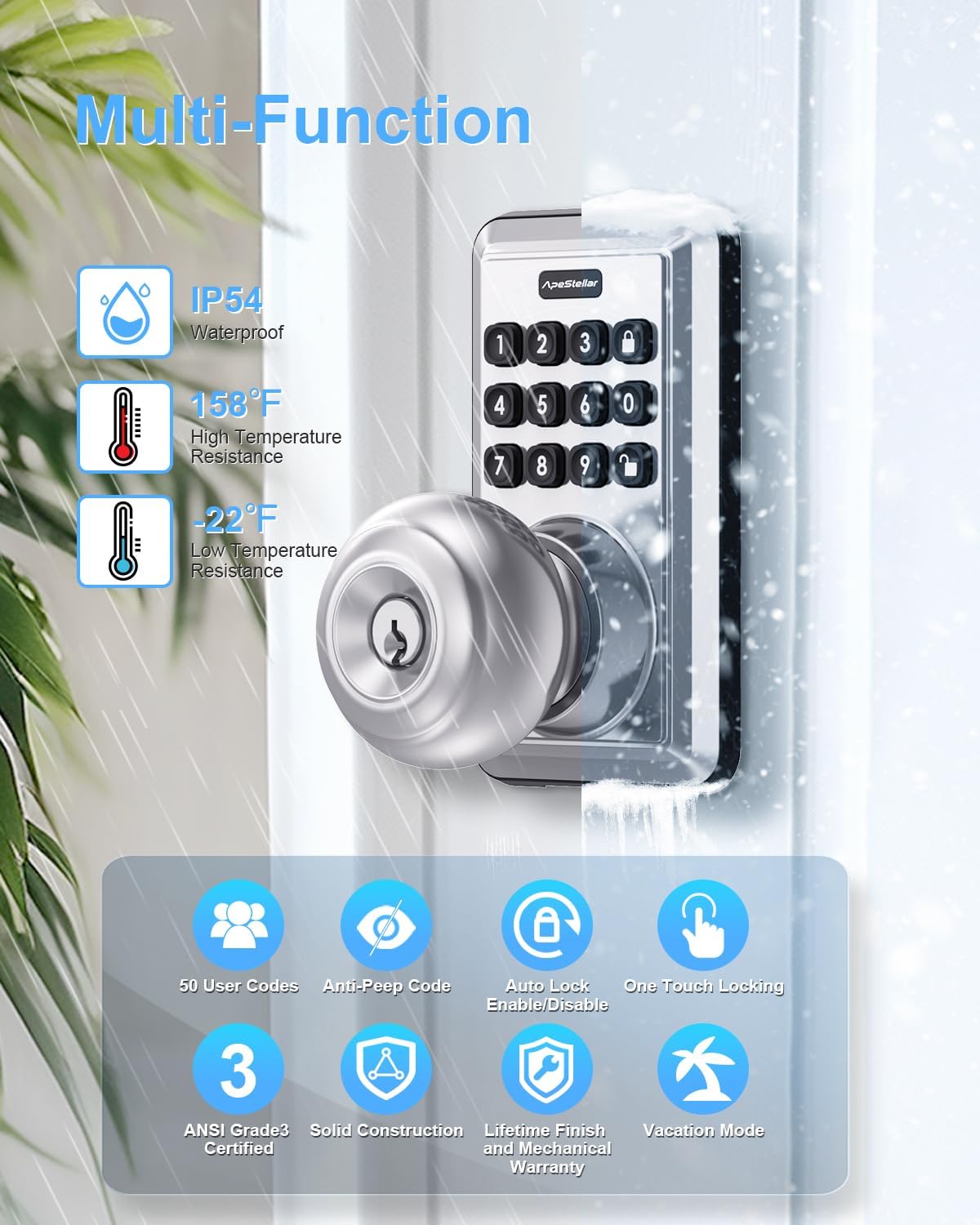
פיגורע 3.4: איבערview of the lock's multi-functional capabilities, including weather resistance and various security features.
4. ינסטאַללאַטיאָן גייד
4.1 טיר קאָמפּאַטאַביליטי
זיכער מאַכן אַז אייער טיר טרעפט די פאלגענדע ספּעסיפיקאַציעס פֿאַר ריכטיקער ינסטאַלירונג:
- Door Holes: Only suitable for 2-1/8" (54mm) door holes.
- טיר גרעב: 1-3/8" to 1-3/4" (35mm to 45mm).
- באַקקסעט: Adjustable latch fits 2-3/8" or 2-3/4" (60mm or 70mm) backset.

Figure 4.1: Door compatibility and lock dimensions.
4.2 מכשירים פארלאנגט
- פיליפּס קאָפּ שרויפנ - ציער
4.3 ינסטאַללאַטיאָן סטעפּס
The installation process typically takes about 15 minutes. Follow the instructions provided in the packaging for detailed steps. A screwdriver is the only tool required.
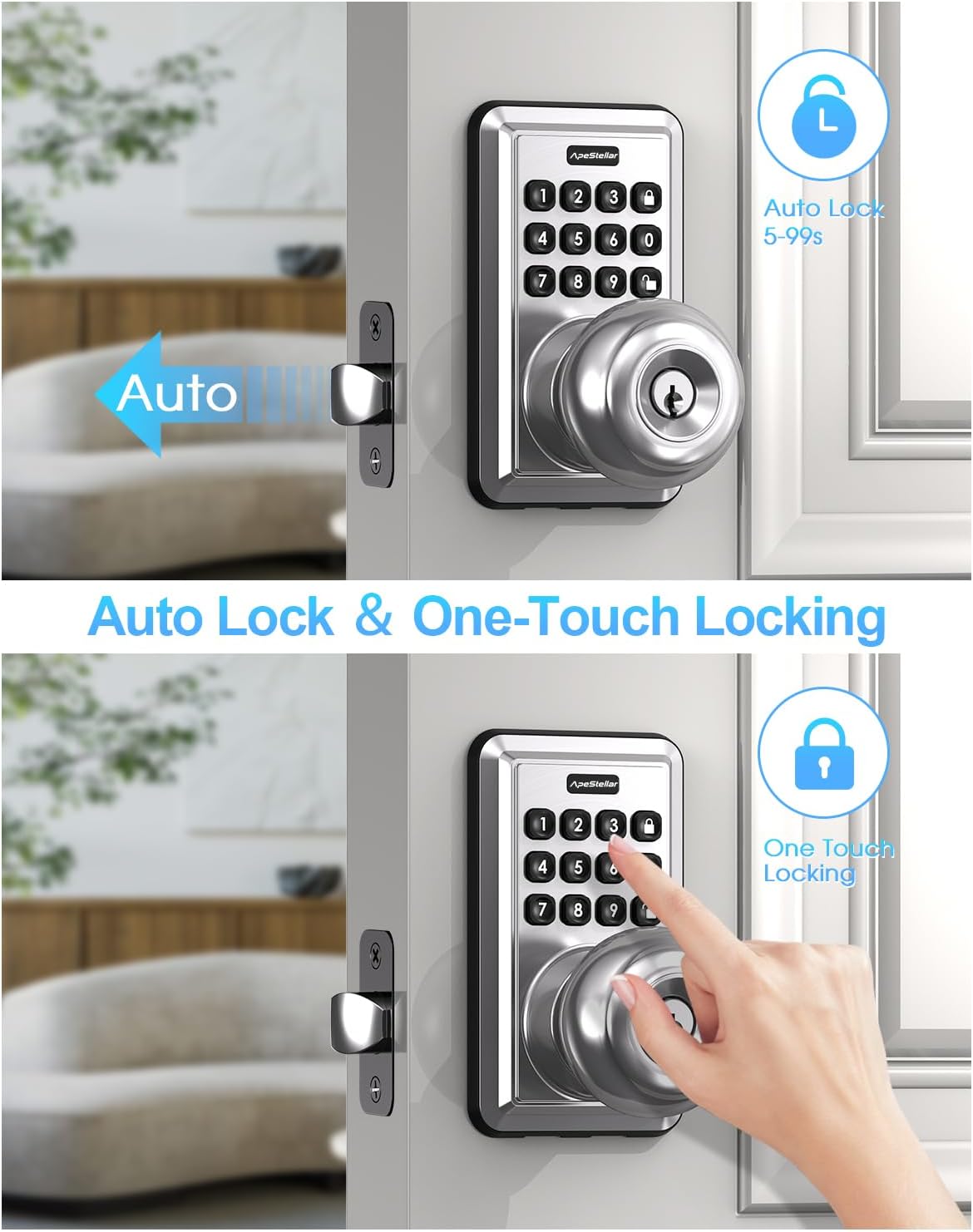
Figure 4.2: The lock is designed for easy, 15-minute installation.
5. פּראָגראַמירן און סעטאַפּ
After installation, you will need to program your lock. Refer to the detailed programming instructions included in your product packaging for specific steps on setting up administrator codes, user codes, and other features.
5.1 Setting Up Codes
- Administrator Code: This is the primary code used to manage all lock functions. It is recommended to change the default admin code immediately after installation.
- באַניצער קאָודז: Create up to 49 unique user codes for family members, guests, or service providers.
- One-Time Codes: Generate temporary codes that expire after a single use, ideal for deliveries or short-term access.
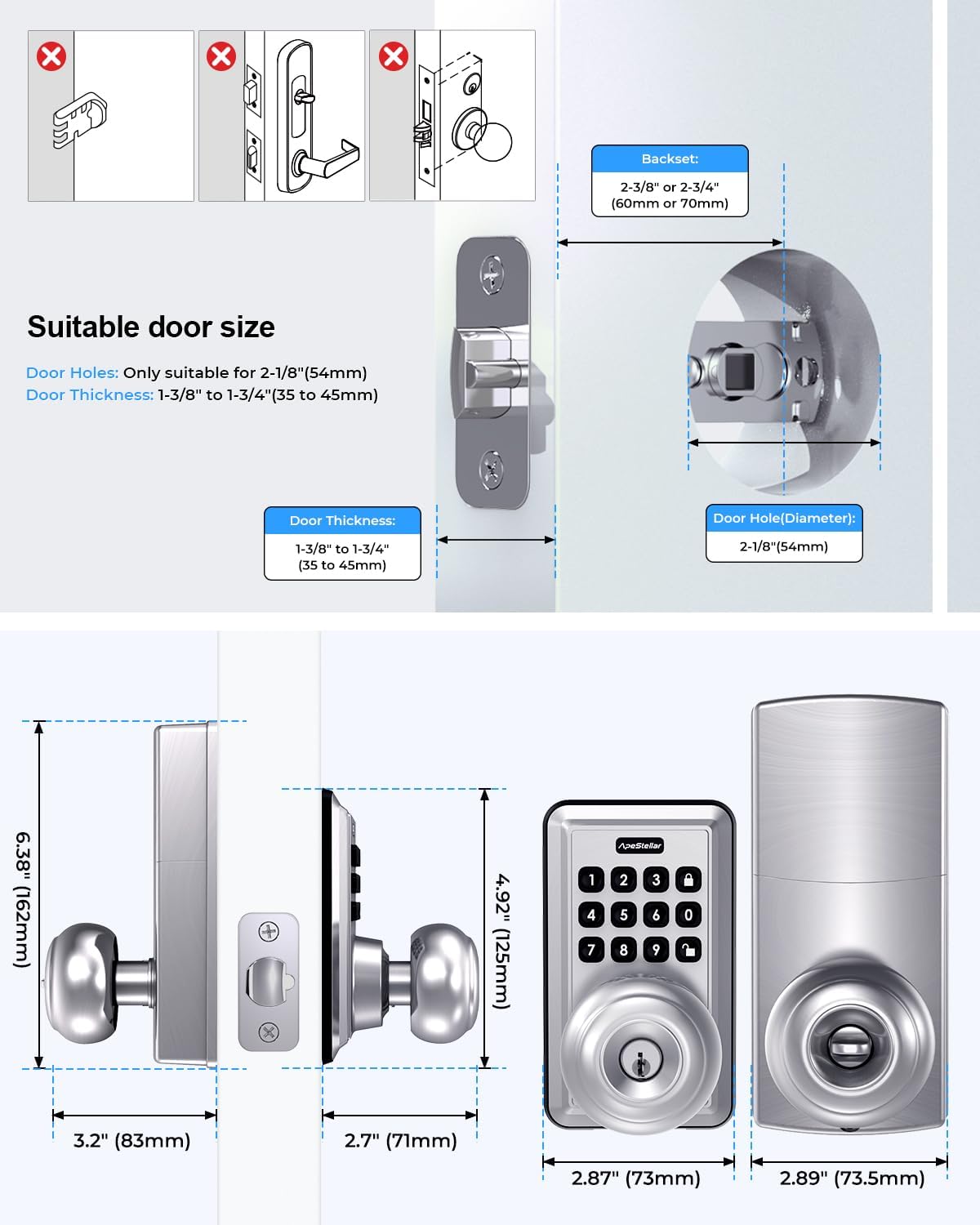
Figure 5.1: One-time user codes provide temporary access.
5.2 אויטאָ-שלאָס פֿונקציע
The lock can be configured to automatically lock after a set period (5-900 seconds) once unlocked. This feature enhances security by ensuring the door is always locked after entry or exit.

Figure 5.2: Auto-lock and one-touch locking features.
5.3 Anti-Peep Code Protection
To prevent others from guessing your code, you can enter random digits before or after your actual code. The lock will still recognize the correct sequence within the longer string of numbers.

Figure 5.3: Anti-peep code entry for enhanced security.
6. אַפּערייטינג ינסטרוקטיאָנס
6.1 אַנלאַקינג די טיר
- ניצן אַ קאָד: Enter your valid user code or administrator code on the keypad, then turn the knob to open the door.
- ניצן אַ שליסל: שטעקט אריין דעם פיזישן שליסל אין דעם שליסל-לאך און דרייט עס צו עפענען.
6.2 לאַקינג די טיר
- איין-ריר לאַקינג: Press the dedicated lock button on the keypad.
- אָטאַמאַטיק לאַקינג: If enabled, the lock will automatically engage after the set delay period.
- מאַנואַל לאַקינג: From the inside, turn the knob to the locked position.
7. וישאַלט
7.1 באַטערי פאַרבייַט
The lock is powered by batteries, offering up to 1 year of battery life under normal usage. When the battery level is low, the lock will provide a warning. Replace batteries promptly to ensure continuous operation.
- Refer to the product packaging for specific battery type and replacement instructions.
7.2 רייניקונג
רייניקט די אויסערליכע זייט פון דעם שלאָס מיט אַ ווייכן, דamp שטאָף. פֿאַרמײַדט ניצן אַברייסיוו רייניגער אָדער סאָלווענטן וואָס קענען שאַטן די ענדיקונג אָדער עלעקטראָנישע קאָמפּאָנענטן.
8. טראָובלעשאָאָטינג
If you encounter issues with your ApeStellar Keyless Entry Door Lock, refer to the following common problems and solutions:
- Lock not responding to code:
- Check if batteries are low and replace them.
- Ensure the correct code is being entered.
- Verify the lock is not in vacation mode.
- שלאָס ביפּט אָן אויפהער:
- דאָס קען אָנווייַזן אַ נידעריקע באַטאַרייע. טוישט די באַטאַרייעס.
- Door does not lock/unlock smoothly:
- קוקט איבער פֿאַר יעדע שטערונג אין דער טיר ראַם אָדער שלאָג פּלאַטע.
- Ensure the lock is properly aligned and installed.
- Keypad not lighting up:
- קאָנטראָלירן די באַטאַרייע מדרגה.
For further assistance, please contact ApeStellar customer support.
9. ספּעסאַפאַקיישאַנז
| שטריך | באַשרייַבונג |
|---|---|
| סאָרט | ApeStellar |
| ספּעציעלע שטריך | Anti-Peeping Password, Auto-Lock, Back-Lit Keypad |
| לאַק טיפּ | Combination Lock, Keypad, Pin Tumbler, Door Knob with Keypad, Keyless Door Knob |
| נומער דימענשאַנז (L X W X H) | 6.3 X 3.2 X 3.2 אינטשעס |
| מאַטעריאַל | צינק |
| Door Hole Compatibility | 2-1/8" (54 מ"מ) |
| טיר גרעב | 1-3/8" ביז 1-3/4" (35 מ"מ ביז 45 מ"מ) |
| באַקקסעט | Adjustable 2-3/8" or 2-3/4" (60mm or 70mm) |
| וועטער קעגנשטעל | IP54 |
| באַטערי לעבן | Up to 1 year (approximate) |
10. וואָראַנטי און שטיצן
ApeStellar products are manufactured to high-quality standards. For information regarding warranty coverage, technical support, or replacement parts, please refer to the contact information provided with your product packaging or visit the official ApeStellar webפּלאַץ.
אָנליין שטיצן: Visit the ApeStellar Store on Amazon
Ask a question about this manual
Ask about setup, troubleshooting, compatibility, parts, safety, or missing instructions. Manuals+ will review the question and use this page’s manual context to help answer it.