
1. הקדמה
The ROADOM KC-806 Desktop Portable CD Player is a versatile audio device designed for home use, offering multiple playback options and high-fidelity stereo sound. This manual provides detailed instructions for setting up, operating, and maintaining your CD player.
שליסל פֿעיִקייטן אַרייַננעמען:
- CD Playback (CD, CD-R, CD-RW, MP3, WMA formats)
- Bluetooth Transmission and Reception
- FM Radio (76.0-108.0MHZ)
- USB Disk Playback and Charging
- AUX אַרייַנשרייַב / רעזולטאַט
- טייַמער פֿונקציע
- Repeat Playback Modes
- רימאָוט קאָנטראָל אָפּעראַציע
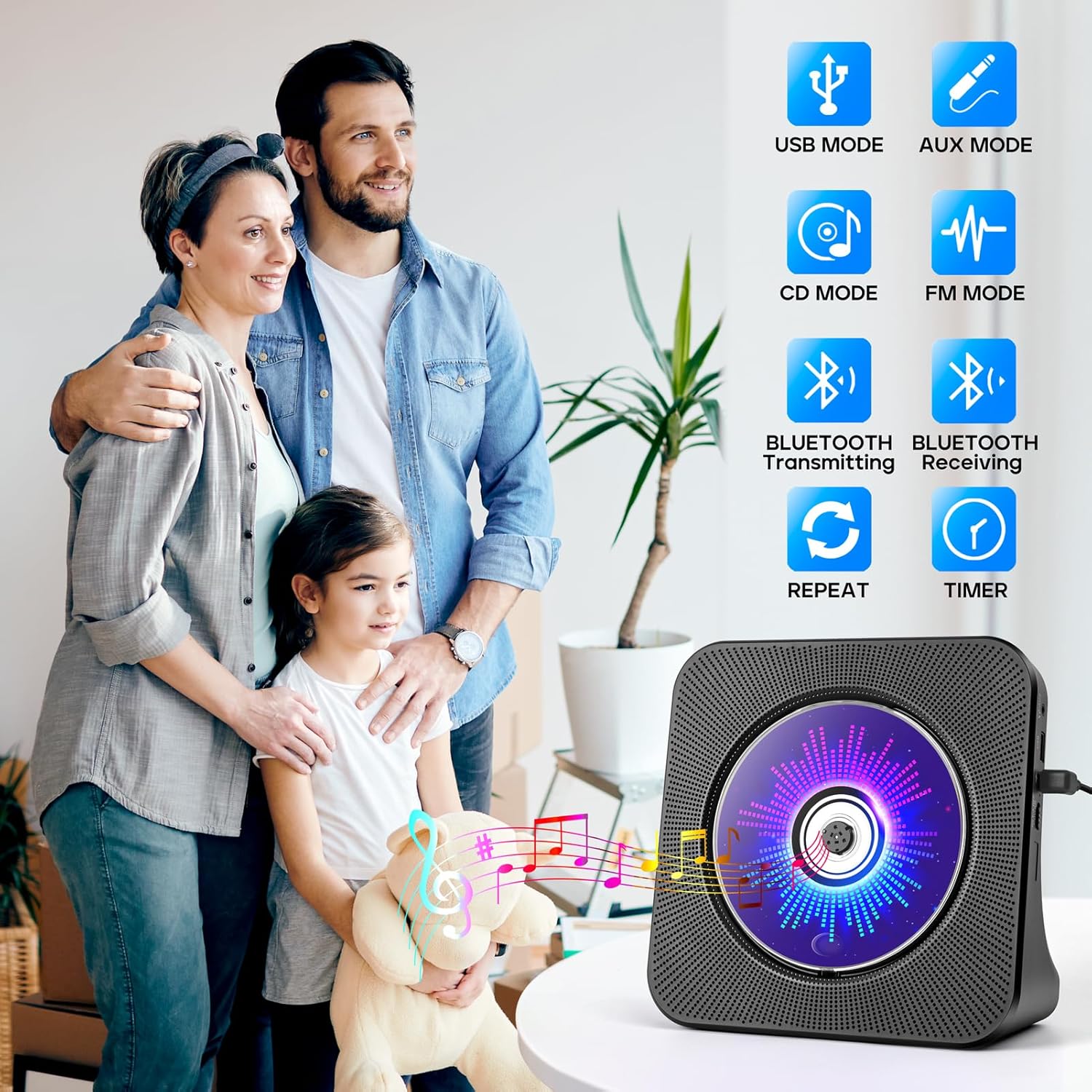
Figure 1.1: The ROADOM KC-806 CD Player highlighting its versatile 8-in-1 functionality.
2. וואָס איז אין דער קעסטל
ביטע קאָנטראָלירט די אינהאַלט פון דער פּאַקעט ווען איר נעמט עס אויס, כּדי צו זיכער מאַכן אַז אַלע זאַכן זענען דאָרט:
- ROADOM CD Player × 1
- ווייַט קאָנטראָל × 1
- 5V/2A מאַכט אַדאַפּטער × 1
- USB - Type C Power Cable × 1
- באַניצער מאַנואַל × 1
- 3.5mm AUX Cable × 1 (not listed in product.whats_in_the_box but shown in image)

Figure 2.1: All items included in the ROADOM KC-806 CD Player package.
3. פּראָדוקט איבערview
3.1 פראָנט און זייט View

פיגורע 3.1: פראָנט view of the ROADOM KC-806 CD Player and its remote control.

פיגורע 3.2: דעטאַילעד view of the ports and controls on the ROADOM KC-806 CD Player.
3.2 קאָנטראָלן און פּאָרטן
- AUX פּאָרט: For connecting external audio devices or outputting audio to headphones/speakers.
- USB Port (U Disk): For playing music from a USB flash drive and charging devices.
- Type-C Port (Power Input): פֿאַרבינדט דאָ דעם צוגעשטעלטן מאַכט אַדאַפּטער.
- Power (ON/OFF) Switch: צו קער די מיטל אויף אָדער אַוועק.
- Status Screen (LED): Displays time, mode, and track information.
- מאָדע קנעפּל: Switches between CD, Bluetooth, FM, USB, and AUX modes.
- Volume Buttons (Vol-, Vol+): אַדזשאַסץ די פּלייבאַק באַנד.
- פריערדיגע/נעקסטע קנעפּלעך: Skips tracks or tunes FM radio frequencies.
- שפּיל / פּויזע קנעפּל: סטאַרץ אָדער פּאָזאַז פּלייבאַק.
4. סעטאַפּ
4.1 מאַכט קאַנעקשאַן
- Connect the USB-C end of the power cable to the Type-C Port (Power Input) on the CD player.
- Connect the USB-A end of the power cable to the 5V/2A Power Adapter.
- צאַפּן די מאַכט אַדאַפּטער אין אַ נאָרמאַל וואַנט ווענטיל.
- Alternatively, you can power the device using a power bank by connecting the USB-A end of the cable to the power bank.
- Flip the Power (ON/OFF) switch to the 'ON' position. The LED screen will light up.

Figure 4.1: Powering the CD player using either a wall adapter or a power bank.
5. אַפּערייטינג ינסטרוקטיאָנס
5.1 סי פּלייבאַק
- Gently open the protective dust cover on the front of the CD player.
- Carefully place a CD (CD, CD-R, CD-RW, MP3, or WMA format) onto the spindle, ensuring it is seated correctly.
- Close the dust cover. The player will automatically detect the CD and begin playback.
- If playback does not start, press the 'Mode' button to select 'CD' mode, then press the 'Play/Pause' button.
- Use the 'Previous' and 'Next' buttons to skip tracks.
- Adjust volume with 'Vol-' and 'Vol+' buttons.

Figure 5.1: Opening the protective cover to insert a CD.

Figure 5.2: The CD player supports multiple CD formats.
5.2 בלועטוט קאָנעקטיוויטי
5.2.1 Bluetooth Receiving (Connect to Phone/Tablet/PC)
- Press the 'Mode' button until 'BLUE' appears on the LED screen, indicating Bluetooth receiving mode.
- On your Bluetooth-enabled device (phone, tablet, computer), search for available Bluetooth devices.
- Select 'ROADOM KC-806' from the list to pair.
- Once connected, you can play audio from your device through the CD player's speakers.

Figure 5.3: Connecting external devices to the CD player via Bluetooth receiving mode.
5.2.2 Bluetooth Transmitting (Connect to Bluetooth Headphones/Speakers)
- Ensure the CD player is in CD, USB, or AUX mode.
- Activate pairing mode on your Bluetooth headphones or external speaker.
- Press and hold the 'Bluetooth' button on the remote control or the 'Mode' button on the unit until the Bluetooth icon flashes on the LED screen, indicating transmitting mode.
- The CD player will automatically search for and connect to nearby Bluetooth audio devices.
- Once connected, audio from the CD player will be transmitted to your Bluetooth headphones or speaker.

Figure 5.4: Transmitting audio from the CD player to Bluetooth headphones or speakers.
5.3 עפעם ראַדיאָ
- Press the 'Mode' button until 'FM' appears on the LED screen.
- Press the 'Play/Pause' button to initiate an automatic scan for FM stations. The player will save found stations.
- Use the 'Previous' and 'Next' buttons to navigate through the saved stations.
- For manual tuning, press and hold the 'Previous' or 'Next' button to fine-tune the frequency.

Figure 5.5: Enjoying FM radio on the CD player.
5.4 USB ווידערשפּיל און טשאַרדזשינג
- Insert a USB flash drive (U Disk) containing audio fileס אין די USB פּאָרט.
- Press the 'Mode' button until 'USB' appears on the LED screen.
- The player will automatically detect and begin playing audio fileס פון די USB דרייוו.
- Use the 'Previous' and 'Next' buttons to navigate tracks.
- The USB port can also be used to charge small electronic devices.

Figure 5.6: USB functionality for playback and charging.
5.5 AUX מאָדע
- Connect one end of the 3.5mm AUX cable to the AUX Port on the CD player.
- Connect the other end to the audio output of an external device (e.g., phone, computer, MP3 player) or to external headphones/speakers.
- Press the 'Mode' button until 'AUX' appears on the LED screen.
- Audio from the connected external device will play through the CD player's speakers (if used as an input) or be output to your headphones/speakers (if used as an output).

Figure 5.7: AUX input and output connections.
5.6 טייַמער פֿונקציע
- While playing audio, press the 'Timer' button on the remote control.
- Repeatedly press the 'Timer' button to cycle through available sleep timer settings (e.g., 30, 60, 90, 120, 150, 180 minutes).
- The player will automatically stop playback after the selected time duration.

Figure 5.8: Setting the sleep timer for automatic playback stop.
5.7 Repeat Function
- During CD or USB playback, press the 'Repeat' button on the remote control.
- Repeatedly press the 'Repeat' button to cycle through the following modes:
- איינס: ריפּיץ די קראַנט שפּור.
- אַלע: Repeats all tracks on the CD/USB.
- SFL (Shuffle): שפּילט לידער אין אַ צופֿעליקער סדר.
- AB: Repeats a specific section of a track (set start point 'A' and end point 'B').

Figure 5.9: Understanding the repeat playback modes.
5.8 רימאָוט קאָנטראָל אָפּעראַציע
The included remote control allows for convenient operation of all functions from a distance. Ensure the remote has working batteries and is pointed towards the front of the CD player.

Figure 5.10: Operating the CD player with the remote control.
6. וישאַלט
- רייניקונג: Use a soft, dry cloth to clean the exterior of the CD player. Do not use liquid cleaners or abrasive materials.
- CD באַהאַנדלונג: האַלט אָן סי-דיס ביי די ברעגן. רייניקט שמוציקע סי-דיס מיט אַ ווייכן, לינט-פֿרייעם שטאָף, ווישנדיק פֿון צענטער אַרויס.
- שטויב דעקל: Keep the protective dust cover closed when not in use to prevent dust accumulation in the CD compartment.
- סטאָרידזש: Store the CD player in a cool, dry place away from direct sunlight and extreme temperatures.
7. טראָובלעשאָאָטינג
| פּראָבלעם | מעגלעך סיבה | לייזונג |
|---|---|---|
| דער שפּילער גייט נישט אָן. | No power connection; Power switch off. | Ensure power adapter is securely plugged in and the power switch is ON. |
| די סי-די שפּילט נישט אדער הערט זיך איבער. | CD is dirty, scratched, or inserted incorrectly; Dust cover open. | Clean or replace CD. Ensure CD is seated correctly and dust cover is closed. |
| קיין געזונט. | Volume too low; Incorrect mode selected; External speakers/headphones not connected properly. | Increase volume. Select correct mode. Check AUX cable connections. |
| בלועטאָאָטה פּערינג פיילז. | Device too far; Incorrect Bluetooth mode; Device not in pairing mode. | Ensure devices are close. Select correct Bluetooth mode (receiving or transmitting). Put external device in pairing mode. |
| ווייַט קאָנטראָל נישט ארבעטן. | Batteries dead or inserted incorrectly; Obstruction between remote and player. | Replace batteries. Ensure correct polarity. Remove obstructions. |
8. ספּעסאַפאַקיישאַנז
| שטריך | דעטאַל |
|---|---|
| מאָדעל נומער | KC-806 |
| פּראָדוקט דימענשאַנז | 7.4 X 2.7 X 7.4 אינטשעס |
| פּונקט וואָג | 1.98 פונט |
| קאַנעקטיוויטי טעכנאָלאָגיע | הילפס-פארבינדונג, בלועטוט, יו-עס-בי |
| געשטיצטע סי-די פֿאָרמאַטן | קאָמפּאַקטדיסק, קאָמפּאַקטדיסק-ר, קאָמפּאַקטדיסק-רוו, mp3, וומאַ |
| עפעם ראַדיאָ פרעקווענסי | 76.0-108.0MHZ |
| מאַכט אַרייַנשרייַב | 5 וו / 2 אַ דורך טיפּ-C פּאָרט |

Figure 8.1: Physical dimensions and weight of the CD player.
9. וואָראַנטי & שטיצן
ROADOM provides a 12-month product warranty for the KC-806 CD Player. For any questions or support needs, please contact ROADOM customer service. Details for contacting support are typically found in the included user manual or on the official ROADOM webפּלאַץ.
Additional benefits may include:
- 30 Days Free Returns
- 24 Hours After-sale Service