
1. הקדמה
This manual provides detailed instructions for the installation, operation, and programming of the TAXNELE THC30A Digital Programmable Timer Switch. This device is designed for automatic control of various electrical appliances based on user-defined daily and weekly schedules.

Figure 1: TAXNELE THC30A Digital Programmable Timer Switch
2. שליסל פֿעיִקייטן
- 7-Day Digital Programmable Timer: Supports daily and weekly programs with a full time range from 1 minute to 168 hours.
- קייפל אויף/אויס סעטטינגס: Up to 20 ON and 20 OFF settings for precise control.
- אָטאַמאַטיק קאָנטראָל: Automatically switches power to connected devices according to programmed schedules.
- באַניצער-פרייַנדלעך צובינד: Large LCD screen and clear buttons (D+, H+, M+) for easy operation.
- הויך פּינטלעכקייַט: Equipped with an industrial-grade chip for accurate timing.
- מאַכט-אַוועק זכּרון: Built-in high-performance battery retains timing, display, and data for up to 3 years during power outages.
- הויך לאַסט קאַפּאַציטעט: Features a 30A relay for handling significant electrical loads.
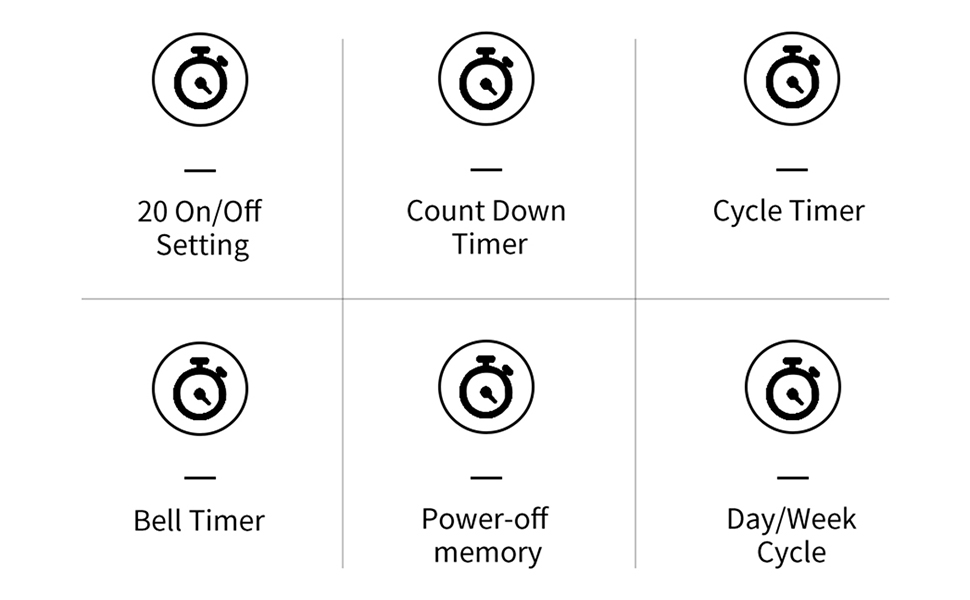
פיגורע 2: איבערview of THC30A Timer Switch Features
3. ספּעסאַפאַקיישאַנז
| מאָדעל | THC30A |
| Voltage | 230VAC |
| מאַסע קאַפּאַציטעט | 30 א |
| צייט ראַנגע | 1 מינוט צו 168 שעה |
| מגילה | 20 ON/20 OFF settings |
| מאַכט-אַוועק זכּרון | Yes, with built-in CR2032 battery (up to 3 years) |
| ייַנמאָנטירונג | 35mm DIN Rail Mounted |
| דימענשאַנז | בעערעך. 87 מם (ה) רענטגענ 36 מם (וו) רענטגענ 65 מם (ד) |

Figure 3: THC30A Timer Switch Dimensions
4. ינסטאַלירונג
4.1 זיכערקייַט פּריקאָשאַנז
- Ensure power is disconnected before installation to prevent electric shock.
- Installation should be performed by a qualified electrician or knowledgeable individual.
- באַשטעטיקן די וואַלtage and current ratings of your circuit match the timer's specifications.
4.2 מאַונטינג
The THC30A timer switch is designed for 35mm DIN rail mounting. Securely attach the timer to the DIN rail in your electrical panel or enclosure.

Figure 4: THC30A Mounted on a DIN Rail
4.3 וויירינג דיאַגראַמע
Connect the timer according to the wiring diagram below. Ensure correct polarity for input (IN) and output (OUT) terminals. The input terminals are typically labeled 'N' (Neutral) and 'L' (Live), and the output terminals are also 'N' and 'L' for connecting to the load.

Figure 5: Simplified Wiring Diagram for THC30A
Connect the incoming power supply to the 'IN' terminals (N and L). Connect the device to be controlled to the 'OUT' terminals (N and L).
5. אַפּערייטינג ינסטרוקטיאָנס
5.1 Initial Setup and Reset
Upon first use or after a prolonged power-off, the display may be blank. Press the באַשטעטיק button (often recessed, may require a pointed object) to initialize the timer. The LCD will display the current time (e.g., 0:00) and "AUTO".

Figure 6: Front Panel with Buttons and LCD Screen
- אַרבעט ינדיקאַטאָר: LED light indicating operation status.
- LCD פאַרשטעלן: Displays time, day, and program status.
- טיימער קנעפּל: Used to enter programming mode.
- זייגער קנעפּל: Used to set current time and day.
- D+ Button: אַדזשאַסטירט דעם טאָג פון דער וואָך.
- H+ Button: אַדזשאַסטירט די שעה.
- M+ Button: אַדזשאַסטירט די מינוט.
- ON/AUTO/OFF Button (Manual): Cycles through ON, AUTO, and OFF modes.
- באַשטעטיק קנעפּל: רימט אויס אַלע סעטטינגס און ריסעט דעם טייַמער.
5.2 איינשטעלן די איצטיקע צייט און טאָג
- דריקן און האַלטן די זייגער קנעפּל.
- בשעת האלטן זייגער, דריקן D+ to set the current day of the week (MON, TUE, WED, THU, FRI, SAT, SUN).
- בשעת האלטן זייגער, דריקן H+ צו שטעלן די איצטיקע שעה (0-23).
- בשעת האלטן זייגער, דריקן M+ צו שטעלן די איצטיקע מינוט (0-59).
- מעלדונג די זייגער קנעפּל. די איצטיקע צייט און טאָג זענען איצט איינגעשטעלט.
5.3 מאַנועלע איבערשרייבונג (אויף/אויטאָמאַטיש/אויס)
דרוק די מאַנואַל button (often labeled ON/AUTO/OFF) to cycle through the following modes:
- אויף: The timer output is continuously ON, overriding all programmed schedules.
- OFF: The timer output is continuously OFF, overriding all programmed schedules.
- אָטאַמאַטיק: The timer operates according to the programmed ON/OFF schedules. This is the standard operating mode for automatic control.
6. Programming ON/OFF Schedules
The THC30A supports up to 20 ON and 20 OFF programs. Follow these steps to set your desired schedules:
- דרוק די טיימער button once. The display will show "1 ON" (or the next available program number).
- דרוק D+ to select the day(s) for this "ON" program. You can choose individual days, weekdays, weekends, or all 7 days.
- דרוק H+ to set the hour for the "ON" time.
- דרוק M+ to set the minute for the "ON" time.
- דרוק די טיימער button again. The display will show "1 OFF".
- Repeat steps 2-4 to set the day(s), hour, and minute for the corresponding "OFF" time.
- פאָרזעצן דרינגלעך די טיימער button to cycle through "2 ON", "2 OFF", and so on, up to "20 ON" and "20 OFF". Repeat steps 2-6 for each program.
- נאכדעם וואס איר האט איינגעשטעלט אלע געוואונטשענע פראגראמען, דריקט דעם זייגער button to exit programming mode and return to the current time display. Ensure the timer is in AUTO מאָדע פֿאַר פּראָגראַמען צו דורכפֿירן.
To clear a specific program, navigate to that program (e.g., "5 ON") and press the באַשטעטיק button. This will clear both the ON and OFF times for that program number.
7. וישאַלט
The THC30A timer switch requires minimal maintenance.
- רייניקונג: ווישט אָפּ די אויסערלעכע זייט מיט אַ ווייכן, טרוקענעם שטאָף. ניצט נישט קיין שרײַבנדיקע רייניגער אָדער סאָלווענטן.
- באַטערי: The internal CR2032 battery provides power-off memory. If the timer frequently loses settings during power outages, the battery may need replacement. This typically requires professional service.
- סוויווע: Ensure the timer is installed in a dry, well-ventilated area, away from direct sunlight, extreme temperatures, and corrosive environments.

Figure 7: Power-Off Memory Function with Internal Battery
8. טראָובלעשאָאָטינג
| פּראָבלעם | מעגלעך סיבה | לייזונג |
|---|---|---|
| די אַרויסווייַזן איז ליידיק. | No power supply; Timer needs initialization. | Check power connections. Press the באַשטעטיק קנעפּל. |
| Timer does not switch ON/OFF at programmed times. | Timer is not in AUTO mode; Incorrect program settings; Overlapping programs. | דרוק מאַנואַל ביז "AUTO" ווערט געוויזן.view and correct program settings. Ensure ON/OFF times do not conflict. |
| סעטינגס גייען פארלוירן נאך אן אויספאל פון שטראָםtage. | Internal battery is low or depleted. | The internal battery may need replacement. Contact customer support if this issue persists. |
| Output is always ON or always OFF. | Timer is in manual ON or OFF mode. | דרוק מאַנואַל until "AUTO" is displayed. |
9. וואָראַנטי און שטיצן
This product comes with a standard manufacturer's warranty. For specific warranty details, please refer to the product packaging or contact your retailer. For technical support or inquiries, please reach out to TAXNELE customer service through your purchase platform or the official TAXNELE webפּלאַץ.