
Agunto AGU-OC1
Agunto AGU-OC1 Outdoor Security Camera User Manual
Model: AGU-OC1
הקדמה
Thank you for choosing the Agunto AGU-OC1 Outdoor Security Camera. This manual provides detailed instructions for setting up, operating, and maintaining your camera to ensure optimal performance and security for your property. The AGU-OC1 is designed for outdoor surveillance, featuring 1080p video resolution, advanced night vision, motion and sound detection, and seamless integration with smart home systems like Google Assistant.

פיגורע 1: פראָנט view of the Agunto AGU-OC1 Outdoor Security Camera.
זיכערקייַט אינפֿאָרמאַציע
- Ensure the camera is installed in a location where it is protected from direct tampערינג.
- Use only the provided USB-C cable and power adapter.
- שטעלט נישט אויס די קאַמעראַ צו עקסטרעמע טעמפּעראַטורן אַרויס פון איר אַפּערייטינג ראַנגע.
- פֿאַרמײַדט צו שטעלן די קאַמעראַ לעבן שטאַרקע עלעקטראָמאַגנעטישע פֿעלדער.
- אָפּשטעקן די מאַכט איידער איר רייניקן אָדער דורכפירן וישאַלט.
פּעקל אינהאַלט
ביטע טשעק די פּאַקעט פֿאַר די פאלגענדע זאכן:
- Agunto AGU-OC1 Outdoor Security Camera
- USB-C Power Cable (3 meters)
- מאָנטירונג שרויפן און וואַנט פּלאַגז
- באַניצער מאַנואַל (דעם דאָקומענט)
סעטאַפּ
1. מאָונטינג די קאַמעראַ
The Agunto AGU-OC1 is designed for wall mounting. Choose a location that provides the desired viewינג ווינקל און איז אין דערגרייכן פון אן עלעקטרישע ווענטיל.
- מאַרקירט די בויער־פונקטן אויף דער וואַנט ניצנדיק די קאַמעראַ'ס מאָנטירונג־באַזע ווי אַ שאַבלאָן.
- Drill holes at the marked points. Insert the wall plugs if necessary.
- Secure the mounting base to the wall using the provided screws.
- Attach the camera to the mounted base and adjust the angle as needed. The camera features a 180-degree rotatable function for optimal positioning.

פיגור 2: ווינקלדיק view of the Agunto AGU-OC1, showing its mounting bracket.

Figure 3: The camera installed outdoors, demonstrating its weather resistance.
2. מאַכט קאַנעקשאַן
Connect the provided 3-meter USB-C cable to the camera's USB-C port and plug the other end into a suitable power adapter (not always included, but implied by "Elektrisch met snoer" and "USB-C").

Figure 4: USB-C power connection for the Agunto AGU-OC1 camera.
3. אַפּ אינסטאַלאַציע און פּערינג
צו קאָנטראָלירן און view your camera, you will need to install the dedicated Agunto app on your smartphone or tablet. The app is available for both iOS and Android devices.
- Download the "Agunto Smart" app from the App Store (iOS) or Google Play Store (Android).
- עפֿענען די אַפּ און שאַפֿן אַ נייַע חשבון אָדער קלאָץ אין אויב איר שוין האָבן איין.
- Follow the in-app instructions to add your new AGU-OC1 camera. This typically involves scanning a QR code on the camera or entering a device ID.
- Ensure your smartphone is connected to a 2.4GHz Wi-Fi network during the pairing process, as the camera uses Wi-Fi connectivity.
אַפּערייטינג די אַפּאַראַט
לעבן View און רעקאָרדינג
Once paired, you can access the live video feed from your camera through the Agunto Smart app. From the live view screen, you can:
- View פאַקטיש-צייט פאָאָtage.
- Manually record video clips or capture screenshots.
- Access recorded events stored on a microSD card (if installed) or cloud storage (if subscribed).
נאַכט זעאונג
The AGU-OC1 features advanced night vision capabilities, providing clear images even in low-light conditions. It supports color night vision for enhanced detail up to 10 meters.
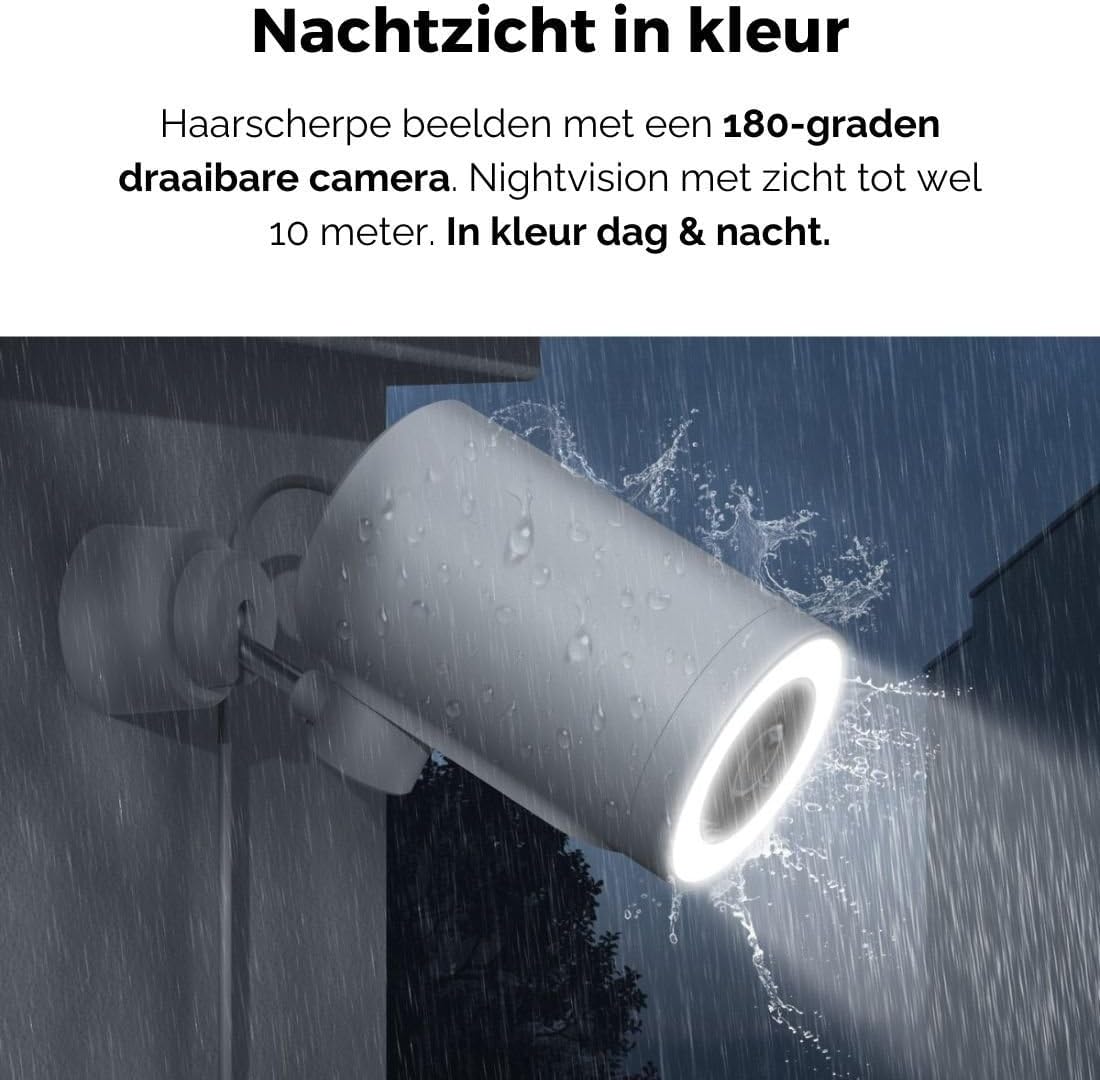
Figure 5: The camera's color night vision in action, providing clear images in the dark.
באַוועגונג און סאָונד דעטעקשאַן
The camera is equipped with intelligent motion and sound detection. When activity is detected, you will receive instant notifications on your smartphone or tablet, allowing you to monitor your property effectively.
You can customize detection zones and sensitivity settings within the app to minimize false alarms.
גוגל אַסיסטאַנט אינטעגראַציע
The Agunto AGU-OC1 seamlessly integrates with Google Assistant. You can link your camera to Google Home and stream live footage to compatible devices such as Google Nest Hub or Chromecast-enabled displays by voice command.
Exampדי באַפֿעל: "Hey Google, show me the backyard camera."
וישאַלט
- רייניקונג: ווישט אָפּ די קאַמעראַ לינז און קערפּער מיט אַ ווייכן, טרוקענעם שטאָף. ניצט נישט קיין שטרענגע כעמיקאַלן אָדער שרײַבנדיקע רייניקונגסמיטלען.
- ווייכווארג דערהייַנטיקונגען: Regularly check the Agunto Smart app for firmware updates. Keeping your camera's software up-to-date ensures optimal performance, security, and access to new features.
- קאַבלע דורכקוק: Periodically inspect the USB-C cable for any signs of wear or damage, especially if exposed to outdoor elements.
טראָובלעשאָאָטינג
| פּראָבלעם | מעגלעך לייזונג |
|---|---|
| קאַמעראַ גייט נישט אָן. | Check the USB-C cable connection and ensure the power adapter is plugged into a working outlet. Try a different outlet or adapter if available. |
| קענען ניט פאַרבינדן צו ווי-פי. | Ensure your Wi-Fi network is 2.4GHz. Check Wi-Fi signal strength at the camera's location. Restart your router and the camera. Re-attempt pairing through the app. |
| נעבעך ווידעא קוואַליטעט. | Clean the camera lens. Ensure adequate lighting. Check your internet connection speed. |
| באַוועגונג דיטעקשאַן איז נישט ארבעטן. | Verify motion detection is enabled in the app settings. Adjust sensitivity and detection zones. Ensure there are no obstructions blocking the camera's view. |
| מעלדונגען נישט באקומען. | Check app notification settings on your phone. Ensure the app has permission to send notifications. Verify your phone has an active internet connection. |
ספּעסאַפאַקיישאַנז
| שטריך | דעטאַל |
|---|---|
| מאָדעל נומער | AGU-OC1 |
| עפעקטיוו ווידעא האַכלאָטע | 1080 פּיקסעלס |
| מאַטעריאַל | פּלאַסטיק |
| וואָסtage | 4 וואטס |
| נומער דימענשאַנז (L X W X H) | 10 X 4.4 X 7.3 סענטימעטער |
| פּונקט וואָג | 78 גראַמז |
| קאַנעקטיוויטי טעכנאָלאָגיע | Wireless, Wired (USB-C) |
| ספּעציעלע פֿעיִקייטן | Night Vision (Color), Motion Detection, Sound Detection, 180-degree rotatable |
| באַניץ סוויווע | דרויסנדיק |
| קאַמפּאַטאַבאַל דעוויסעס | Smartphone (via Agunto Smart app), Google Assistant devices |
| מאַכט מקור | עלעקטריש מיט שנור (USB-C) |
| מאַונטינג טיפּ | וואנט בארג |
וואָראַנטי און שטיצן
Agunto products are designed for reliability and performance. For information regarding warranty coverage, technical support, or service, please refer to the warranty card included with your product or visit the official Agunto website. You can also contact Agunto customer support through the contact information provided on their website or within the Agunto Smart app.
For the latest information and FAQs, please visit: Agunto Official Store
Ask a question about this manual
Ask about setup, troubleshooting, compatibility, parts, safety, or missing instructions. Manuals+ will review the question and use this page’s manual context to help answer it.