
הקדמה
This manual provides instructions for the setup, operation, maintenance, and troubleshooting of your AWOW AiBook 10 detachable 2-in-1 laptop. The AiBook 10 functions as both a tablet and a laptop, featuring a 10.1-inch touchscreen display and running Windows 11. It is equipped with an Intel Celeron N4120 processor, 8GB RAM, and 256GB SSD storage.
וואָס איז אין די קעסטל
ביים אויספּאַקן, קאָנטראָלירט אַז אַלע זאכן זענען פאַראַן:
- AWOW AiBook 10 Detachable 2-in-1 Laptop
- דעטאַטשאַבלע קיבאָרד
- מאַכט אַדאַפּטער (AC אַדאַפּטער)
פּראָדוקט איבערview
The AWOW AiBook 10 is designed for versatility, allowing seamless transition between tablet and laptop modes. Familiarize yourself with the device's components and ports.

Image: The AWOW AiBook 10 in laptop configuration, showcasing the main unit and attached keyboard.

בילד: דעטאַלירט view of the AiBook 10, highlighting its dimensions and port locations.
פּאָרץ און קאַנעקטערז:
- וסב 3.0 פּאָרט: For connecting USB devices such as external storage, mice, or printers.
- Micro HDMI Port: פֿאַר פֿאַרבינדן צו עקסטערנע דיספּלייז אָדער פּראָיעקטאָרן.
- טף קאַרד שפּעלטל: For expanding storage with a microSD card (up to 512GB).
- כעדפאָון דזשאַק (3.5 מם): פֿאַר פֿאַרבינדן כעדפֿאָונז אָדער עקסטערנע רעדנערס.
- DC 12V/3A Jack: For connecting the power adapter to charge the device.
קאַמעראַס:
- פראָנט אַפּאַראַט: 2.0MP, suitable for video calls.
- דערציען אַפּאַראַט: 5.0MP, פֿאַר כאַפּן בילדער און ווידעאָס.

Image: Illustration of the 2MP front camera and 5MP rear camera on the AiBook 10.
סעטאַפּ
1. ערשטע אויפלאָדונג
Before first use, fully charge the AiBook 10. Connect the provided power adapter to the DC 12V/3A jack on the device and plug it into a power outlet. The charging indicator will illuminate.
2. Attaching the Keyboard
Align the magnetic connector of the detachable keyboard with the corresponding port at the bottom edge of the tablet. The keyboard will snap into place magnetically.

Image: The detachable keyboard being connected to the AiBook 10 tablet.
3. מאַכט אויף
Press and hold the power button located on the side of the tablet until the screen illuminates. The device will boot into Windows 11.
4. ערשטע ווינדאָוס סעטאַפּ
Follow the on-screen prompts to complete the Windows 11 setup process. This includes selecting your language, region, connecting to a Wi-Fi network, and creating a user account.
אַפּערייטינג
Switching Between Tablet and Laptop Modes
The AiBook 10 automatically detects the presence of the detachable keyboard. When the keyboard is attached, it functions as a laptop. When detached, it operates as a tablet, and Windows 11 will adjust its interface accordingly.
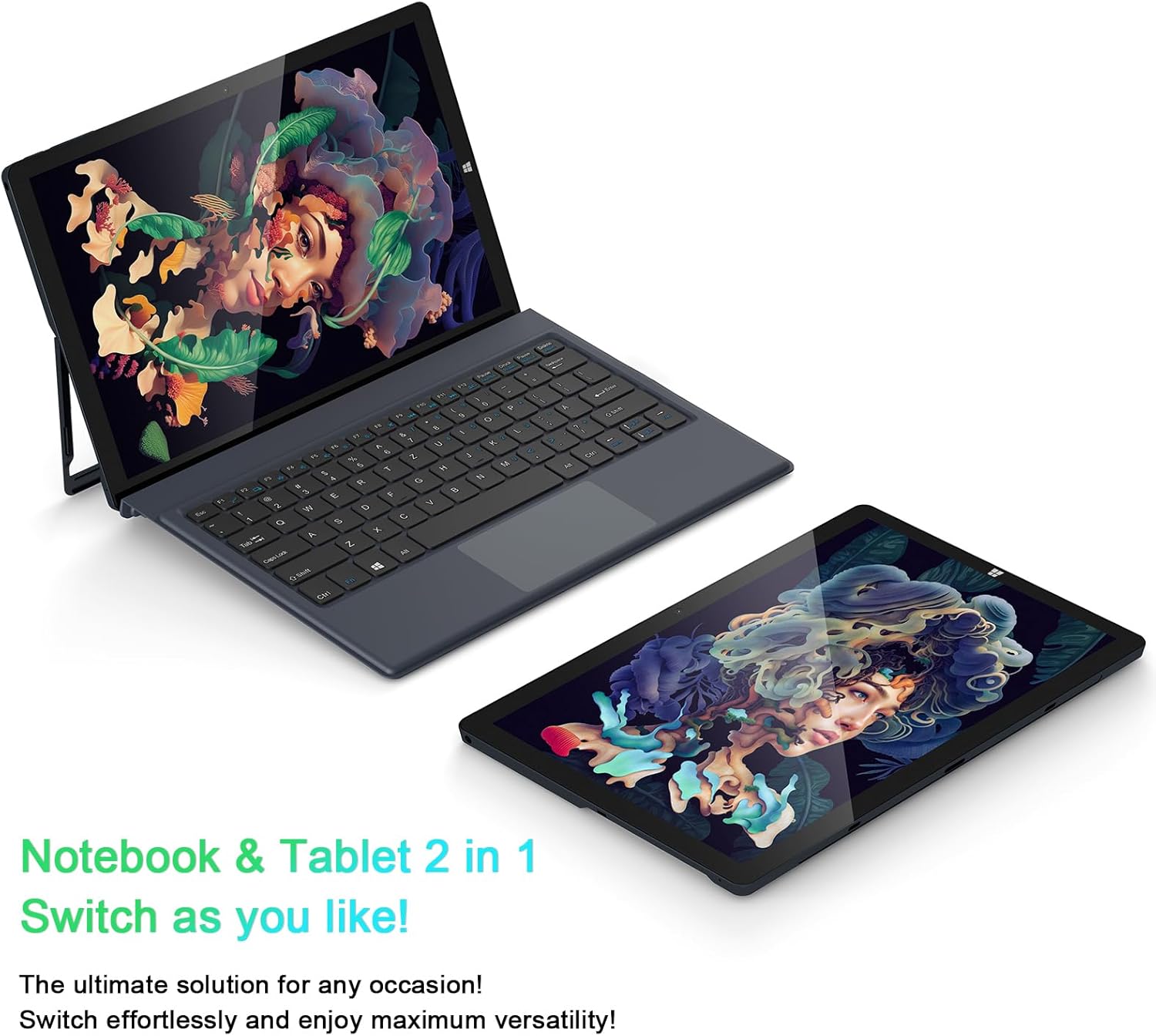
Image: The AiBook 10 displayed in both its laptop and tablet configurations.
ניצן די טאָוטשסקרעען
The 10.1-inch IPS display supports multi-touch gestures. Use your fingers to navigate, tap, swipe, and pinch-to-zoom.
קאַנעקטינג פּעריפעראַלס
- בלועטאָאָטה: Enable Bluetooth in Windows settings to pair with compatible devices such as headphones, mice, or keyboards. The device supports Bluetooth 4.2.
- USB דעוויסעס: Plug USB devices into the USB 3.0 port.
- פונדרויסנדיק ווייַז: Connect an external monitor using the Micro HDMI port. An appropriate adapter or cable may be required.
אַדזשאַסטינג די שטיין
The integrated stand bracket allows you to adjust the viewing angle of the tablet up to 145 degrees. Carefully extend the stand from the back of the tablet to your desired position.
וישאַלט
רייניקונג די מיטל
Use a soft, lint-free cloth to clean the screen and exterior surfaces. For stubborn marks, slightly dampווישט דעם שטאָף מיט וואַסער אָדער אַ רייניקונג לייזונג פֿאַרן עקראַן. פֿאַרמייַדט שטרענגע כעמיקאַלן אָדער אַברייסיוו מאַטעריאַלן.
באַטערי קער
To prolong battery life, avoid fully discharging the battery frequently. Store the device in a cool, dry place when not in use for extended periods. The device features a 6500mAh Lithium Polymer battery.

בילד: וויזועלע רעפּרעזענטאַציע פון דער 6500mAh באַטאַרייע קאַפּאַציטעט.
ווייכווארג דערהייַנטיקונגען
Regularly check for and install Windows updates to ensure optimal performance and security. Access Windows Update through the Settings menu.
טראָובלעשאָאָטינג
This section addresses common issues you might encounter with your AiBook 10.
Device Does Not Power On
- Ensure the device is charged. Connect the power adapter and wait a few minutes before attempting to power on again.
- דריק און האלט דעם מאַכט קנעפּל פֿאַר 10-15 סעקונדעס צו דורכפירן אַ שווערן ריסעט.
Screen Flickering or Display Issues
- ריסטאַרט די מיטל.
- Check for updated display drivers through Windows Update or the device manufacturer's webפּלאַץ.
- If connected to an external display, ensure the cable is securely connected.
Keyboard or Touchpad Not Responding
- Ensure the detachable keyboard is securely attached to the tablet.
- ריסטאַרט די מיטל.
- Check Windows settings for keyboard and touchpad functionality.
Wi-Fi or Bluetooth Connectivity Problems
- Ensure Wi-Fi or Bluetooth is enabled in Windows settings.
- ריסטאַרט דיין ראַוטער/מאָדעם פֿאַר Wi-Fi פּראָבלעמען.
- For Bluetooth, try unpairing and re-pairing the device.
- Check for updated network drivers.
פּאַמעלעך פאָרשטעלונג
- שליסט אומנייטיקע אַפּליקאַציעס וואָס לויפן אין הינטערגרונט.
- זיכער מאַכן אַז עס איז גענוג פריי פּלאַץ אויף דער SSD.
- Run a disk cleanup and optimize drives in Windows.
- קוקט נאָך און אינסטאַלירט אַלע וואַרטנדיקע ווינדאָוז דערהייַנטיקונגען.
ספּעסאַפאַקיישאַנז
| סאָרט | AWOW |
| מאָדעל נאָמען | AiBook 10 |
| פאַרשטעלן גרייס | 10.1 אינטשעס |
| ווייַז האַכלאָטע | 1280 x 800 פּיקסעלס (פול HD IPS) |
| אָפּערייטינג סיסטעם | Windows 11 |
| קפּו מאָדעל | אינטעל סעלעראן N4120 (ביז 2.6 GHz) |
| באַראַן זכּרון | 8 גיגאבייט LPDDR4 |
| שווער דיסק גרייס | 256 GB SSD (eMMC) |
| גראַפיקס קאַרד | ינטעגראַטעד Intel UHD Graphics 600 |
| קאַנעקטיוויטי | 2.4G+5G WiFi, Bluetooth 4.2, USB 3.0, Micro HDMI |
| קאַמעראַס | פראָנט 2.0MP, הינטן 5.0MP |
| באַטערי | 6500 מאַה ליטהיום פּאָלימער |
| פּונקט וואָג | 1.4 Pounds (tablet only) |
| Dimensions (L x W x Thickness) | 10.1" x 6.8" x 0.38" (tablet only) |
וואָראַנטי און שטיצן
וואָראַנטי אינפֿאָרמאַציע
The AWOW AiBook 10 comes with a 1 יאָר לימיטעד וואָראַנטיביטע באַהאַלטן אייער קויפן-באַווייַז פֿאַר וואָראַנטי-קליימז. די וואָראַנטי דעקט פאַבריקאַציע-דעפעקטן אונטער נאָרמאַלע באַניץ-באַדינגונגען.
קונה שטיצן
For technical assistance, troubleshooting beyond this manual, or warranty inquiries, please contact AWOW customer support. Refer to the product packaging or the official AWOW webזייטל פֿאַר די מערסט אַקטועלע קאָנטאַקט אינפֿאָרמאַציע.