
edaiser P129 magic keyboard - Oxford Gray
edaiser Wireless Magic Keyboard Case
ינסטראַקשאַנז מאַנואַל
Model: P129 Oxford Gray
פּראָדוקט איבערview
The edaiser Wireless Magic Keyboard Case is designed to enhance your Apple iPad experience, transforming it into a versatile workstation. It features a multi-touch trackpad, RGB backlit keys, and a durable magnetic design, offering both protection and functionality.
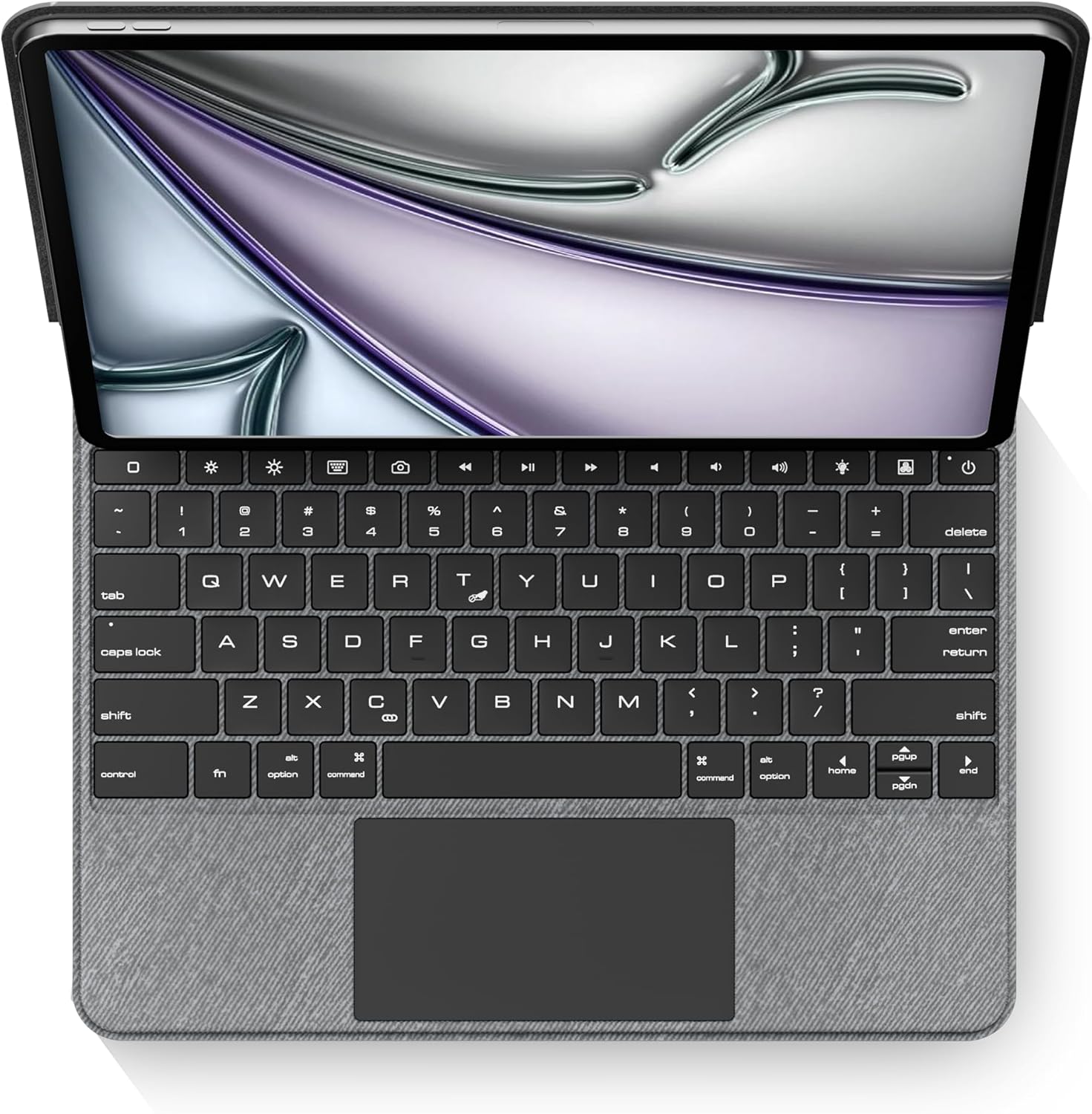
בילד: פון אויבן אַראָפּ view of the edaiser keyboard case with an iPad, showing the full keyboard and trackpad.
קאַמפּאַטאַבילאַטי
This keyboard case is compatible with the following Apple iPad models:

Image: A table detailing compatible iPad generations and their model numbers, ensuring correct device fit.
| יפּאַד דור | מאָדעל נומער |
|---|---|
| iPad Air 13-inch (M2) 2024 | A2898, A2899, A2900 |
| iPad Pro 12.9-inch 6th Gen 2022 | אַ2436, אַ2764, אַ2437, אַ2766 |
| iPad Pro 12.9-inch 5th Gen 2021 | אַ2378, אַ2379, אַ2461, אַ2462 |
| iPad Pro 12.9-inch 4th Gen 2020 | אַ2229, אַ2069, אַ2232, אַ2233 |
| iPad Pro 12.9-inch 3rd Gen 2018 | אַ1876, אַ2014, אַ1895, אַ1983 |
פּעקל אינהאַלט
ביטע באַשטעטיקן אַז אַלע זאכן זענען פאַראַן אין דעם פּעקל:
- 1 x edaiser Wireless Magic P129 Oxford Gray Keyboard Case
- 1 x טיפּ-C צו טיפּ-C טשאַרדזשינג קאַבלע
- 1 x באַניצער מאַנואַל

Image: Visual representation of the items included in the product packaging.
סעטאַפּ גייד
אַרײַנשטעלן אייפּאַד:
Gently align your compatible iPad with the case and press it into place. Ensure the iPad is securely seated within the protective frame of the case.
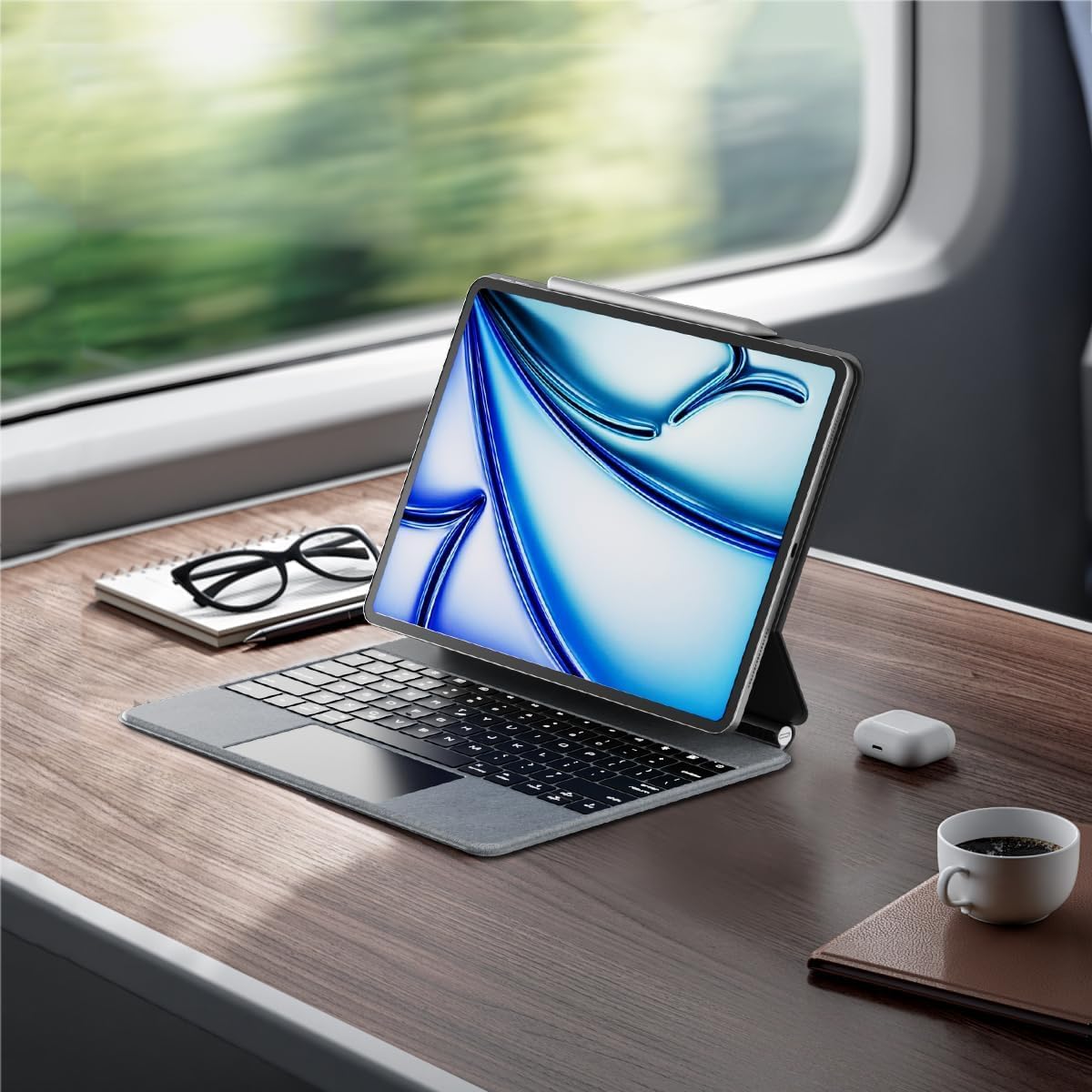
Image: An iPad inserted into the keyboard case, demonstrating the secure fit.
לאָד די קלאַוויאַטור:
Before first use, fully charge the keyboard. Connect the provided Type-C to Type-C charging cable to the keyboard's charging port and a compatible power adapter (not included). The charging indicator light will show charging status.
מאַכט אויף:
Locate the power button on the keyboard. Press and hold the power button for 3-5 seconds to turn on the keyboard. The power indicator light will illuminate.

Image: A detailed diagram highlighting the keyboard's function keys, including the power button (labeled 9).
Bluetooth Pairing:
- אויף אייער אייפּאַד, גייט צו סעטטינגס > בלועטאָאָטה.
- זיכער מאַכן אַז בלועטוט איז אַקטיוויזירט On.
- אויף די קלאַוויאַטור, דריקן די בלועטאָאָטה פּערינג שליסל (often indicated by a Bluetooth symbol or a specific function key combination, refer to keyboard diagram if available). The Bluetooth indicator light will flash, indicating it's in pairing mode.
- On your iPad, select "edaiser Keyboard" or a similar name from the list of available devices.
- פֿאָלגט אַלע אינסטרוקציעס אויף דעם עקראַן צו פֿאַרענדיקן דעם פּאָרינג פּראָצעס. די אינדיקאַטאָר ליכט אויף דער קלאַוויאַטור וועט אויפֿהערן צו בלינקען אַמאָל עס איז געראָטן צו פּאָרן.
אַפּערייטינג ינסטראַקשאַנז
אַדזשאַסטאַבאַל Viewינג אַנגלע
The keyboard case features a 125°-130° adjustable angle, allowing you to find the optimal viewing position for typing, watching, or drawing. Simply adjust the iPad's position relative to the keyboard base.

בילד: זייט פּראָfile of the keyboard case demonstrating its adjustable viewינג ווינקל.
קלאַוויאַטור פאַנגקשאַנז
The keyboard includes various function keys for quick access to iPad features:
- Home Key (1): Returns to the iPad home screen.
- Screen Brightness (2): Adjusts iPad screen brightness up or down.
- Onscreen Keyboard (3): Shows or hides the virtual onscreen keyboard.
- Screen Capture Key (4): Captures a screenshot of the iPad display.
- Multimedia Keys (5): Controls media playback (back, play/pause, forward).
- Volume Controls (6): Mutes, increases, or decreases iPad volume.
- Backlight Brightness (7): Adjusts the backlight brightness (3 levels).
- Backlight Color (8): Switches between 7 different backlight colors.
- Power Sources (9): Hold for 3-5 seconds to power on/off the keyboard.
Image: A visual guide to the keyboard's function keys and their respective operations.
מולטי-טאטש טרעקפּעד
The integrated multi-touch trackpad supports various iPadOS gestures for seamless navigation:
- צאַפּן מיט איין פינגער: Click/select.
- צוויי פינגער מעגילע: סקראָלן אַרויף/אַראָפּ אָדער לינקס/רעכטס.
- Three-finger swipe up: Go to home screen.
- דריי פינגער לינקס / רעכט: באַשטימען צווישן עפֿענען אַפּפּס.
- קניפּ צו פארגרעסער: Zoom in/out on content.
- Refer to iPadOS documentation for a complete list of supported gestures.

Image: A person using the multi-touch trackpad to navigate their iPad, illustrating its functionality.
וישאַלט
- רייניקונג: ניצן אַ ווייך, לינט-פֿרייַ שטאָף אַ ביסל דampened with water to clean the exterior of the case and keys. Avoid harsh chemicals or abrasive materials.
- סטאָרידזש: When not in use for extended periods, store the keyboard case in a cool, dry place.
- באַטערי זאָרגן: To prolong battery life, avoid fully discharging the keyboard frequently. Charge it regularly, even if not in constant use. The battery is built-in and not user-replaceable.
טראָובלעשאָאָטינג
קלאַוויאַטור פֿאַרבינדט זיך נישט דורך בלועטוט:
- זייט זיכער אַז די קלאַוויאַטור איז אנגעצונדן און גאָר אויפגעלאָדן.
- קאָנטראָלירט אַז בלועטוט איז ענייבאַלד אויף אייער אייפּאַד.
- פארגעסט דעם דעווייס אין די אייפּאַד'ס בלועטוט סעטטינגס און פרובירט צו ווידער-פארן.
- Restart both the iPad and the keyboard.
באַקלייט אַרבעט נישט אָדער איז טונקל:
- Press the backlight brightness key (7) to cycle through brightness levels.
- זייט זיכער אז די קלאַוויאַטור האט גענוג באַטאַרייע אָפּצאָל.
Trackpad unresponsive:
- Ensure the keyboard is connected via Bluetooth.
- Check iPadOS settings for trackpad functionality.
- ריסטאַרט די קלאַוויאַטור און אייפּאַד.
קנעפּלעך רעאַגירן נישט:
- באַשטעטיקן די בלועטוט פֿאַרבינדונג.
- Ensure the keyboard is not in sleep mode (press any key to wake).
- קאָנטראָלירן די באַטאַרייע מדרגה.
ספּעסאַפאַקיישאַנז
- מאָדעל: P129 magic keyboard - Oxford Gray
- קאַנעקטיוויטי: בלועטאָאָטה
- מאַטעריאַל: Premium PU Leather exterior, metal hinge
- דימענסיעס: 11.3 X 9.13 X 0.73 אינטשעס
- נומער וואָג: 2.83 פונט
- באַטערי: 1 Lithium Ion battery (built-in)
- Working Time (typing, backlight off): אַרויף צו 180 שעה
- סטאַנדביי צייט: אַרויף צו 90 טעג
- באַקלייט: RGB, 7 colors, 3 brightness levels
- טראַקקפּאַד: Multi-touch compatible
- אַדזשאַסטאַבאַל ווינקל: 125°-130°
וואָראַנטי און שטיצן
The edaiser Wireless Magic Keyboard Case is designed for long-lasting use and performance. For any product inquiries, technical support, or warranty claims, please refer to the contact information provided on the product packaging or visit the official edaiser webפּלאַץ.
Please note that the battery is installed in the product and cannot be disassembled or sold separately.
Ask a question about this manual
Ask about setup, troubleshooting, compatibility, parts, safety, or missing instructions. Manuals+ will review the question and use this page’s manual context to help answer it.