
1. הקדמה
The HiBoost SL 15K Cell Phone Signal Booster is designed to enhance 5G, 4G LTE, and 3G cellular signals within your home or office, covering areas up to 8,000 square feet. This system works with all major U.S. carriers, including Verizon, AT&T, T-Mobile, and Sprint, ensuring clearer calls and faster data speeds. It features a 70dB maximum gain and an FCC-approved design with an Automatic Gain Control (AGC) system for intelligent signal optimization.
This manual provides detailed instructions for the proper installation, operation, and maintenance of your HiBoost SL 15K signal booster to ensure optimal performance.

Image: A family enjoying seamless connectivity at home, illustrating the benefits of the HiBoost signal booster.
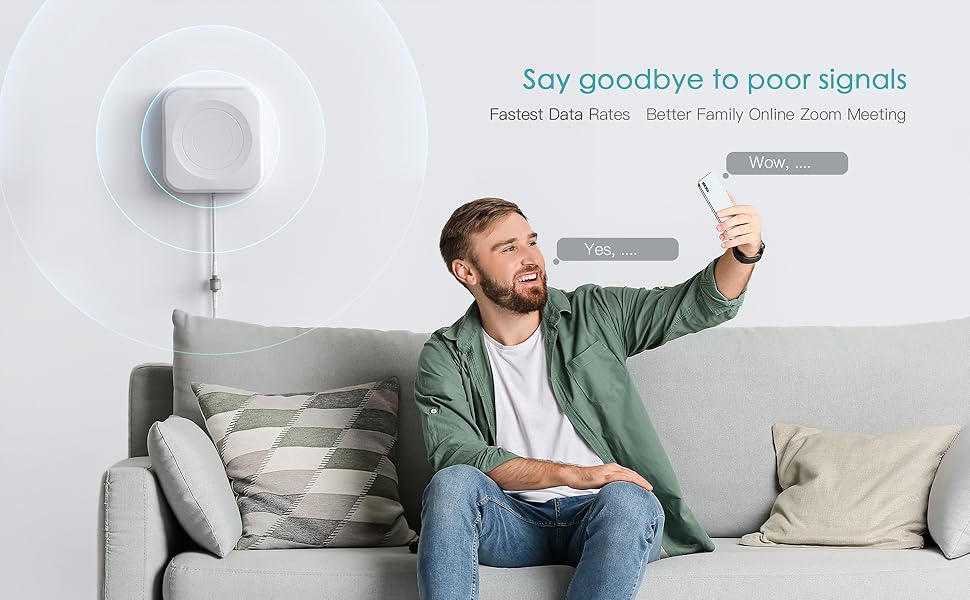
Image: Visual representation of improved signal strength and faster data rates provided by the HiBoost system.
2. פּעקל אינהאַלט
באַשטעטיקט אַז אַלע זאכן וואָס זענען אויסגערעכנט אונטן זענען אַרייַנגערעכנט אין אייער פּעקל:
- 1 x HiBoost Signal Booster (Main Unit)
- 1 x Outdoor Antenna
- 1 x Indoor Antenna
- 1 x 50ft Outdoor Cable
- 1 x 50ft Indoor Cable
- 1 x Bluetooth and Wi-Fi Antenna
- קסנומקס רענטגענ מאַכט סופּפּלי
- Mounting Hardware (for both indoor and outdoor antennas)
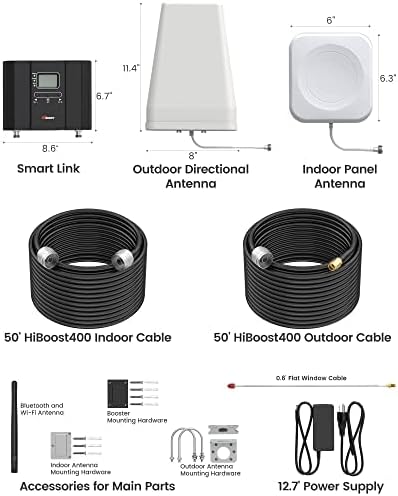
בילד: א פולשטענדיקע view of all components included in the HiBoost SL 15K Cell Phone Signal Booster package, including the main unit, antennas, cables, and mounting hardware.
3. סעטאַפּ און ייַנמאָנטירונג
א ריכטיגע אינסטאַלאַציע איז קריטיש פֿאַר אָפּטימאַלער פאָרשטעלונג. פֿאָלגט די סטעפּס קערפֿול:
3.1. דרויסנדיקע אַנטענע פּלאַצירונג
The outdoor antenna should be mounted in a location with the strongest possible existing cellular signal, typically on the roof or an exterior wall. It must be pointed towards the nearest cell tower. Use the HiBoost Signal Supervisor app (available on App Store and Google Play) to locate the best signal source and assist with antenna alignment.
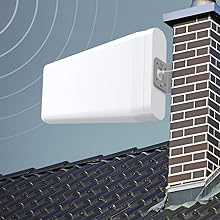
Image: An outdoor directional antenna securely mounted on a chimney, positioned to capture external cellular signals.
3.2. אינעווייניקסטע אַנטענע פּלייסמאַנט
The indoor antenna should be placed in the center of the area where you need improved signal. Ensure there is sufficient separation between the indoor and outdoor antennas to prevent oscillation (signal feedback). A minimum of 20 feet vertical or 50 feet horizontal separation is recommended.

Image: A white indoor panel antenna discreetly mounted on a wall, designed to distribute boosted signal throughout the interior space.
3.3. קאַנעקטינג די סיסטעם
- Connect the 50ft outdoor cable to the outdoor antenna and route it into your building.
- Connect the other end of the outdoor cable to the 'Outdoor' port on the HiBoost signal booster unit.
- Connect the 50ft indoor cable to the indoor antenna.
- Connect the other end of the indoor cable to the 'Indoor' port on the HiBoost signal booster unit.
- פֿאַרבינדט די מאַכט צושטעל צו די בוסטער אַפּאַראַט און דערנאָך שטעק עס אין אַ מאַכט ווענטיל.
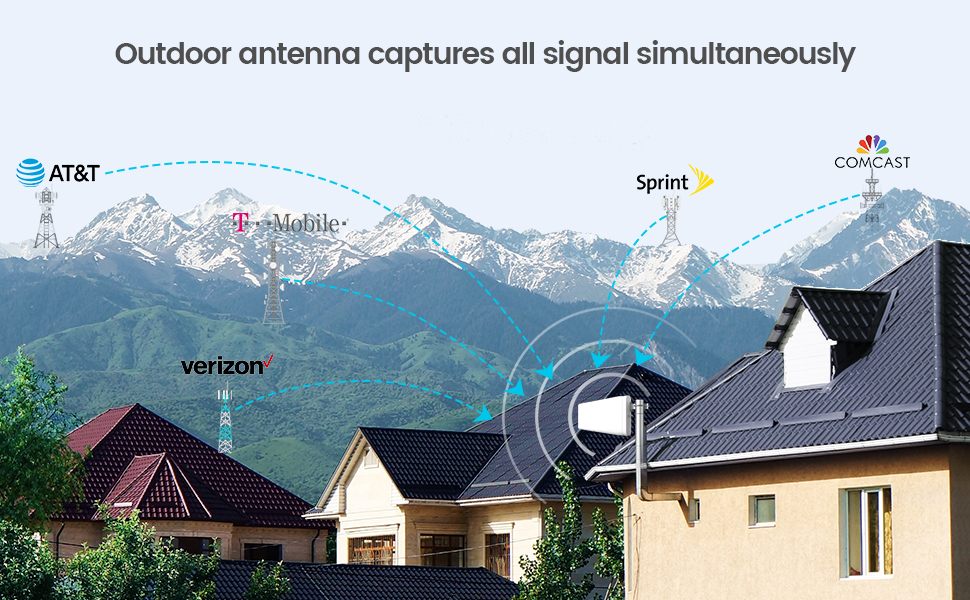
Image: A diagram showing the signal path from the cell tower to the outdoor antenna, through the booster unit, and distributed by the indoor antenna within a home.
3.4. Using the Signal Supervisor App
The HiBoost Signal Supervisor app provides real-time monitoring and troubleshooting assistance. It helps you find the best direction for your outdoor antenna and monitors the booster's performance. Download it from your smartphone's app store.
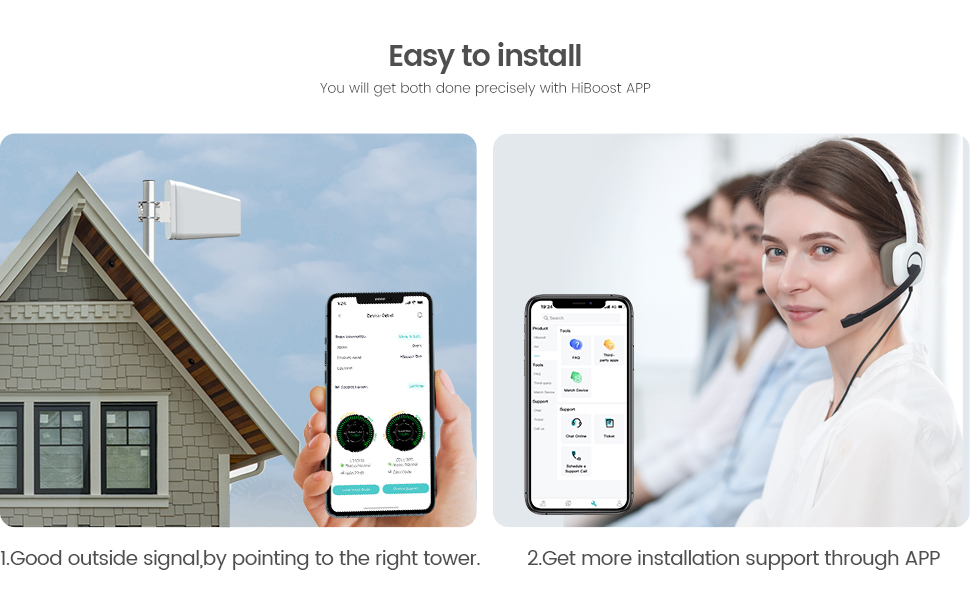
Image: A smartphone displaying the HiBoost Signal Supervisor app interface, showing signal metrics and offering installation support.
4. אַפּערייטינג ינסטרוקטיאָנס
Once properly installed and powered on, the HiBoost SL 15K will automatically begin boosting the cellular signal. The LCD screen on the booster unit displays key information such as signal strength, band status, and any alerts.
- מאַכט ינדיקאַטאָר: Shows if the unit is powered on.
- שרעק גראדן: Lights up if there is an issue, such as oscillation or signal overload.
- ISO Indicator: Indicates isolation status between indoor and outdoor antennas.
- Signal Level Display: Shows the current uplink and downlink signal strength for each supported frequency band.
The Automatic Gain Control (AGC) system intelligently detects existing signal strength and adjusts the booster's performance for optimal results without manual intervention.
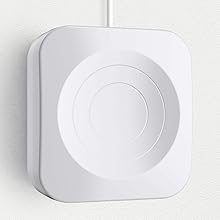
בילד: א דעטאַלירטע view of the HiBoost signal booster's main unit, highlighting the LCD screen and control buttons for monitoring performance.
5. וישאַלט
The HiBoost SL 15K is designed for minimal maintenance. To ensure longevity and optimal performance:
- Keep the booster unit in a dry, well-ventilated area, away from direct sunlight and extreme temperatures.
- קאָנטראָלירט פּעריִאָדיש אַלע קאַבלע פֿאַרבינדונגען צו זיכער מאַכן אַז זיי זענען זיכער און פֿרײַ פֿון שאָדן.
- Inspect the outdoor antenna for any physical damage or obstructions (e.g., heavy snow, debris) that might affect signal reception.
- Clean the exterior of the booster unit and antennas with a soft, dry cloth as needed. Do not use harsh chemicals or abrasive cleaners.
6. טראָובלעשאָאָטינג
If you experience issues with your signal booster, refer to the following common problems and solutions:
| פּראָבלעם | מעגלעך סיבה | לייזונג |
|---|---|---|
| No Signal Boost / Weak Signal | Insufficient isolation between antennas, outdoor antenna not pointing to the strongest signal, or weak outdoor signal. | Increase separation between indoor and outdoor antennas. Adjust outdoor antenna direction using the Signal Supervisor app. Relocate outdoor antenna to a stronger signal area. |
| Alarm Light On | Oscillation (feedback) or signal overload. | Ensure adequate separation between antennas. Check for strong signal sources too close to the indoor antenna. The AGC system should automatically adjust, but manual intervention may be needed if the alarm persists. |
| קיין מאַכט | Power adapter disconnected or faulty. | קאָנטראָלירט די עלעקטרישע פֿאַרבינדונגען. מאַכט זיכער אַז די עלעקטרישע אַוטלעט אַרבעט. פּרוּווט אַן אַנדערן עלעקטרישן אַדאַפּטער אויב פֿאַראַן. |
| אַפּ קאַנעקטיוויטי פּראָבלעמען | Bluetooth/Wi-Fi connection problem. | Ensure Bluetooth/Wi-Fi is enabled on your device. Restart the app and the booster unit. Check your network connection. |
פֿאַר ווייַטער הילף, אָפּשיקן צו די HiBoost Store אָדער קאָנטאַקט קונה שטיצן.
7. ספּעסאַפאַקיישאַנז
| שטריך | דעטאַל |
|---|---|
| סאָרט | HiBoost |
| מאָדעל | SL 15K |
| קאַווערידזש שטח | אַרויף צו 8,000 סק ft |
| מאַקס געווינען | 70dB |
| שטיצט אָפטקייַט באַנדס | 600 MHz (band 12/17), 700 MHz (band 13), 850 MHz (band 5), 1700/2100 MHz (band 4), 1900 MHz (band 2), 1700/2100 MHz (band 25/26) |
| קאַמפּאַטאַבאַל דעוויסעס | Smartphones and other cellular devices |
| ווירעלעסס קאָמוניקאַציע סטאַנדאַרד | 802.11ax (for app connectivity) |
| FCC באוויליקט | יא |
8. וואָראַנטי און שטיצן
The HiBoost SL 15K Cell Phone Signal Booster comes with a 3 יאָר וואָראַנטי. HiBoost provides comprehensive technical support through various channels, including online application chat, phone, and e-mail, with support staff located in the United States. For any inquiries or assistance, please do not hesitate to contact us.
For more information or to contact support, please visit the HiBoost Store.