
1. הקדמה
Welcome to the ECHO RAINBOW Smartwatch user manual. This guide provides essential information for setting up, operating, and maintaining your new smartwatch. The ECHO RAINBOW Smartwatch is designed to enhance your active lifestyle with integrated sports functions, health sensors, and seamless smartphone connectivity.
וואָס איז אין די קעסטל
- ECHO RAINBOW Smartwatch
- טשאַרדזשינג קאַבלע
- באַניצער מאַנואַל

Image: The ECHO RAINBOW Smartwatch worn on a wrist, showing the time, date, and activity tracking data on its display.
2. סעטאַפּ גייד
2.1 ערשט טשאַרדזשינג
Before first use, fully charge your ECHO RAINBOW Smartwatch.
- פֿאַרבינדט דעם טשאַרדזשינג קאַבל צום טשאַרדזשינג פּאָרט אויף דער הינטערשטער זייגער פֿון דער סמאַרטוואַטש.
- שטעקט אריין דעם USB עק פונעם קאבל אין א סטאנדארטן USB פאוער אדאפטער (נישט אריינגערעכנט) אדער א קאמפיוטער'ס USB פארט.
- The watch display will indicate charging status. Allow approximately 2 hours for a full charge.
2.2 פארבינדן מיט אייער סמאַרטפאָון
To unlock all features, pair your smartwatch with the DaFit application on your smartphone.
- אָפּלאָדירן די דאַפיט application from the Google Play Store (for Android 4.4 and above) or Apple App Store (for iOS 8.0 and above).
- מאַכן זיכער אַז בלועטאָאָטה איז ענייבאַלד אויף דיין סמאַרטפאָנע.
- Open the DaFit app and follow the on-screen instructions to add your device.
- Select "ECHO RAINBOW" from the list of available devices to complete the pairing process.

Image: The ECHO RAINBOW Smartwatch positioned beside a smartphone, illustrating the connection with the DaFit mobile application.
3. אפערירן אייער סמאַרטוואַטש
3.1 נאַוויגירן דעם צובינד
The ECHO RAINBOW Smartwatch features a 1.69-inch rectangular TFT touchscreen.
- שלעפּן אַרויף / אַראָפּ: סקראל דורך מעניוז און נאָוטאַפאַקיישאַנז.
- שלעפּן לינקס / רעכט: צוטריט צו שנעלע ווידזשעטס אדער פארשידענע זייגער פנימער.
- צאַפּן: אויסקלייבן אַן אייטעם אָדער באַשטעטיקן אַן אַקציע.
- דריקן די זייט קנעפל: צוריק צום היים עקראַן אדער מאַכט אויף/אויס.
3.2 געזונט מאָניטאָרינג
Utilize the advanced health sensors for comprehensive tracking.
- הארץ ראטע: Tap the heart rate icon to measure your current heart rate. Continuous monitoring can be enabled in the DaFit app.
- בלוט דרוק: Access the blood pressure function to take a reading.
- שלאָף טראַקינג: Wear the watch during sleep for automatic sleep analysis, including deep sleep and light sleep duration. View detailed reports in the DaFit app.
- קאַלאָריע טראַקינג: The watch automatically tracks calories burned based on your activity.
3.3 Sports Functions
Engage in various sports modes to track your physical activity.
- פּעדאָמעטער: Automatically counts your steps throughout the day.
- דיסטאַנסע טראַקינג: Records the distance covered during your activities.
- Multiple Exercise Modes: Select from various sports modes like outdoor running, cycling, rope skipping, badminton, tennis, mountaineering, walking, basketball, and volleyball to get specific workout data.
3.4 קלוגע קאָנעקטיוויטי
Stay connected with your smartphone for real-time notifications and controls.
- נאָטיפיקאַטיאָנס: Receive messages, call alerts, and app notifications directly on your watch. Configure notification settings in the DaFit app.
- וועטער: View איצטיקע וועטער באדינגונגען און פאָרויסזאָגן.
- מוזיק קאָנטראָל: קאָנטראָלירט מוזיק ווידערשפּיל אויף אייער סמאַרטפאָון (שפּילן, פּויזירן, איבערשפּרינגען טראַקס).
- אַפּאַראַט קאָנטראָל: ניצט אייער זייגער ווי אַ ווייַט לאָדן פֿאַר אייער סמאַרטפאָון קאַמעראַ.
- קוסטאָמיזאַבלע וואַך פנימער: Personalize the watch face and display settings via the DaFit app.
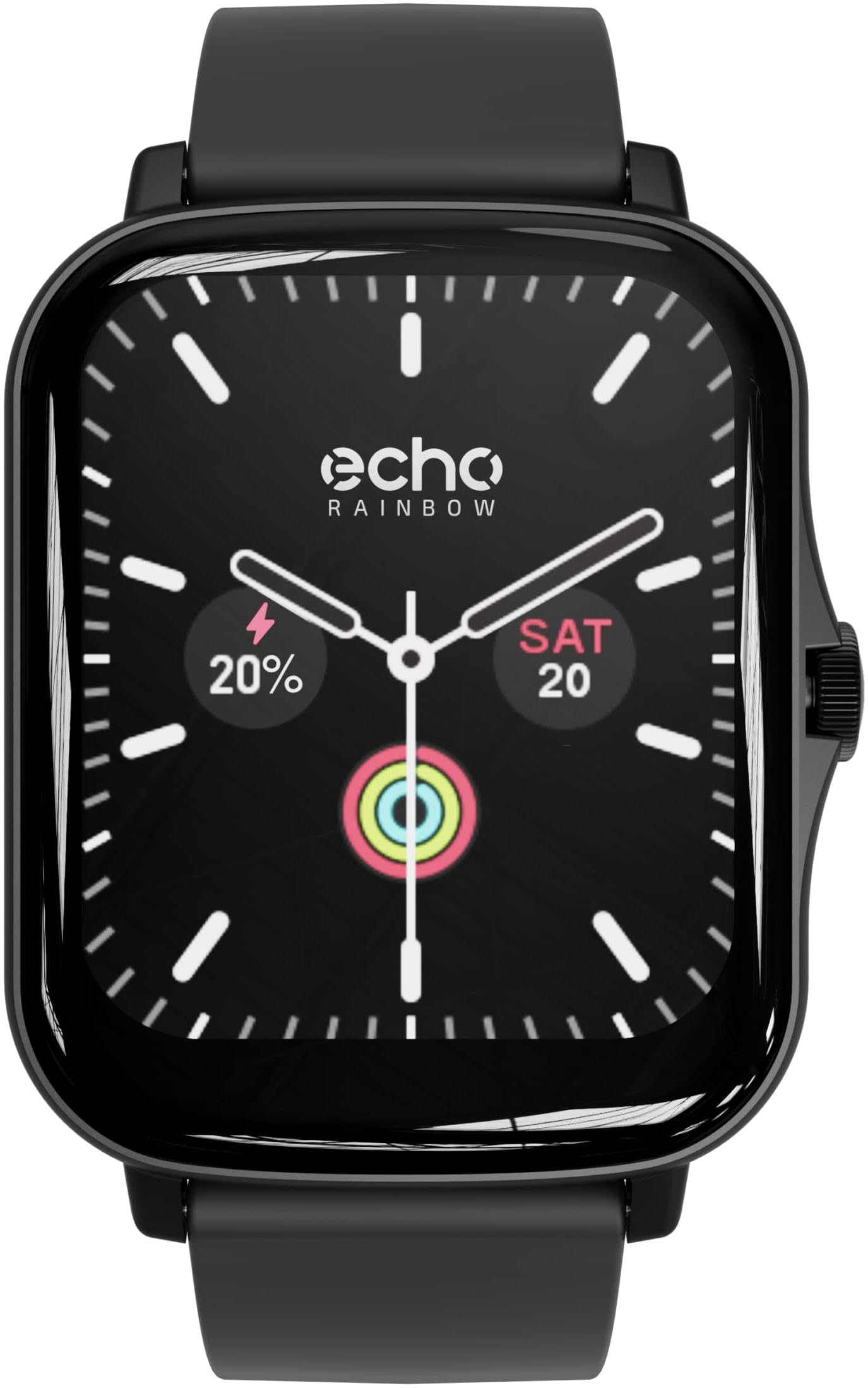
Image: The ECHO RAINBOW Smartwatch worn on a wrist, showing the time, date, and activity tracking data on its display.
4. שליסל פֿעיִקייטן
- אַוואַנסירטע געזונט סענסאָרן: Accurately measure calories, blood pressure, and heart rate. Benefit from in-depth sleep tracking and analysis for optimized well-being.
- Integrated Sports Functions: Use the pedometer to count steps, track distance, and engage in various exercises to achieve your fitness goals.
- סמאַרט קאַנעקטיוויטי: Receive messages, check weather, control music and smartphone camera, and customize your watch face and display settings.
- בלועטאָאָטה קאַנעקטיוויטי: Easily connect your watch to your smartphone via Bluetooth for a smooth user experience.
- 1.69-inch Rectangular TFT Touchscreen: Enjoy a high-quality touchscreen with a 240*280 pixel resolution, offering a clear and responsive visual experience.

Image: A display of three ECHO RAINBOW Smartwatches, each featuring a different color strap and watch face, highlighting the product's design versatility.
5. ספּעסאַפאַקיישאַנז
| סאָרט | ECHO |
| מאָדעל נומער | 3662515021580 |
| קאָליר | Shark Black |
| אָפּערייטינג סיסטעם | Proprietary (DaFit App compatible with Android 4.4+ & iOS 8.0+) |
| סקרין | 1.69-inch TFT Touchscreen, 240*280 pixels |
| קאַנעקטיוויטי | Bluetooth (2.4 GHz radio frequency) |
| ספּעציעלע פֿעיִקייטן | DaFit App, Metallic casing, Fashion & design, Health and sport tracking |
| קאַמפּאַטאַבאַל דעוויסעס | סמאַרטפאָנע |
| באַטערי טיפּ | ליטהיום-פּאָלימער |
| קריקאָנלאָדלעך באַטערי | יא |
| באַטאַרייע קאַפּאַציטעט | 180 mAh (approximate) |
| גפּס | דורך סמאַרטפאָנע |
| פאָרעם | רעקטאַנגגיאַלער |
6. וישאַלט
6.1 רייניקן אייער סמאַרטוואַטש
To ensure accurate readings and prolong the life of your device, keep your smartwatch clean.
- ווישט דעם עקראַן און קערפּער מיט אַ ווייכן, לינט-פֿרייע שטאָף.
- פֿאַר פאַרביסן ספּאַץ, אַ ביסל דampשווענק דעם שטאָף מיט וואַסער. פֿאַרמייַדט ניצן שאַרפע כעמיקאַלן אָדער אַברייסיוו מאַטעריאַלן.
- Clean the sensor area on the back of the watch regularly to maintain optimal performance.
6.2 באַטערי קער
- פֿאַרמײַדט אָפֿט פֿולשטענדיק אויסצולאָדן די באַטעריע.
- Charge the watch using the provided charging cable.
- Do not expose the watch to extreme temperatures, as this can affect battery life.
7. טראָובלעשאָאָטינג
7.1 זייגער טוט זיך נישט אן
- זיכער מאַכן אַז די זייגער איז גאָר אויפגעלאָדן. פֿאַרבינדט עס צום טשאַרדזשער פֿאַר לפּחות 30 מינוט.
- Press and hold the side button for 10-15 seconds to perform a forced restart.
7.2 פּראָבלעמען מיטן צוזאַמענשטעלן
- זייט זיכער אז בלועטוט איז ענייבאַלד אויף אייער סמאַרטפאָון און די זייגער איז אין דערגרייך.
- ריסטאַרט ביידע דיין סמאַרטפאָון און סמאַרטוואַטש
- Ensure the DaFit app is updated to the latest version.
- If previously paired, try unpairing the device from your phone's Bluetooth settings and then re-pairing through the DaFit app.
7.3 אומגענויע געזונטהייט מעסטונגען
- זייט זיכער אז די זייגער טראָגט גוט אויף אייער האַנטגעלענק, נישט צו ענג אדער צו לויז.
- רייניקט דעם סענסאר אויף דער הינטערשטער זייגער.
- פֿאַרמײַדן איבערגעטריבענע באַוועגונג בעת מעסטונגען.
- באַמערקט אַז קלוגע זייגערס זענען נישט מעדיצינישע דעוויסעס און די לייענונגען זענען בלויז פֿאַר רעפֿערענץ.
8. וואָראַנטי און שטיצן
8.1 מאַנופאַקטורער וואָראַנטי
The ECHO RAINBOW Smartwatch comes with a 2-יאָר פאַבריקאַנט וואָראַנטיביטע באַהאַלטן אייער קויפן באַווייַז פֿאַר וואָראַנטי קליימז.
8.2 קונה שטיצן
For further assistance, technical support, or warranty inquiries, please contact ECHO customer service through the official webפּלאַץ אָדער דיין זיצער.