
1. הקדמה
Thank you for choosing the LD Systems MAUI 28 G3 Compact Cardioid Column PA System. This system is designed to deliver powerful, clear, and precise sound for a variety of applications, including live music, DJ sets, and public address. Its compact design and advanced acoustic features make it an ideal solution for professionals seeking high-quality audio performance and ease of use.
This manual provides essential information for the safe and efficient operation of your MAUI 28 G3 system. Please read it thoroughly before initial use and keep it for future reference.
2. זיכערקייַט אינסטרוקציעס
ביטע באַמערקן די פאלגענדע זיכערהייט מיטלען צו פאַרמייַדן עלעקטרישע קלאַפּ, פייַער אָדער שעדיקן צו די אַפּאַראַט:
- מאַכט מקור: פֿאַרבינדט דעם אַפּאַראַט נאָר צו אַן AC מאַכט אַוטלעט פון דער ספּעציפֿישער וואָלומעןtage.
- גראָונדינג: זיכער מאַכן אַז די אַפּאַראַט איז ריכטיק געערדט צו פאַרמייַדן עלעקטרישע קלאַפּ.
- נעץ: שטעלט נישט אויס דעם אַפּאַראַט צו רעגן אָדער פייכטקייט. שטעלט נישט קיין זאכן אָנגעפילט מיט פליסיקייטן אויף דעם אַפּאַראַט.
- ווענטילאַטיאָן: זיכער מאַכן אַז עס איז דאָ גענוג ווענטילאַציע. נישט פֿאַרשטאָפּן די ווענטילאַציע עפענונגען.
- היץ: שטעלט נישט דעם אַפּאַראַט לעבן היץ־קוואַלן אדער אין דירעקטער זון.
- סערוויס: פרובירט נישט צו סערוויסן דעם אַפּאַראַט אליין. לאָזט איבער אַלע סערוויסינג צו קוואַליפֿיצירטע פּערסאָנעל.
- קאַבלעס: באַשיצן מאַכט קאָרדס פון זייַענדיק געגאנגען אויף אָדער פּינטשעד.
- פעסטקייַט: שטעלט די סיסטעם אויף א סטאַבילער, גלייכער ייבערפלאַך צו פאַרמייַדן קיפּינג.
3. פּעקל אינהאַלט
באַשטעטיקן אַז אַלע קאָמפּאָנענטן זענען פאַראַן אין דיין פּעקל:
- 1 x MAUI 28 G3 Subwoofer
- 2 x MAUI 28 G3 Column Elements
- 1 x מאַכט קאַבלע
- 1 x באַניצער מאַנואַל (דאָס דאָקומענט)
4. פּראָדוקט איבערview
The MAUI 28 G3 system consists of a powerful subwoofer and two column elements that integrate seamlessly to form a compact and high-performance PA system.
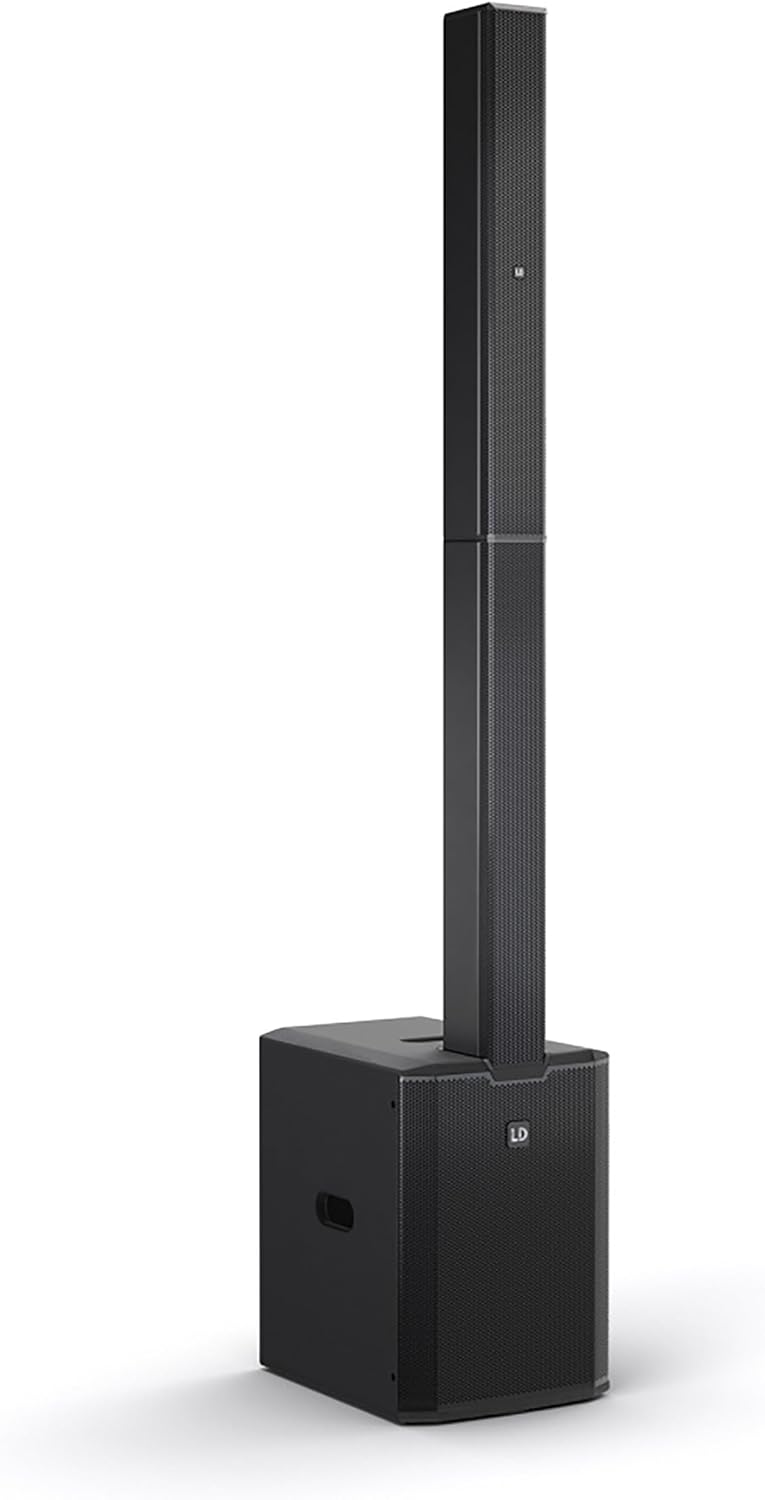
This image displays the complete LD Systems MAUI 28 G3 PA system, showing the subwoofer base with the two column elements securely mounted on top, forming a single, integrated unit.
4.1. סובוואָאָפער
דער סאַבוואָפער האַלט די הויפּט amplifier, power supply, and all input/output connections and controls. It provides robust bass frequencies for a full-range sound experience.

A direct, clear view of the MAUI 28 G3 subwoofer's control panel, detailing all labels for inputs, outputs, and adjustment knobs for main, sub, and cardioid settings.
Subwoofer Rear Panel Controls:
- MAIN Level: אַדזשאַסטירט די אַלגעמיינע אַרויסגאַנג באַנד פון די סיסטעם.
- SUB Level: Adjusts the volume of the subwoofer independently.
- Cardioid ON/OFF: Activates or deactivates the cardioid dispersion mode for the subwoofer, reducing rearward sound radiation.
- Input L/R: XLR/TS combo jacks for connecting audio sources (e.g., mixer, instrument).
- THRU L/R: XLR outputs for linking to additional PA systems or monitors.
- SUB OUT: XLR output for connecting an external subwoofer.
- מאַכט סוויטש: טורנס די אַפּאַראַט אויף אָדער אַוועק.
- מאַכט ינלעט: פֿאַר פֿאַרבינדן דעם AC מאַכט קאַבל.

An angled close-up of the subwoofer's rear panel, showing the various input and output connectors, level controls, and mode switches.
4.2. Column Elements
The two column elements contain 12 x 3.5-inch midrange drivers and 2 x 1-inch tweeters, designed for even sound distribution and constant horizontal dispersion. They connect directly to the subwoofer.

א דיטיילד view of the protective metal grille covering the speakers within one of the MAUI 28 G3 column elements.

A close-up image of the base of a column element, highlighting the multi-pin connector and alignment pins used to secure it to the subwoofer or another column element.
5. סעטאַפּ
Follow these steps to assemble and connect your MAUI 28 G3 system:
- אָפּלייגן קאַמפּאָונאַנץ: פֿאָרזיכטיק אַרויסנעמען אַלע קאָמפּאָנענטן פֿון זייער פּאַקאַדזשינג.
- Position Subwoofer: Place the subwoofer on a stable, level surface in your desired location.
- Assemble Column Elements:
- Take the first column element and align its base connector with the top connector of the subwoofer. Gently push down until it clicks into place.
- Take the second column element and align its base connector with the top connector of the first column element. Gently push down until it clicks into place.
- פֿאַרבינדן אַודיאָ מקור: Connect your mixer, instrument, or other audio source to the Input L/R XLR/TS combo jacks on the subwoofer's rear panel.
- פאַרבינדן מאַכט: Plug the supplied power cable into the power inlet on the subwoofer and then into a suitable AC power outlet.

The subwoofer and the two column elements are shown individually, positioned to demonstrate how they connect to form the complete PA system.

This image illustrates the three main components of the MAUI 28 G3 system: the subwoofer base and the two distinct column elements, shown detached and ready for assembly.
6. אָפּעראַציע
- מאַכט אויף: Ensure all connections are secure, then switch the power button on the subwoofer to the 'ON' position.
- סטרויערן לעוועלס: אָנהייבן מיט די MAIN Level און SUB מדרגה knobs set to their minimum positions. Gradually increase the MAIN Level to your desired overall volume. Adjust the SUB מדרגה to balance the bass frequencies with the rest of the sound.
- קאַרדיאָיד מאָדע: If you wish to reduce sound radiation behind the subwoofer, activate the Cardioid ON switch. This can help minimize stage rumble and improve sound clarity in certain environments.
- Monitoring/Linking: ניצן די THRU L/R outputs to send the audio signal to additional PA systems or stage monitors if required. The SUB OUT can be used to connect an external subwoofer for enhanced bass.
- מאַכט אַוועק: Before disconnecting power, turn down all level controls to minimum, then switch the power button to 'OFF'.
7. וישאַלט
- רייניקונג: Use a soft, dry cloth to clean the exterior surfaces of the system. Do not use abrasive cleaners or solvents.
- סטאָרידזש: When not in use, store the system in a dry, dust-free environment. If transporting, use appropriate protective covers or cases.
- דורכקוק: Periodically check all cables and connectors for signs of wear or damage.
8. טראָובלעשאָאָטינג
| פּראָבלעם | מעגלעך סיבה | לייזונג |
|---|---|---|
| קיין מאַכט | Power cable disconnected; Power outlet faulty; Unit switched off | Check power cable connection; Test power outlet; Ensure power switch is ON |
| קיין געזונט רעזולטאַט | Input cables disconnected; Volume levels too low; Source device not playing | Check all audio cable connections; Increase MAIN/SUB levels; Verify audio source is active |
| פאַרקרימט געזונט | Input signal too high; Volume levels too high; Faulty cable | Reduce input signal level from source; Lower MAIN/SUB levels; Try a different audio cable |
| סובוואָאָפער טוט נישט אַרבעטן | SUB Level too low; Cardioid mode affecting perception | Increase SUB Level; Test with Cardioid mode OFF |
9. ספּעסאַפאַקיישאַנז
| שטריך | דעטאַל |
|---|---|
| מאָדעל נומער | MAUI 28 G3 |
| מאַכט מקור | קאָרדעד עלעקטריק |
| מאַטעריאַל | אַלומינום |
| פּונקט וואָג | 60 פונט |
| נומער פון טשאַנאַלז | 2 |
| אַודיאָ אַרייַנשרייַב | XLR/TS, 1/4'' (for line-level sources) |
| קאַנעקטיוויטי טעכנאָלאָגיע | XLR |
| קאָליר | שוואַרץ |
| מאַונטינג טיפּ | צאַפּן בארג |
| קאַמפּאַטאַבאַל דעוויסעס | Headphone, Keyboard, DVD Player, Headset, Guitar, Smartphone, Television, Drum, Tablet, Laptop, Piano, MP3 Player |
10. וואָראַנטי און שטיצן
LD Systems products are manufactured to high-quality standards and come with a manufacturer's warranty. For specific warranty terms and conditions, please refer to the warranty card included with your product or visit the official LD Systems webפּלאַץ.
For technical support, service, or inquiries, please contact your authorized LD Systems dealer or visit the לד סיסטעמס webפּלאַץ פֿאַר קאָנטאַקט אינפֿאָרמאַציע.