
הקדמה
This manual provides detailed instructions for the setup, operation, maintenance, and troubleshooting of your SOLIDEE 65% Mechanical Gaming Keyboard. Please read this manual thoroughly before using the product to ensure proper function and longevity.
וואָס איז אין די קעסטל
- SOLIDEE 65% Mechanical Gaming Keyboard
- Removable Type-C USB Cable
- קייקאַפּ פּולער
סעטאַפּ אינסטרוקציעס
Follow these steps to connect and begin using your keyboard:
- פֿאַרבינדט דעם USB-C קאַבל: שטעקט אריין דעם טיפ-C עק פונעם צוגעשטעלטן קאבל אין דעם פארט אויפן קלאַוויאַטור.
- פאַרבינדן צו מיטל: Plug the standard USB-A end of the cable into an available USB port on your computer or gaming console (PS5/PS4/Xbox).
- צאַפּן און שפּיל: The keyboard is designed for plug-and-play functionality. No additional software installation is required for basic operation.

Image: USB-C port for cable connection.
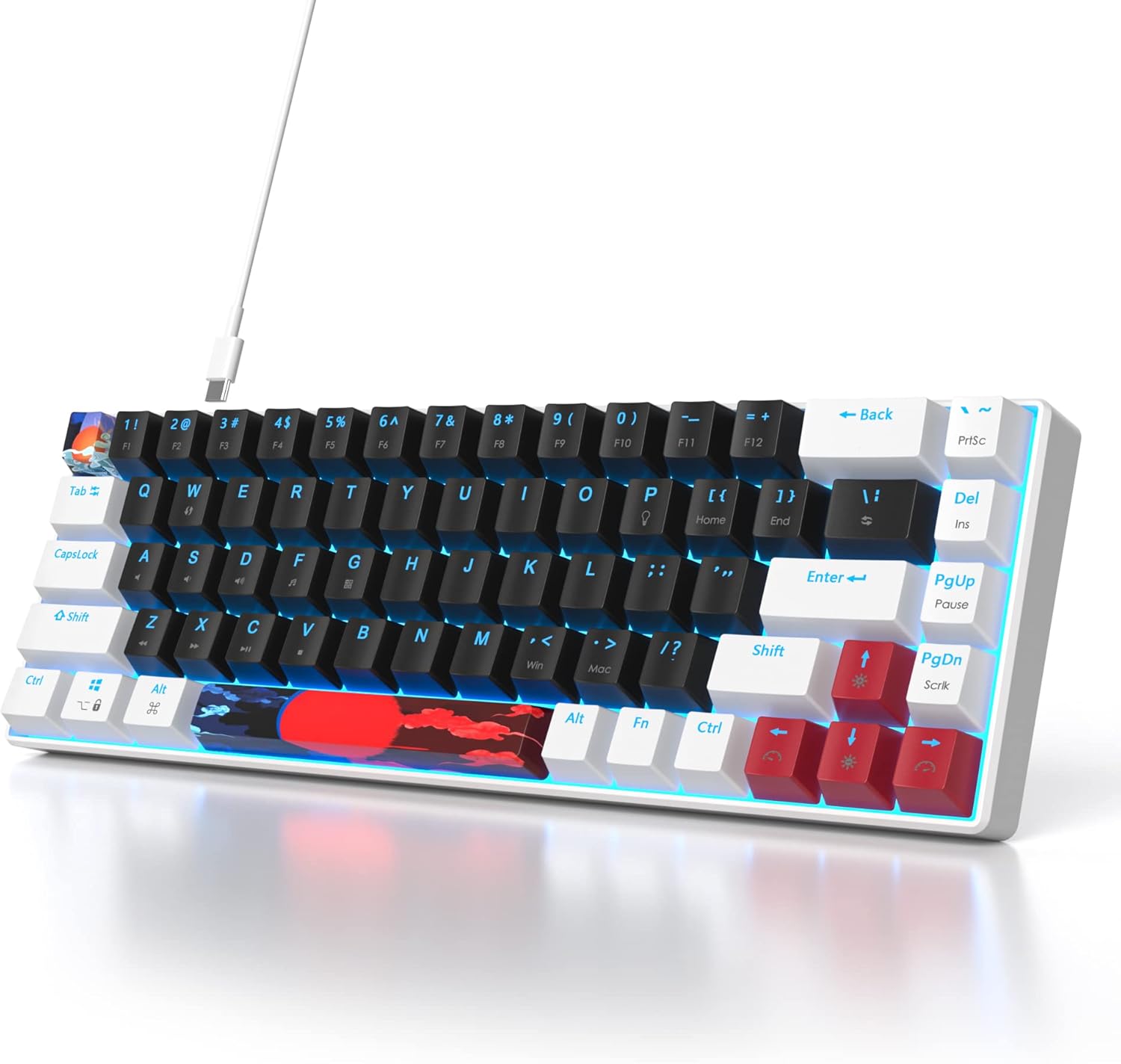
Image: Keyboard connected with its Type-C cable.
קאַמפּאַטאַבילאַטי: This keyboard is compatible with Windows 98/2000/7/8/10/XP/Vista/MAC operating systems, as well as PS5, PS4, and Xbox consoles.
אַפּערייטינג ינסטראַקשאַנז
Your SOLIDEE 65% Mechanical Gaming Keyboard features a compact 68-key layout with linear red mechanical switches and LED backlighting.
שליסל פֿעיִקייטן:
- 68-קנעפל אויסלייג: An ultra-compact design that saves desk space while retaining essential keys.
- רויטע מעכאנישע סוויטשעס: These linear switches provide a quiet click sound and fast action with minimal resistance, ideal for both typing and gaming.
- ערגאָנאָמיק פּלאַן: The keyboard's design promotes a natural hand position to reduce fatigue during extended use.
- Shine-Through Keycaps: The keycaps are designed to allow the LED backlight to shine through, enhancing visibility and aesthetics.

Image: Detail of the red mechanical switches.

Image: Keycap demonstrating shine-through backlight.
באַקלייט קאָנטראָל:
The keyboard features a classic blue LED backlight with approximately 18 different lighting modes.
- Turn Backlight On/Off: דרוק Fn + P סיימאַלטייניאַסלי.
- טוישן באַקלייט מאָדעס: דרוק פֿן + \ | simultaneously to cycle through the available lighting effects.
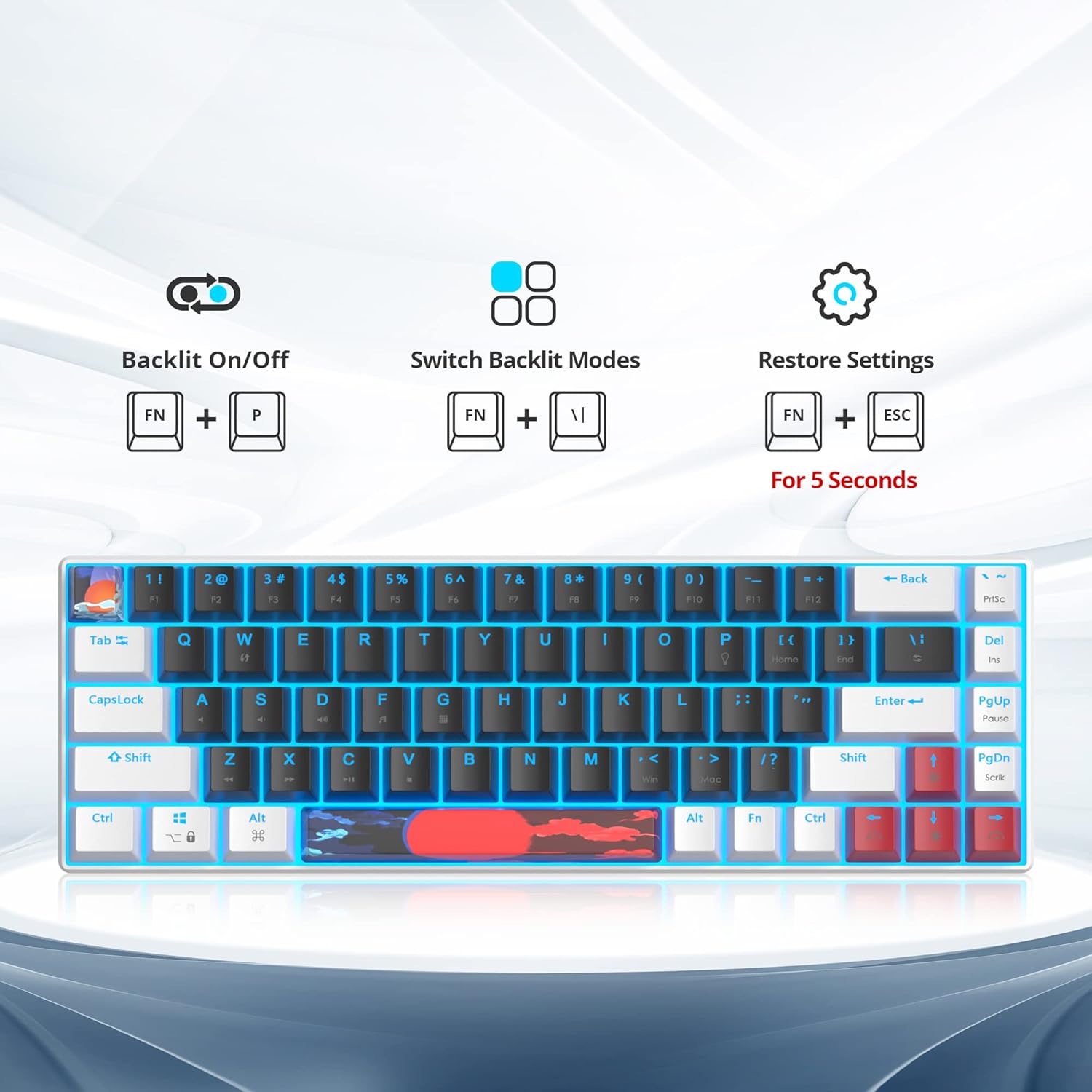
Image: Key combinations for backlight control and factory reset.
וישאַלט
געהעריגע אויפהאלטונג גאראנטירט די לאנגעוויטי און עפעקטיווקייט פון אייער קלאַוויאַטור.
- רייניקונג: Use a soft, dry cloth to wipe the keyboard surface. For deeper cleaning, you may use a can of compressed air to remove dust and debris from between the keycaps.
- קלאַוויאַטור אַראָפּנעמען: Use the provided keycap puller to carefully remove keycaps for cleaning or replacement. Gently pull the keycap straight up to avoid damaging the switch.
- קאַבלע זאָרגן: Avoid bending or twisting the USB-C cable excessively to prevent internal damage.

בילד: איבערview of the keyboard, showing keycap layout.
טראָובלעשאָאָטינג
אויב איר טרעפט פּראָבלעמען מיט אייער קלאַוויאַטור, זעט די פאלגענדע געוויינטלעכע לייזונגען:
- קלאַוויאַטור ניט ריספּאַנדינג: Ensure the USB-C cable is securely connected to both the keyboard and your device. Try plugging the cable into a different USB port.
- באַקלייט ניט ארבעטן: דרוק Fn + P to ensure the backlight is turned on. If still not working, try resetting the keyboard settings.
- באַשטעטיק סעטטינגס: To restore the keyboard to its factory default settings, press and hold Fn + ESC פֿאַר 5 סעקונדעס.
- שליסלען רעגיסטרירט זיך נישט: If specific keys are not working, try removing and re-seating the keycap using the keycap puller. Ensure no debris is obstructing the switch.
ספּעסאַפאַקיישאַנז
| שטריך | דעטאַל |
|---|---|
| סאָרט | סאָלידע |
| מאָדעל | 68 White_Black/Red Switch |
| קאָליר | 68 White_Black/Red Switch |
| שליסל אויסלייג | 65% (68 שליסלען) |
| באַשטימען טיפּ | Red Mechanical Switches (Linear) |
| באַקלייט | Classic Blue LED (approx. 18 modes) |
| קאַנעקטיוויטי | Wired (Removable Type-C USB Cable) |
| אַפּערייטינג סיסטעם קאַמפּאַטאַבילאַטי | Windows 98/2000/7/8/10/XP/Vista/MAC |
| קאַנסאָול קאָמפּאַטיביליטי | PS5, PS4, Xbox |
| פּונקט וואָג | 840 גראַמז |
| פּעקל דימענשאַנז | 35.79 X 15.8 X 4.7 סענטימעטער |

Image: Keyboard dimensions (12.2 inches length, 4.2 inches width).
וואָראַנטי און שטיצן
For warranty information or technical support, please refer to the product packaging or contact SOLIDEE customer service through the retailer where the product was purchased. Keep your proof of purchase for warranty claims.