
SureFire SF18350
SureFire SF18350 Micro USB Lithium-Ion Rechargeable Battery User Manual
מאָדעל: SF18350
Brand: SureFire
1. הקדמה און איבערview
The SureFire SF18350 is a high-performance Lithium-Ion rechargeable battery designed for reliability and convenience. It features a MICRO-USB charging port, allowing for easy recharging using common USB power sources such as wall chargers, computers, power banks, or automotive USB ports. This battery is engineered to provide consistent power for compatible devices.

Image 1.1: The SureFire SF18350 Micro USB Lithium-Ion Rechargeable Battery. This image shows the cylindrical red and black battery with "SUREFIRE" and "3.7 VOLTS SF18350" clearly visible on its side.
2. סעטאַפּ און טשאַרדזשינג
The SF18350 battery is designed for straightforward charging. Follow these steps to charge your battery:
- Locate the MICRO-USB port on the side of the SF18350 battery.
- Connect the included MICRO-USB to USB cable to the battery's port.
- Plug the other end of the USB cable into any standard USB power source (e.g., USB wall charger, computer USB port, power bank, or automotive USB port).
- Observe the LED indicators on the battery:
- A רויט LED indicates that the battery is currently charging.
- A גרין LED indicates that the battery is fully charged.
- Once fully charged, disconnect the cable from the battery and the power source.

Image 2.1: The SureFire SF18350 battery connected to a Micro USB charging cable. This image shows the battery lying next to a black USB cable, with the Micro USB end ready to be inserted into the battery's charging port.

Image 2.2: The SureFire SF18350 battery with the Micro USB cable fully connected, illustrating the charging setup. This image provides a clear view of the battery with the cable plugged into its side port.
3. Operating and Compatibility
The SF18350 battery is designed for use with specific devices. Please note the following compatibility information:
- The SF18350 is compatible with SureFire Dual Fuel, single 123A-powered products.
- עס איז נישט compatible with non-Dual Fuel, single 123A-powered products.
- This battery offers an 1,100 mAh capacity for extended runtime and an 8-10A discharge rate, making it suitable for high-drain devices such as LED flashlights.
To install the battery, ensure the positive (+) and negative (-) terminals align correctly with your device's battery compartment. Refer to your device's manual for specific battery installation instructions.
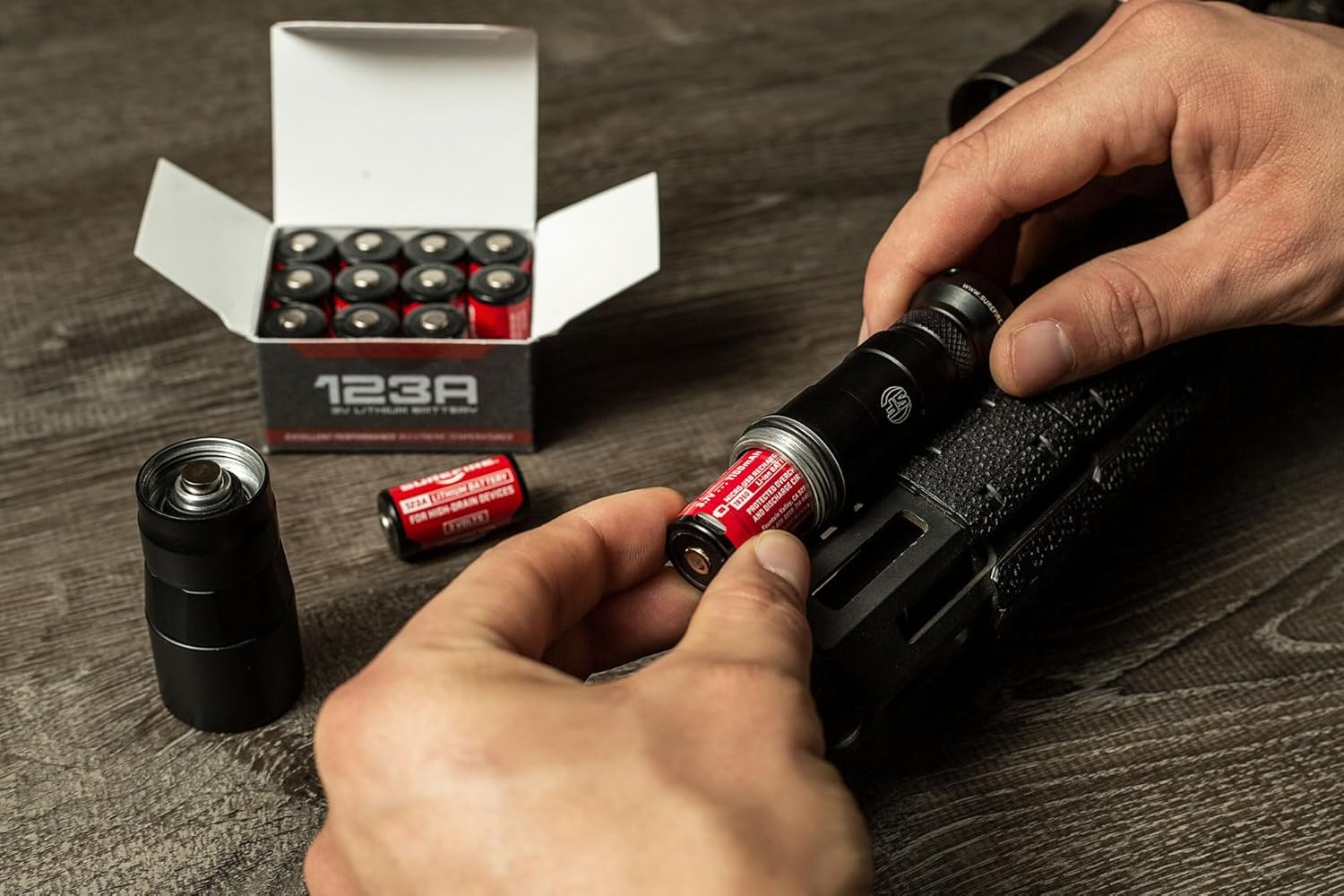
Image 3.1: A SureFire SF18350 battery being inserted into a compatible flashlight. This image shows hands holding the battery and a flashlight, demonstrating the proper orientation for insertion.
4. וישאַלט און זיכערקייַט
Proper care and maintenance will extend the life of your SF18350 battery and ensure safe operation. Adhere to the following guidelines:
- סטאָרידזש: סטאָר באַטעריז אין אַ קיל, טרוקן אָרט אַוועק פון דירעקט זונשייַן און עקסטרעם טעמפּעראַטורעס.
- טשאַרדזשינג: Always use the provided cable or a compatible MICRO-USB cable with a reliable USB power source. Do not overcharge or leave charging unattended for prolonged periods after the green indicator light appears.
- באַזייַטיקונג: Dispose of depleted batteries according to local regulations. Do not dispose of batteries in fire or incinerate them.
- זיכערקייַט פּריקאָשאַנז:
- דו זאלסט נישט דיסאַסעמבאַל, צעטרעטן אָדער פּאַנגקטשער די באַטאַרייע.
- ויסמיידן קורץ-סירקוטינג די באַטאַרייע טערמינאַלס.
- האַלטן אַוועק פון קינדער.
- דו זאלסט נישט ויסשטעלן צו טעמפּעראַטורעס העכער 65 ° C (149 ° F).
5. טראָובלעשאָאָטינג
If you encounter issues with your SF18350 battery, consider the following common troubleshooting steps:
- באַטאַרייע ניט טשאַרדזשינג:
- Ensure the MICRO-USB cable is securely connected to both the battery and the power source.
- באַשטעטיקן אַז די USB מאַכט מקור איז אַקטיוו און צושטעלט מאַכט.
- Check the LED indicator on the battery; it should be red when charging. If not, try a different cable or power source.
- Battery Not Powering Device:
- Confirm that your device is compatible with the SF18350 battery (SureFire Dual Fuel, single 123A-powered products).
- Ensure the battery is fully charged (green LED indicator).
- Check that the battery is inserted with the correct polarity (+/-).
- Inspect the battery and device contacts for any dirt or corrosion.
- Battery Does Not Fit Device:
- The SF18350 battery has specific dimensions. It is larger in diameter than a standard CR123A battery. Ensure your device is designed to accommodate an 18350 size battery.
If issues persist, please contact SureFire customer support for further assistance.
6. ספּעסאַפאַקיישאַנז
| שטריך | דעטאַל |
|---|---|
| מאָדעל נאָמען | SF18350 |
| באַטערי טיפּ | ליטהיום-יאָן ריטשאַרדזשאַבאַל |
| Voltage | 3.7V |
| קאַפּאַציטעט | 1,100 מאַה |
| אָפּזאָגן קורס | 8-10 א |
| טשאַרדזשינג פּאָרט | מיקראָ-וסב |
| נומער פּעקל דימענשאַנז (ל רענטגענ וו רענטגענ ה) | 4.37 X 3.98 X 0.79 אינטשעס |
| מאַטעריאַל | אַלומינום |
| קאָליר | רויט |
7. וואָראַנטי און שטיצן
For detailed warranty information regarding your SureFire SF18350 battery, please refer to the manufacturer's official warranty documentation or visit the SureFire website. SureFire stands behind the quality of its products.
For technical support, product inquiries, or service, please contact SureFire directly through their official website or customer service channels. You can find more information and contact details at the SureFire Store on Amazon אדער זייער הויפּט קאָרפּאָראַציע webפּלאַץ.
Ask a question about this manual
Ask about setup, troubleshooting, compatibility, parts, safety, or missing instructions. Manuals+ will review the question and use this page’s manual context to help answer it.