
הקדמה
This manual provides essential information for the proper use and maintenance of your Bmax 14-inch Laptop, Model BMAX S14A. Please read this guide thoroughly before operating your device to ensure optimal performance and longevity. Keep this manual for future reference.
פּראָדוקט איבערview
Familiarize yourself with the components and features of your Bmax laptop.
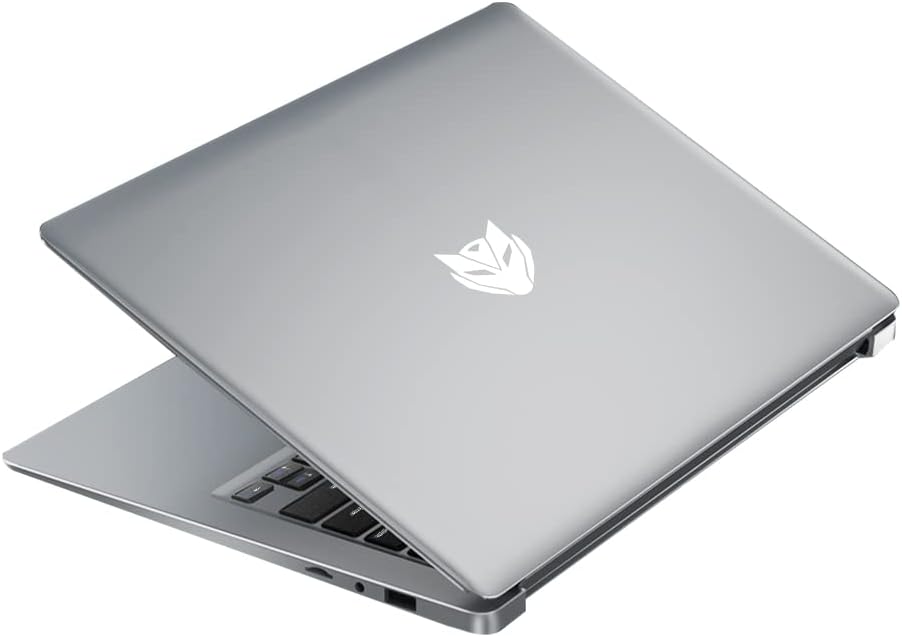
לאַפּטאַפּ קאַמפּאָונאַנץ


סעטאַפּ
ערשט מאַכט אויף
- אַנפּאַק: פֿאָרזיכטיק אַרויסנעמען דעם לאַפּטאָפּ און אַלע אַקסעסאָריעס פֿון דער פּאַקאַדזשינג.
- פאַרבינדן מאַכט: שטעק אריין דעם מאַכט אַדאַפּטער אין דעם לאַפּטאַפּ'ס טשאַרדזשינג פּאָרט און דערנאָך אין אַ וואַנט ווענטיל.
- מאַכט אויף: Open the laptop lid and press the power button located on the keyboard. The laptop will boot up and guide you through the initial Windows setup process.
טשאַרדזשינג די באַטאַרייע
For first-time use, it is recommended to fully charge the laptop battery. The charging indicator light will typically show orange or red while charging and turn white or off when fully charged. A full charge provides approximately 8 hours of battery life.

קאַנעקטינג פּעריפעראַלס
ניצט די פאַראַן פּאָרטן צו פאַרבינדן עקסטערנע דעוויסעס:
- וסב פּאָרץ: For mice, keyboards, external hard drives, and other USB devices.
- הדמי פּאָרט: To connect to an external monitor or TV.
- אַודיאָ דזשאַק: פֿאַר כעדפאָונז אָדער עקסטערנע רעדנערס.
אַפּערייטינג ינסטראַקשאַנז
מאַכט אויף / אַוועק
- צו מאַכט אויף: דרוק די מאַכט קנעפּל.
- צו פאַרמאַכן אַראָפּ: דריקט דעם "Start" קנעפל, דערנאך "Power", און סעלעקטירט "Shut down".
- צו ריסטאַרט: Click the Start button, then Power, and select 'Restart'.
- צו שלאפן: Close the lid or click the Start button, then Power, and select 'Sleep'.
ניצן די טאָוטשפּאַד
The laptop features a precision touchpad supporting multi-touch gestures for enhanced navigation:


קלאַוויאַטור פאַנגקשאַנז
The keyboard includes standard keys and function keys (F1-F12) that can be activated with the 'Fn' key for special functions like adjusting brightness, volume, or toggling Wi-Fi.
קאַנעקטינג צו Wi-Fi
- דריקט דעם Wi-Fi אייקאן אין דער סיסטעם טאַץ (געווענליך אונטן-רעכטס פון דעם עקראַן).
- אויסקלייבן אייער געוואונטשענע נעץ פון דער ליסטע.
- אַרייַן די נעץ פּאַראָל אויב געבעטן און גיט 'פאַרבינדן'.
Using External Displays (HDMI)
Connect an HDMI cable from your laptop's HDMI port to an external monitor or TV. The display settings can be adjusted in your operating system to extend, duplicate, or use only the external display.
וישאַלט
רייניקונג
- פאַרשטעלן: ניצן אַ ווייך, לינט-פֿרייַ שטאָף אַ ביסל דampגעוואשן מיט וואַסער אָדער אַ פאַרשטעלן רייניגער. פֿאַרמייַדן שטרענגע כעמיקאַליעס.
- קלאַוויאַטור און Casing: Use a soft cloth. For dust, a can of compressed air can be used.
באַטערי קער
- פֿאַרמײַדט אָפֿט פֿולשטענדיק אויסצולאָדן די באַטעריע.
- שטעלט נישט אויס דעם לאַפּטאָפּ צו עקסטרעמע טעמפּעראַטורן.
- אויב איר לייגט אַוועק דעם לאַפּטאָפּ פֿאַר אַ לענגערע צייט, זאָלט איר אָפּלאָדן די באַטאַרייע ביז 50-60%.
סטאָרידזש
Store the laptop in a cool, dry place away from direct sunlight and extreme temperatures. Use a protective sleeve or bag when transporting.
ווייכווארג דערהייַנטיקונגען
קאָנטראָלירט און אינסטאַלירט רעגולער די אָפּערייטינג סיסטעם און דרייווער דערהייַנטיקונגען צו ענשור אָפּטימאַלע פאָרשטעלונג און זיכערהייט.
טראָובלעשאָאָטינג
This section addresses common issues you might encounter with your Bmax laptop.
- לאַפּטאָפּ אַרבעט נישט אָן: זיכער מאַכן אַז דער מאַכט אַדאַפּטער איז זיכער פארבונדן און די באַטאַרייע איז גענוג אָפּגעלאָדן. פּרוּווט אַן אַנדער מאַכט אַוטלעט.
- דער עקראַן איז ליידיק אָדער פליקערט: Restart the laptop. If connected to an external monitor, try disconnecting it. Check display settings.
- ווי-פי קשר ישוז: Ensure Wi-Fi is enabled. Restart your router and modem. Check if other devices can connect to the network.
- לאַנגזאַמע פאָרשטעלונג: Close unnecessary applications. Check for background updates. Ensure sufficient free storage space.
- טאָוטשפּאַד רעאַגירט נישט: Ensure the touchpad is not disabled (check function keys). Restart the laptop.
- באַטערי נישט טשאַרדזשינג: Verify the power adapter is working correctly. Check the charging port for debris.
אויב פראבלעמען בלייבן, זעט די וואראנטי און שטיצע סעקציע פאר ווייטערדיגע הילף.
ספּעסאַפאַקיישאַנז
Detailed technical specifications for the Bmax 14-inch Laptop (Model BMAX S14A).
| שטריך | באַשרייַבונג |
|---|---|
| פאַרשטעלן גרייס | 15.6 Inches (Note: Product title states 14", specifications indicate 15.6") |
| פאַרשטעלן האַכלאָטע | 1920 x 1080 בילדצעלן (פול הד) |
| פּראַסעסער | 1.1 GHz (Intel Celeron, 4 Processors) |
| באַראַן | 16 גיגאבייט (DDR4 SDRAM) |
| שווער דרייוו | 256 גיגאבייט SSD (אויסברייטבאר ביז 1 טב) |
| פּונקט וואָג | 2.64 פונט (1.2 קילאָגראַמס) |
| פּראָדוקט דימענשאַנז | 12.9 X 8.5 X 0.9 אינטשעס |
| קאַנעקטיוויטי | Bluetooth, HDMI, USB (3 Total), Wi-Fi (2.4G/5G) |
| מאַכט מקור | Battery Powered (38WH) |
| מענטש צובינד אַרייַנשרייַב | ריר פּאַד |
וואָראַנטי און שטיצן
Your Bmax laptop comes with a 12-month repair period פֿון דעם דאַטע פֿון קויפֿן. דערצו, אַ 30-טאָג קריק פּאָליטיק is available. For any technical assistance or inquiries, Bmax offers 24-שעה אָנליין שטיצע.
For further support or to access the Bmax brand store, please visit the official Bmax store on Amazon: Bmax Amazon Store.